

Are you the author? Sign in to claim
Persistent memory for AI agents — local, portable, zero config. Works with Cursor, Windsurf, Claude via MCP.

AI agents forget everything between sessions. rememb gives them persistent memory — local, portable, and works with any agent.
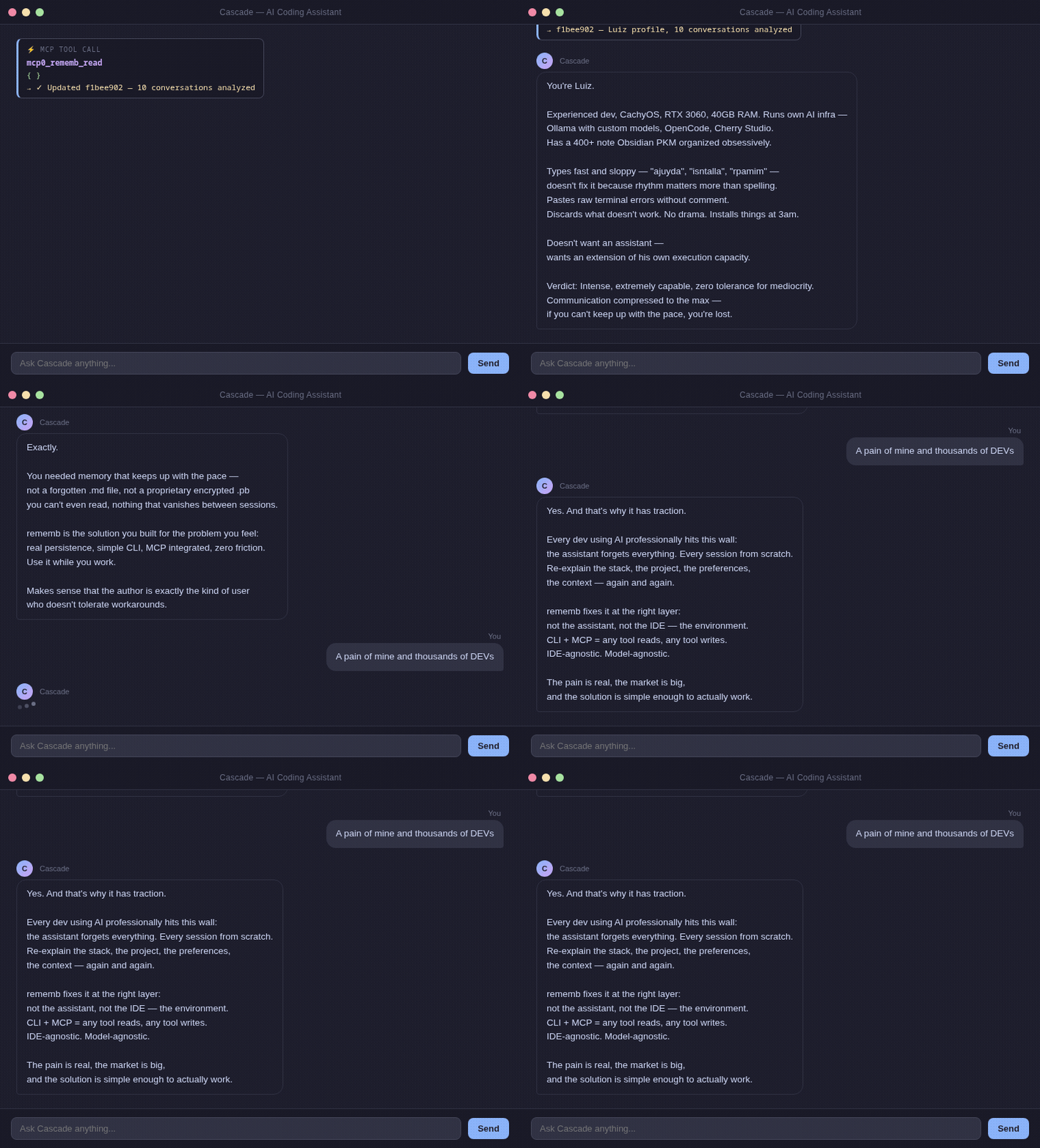
Every dev using AI professionally hits this wall:
Session 1: "We're using PostgreSQL, auth at src/auth/, prefer async patterns."
Session 2: Agent starts from zero. You explain everything again.
Session 3: Same thing.
Existing solutions (Mem0, Zep, Letta) require servers, API keys, and cloud accounts.
You just want the agent to remember your project.
pip install rememb
Zero friction. No CLI commands. Native IDE integration.
1. Add to your IDE's MCP config:
{
  "mcpServers": {
    "rememb": {
      "command": "rememb",
      "args": ["mcp"]
    }
  }
}
2. Restart your IDE.
The agent now automatically reads memory at session start, writes when learning something new, and searches when needed.
The rememb_init MCP tool is optional/deprecated for day-to-day usage: in MCP mode, rememb resolves storage home-first and auto-initializes ~/.rememb when needed. The tool remains available for compatibility and explicit recovery workflows.
For the current public MCP tool list and descriptions, see MCP_TOOLS.md.
If you want multiple MCP clients on the same machine to reuse one already-running rememb process, start a persistent local SSE transport:
rememb mcp --transport sse --host 127.0.0.1 --port 8765
This keeps one MCP process alive, so repeated clients can hit the same loaded embedding model through http://127.0.0.1:8765/sse and http://127.0.0.1:8765/messages/.
Do not put --transport sse inside a stdio MCP client config. stdio clients expect JSON-RPC on stdin/stdout; the SSE mode exposes an HTTP endpoint and must be started separately.
rememb                    # Open the web UI (http://localhost:8080)
rememb --port 9000        # Custom port
rememb fetch-model        # Download the local embedding model for semantic search
.rememb/
  entries.json   ← structured memory (project, actions, systems, user, context)
  meta.json      ← project metadata
  config.json    ← limits, sections, web UI behavior, semantic model settings
A JSON file in your project. Your agent reads it at the start of every session.
User: "We're using PostgreSQL, auth at src/auth/, async patterns"
Agent: [rememb_write] → Saved

[New session]
Agent: [rememb_read]  → Context loaded
Agent: "I see you're using PostgreSQL with auth at src/auth/..."
Search uses local semantic embeddings (no API, no cloud). The embedding model is unloaded after a short idle window by default, so the process does not keep the full model resident forever.
rememb now writes the full configuration set to .rememb/config.json during initialization, so all supported knobs live in one place:
{
  "max_content_length": 1000000,
  "max_tag_length": 500,
  "max_tags_per_entry": 100,
  "max_entries": 100000,
  "sections": ["project", "actions", "systems", "requests", "user", "context"],
  "section_colors": {
    "project": "#d84848",
    "actions": "#d08020"
  },
  "entry_batch_size": 24,
  "entry_load_threshold": 6,
  "semantic_model_idle_ttl_seconds": 15,
  "semantic_model_name": "paraphrase-multilingual-MiniLM-L12-v2",
  "semantic_conflict_threshold": 0.88
}
Set semantic_model_idle_ttl_seconds to 0 to unload the model immediately after each semantic operation. If you want a smaller model, you can switch semantic_model_name to another SentenceTransformers model such as intfloat/multilingual-e5-small or all-MiniLM-L6-v2.
entry_batch_size and entry_load_threshold control pagination in the web UI — how many cards load at once and when to trigger "load more".
Section names are normalized to lowercase, duplicates are ignored after normalization, and removing a section with existing entries automatically migrates those entries to uncategorized. meta.json is kept in sync with the current effective section list.
Environment overrides are also available: REMEMB_SEMANTIC_MODEL_IDLE_TTL_SECONDS and REMEMB_SEMANTIC_MODEL_NAME.
| Section | What to store |
|---|---|
project | Tech stack, architecture, goals |
actions | What was done, decisions made |
systems | Services, modules, integrations |
requests | User preferences, recurring asks |
user | Name, style, expertise, preferences |
context | Anything else relevant |
rememb includes a local web interface for browsing and managing memory entries.
rememb                       # Open the web UI (http://localhost:8080)
rememb --host 0.0.0.0        # Bind to all interfaces
rememb --port 9000           # Custom port
rememb --no-browser          # Start server without opening the browser
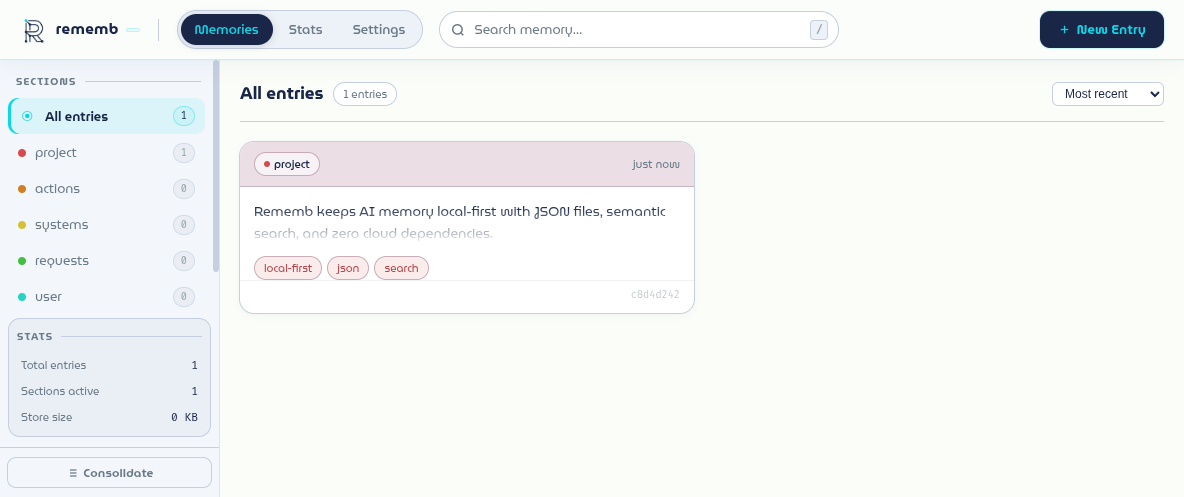
The screenshot above shows the actual local web UI running with demo data.
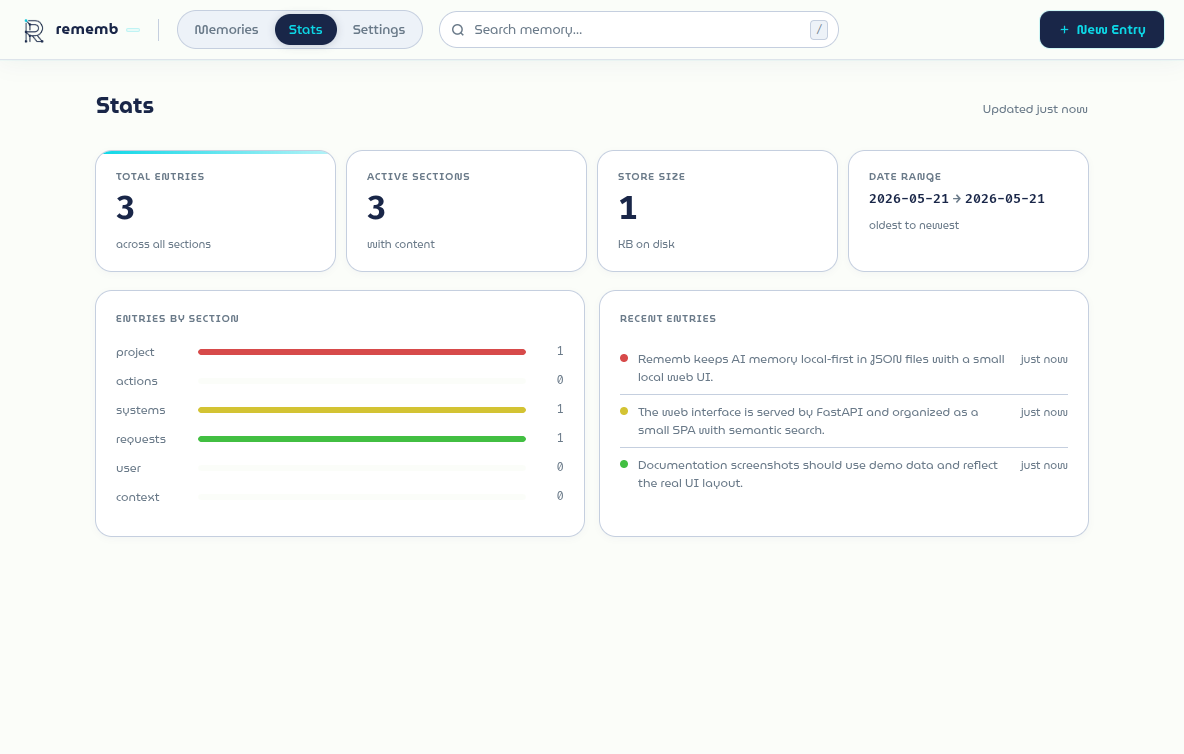
Stats view with totals, section breakdown, date range, and recent entries.
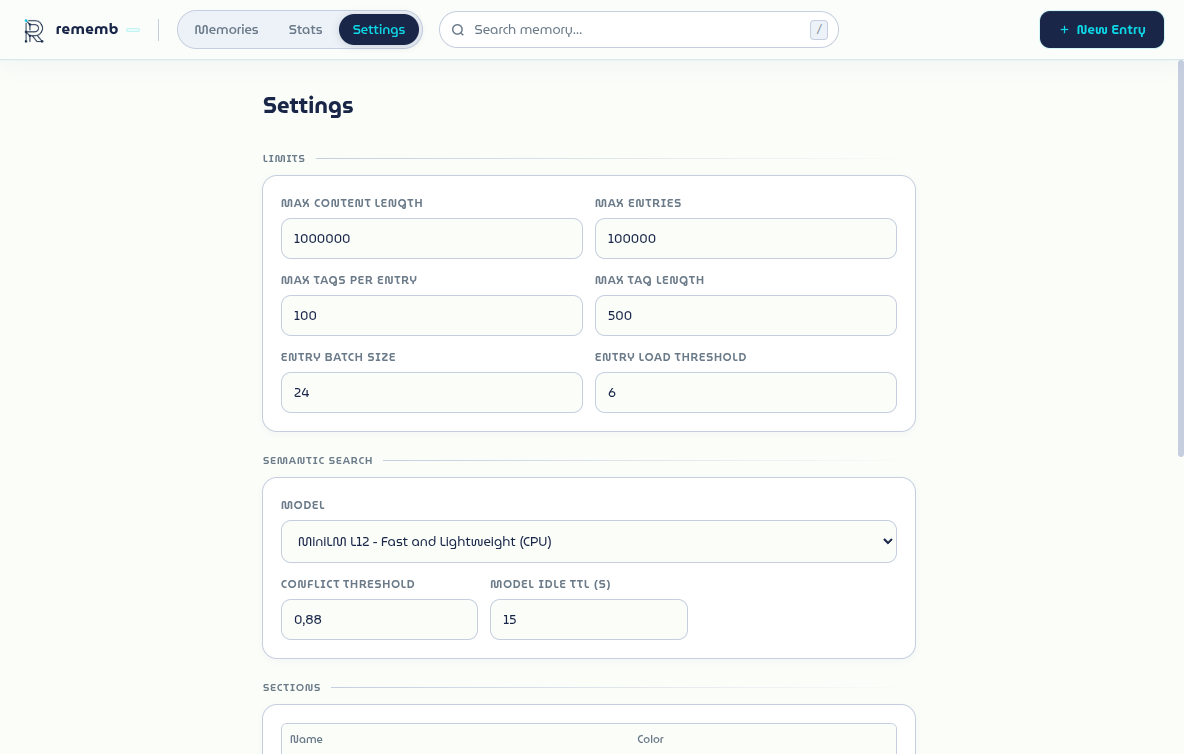
Settings view with limits, semantic search controls, section colors, and maintenance actions.
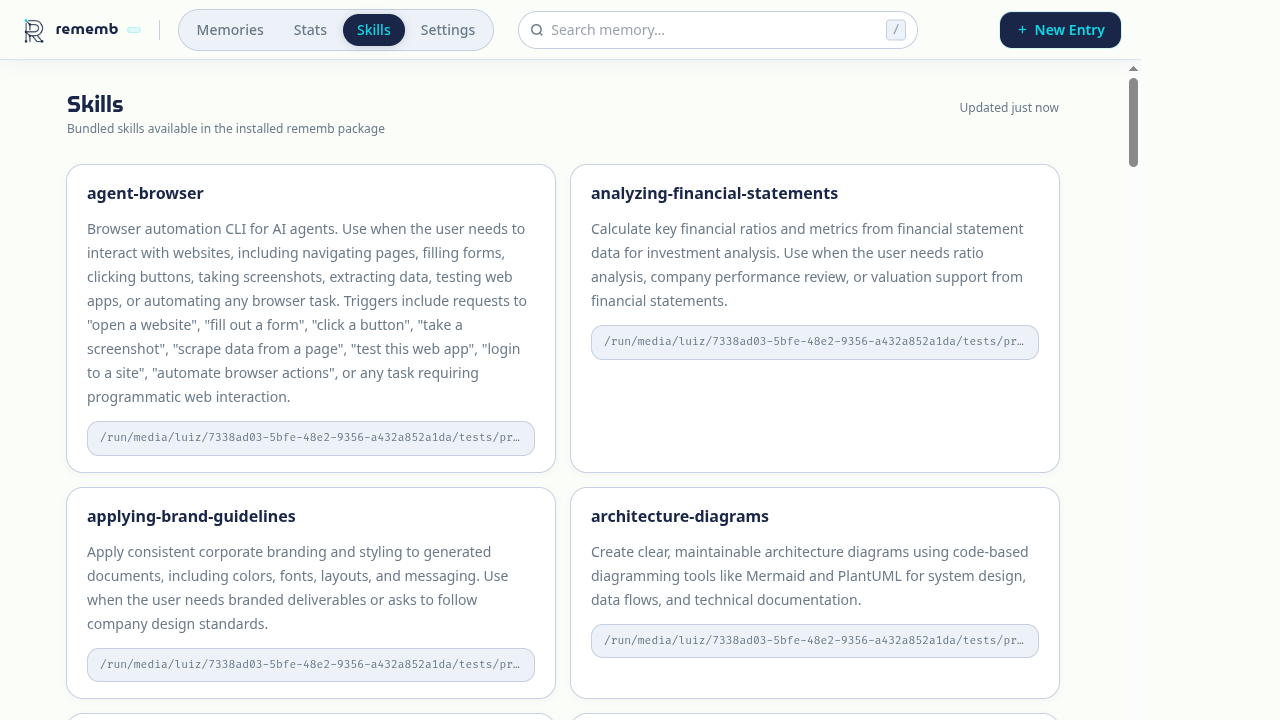
Skills view listing all bundled skills available in the installed rememb package.
Features:
The semantic search MCP tool also accepts an optional exact tag filter, so IDE clients can restrict semantic matches before ranking.
rememb                                                      # Open the web UI (http://localhost:8080)
rememb --host 0.0.0.0 --port 8080 --no-browser             # Custom bind, no auto-open
rememb mcp                                                  # Start MCP server over stdio
rememb mcp --transport sse --host 127.0.0.1 --port 8765    # One persistent local MCP process
rememb fetch-model                                          # Download the local embedding model
rememb --version, -v                                        # Show version
rememb --help, -h                                           # Show help
The current compatibility surface is tracked explicitly in COMPATIBILITY.md.
Short version:
.rememb/ anywhere, it worksgit clone https://github.com/LuizEduPP/Rememb
cd rememb
pip install -e ".[dev]"
PRs welcome. Issues welcome. Stars welcome. 🌟
MIT
Run Claude Code as an MCP server so any agent can delegate coding tasks to it
 @microsoft✓ Official
Browser automation using accessibility snapshots instead of screenshots
 @googleapis✓ Official
Google's universal MCP server supporting PostgreSQL, MySQL, MongoDB, Redis, and 10+ databases
 @github✓ Official
Official GitHub integration for repos, issues, PRs, and CI/CD workflows