

Are you the author? Sign in to claim
A Model Context Protocol (MCP) server built with FastMCP to provide AI models with structured technical data about rootk
A Model Context Protocol (MCP) server built with FastMCP to feed your AI model technical data about rootkit techniques, rootkit and bootkit families from the Rootkit Techniques Matrix. Consists of two files: server.py and matrix_data.json. The latter stores data from the matrix in a format understandable for the methods in server.py.
It's compatible with Open WebUI and Claude Windows app. Since I don't have access to Claude, I tested it on a locally deployed model Ollama + Qwen3:8b. But compatibility with Claude was added as well. I don't use Linux, so everything was tested on Windows.
Clone the repo
git clone https://github.com/ArtemBaranov/rkmatrix-mcp-server.git
Install FastMCP:
pip install fastmcp
The server itself doesn't need configuration. You simply run it as python server.py. If you are running a local model setup (Ollama + Open WebUI), follow these steps to connect Open WebUI to your MCP server (Ollama app itself can't be directly connected to the MCP server).
Install Ollama app and choose (download) qwen3:8b model.
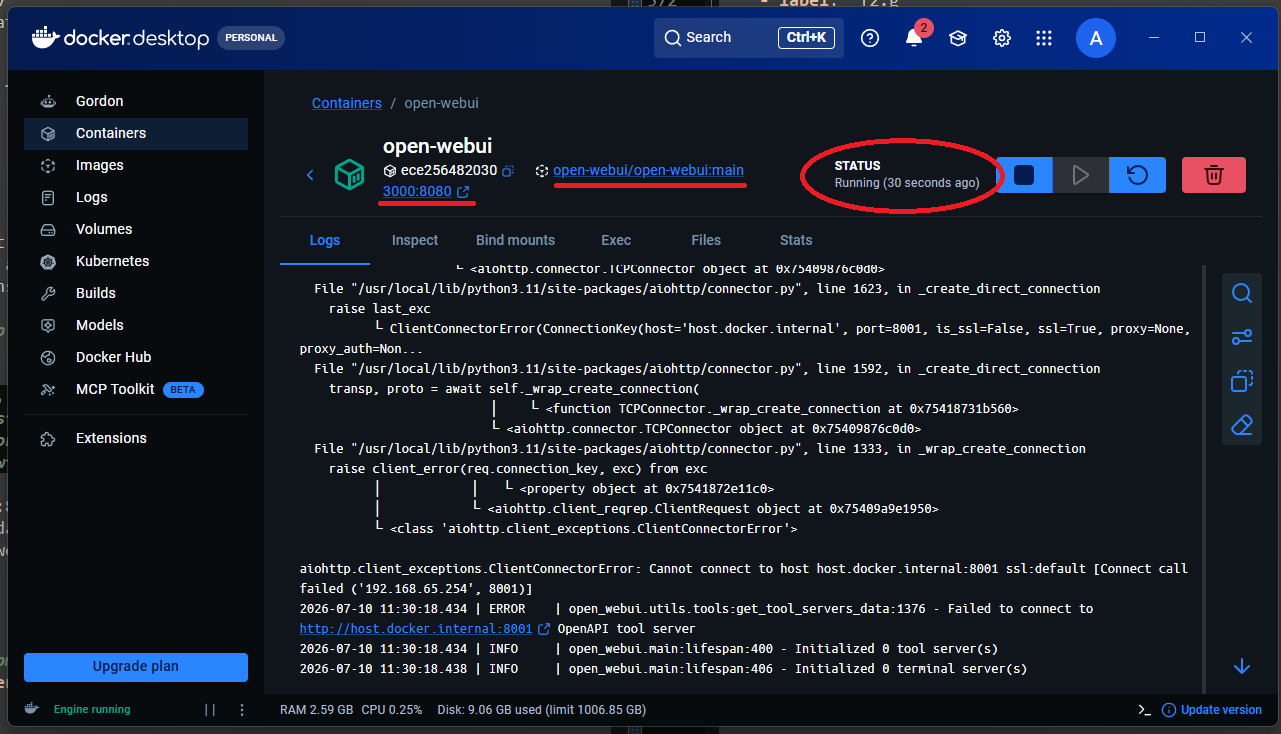
Now we need to install the Open WebUI framework and connect it to the Ollama service. But since Open WebUI is only compatible with Python 3.11, we need to install Docker Desktop for Windows to create a virtual environment for it. Once installed, run the following command to create the environment.
docker run -d -p 3000:8080 --add-host=host.docker.internal:host-gateway -v open-webui:/app/backend/data --name open-webui --restart always ghcr.io/open-webui/open-webui:main
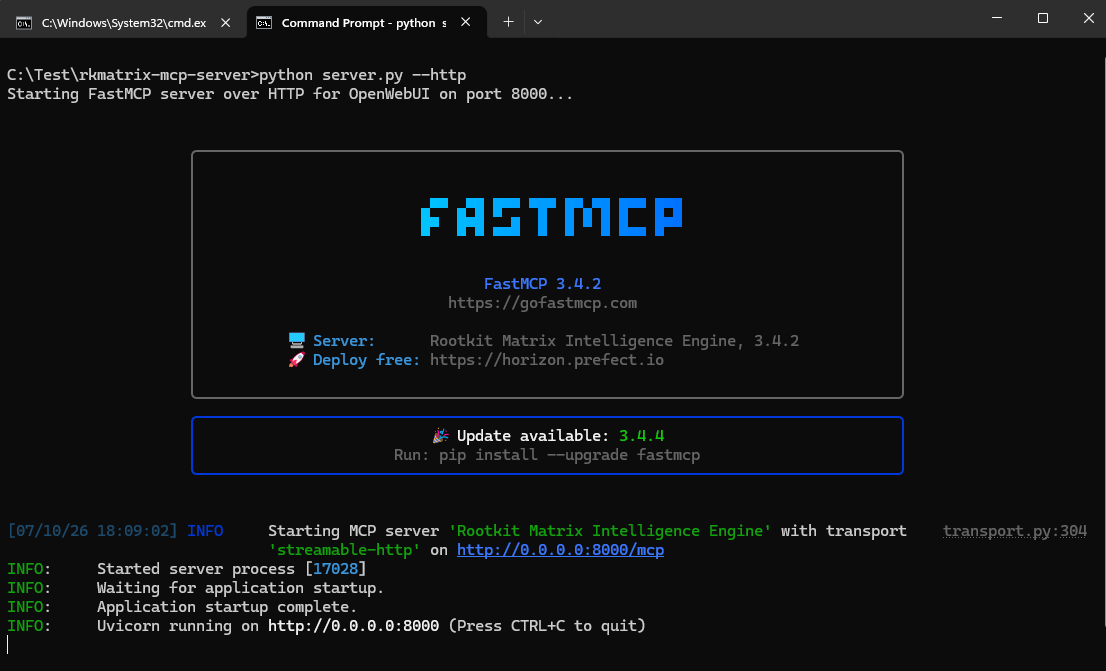
python server.py --http
http://localhost:3000/. Navigate to: Your profile icon -> Admin panel -> Settings -> Integration -> External Tool Servers -> Add connection.http://host.docker.internal:8000/mcp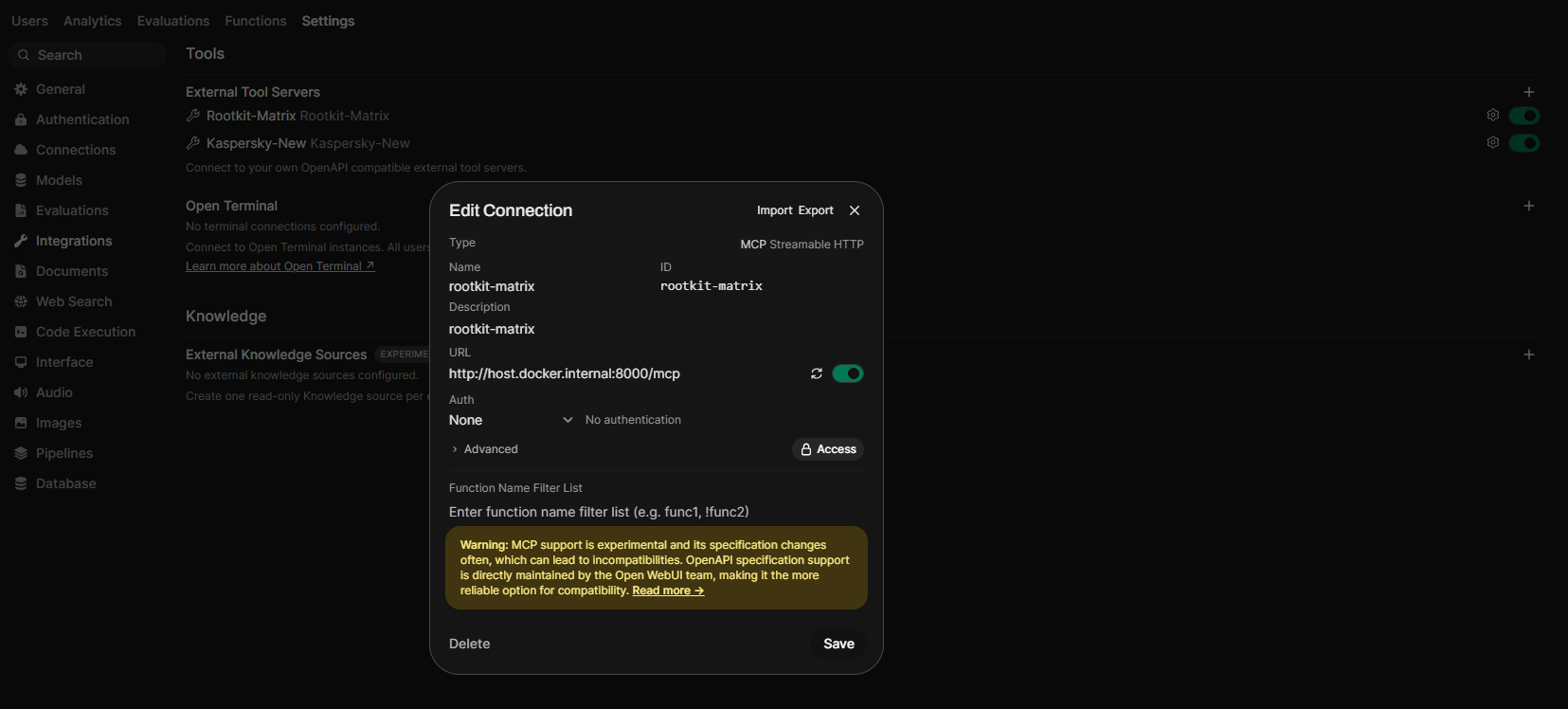
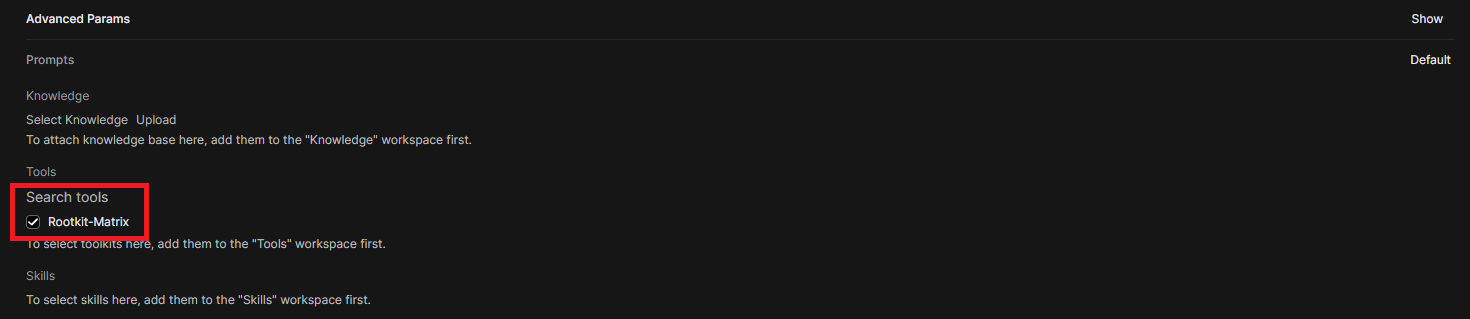
To ensure the model utilizes the MCP tools correctly, change "Function Calling" setting of the model to Legacy. Admin Panel -> Settings -> Models -> Change -> Advanced Params.
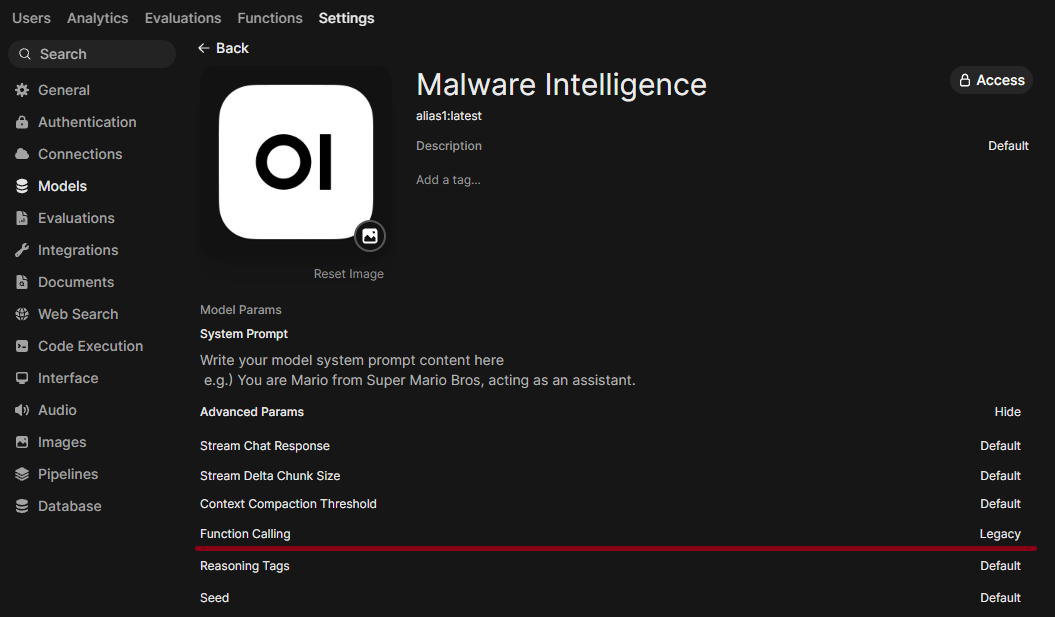
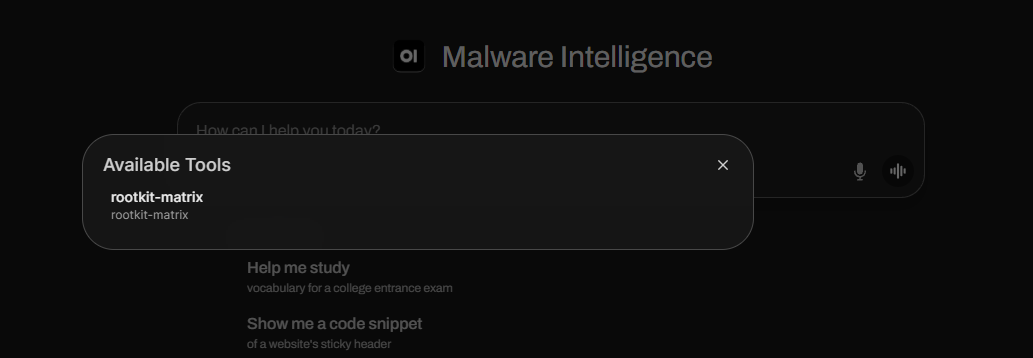
Now you should see the toolbox icon near your prompt text box, confirming our tool is ready.
To use this server with the Claude Desktop app, add the following configuration to your claude_desktop_config.json file:
~/Library/Application Support/Claude/claude_desktop_config.json%APPDATA%\Claude\claude_desktop_config.json{
"mcpServers": {
"rkmatrix-mcp-server": {
"command": "python",
"args": [
"/absolute/path/to/your/rkmatrix-mcp-server/server.py"
]
}
}
}
Note: Replace /absolute/path/to/your/ with the actual full directory path on your machine.
When using Claude Desktop, the app launches the server automatically in the background. You do not need to manually run python server.py in your command prompt.
Run Claude Code as an MCP server so any agent can delegate coding tasks to it
 @microsoft✓ Official
Browser automation using accessibility snapshots instead of screenshots
 @googleapis✓ Official
Google's universal MCP server supporting PostgreSQL, MySQL, MongoDB, Redis, and 10+ databases
 @github✓ Official
Official GitHub integration for repos, issues, PRs, and CI/CD workflows