

Are you the author? Sign in to claim
The Fraud Investigator Assistant shows how AWS Bedrock, MCP servers, and Strands expert agents can transform fraud inves
The Fraud Investigator Assistant demonstrates how customers can revolutionize their fraud investigation process using AWS Bedrock, MCP (Model Context Protocol) servers, and Strands expert agents. Fraud investigations can be an arduous, time-consuming endeavor. Each step can involve various compliance and security policies requiring specialized skills in different domains. Building an AI expert network can accelerate this work and allow customers to run investigations faster. This innovative approach dramatically reduces investigation timelines by combining a knowledge base of policy information with custom MCP servers for private data and open-source MCPs for public information-gathering.
Assistance capabilities:
app/                        # Application-level logic and data
build-script/               # Build scripts
data/                       # Mocked example data
iac/                        # All Terraform and application layer code
    bootstrap/              # Deploy bootstrapped infrastructure
    roots/                  # Main Terraform and application code
        app/
    templates/              # Terraform components and modules
images/                     # Architecture and other images for the
test/                       # Folder with different test scripts to check functionality
ui/                         # Interact with agent via Streamlit UI
init.sh                     # Initialize environment variables
LICENSE                     # License file to use this project artifacts
Makefile                    # Scripts to deploy, destroy, and interact with IAC
README.md                   # This document which includes repository details and instructions
set-env-vars.sh             # Export environment variables set during init.sh
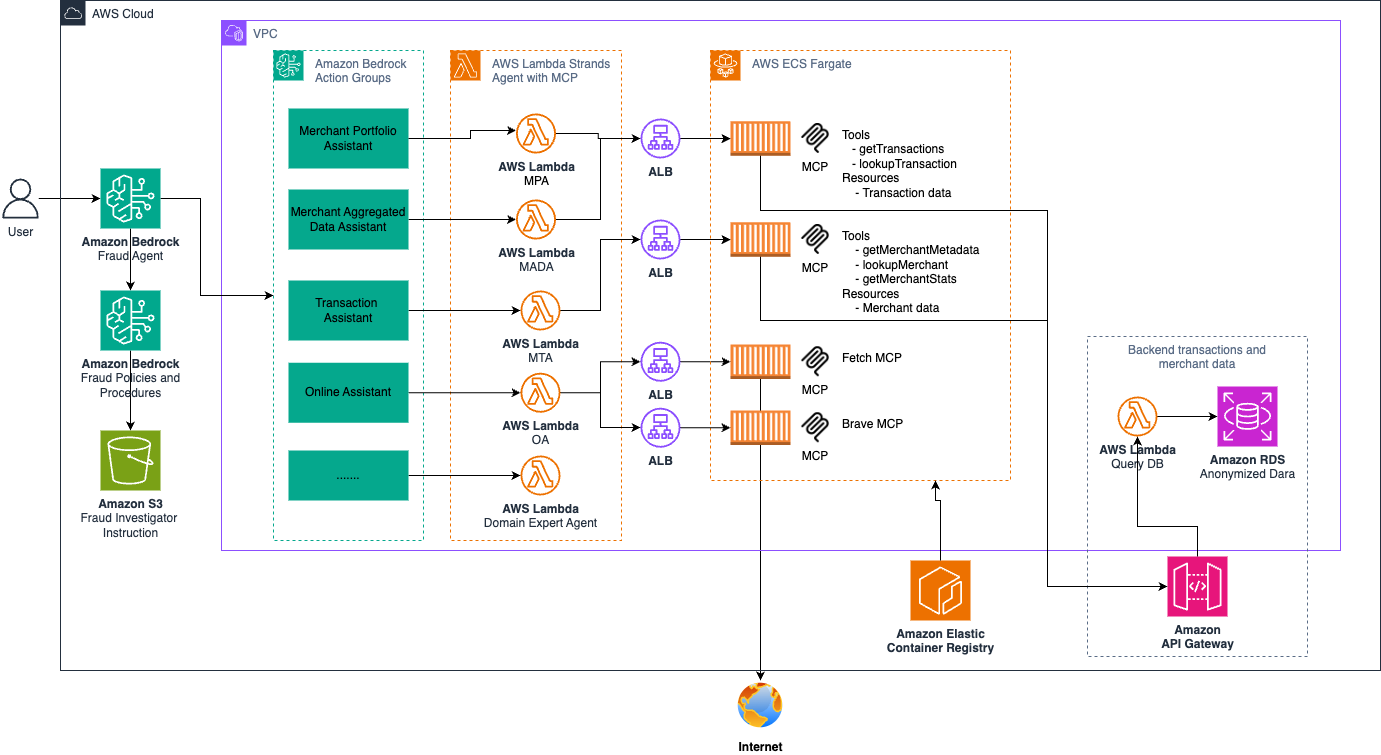
Fraud expert ingest policies to knowledge base
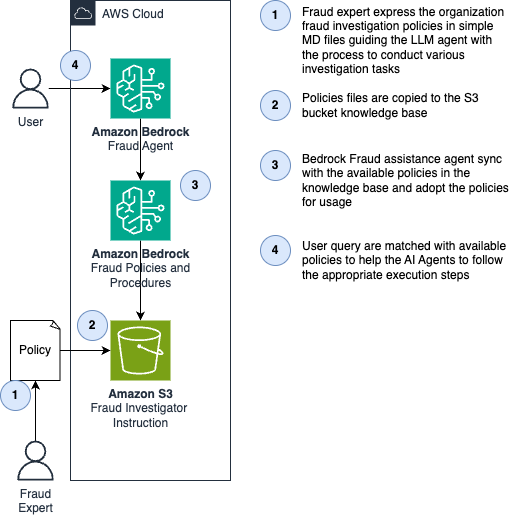
Fraud AI assistance process user query
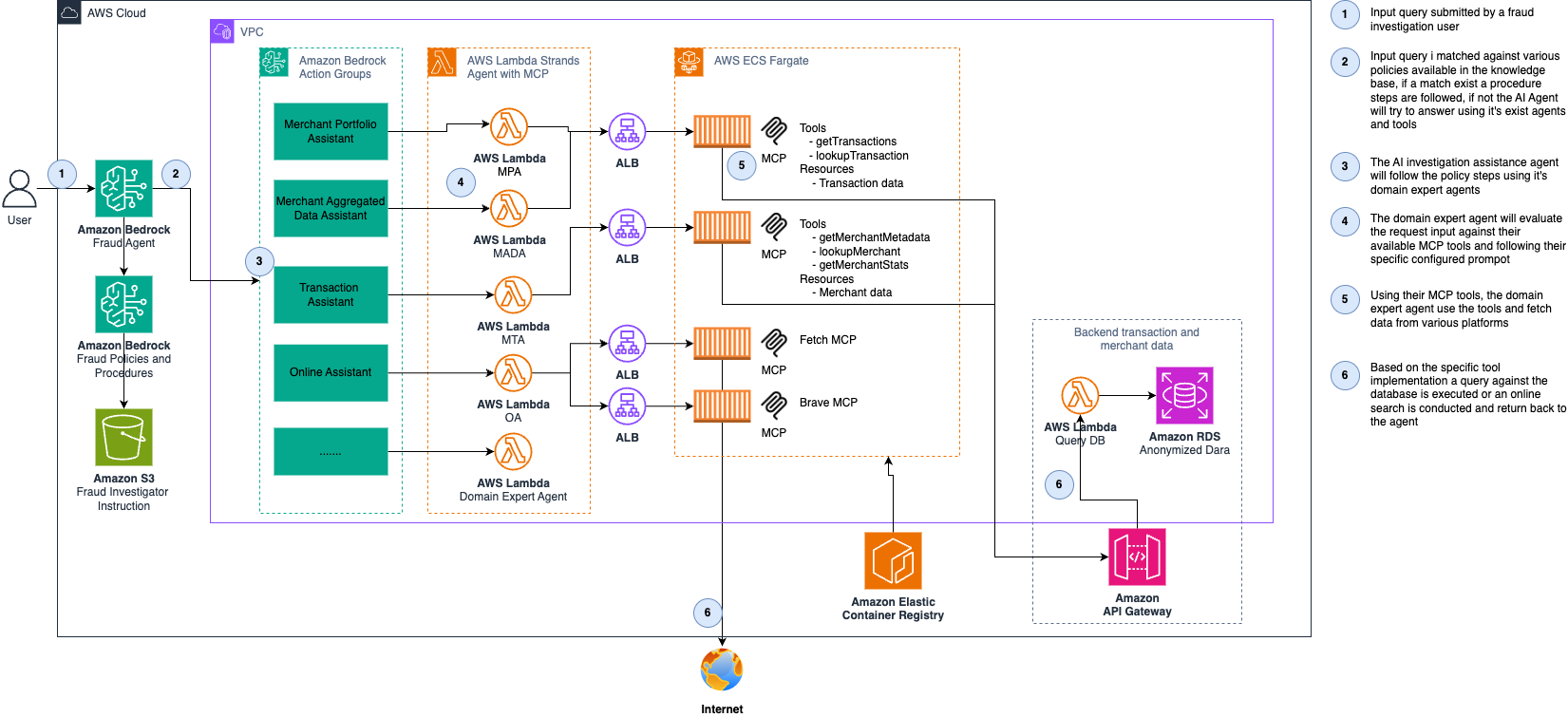
Frontend Layer
Agent Layer
MCP Server Layer
Data Layer
Infrastructure
Fetching merchant metadata information
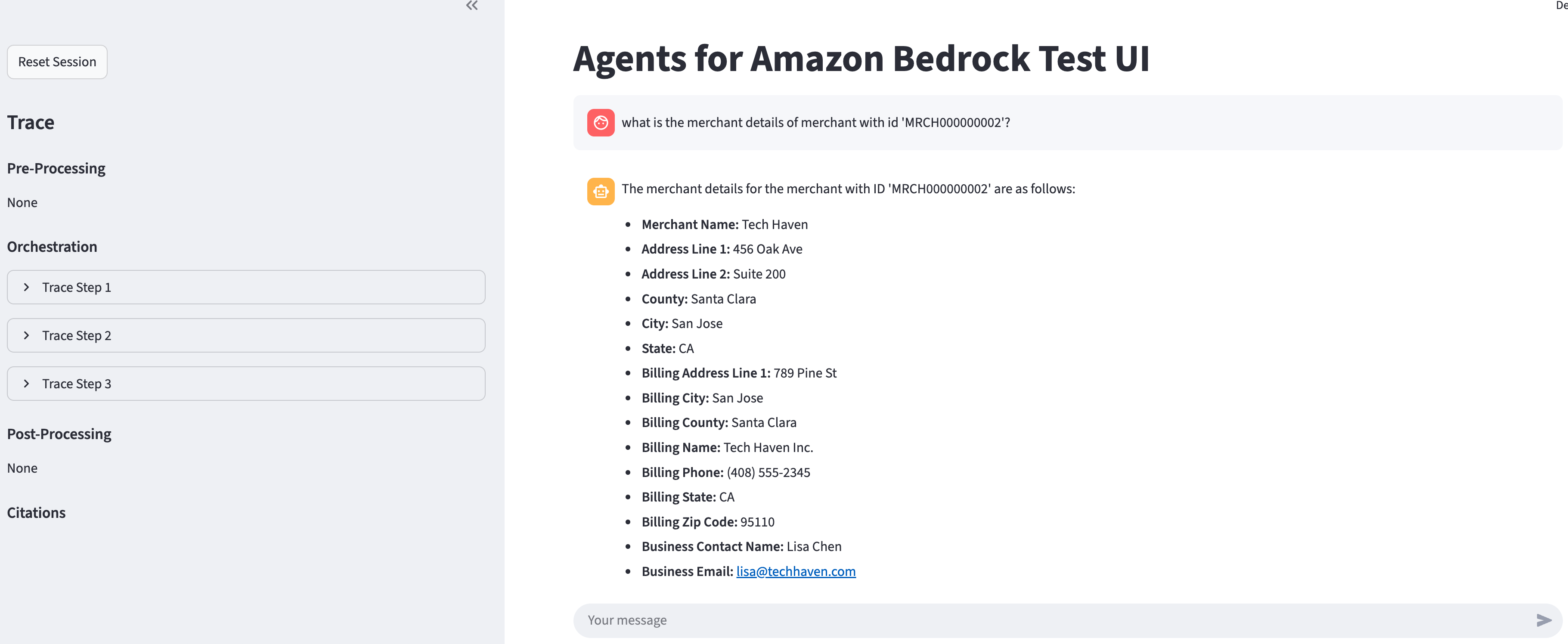
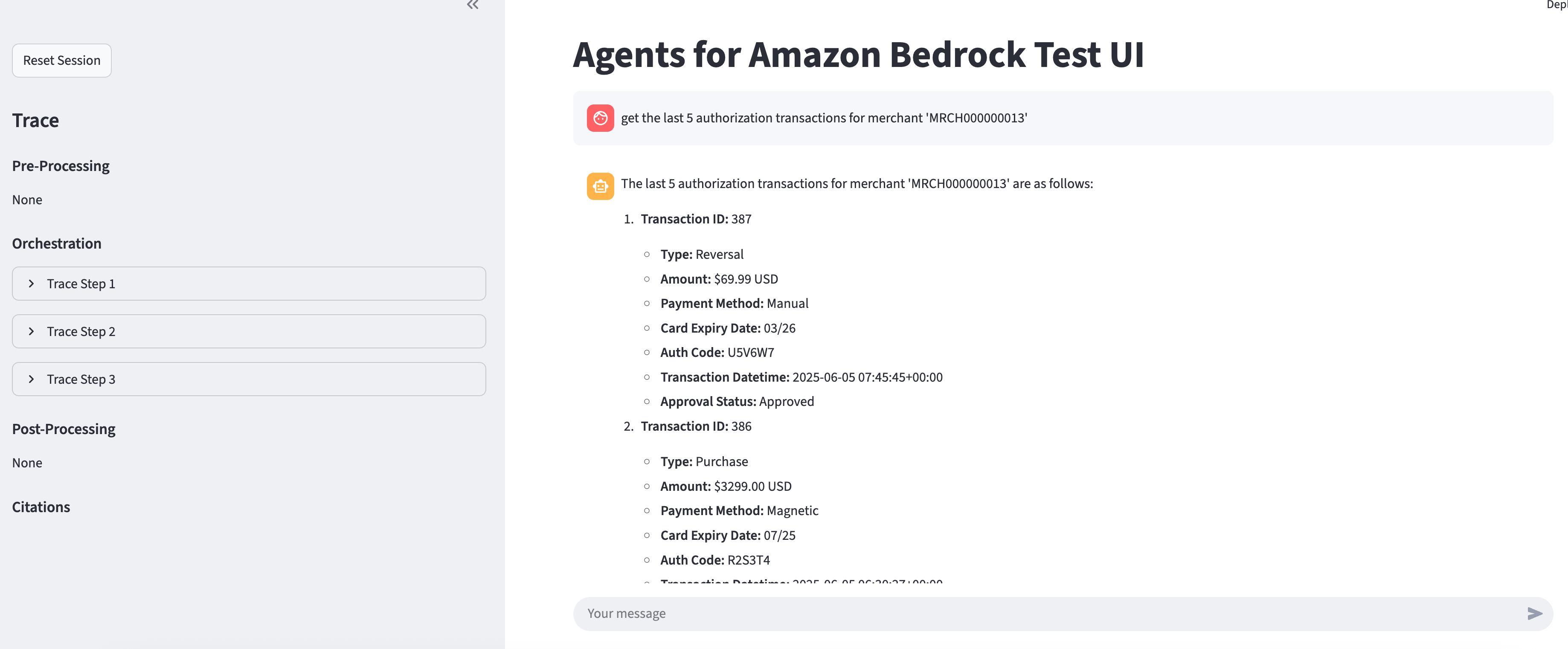
Get last authorization transactions for a merchant
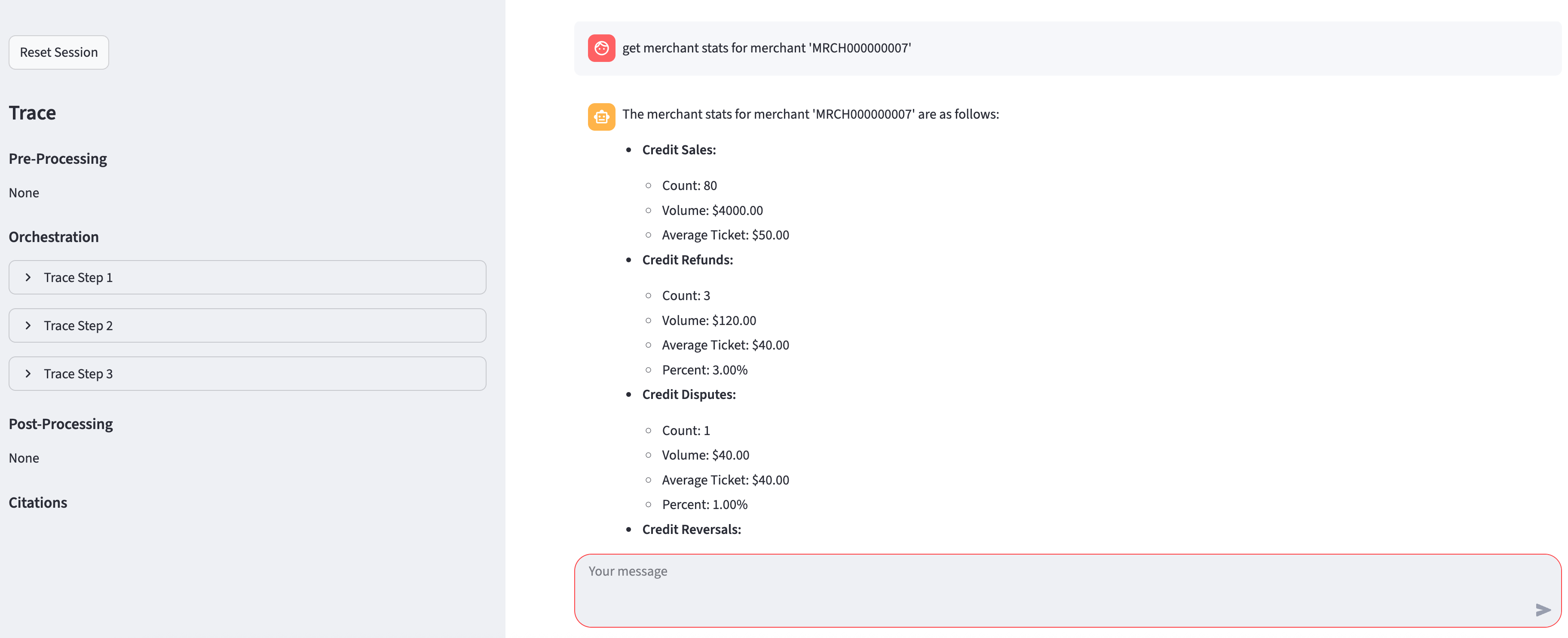
Get merchant stats data (default day, month/year also supported)
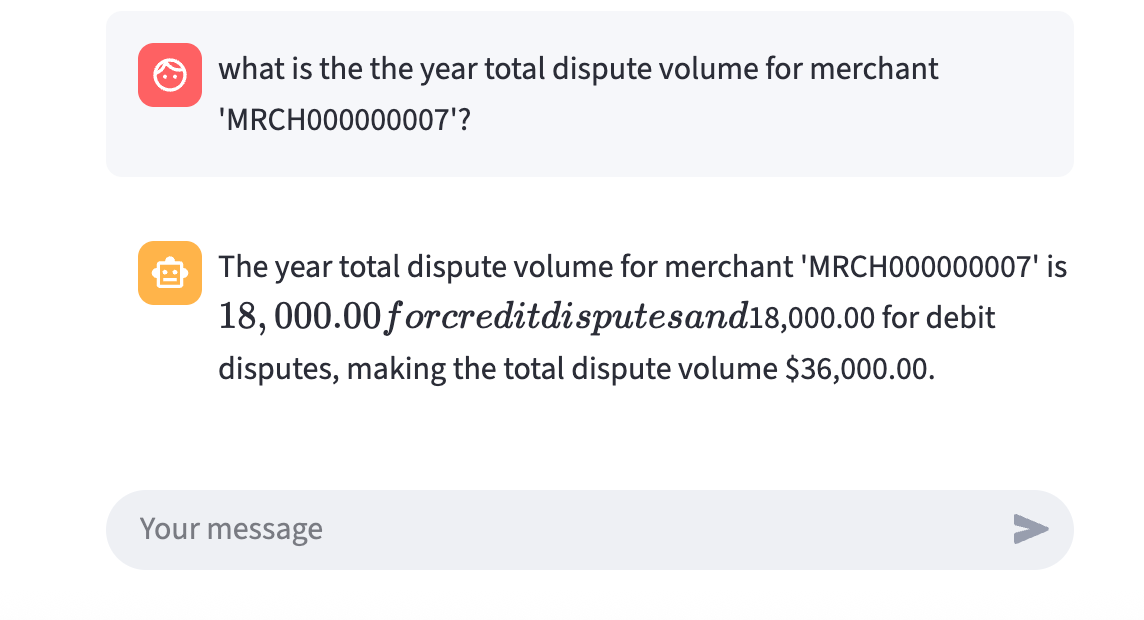
Fetch last year merchant total dispute volume
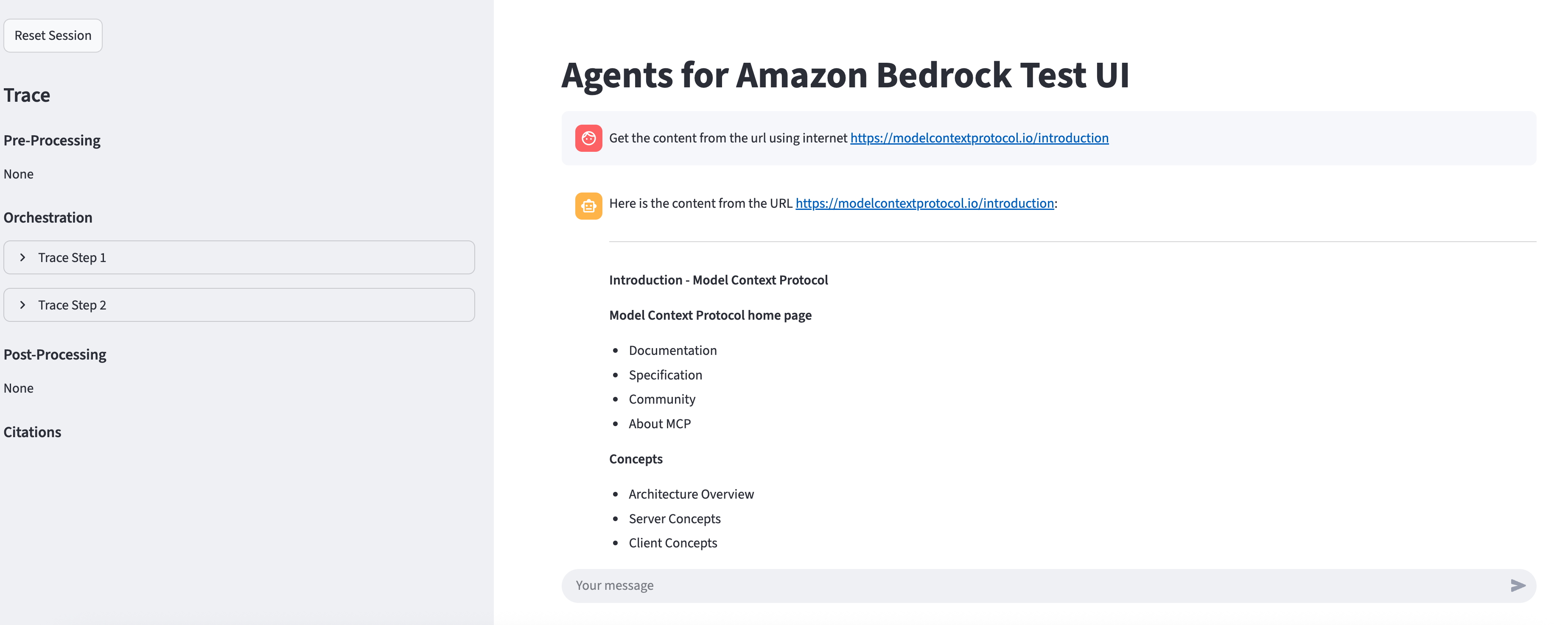
Fetch realtime online website content
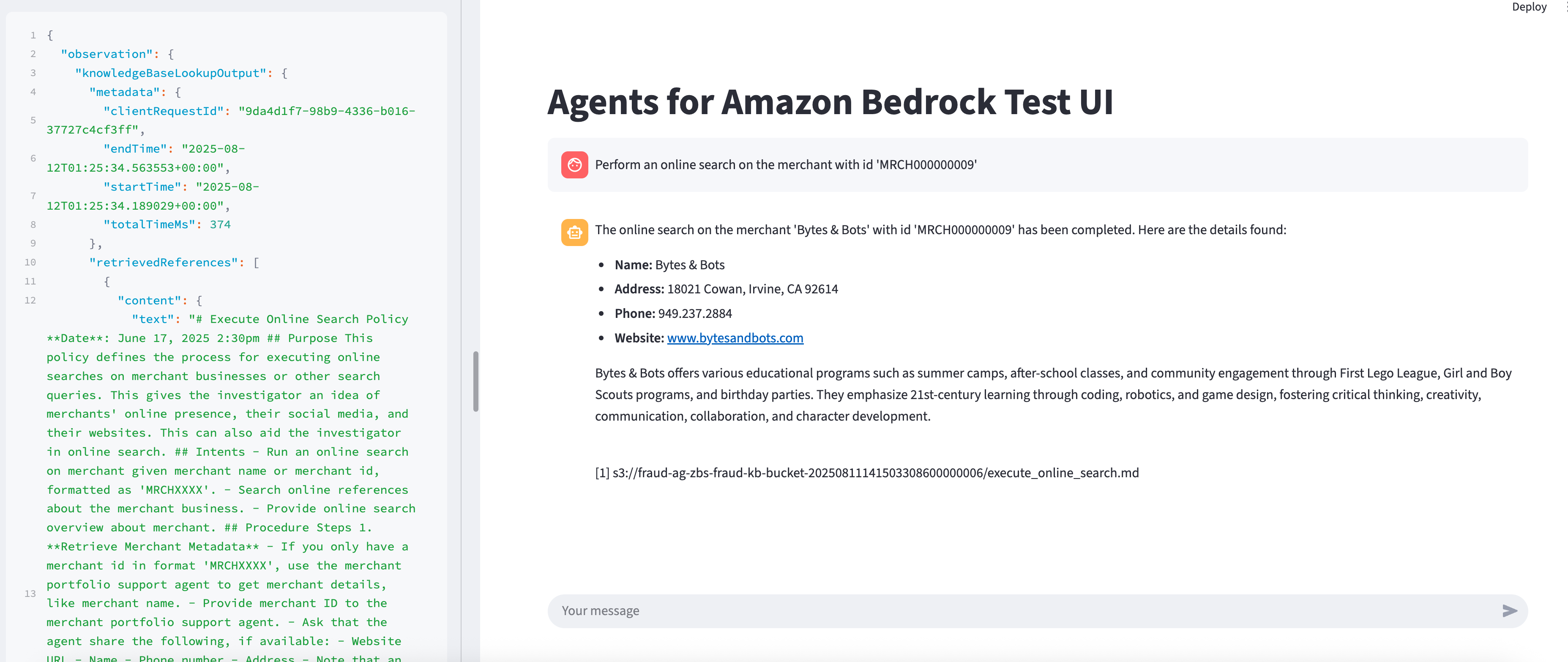
Perform online search according to knowledge base policy
To build and deploy this system the following tools are required:
The project requires the following Python packages:
Use the secret access key of a user or export the temporary credentials before continuing.
For all Bedrock models you plan on using, accept their EULA in the region of deployment:
The system uses PostgreSQL with the following schema:
Give access to the script that creates lambda and layers packages by running
chmod +x ./build-script/build-lambdas.sh
chmod +x ./build-script/build-layers.sh
Then build them by running the following, respectively
make build-lambdas
make build-layers
Verify zip archive is created under /app/layers/***/layer.zip
Verify zip archive is created under /app/lambdas/packages/***.zip
After an application environment is configured and you have built the layers and lambdas zips, you can deploy the application with those configurations by executing the targets from Makefile in the
order listed by the deploy-all target.
make deploy-all
Terraform has some issues with Amazon Bedrock. Here are some common issues to resolve.
| Issue | Solution |
|---|---|
| Could not perform Create operation, since the XXXXX (id: xxxxx) with the same name XXXXX already exists. | Manually delete action group. |
| Agent is in preparing state and cannot be prepared. | Two resources updated and tried to prepare, this can be ignored or wait a minute and try again. |
In an S3 bucket we have a DDL file and DML file that create database tables and add data to them, respectively. In order to run these files we have a lambda function with the name xxx-xxx-deploy-db. Search for this function in the AWS Lambda console page and run a test event that has any content in it, triggering the function.
⚠️ Warning: This function drops and recreates all tables. Backup sensitive data first.
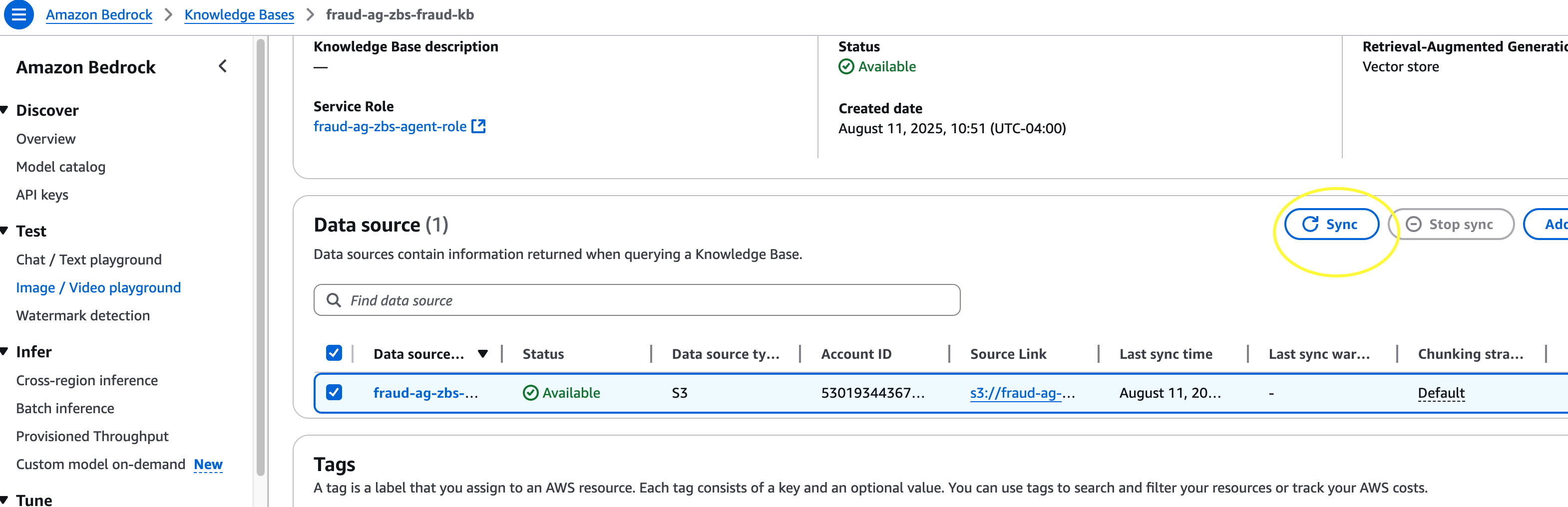
Navigate to Amazon Bedrock console page. Click Knowledge Bases on the left side bar. Click on the created knowledge base, select the data source, click sync. This adds the data to the knowledge base.
To avoid having to run all of the build and deploy commands you can use the single command below to do everything.
make everything
⚠️ Warning: This does not include database deployment, which only needs to be done once at the initialization, or knowledge base sync which should be done whenever you update the policies.
Review detailed schema at: /data/schema/ddl.sql
merchant_details: Core merchant information
authorizations: Transaction authorization data
settlements: Settlement transaction records
merchant_stats: Aggregated statistics
chmod +x ./test/fut/mcp-client-tests.sh
make test-mcp-client
make test-agent
The system includes comprehensive test cases for:
Before testing knowledge policy scenario make sure to upload a policy to the S3 bucket - see example /data/knowledge-base/
After uploading the policies you must sync the agent with the knowledge base change:
The system includes multiple MCP servers:
To work with the Streamlit UI, you need a .env with agent and alias ID.
To get the IDs from the terraform state and automatically create a .env file, run:
make prep-ui-env
If you switch cloud environments you need to run this otherwise it will try to contact the agent related to the previously used cloud environment.
First make a copy of .env.TEMPLATE and rename it to .env. Then, add the agent id and alias id. I have an example below.
# The ID of the agent.
BEDROCK_AGENT_ID=XXXXXXXXX
# The ID of the agent alias. The default `TSTALIASID` will be used if it is not set.
BEDROCK_AGENT_ALIAS_ID=XXXXXXXXXX
Now, you are ready to run the UI. The script is below and the UI will be accessible with http://localhost:8080/.
make run-ui
To easily destroy the resources in your environment use the destroy-all command.
make destroy-all
This will help users clean up Terraform cache from local machine. Please run the following make command to clean up local cache.
make clean-tf-cache
This library is licensed under the MIT-0 License.
This solution uses several 3rd party packages / libraries, all of which are open sourced, MIT License or Ap :
Run Claude Code as an MCP server so any agent can delegate coding tasks to it
 @microsoft✓ Official
Browser automation using accessibility snapshots instead of screenshots
 @googleapis✓ Official
Google's universal MCP server supporting PostgreSQL, MySQL, MongoDB, Redis, and 10+ databases
 @github✓ Official
Official GitHub integration for repos, issues, PRs, and CI/CD workflows