

Are you the author? Sign in to claim
A self-contained browser engine that fetches, renders, and extracts web content as Markdown, JSON, or screenshots — no C
A self-contained browser engine that fetches, renders, and extracts web content as Markdown, JSON, or screenshots — no Chromium, no API key, no setup.




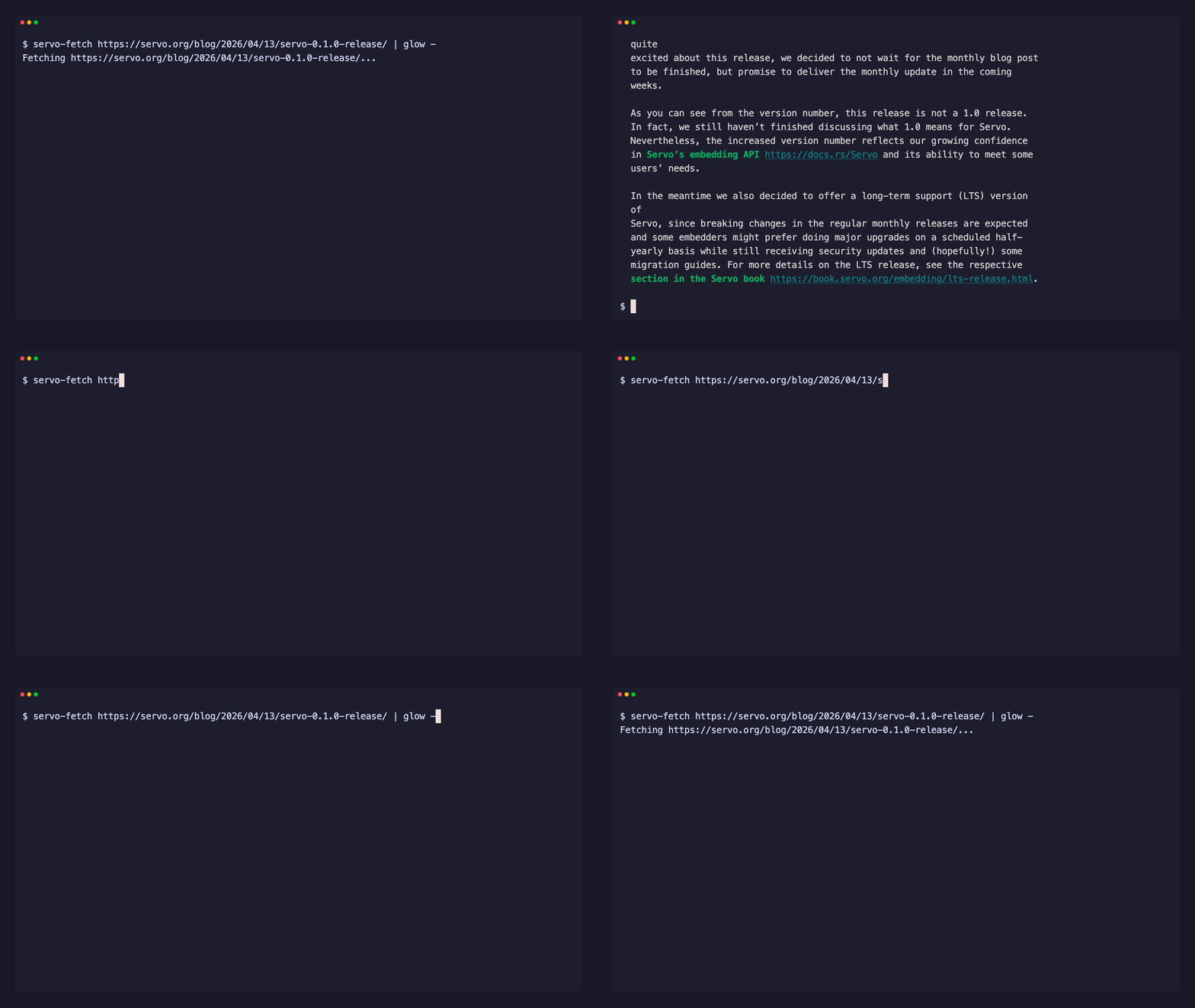
servo-fetch embeds the Servo browser engine. It executes JavaScript, computes CSS layout, captures screenshots with a software renderer, and extracts clean content — available as a CLI, a Rust library, and a Python SDK.
# CLI
servo-fetch "https://example.com"                          # clean Markdown
servo-fetch "https://example.com" --format png -o page.png # PNG screenshot
// Rust
let md = servo_fetch::markdown("https://example.com").await?;
# Python
page = servo_fetch.fetch("https://example.com")
print(page.markdown)
opacity:0, aria-hidden, sr-only)Apple M3 Pro, versus Playwright (the typical AI-agent stack):
| Benchmark | servo-fetch | playwright:optimized |
|---|---|---|
| Time — static-small | ~231 ms | ~645 ms |
| Time — spa-heavy | ~331 ms | ~798 ms |
| Memory (peak RSS) | 51–64 MB | 300–328 MB |
Extraction quality: mean word-F1 0.819 vs Readability's 0.728 across
eight page-type fixtures, with without[] boilerplate removal at 95.0%
vs 78.6%. Direct-binary engine peers (chrome-headless-shell, Lightpanda,
curl) are opt-in.
Methodology, three-axis breakdown, per-fixture F1, and raw JSON:
benchmarks/README.md +
benchmarks/results/.
| Interface | Install | Docs |
|---|---|---|
| CLI | curl -fsSL https://raw.githubusercontent.com/konippi/servo-fetch/main/install.sh | sh | CLI docs |
| Rust | cargo add servo-fetch | Library docs |
| Python | pip install servo-fetch | Python docs |
| Node.js | npm install servo-fetch | Node docs |
cargo binstall servo-fetch-cli   # prebuilt binary
cargo install servo-fetch-cli    # build from source
Or download from GitHub Releases.
Linux — install runtime deps and use xvfb-run on headless servers:
sudo apt install -y libegl1 libfontconfig1 libfreetype6
xvfb-run --auto-servernum servo-fetch "https://example.com"
Windows — cargo binstall does not copy sidecar files (cargo-binstall#353), so the installed servo-fetch.exe fails at startup with a missing libEGL.dll. Download the .zip from Releases instead — it bundles libEGL.dll and libGLESv2.dll.
macOS — no extra setup needed.
servo-fetch "https://example.com"                          # Markdown (default)
servo-fetch "https://example.com" --format json            # Structured JSON
servo-fetch "https://example.com" --format png -o page.png # PNG screenshot
servo-fetch "https://example.com" --js "document.title"    # Run JavaScript
servo-fetch "https://example.com" --schema schema.json     # Schema-driven JSON
servo-fetch "https://example.com" --cookies cookies.txt    # Send session cookies
servo-fetch "https://example.com" -H "X-Api-Key: KEY"      # Custom request header
servo-fetch URL1 URL2 URL3                                 # Parallel batch
servo-fetch "https://example.com" --output page.md         # Save to a single file
servo-fetch URL1 URL2 --output-dir ./out/                  # Save each URL to its own file
servo-fetch crawl "https://docs.example.com" --limit 20    # Crawl a site
servo-fetch crawl URL --output-dir ./pages/                # Save each crawled page to its own file
servo-fetch map "https://example.com"                      # Discover URLs via sitemap
servo-fetch mcp                                            # MCP server (stdio)
servo-fetch serve                                          # HTTP API server
Full CLI reference → servo-fetch-cli
cargo add servo-fetch
// URL → Markdown in one line (async by default; use `blocking::*` for sync)
let md = servo_fetch::markdown("https://example.com").await?;

// Fetch with options
use servo_fetch::{fetch, FetchOptions};
use std::time::Duration;

let page = fetch(&FetchOptions::new("https://example.com").timeout(Duration::from_secs(60))).await?;
println!("{}", page.html);
let md = page.markdown()?;

// Crawl a site
servo_fetch::crawl_each(
    &servo_fetch::CrawlOptions::new("https://docs.example.com")
        .limit(100)
        .user_agent("MyBot/1.0"),
    |result| match &result.outcome {
        Ok(page) => println!("{}: {} chars", result.url, page.content.len()),
        Err(e) => eprintln!("{}: {e}", result.url),
    },
).await?;

// Discover URLs via sitemap (no rendering)
let urls = servo_fetch::map(
    &servo_fetch::MapOptions::new("https://example.com").limit(1000),
).await?;
for u in &urls {
    println!("{}", u.url);
}
Full API reference → servo-fetch
pip install servo-fetch
import servo_fetch

page = servo_fetch.fetch("https://example.com")
print(page.markdown)

# Schema extraction
from servo_fetch import Schema, Field
schema = Schema(
    base_selector=".product",
    fields=[
        Field(name="title", selector="h2", type="text"),
        Field(name="price", selector=".price", type="text"),
    ],
)
page = servo_fetch.fetch("https://shop.example.com", schema=schema)
print(page.extracted)
Full API reference → bindings/python
npm install servo-fetch
import { fetch, crawl } from "servo-fetch";

const md = await fetch("https://example.com");

for await (const page of crawl("https://docs.example.com", { limit: 50 })) {
  if (page.ok) console.log(page.url, page.title);
}
Full API reference → bindings/node
Built-in Model Context Protocol server with six tools: fetch,
batch_fetch, crawl, map, screenshot, and execute_js.
{
  "mcpServers": {
    "servo-fetch": {
      "command": "servo-fetch",
      "args": ["mcp"]
    }
  }
}
Streamable HTTP: servo-fetch mcp --port 8080
Full MCP tool reference → servo-fetch-cli README
Prefer in-process tools? Wrap the Python API as agent tools — see bindings/python/examples/strands_agent.py.
REST endpoints for containerized deployments and HTTP clients:
servo-fetch serve                            # 127.0.0.1:3000
servo-fetch serve --host 0.0.0.0 --port 80   # expose to network

curl -X POST http://127.0.0.1:3000/v1/fetch \
  -H 'content-type: application/json' \
  -d '{"url":"https://example.com"}'
Endpoints: GET /health, GET /version, POST /v1/fetch, POST /v1/batch_fetch, POST /v1/screenshot, POST /v1/execute_js, POST /v1/crawl, POST /v1/map.
Full HTTP API reference → servo-fetch-cli README
Multi-arch image on GitHub Container Registry (linux/amd64, linux/arm64):
docker run --rm -p 3000:3000 ghcr.io/konippi/servo-fetch:latest
curl -X POST http://127.0.0.1:3000/v1/fetch \
  -H 'content-type: application/json' \
  -d '{"url":"https://example.com"}'
Runs as non-root (UID 1001). Images are signed with cosign (keyless) and published with SLSA provenance and SBOM attestations.
servo-fetch ships with an Agent Skills package for AI coding agents:
npx skills add https://github.com/konippi/servo-fetch/tree/main/skills/servo-fetch
servo-fetch blocks all private and reserved IP ranges (RFC 6890), strips credentials from URLs, disables HTTP redirects to prevent SSRF bypass, and sanitizes all output against terminal escape injection (CVE-2021-42574). See SECURITY.md for details.
See CONTRIBUTING.md for development setup, commit conventions, and PR guidelines.
MIT OR Apache-2.0
Run analytics queries on ClickHouse — explore schemas, execute SQL, fetch results
Run Claude Code as an MCP server so any agent can delegate coding tasks to it
 @microsoft✓ Official
Browser automation using accessibility snapshots instead of screenshots
 @googleapis✓ Official
Google's universal MCP server supporting PostgreSQL, MySQL, MongoDB, Redis, and 10+ databases