

Are you the author? Sign in to claim
your ai agent keeps making the same mistakes. sheal fixes that.

your ai agent keeps making the same mistakes. sheal fixes that.



Install • Quick Start • Commands • How It Works • Agents
A CLI toolkit that analyzes AI coding sessions to extract learnings, detect failure patterns, and continuously improve agent behavior.
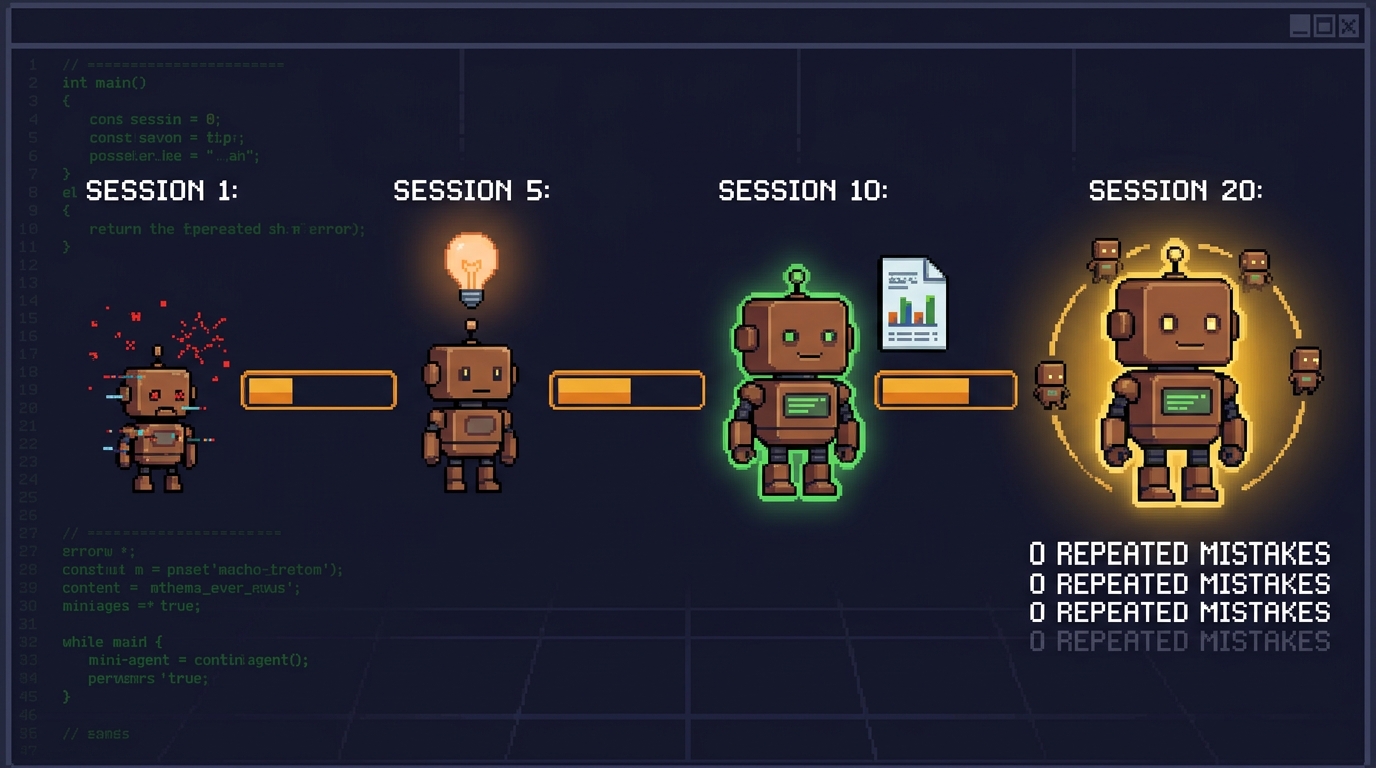
Your AI agent has amnesia. Every session it repeats the same mistakes, burns the same tokens, forgets the same rules. sheal closes the loop — it reads your sessions, extracts the patterns, writes rules back to your agent config, and makes the next session smarter. It compounds.
npm install -g @liwala/sheal
Or from source:
git clone https://github.com/liwala/sheal
cd sheal
npm install
npx tsc
npm link
# Health check your project setup
sheal check

# Audit your Claude Code settings (permissions, hooks, MCPs)
sheal audit

# Run a retrospective on your latest session
sheal retro

# See your token spend per project
sheal cost

# Get a categorized digest of what you worked on
sheal digest --since "7 days"

# Ask a question across all your sessions
sheal ask "what went wrong with beads?" --agent claude

# Add a learning from experience
sheal learn add "Always inspect real data before writing parsers" --tags=parsing
sheal checkPre-session health check. Detects environment issues before you start coding.
sheal check                    # Pretty output
sheal check --format json      # JSON output
sheal check --skip performance # Skip specific checkers
Checkers: git status, dependencies, tests, environment, session learnings, performance & efficiency, Claude Code settings.
The performance checker detects your AI agent (Claude Code, Cursor, Gemini, Copilot, Amp), checks for RTK token compression, and config file sizes. The claude-settings checker audits permissions, hooks, MCP servers, env vars, and plugins across all settings scopes.
sheal auditAudit Claude Code settings across all scopes — permissions, hooks, MCP servers, environment variables, and plugins.
sheal audit                    # Pretty output
sheal audit --format json      # JSON output
sheal audit -p /path/to/project  # Different project root
Reads from all four settings files (global, global-local, project, project-local) and shows a merged view of what's configured where.
sheal retroSession retrospective. Analyzes the most recent AI coding session for failure loops, wasted effort, and learnings.
sheal retro                        # Static analysis (latest session)
sheal retro --checkpoint <id>      # Specific session
sheal retro --enrich               # LLM-enriched deep analysis
sheal retro --enrich --agent amp   # Use a specific agent CLI
sheal retro --prompt               # Output raw prompt (pipe to any LLM)
sheal retro --format json          # JSON output
The --enrich flag invokes an agent CLI to perform deep analysis on top of the static retro. The agent extracts rules and offers to save them as learnings. Results are cached at .sheal/retros/.
sheal ask <question>Query across your session transcripts using natural language. Uses a 3-phase pipeline:
# Search current project's sessions
sheal ask "what went wrong with beads?"

# Use a specific agent for analysis
sheal ask "how did we handle the auth migration?" --agent codex

# Search ALL projects globally
sheal ask --global "what patterns keep causing test failures?"

# Search a different project
sheal ask -p /path/to/other-project "what happened with the auth migration?"

# Search more sessions
sheal ask "show me all test failures" -n 20
Options:
--agent <name> — Agent CLI to use: claude, gemini, codex, amp-n, --limit <count> — Max sessions to search (default: 10)--global — Search across ALL projects in ~/.claude/projects/-p, --project <path> — Project root to search (default: current directory)Previously saved results can be browsed:
sheal ask-list              # List saved results
sheal ask-list --global     # List global results
sheal ask-show "beads"      # Show a specific saved result
sheal browseInteractive TUI to explore sessions, retrospectives, and learnings across all your projects.
sheal browse                       # Full TUI (project list)
sheal browse sessions              # Jump to sessions view
sheal browse retros                # Jump to retros view
sheal browse learnings             # Jump to learnings view
sheal browse digests               # Browse digest reports
sheal browse -p myproject          # Pre-filter by project name
sheal browse --agent codex         # Pre-filter by agent
Supports Claude Code, Codex, Amp, and Entire.io sessions.
sheal exportExport session data as JSON for scripting and piping.
sheal export                       # List sessions (current project)
sheal export --checkpoint <id>     # Export a specific checkpoint
sheal export --global              # Export all projects and sessions
sheal pullAcquire local sandbox changes into sheal's staging area. The shipped local path
supports sbx sandboxes and captures each sandbox's git diff with provenance.
sheal pull --list                  # List available local sbx sandboxes
sheal pull sbx <name>              # Pull one sandbox's git diff to .sheal/pulls/
sheal pull sbx --all               # Pull every sbx sandbox with a workspace
Use sheal pull --list first to copy the exact sandbox name. Pull output lands
under .sheal/pulls/sbx/<name>/<timestamp>/.
sheal initBootstrap sheal awareness into your project's agent configuration files (CLAUDE.md, .cursorrules, etc.).
sheal init                         # Add sheal instructions to agent configs
sheal init --dry-run               # Preview changes without writing
sheal graphCross-session knowledge graph showing file hotspots, agent activity, and patterns.
sheal graph                        # Pretty-print graph summary
sheal graph --file src/index.ts    # History for a specific file
sheal graph --agent claude         # Details for a specific agent
sheal graph --json                 # JSON output
sheal digestCategorized digest of all your prompts across agents. See what you actually worked on.
sheal digest                           # Last 7 days, pretty output
sheal digest --since "1 month"         # Custom window
sheal digest --enrich                  # LLM-powered categorization (Haiku)
sheal digest --compare                 # Diff against previous digest
sheal digest -p myproject              # Filter to one project
sheal digest -f markdown -o report.md  # Export as markdown
The --enrich flag uses Haiku to smart-categorize prompts that rule-based matching missed. The --compare flag finds the previous digest for the same scope and shows what changed.
sheal costToken cost dashboard — see exactly where your Claude budget goes.
sheal cost                             # Last 7 days
sheal cost --since "1 month"           # Custom window
sheal cost -p myproject                # Single project
sheal cost --plan "Max 5x"            # Compare against your plan
sheal cost --format json               # JSON output for scripting
Shows per-model breakdown, per-project spend, project-by-model matrix, cost type split (input/output/cache-read/cache-write), and subscription savings vs Pro / Max 5x / Max 20x plans.
sheal weeklyFull weekly report — runs digest + cost together, optionally with deep Claude analysis and Slack delivery.
sheal weekly                           # Digest + cost for last 7 days
sheal weekly --agent                   # Add deep LLM analysis
sheal weekly --slack                   # Post summary to Slack
sheal weekly --plan "Max 20x"          # Include plan savings
Reports are saved to ~/.sheal/weekly-digests/ for historical tracking.
sheal driftDetect when learnings aren't being applied in recent sessions. Compares your active learnings (both global and project-scoped) against session data to find patterns that should have been prevented but weren't.
sheal drift                        # Check learnings against last 10 sessions
sheal drift -n 20                  # Check against more sessions
sheal drift -p /path/to/project    # Different project root
sheal drift --json                 # JSON output
Each drifted learning is labeled [global] or [project] so you can see where the violation originated. Severity dots indicate how often the learning was violated (● once, ●● twice, ●●● three or more times).
Detection methods:
Recurring sections from LLM-enriched retrossheal learnManage ADR-style session learnings. Learnings are stored as individual markdown files with frontmatter metadata.
# Add a learning (saves to project by default)
sheal learn add "Always check bd --help before guessing flags" \
  --tags=beads,cli --category=workflow --severity=high
sheal learn add --global "..."  # Save directly to global store

# List learnings
sheal learn list              # Project learnings (.sheal/learnings/)
sheal learn list --global     # Global learnings (~/.sheal/learnings/)
sheal learn list --tag=beads  # Filter by tag

# Review & curate learnings interactively
sheal learn review              # Project learnings (drafts shown first)
sheal learn review --global     # Global learnings

# Promote curated project learnings to global
sheal learn promote

# Pull global learnings into project (by tag match)
sheal learn sync
Back up ~/.sheal/ to a git repo for cross-machine sync and team sharing. By default backs up learnings, digests, and config. Optionally includes retros from all projects.
# Connect to a remote repo (initializes git in ~/.sheal/)
sheal backup remote add git@github.com:you/sheal-data.git

# Push (learnings + digests + config)
sheal backup push

# Also gather retros from all projects
sheal backup push --include retros

# Pull from remote
sheal backup pull

# Show or disconnect
sheal backup remote show
sheal backup remote remove

# learn push/pull are aliases for backup push/pull
sheal learn push
sheal learn pull
Learnings are never auto-accepted. Every learning goes through human review before it can influence agent behavior:
sheal retro --enrich — the LLM extracts candidate rules from the session.sheal/learnings/ with status: draftstatus: active and show up in sheal learn listsheal learn promote — lift project learnings to your global store (~/.sheal/learnings/)sheal learn sync — pull relevant global learnings back into other projectssheal rules — inject active learnings into agent config files (AGENTS.md, .cursorrules)You can also add learnings manually (sheal learn add "...") or review remaining drafts later (sheal learn review).
The full lifecycle:
retro → project drafts → review → active → promote → global ─┐
             ▲               │                       digests ──┤
             │          human accepts                 config  ──┼─ backup push → remote
        learn add       edits, or rejects             retros  ──┘  backup pull ← remote
                                                      global ──── sync → project
Learning format (~/.sheal/learnings/LEARN-001-inspect-real-data.md):
---
id: LEARN-001
title: Inspect real data before writing parsers
date: 2026-03-13
tags: [parsing, external-data, general]
category: missing-context
severity: high
status: active
---

Before writing parsers for external data formats, always inspect 2-3 real
samples first. Don't rely solely on documentation or type definitions.
Categories: missing-context, failure-loop, wasted-effort, environment, workflow
sheal supports two session data sources with automatic fallback:
~/.claude/projects/ (default)entire/checkpoints/v1 git branch (rich metadata, AI summaries, attribution)For --enrich and ask commands, sheal can invoke these agent CLIs:
| Agent | CLI Command | Invocation |
|---|---|---|
| Claude Code | claude | claude -p --output-format text (stdin) |
| Codex | codex | codex exec - (stdin) |
| Amp | amp | amp -x (stdin) |
| Gemini CLI | gemini | stdin pipe |
Use --agent claude, --agent codex, --agent amp, or --agent gemini to pick one. Auto-detection tries the session's own agent first, then falls back to any available CLI.
Session Capture (Entire.io / Claude Code native)
    |  session transcripts, diffs, metadata
    v
Self-Healing Engine (sheal)
    |  failure patterns, learnings, rules
    v
Agent Configuration (CLAUDE.md, .cursorrules, etc.)
    |  improved behavior
    v
Next Session (fewer mistakes)
npx tsc          # Build
npx vitest run   # Test
sheal check      # Dogfood
MIT
Agent harness performance optimization with skills, instincts, memory, and security
1000+ skills curated from Anthropic, Vercel, Stripe, and other engineering teams
Design enforcement with memory — keeps your UI consistent across a project
Detects 37 AI writing patterns and rewrites text with human rhythm across 5 voice profiles