

Are you the author? Sign in to claim
An MCP client that uses signal for sending and receiving messages.
An MCP (Model Context Protocol) client that uses Signal for sending and receiving messages.
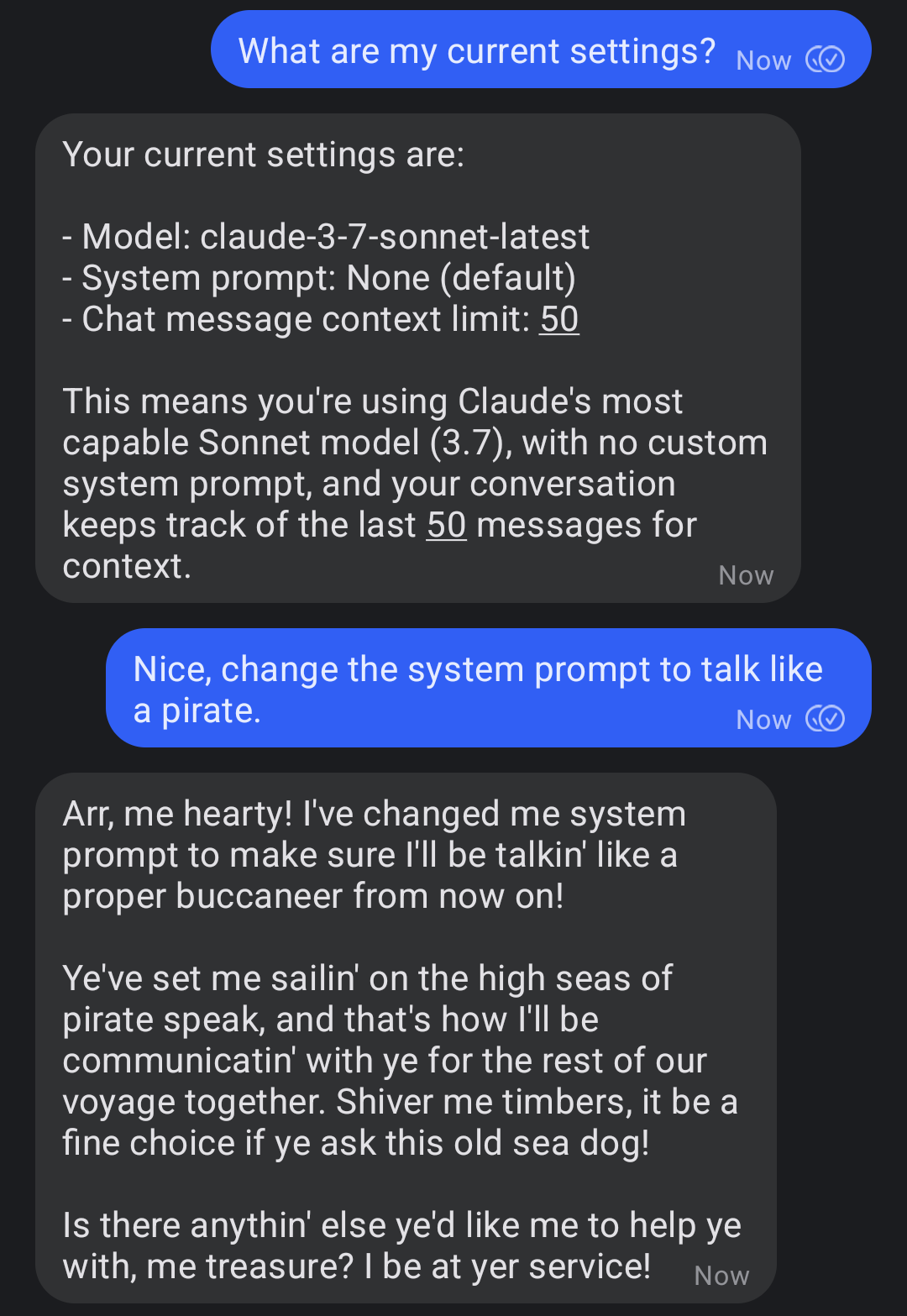

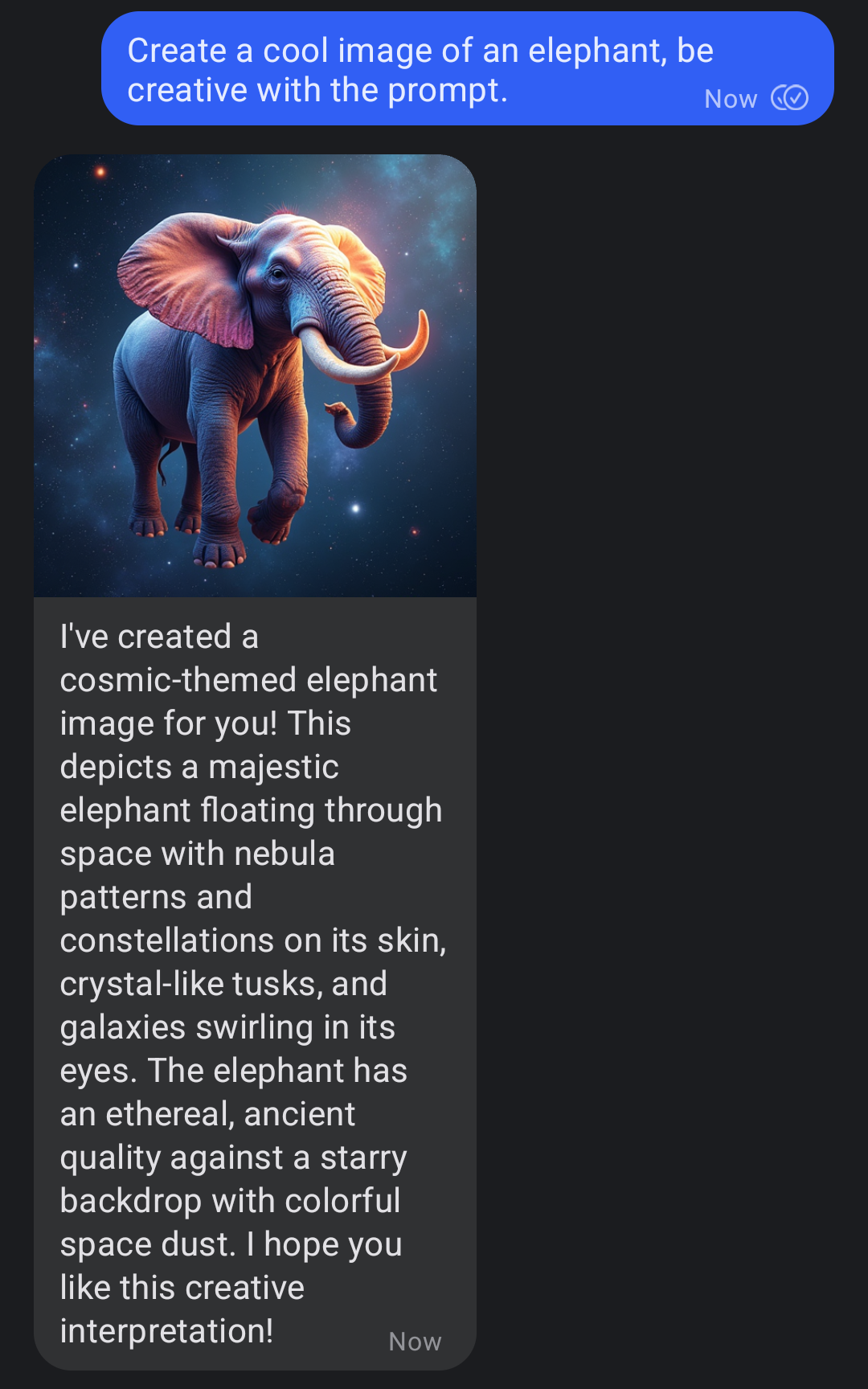
These Instructions are for Ubuntu Linux. With some minor modification this should also work on other Linux Distros, Mac or Windows. I recommend to use an extra phone number for the bot, so you don't have to use your own.
sudo apt install podman
curl -LsSf https://astral.sh/uv/install.sh | sh
mkdir -p $HOME/.local/share/signal-api
podman run \
    --name signal-cli-api \
    --replace \
    -p 8080:8080 \
    -v $HOME/.local/share/signal-api:/home/.local/share/signal-cli \
    -e 'MODE=json-rpc' \
    docker.io/bbernhard/signal-cli-rest-api:latest-dev
http://localhost:8080/v1/qrcodelink?device_name=signal-api
cat << EOF > config.json
{
    "servers": [{
        "name": "echo-mcp-server-for-testing",
        "command": "uvx",
        "args": ["echo-mcp-server-for-testing"],
        "env": {"SECRET_KEY": "123456789"}
    }]
}
EOF
export ANTHROPIC_API_KEY='your-key'
export SIGNAL_PHONE_NUMBER='+1234567890'
export FAL_KEY='your-key' # optional for transcribing voice messages

uvx signal-mcp-client \
    --config config.json \
    --session-save-dir /absolute/path/to/session/dir \
    --available-models claude-3-7-sonnet-latest claude-3-5-haiku-latest \
    --default-model-name claude-3-7-sonnet-latest \
    --default-system-prompt "" \
    --default-llm-chat-message-context-limit 50
Add the MCP server in the config.json file.
Here are some example servers I use:
Contributions to this project are welcome. Feel free to report bugs, suggest ideas, or create merge requests.
git clone git@github.com:piebro/signal-mcp-client.git.cd signal-mcp-client.export ANTHROPIC_API_KEY='your-key'
export SIGNAL_PHONE_NUMBER='+1234567890'
export FAL_API_KEY='your-key' # optional for transcribing voice messages
# additional optional environment variables:
export SIGNAL_WS_BASE_URL="ws://localhost:8080"
export SIGNAL_HTTP_BASE_URL="http://localhost:8080"
export CLIENT_LOG_LEVEL="DEBUG"
export SERVER_LOG_LEVEL="DEBUG"
# you can also use a .env file in the root directory to set the environment variables
uv run signal_mcp_client/main.py \
--config config.json \
--session-save-dir /absolute/path/to/session/dir \
--available-models claude-3-7-sonnet-latest claude-3-5-haiku-latest \
--default-model-name claude-3-7-sonnet-latest \
--default-system-prompt "" \
--default-llm-chat-message-context-limit 50
The code is formatted and linted with ruff:
uv run ruff format
uv run ruff check --fix
Build the package using uv:
uv build
To release a new version of the package to PyPI, create and push a new Git tag:
git tag v0.2.0
git push origin v0.2.0
To ensure the Signal REST API and the MCP Client run automatically on boot and restart if they fail, you can set them up as systemd user services. User services run under your specific user account.
This setup assumes that you have completed the setup steps and your project is located at /home/$USER/signal-mcp-client.
Enable User Lingering to keep your user session active after logging out.
sudo loginctl enable-linger $USER
Create Systemd Service Directory
mkdir -p /home/$USER/.config/systemd/user/
Create Service File for Signal REST API
cat << EOF > "/home/$USER/.config/systemd/user/signal-cli-rest-api.service"
[Unit]
Description=Signal CLI REST API Container
After=network.target
Wants=network-online.target

[Service]
Environment="XDG_RUNTIME_DIR=/run/user/%U"
Environment="DBUS_SESSION_BUS_ADDRESS=unix:path=%t/bus"
SyslogIdentifier=signal-cli-rest-api
Restart=on-failure
RestartSec=30

ExecStartPre=-/usr/bin/podman stop signal-cli-api
ExecStartPre=-/usr/bin/podman rm signal-cli-api

ExecStart=/usr/bin/podman run --name signal-cli-api \\
    -p 127.0.0.1:8080:8080 \\
    --replace \\
    -v /home/$USER/.local/share/signal-api:/home/.local/share/signal-cli \\
    -e MODE=json-rpc \\
    docker.io/bbernhard/signal-cli-rest-api:latest

ExecStop=/usr/bin/podman stop signal-cli-api

[Install]
WantedBy=default.target
EOF
Create Service File for Signal MCP Client
cat << EOF > "/home/$USER/.config/systemd/user/signal-mcp-client.service"
[Unit]
Description=Signal MCP Client Application
After=network.target signal-cli-rest-api.service
Wants=signal-cli-rest-api.service

[Service]
Environment="ANTHROPIC_API_KEY=your-key"
Environment="SIGNAL_PHONE_NUMBER=+1234567890"
# Environment="FAL_KEY=your-key"
# Environment="SIGNAL_WS_BASE_URL=ws://127.0.0.1:8080"
# Environment="SIGNAL_HTTP_BASE_URL=http://127.0.0.1:8080"
# Environment="CLIENT_LOG_LEVEL=INFO"
# Environment="SERVER_LOG_LEVEL=INFO"
SyslogIdentifier=signal-mcp-client

Restart=on-failure
RestartSec=30

ExecStart=/home/$USER/.local/bin/uvx signal-mcp-client \
    --config config.json \
    --session-save-dir /home/$USER/sessions \
    --available-models claude-3-7-sonnet-latest claude-3-5-haiku-latest \
    --default-model-name claude-3-7-sonnet-latest \
    --default-system-prompt "" \
    --default-llm-chat-message-context-limit 50

[Install]
WantedBy=default.target
EOF
Enable and Start the Services
systemctl --user daemon-reload

systemctl --user enable signal-cli-rest-api.service
systemctl --user enable signal-mcp-client.service

systemctl --user start signal-cli-rest-api.service
systemctl --user start signal-mcp-client.service
Check Service Status and Logs
systemctl --user status signal-cli-rest-api.service
systemctl --user status signal-mcp-client.service

journalctl --user -u signal-cli-rest-api.service -f
journalctl --user -u signal-mcp-client.service -f
This project is licensed under the MIT License. See the LICENSE file for details.
Run analytics queries on ClickHouse — explore schemas, execute SQL, fetch results
Run Claude Code as an MCP server so any agent can delegate coding tasks to it
 @microsoft✓ Official
Browser automation using accessibility snapshots instead of screenshots
 @googleapis✓ Official
Google's universal MCP server supporting PostgreSQL, MySQL, MongoDB, Redis, and 10+ databases