

Are you the author? Sign in to claim
Local AI Skills central library with per-project symlink enablement. One AISkills folder holds every skill source; syml
Local AI skills central library + per-project symlink enablement. One AISkills directory holds every skill source; symlink what you need into any project on demand.
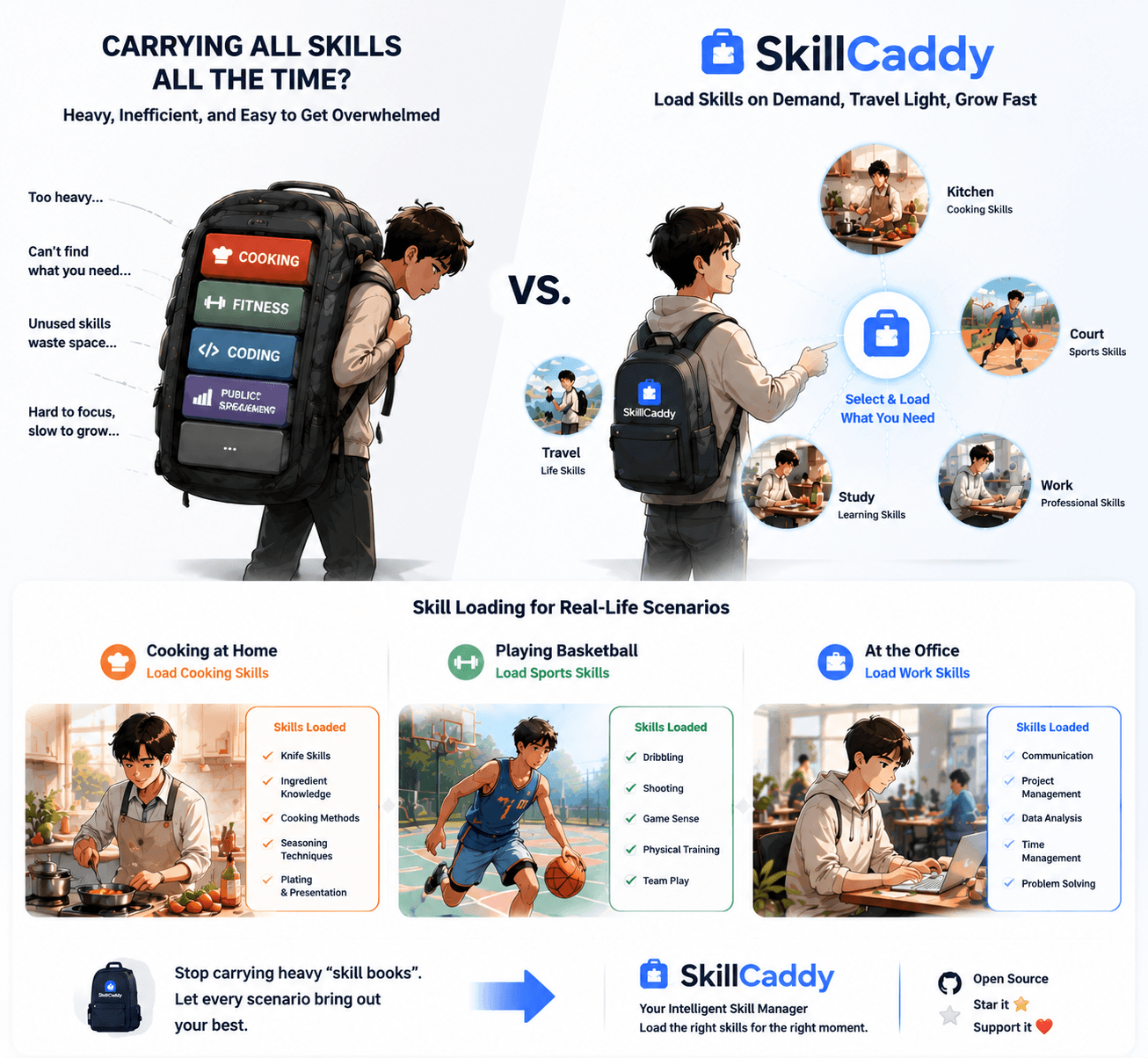
If you use Claude Code, Codex, OpenCode, or Pi across multiple projects, you eventually hit one of these:
Skillcaddy fixes this with one AISkills directory as the source of truth and per-project symlinks as the delivery mechanism.
~/AISkills/ aggregates official / github / personal / archived / skills.agents/skills/; never copyarchived/ requires explicit namingskills/<name>/ with SKILL.md + agents/openai.yaml and ship with the repoWhether you're a solo dev with half a dozen repos, a small team standardizing on shared skills, or an author publishing reusable ones — the contract is the same: skills belong to your library, not to any one project.
git clone https://github.com/chenweil/skillcaddy.git
cd skillcaddy
npm start
Requires Node.js >= 20. The web manager uses the fixed default URL http://127.0.0.1:4173. Fill in the target project path on the page, and enable/disable skills. If that port is temporarily occupied, start with PORT=<other-port> npm start.
For the interactive terminal manager, run:
npm run tui -- /path/to/project
# or with explicit root
npm run tui -- --root ~/AISkills /path/to/project
The TUI provides a full keyboard-driven interface without needing a browser:
.agents/skills/ and auto-syncs Claude Code.claude/skills/ with .agents/skills/github/ reposnote fields for skills that only have an English descriptionLibrary browsing now shows skills in a compact paginated table (n/p to page through, a to bulk-enable). The skill introduction prefers the metadata note over the raw English description when both exist.
Menu navigation uses number keys (1-10) for actions, /keyword for search, b to go back, q to quit. Ideal for quick terminal workflows or headless environments.
To make the bundled skillcaddy-manager skill available to AI agents from any project, install its global entry once:
npm run install:manager
npm run check:manager
This creates a managed symlink at ~/.agents/skills/skillcaddy-manager pointing back to skills/skillcaddy-manager. It will not overwrite an existing file, directory, or symlink that points somewhere else.
You can also pass the project path through the URL:
http://127.0.0.1:4173/?projectPath=<encoded-project-path>
The page loads that project immediately, keeps recently used project paths in browser-local history, and lets you bulk-enable all available skills from a library with the library-level + button. If a library was enabled by mistake, use the library-level × button to clean that library from both Agents and Claude Code.
SKILL.md remains the Agent-facing contract. Human-facing notes and categorization are stored by Skillcaddy under .skillcaddy/metadata/.../skillcaddy.json so external source repositories stay clean:
{
  "note": "Useful before and after code changes to keep execution disciplined.",
  "tags": ["Developer Tools", "Quality", "Workflow"],
  "autoEnable": true
}
The web UI reads legacy <skill-dir>/skillcaddy.json files for compatibility, but new edits are written to the local sidecar metadata store. Tags appear as filter tabs and badge pills; notes are shown on each skill card. Set autoEnable to false to exclude a deprecated or risky skill from library-level bulk enable while still allowing single-skill manual enable. This keeps upstream source repositories clean while still making a large local library easier to browse.
Legacy metadata fallback is deprecated. Runtime reading ends in v0.15.0, while the migration command remains available through v0.15.x and is removed in v0.16.0. Preview and apply the migration with:
npm run migrate:metadata
npm run migrate:metadata -- --yes
The apply command writes equivalent sidecar metadata and retains the legacy file for rollback. Once the sidecar exists, Skillcaddy no longer uses the legacy copy.
Some collections require a one-time, per-project setup after their skills are enabled. Skillcaddy keeps these contracts outside third-party clones under collection-metadata/<source>/<collection>.json. /api/state reports each configured collection as missing, partial, ready, or invalid.
Library-level enablement uses POST /api/enable-plan to include the declared setup skill when needed, then Web/TUI shows the setup status and next Agent instruction. Enabling links remains allowed, but an incomplete collection is shown as pending rather than ready. Interactive setup is never run silently, and collection metadata cannot provide executable shell commands.
| Platform | Status | Notes |
|---|---|---|
| macOS | ✅ Fully supported | Native directory symlinks |
| Linux | ✅ Fully supported | Native directory symlinks |
| Windows | ⚠️ Extra setup required | See below |
Skillcaddy creates directory symlinks via Node's fs.symlink(..., 'dir'). On Windows this call requires one of the following or it throws EPERM:
npm start in an elevated terminalreadlink may return the target with a \\?\ prefix or backslashes, which can affect the duplicate-alias-target detection (existingTarget !== resolvedSkillPath check in enableSkill).To make Skillcaddy work out of the box on Windows, the following strategies will be introduced later — but none are implemented in the current version:
process.platform === 'win32' is detected, prefer junction (fs.symlink(target, path, 'junction')); junctions don't require Developer Mode.EPERM and recursively copy skill contents into .agents/skills/, and modify disableSkill to remove the real directory.resolveLinkTarget strips the \\?\ prefix, normalizes separators, and compares case-insensitively on Windows.┌─────────────────────────────────────────────────────────────────┐
│ Skillcaddy (central library) │
│ ~/AISkills/ │
│ ├── official/ ─┬─ my-skill/SKILL.md │
│ ├── github/ ─┤ │
│ ├── personal/ ─┴─ another-skill/SKILL.md │
│ ├── archived/ │
│ └── skills/ ← bundled with the repo (source: local) │
└─────────────────────────────────────────────────────────────────┘
│
Symlinks created on enable
▼
┌─────────────────────────────────────────────────────────────────┐
│ Project directory │
│ ~/projects/my-app/ │
│ ├── .agents/skills/ │
│ │ ├── my-skill ──────────────► ~/AISkills/official/my-skill │
│ │ └── another-skill ─────────► ~/AISkills/personal/... │
│ └── .claude/skills/ │
│ │ ├── my-skill ──► ../../.agents/skills/my-skill │
│ │ └── another-skill ─► ../../.agents/skills/another-skill │
│ └── .opencode/skills/ (optional) │
└─────────────────────────────────────────────────────────────────┘
│
Each Agent auto-discovers and loads skills directories
▼
┌─────────────────────────────────────────────────────────────────┐
│ Agent │ Project-level skills path │ User-level path │
│─────────────────────────────────────────────────────────────────│
│ Claude Code │ .claude/skills/ │ ~/.claude/skills │
│ OpenCode │ .opencode/skills/ │ ~/.config/... │
│ │ .claude/skills/ │ ~/.claude/skills │
│ │ .agents/skills/ │ ~/.agents/skills │
│ Codex │ .agents/skills/ │ ~/.agents/skills │
│ Pi │ .pi/skills/ │ ~/.pi/agent/... │
│ │ .agents/skills/ │ ~/.agents/skills │
└─────────────────────────────────────────────────────────────────┘
Core design:
.agents/skills is the cross-Agent standard path; every Agent recognizes it..claude/skills is Claude-Code-specific, but uses secondary symlinks pointing back into .agents/skills.skillcaddy/
├── official/ # Official / upstream skills (gitignored, fill locally)
├── github/ # Skills cloned from GitHub (gitignored)
├── personal/ # Personal original skills (gitignored)
├── archived/ # Retired skills (gitignored)
├── skills/ # Repo-bundled skills (shipped with this project; currently hosts skillcaddy-manager)
├── lib/ # Manager code
├── public/ # Web UI
├── scripts/ # Maintenance scripts (e.g. pull-github.sh)
├── server.js
└── test/
The four external skill source directories (official / github / personal / archived) are added to .gitignore; after clone they're empty shells — fill them as described in Adding a skill below. skills/ is the repo-bundled source, shipped with this project, and is not in .gitignore.
Each skill is a subdirectory. A SKILL.md is recommended (describes when and how to use it):
official/
└── my-skill/
    └── SKILL.md
Drop in directly (simplest):
mkdir -p official/my-skill
# write the files into official/my-skill/
Clone from GitHub:
git clone https://github.com/some/repo.git github/some-skill
Bundled with this repo (only when contributing to Skillcaddy itself):
skills/<skill-name>/
├── SKILL.md
└── agents/
    └── openai.yaml   # Codex / OpenCode metadata (optional)
Skills under skills/ are tagged during scan as source: 'local', id: 'local/<name>' — behavior is identical to other sources and they can be enabled into any project's .agents/skills/.
On startup the manager scans every source directory (official / github / personal / archived / skills); no service restart is needed to see new skills in the UI.
Bulk fast-forward pull every github/ sub-repo. Dirty working trees are automatically skipped, so local edits won't be clobbered:
npm run pull:github
Lets an Agent (especially Codex) know how to use Skillcaddy itself correctly:
Safety rules: only operate on project-side .agents/skills symlinks; never delete central source files; never touch archived/ unless explicitly named; always produce a dry-run summary before any state change.
Invocation: agents/openai.yaml sets allow_implicit_invocation: true, so the Agent auto-loads it when seeing a relevant request.
Enable: creates a symlink under the project's .agents/skills/ pointing back into the central library.
<project>/.agents/skills/<alias> -> <skillcaddy>/<source>/<skill>
Sync Claude: creates a .claude/skills/ entry point for Claude Code, where each skill symlinks into .agents/skills/.
<project>/.claude/skills/<alias> -> ../../.agents/skills/<alias>
Disable: removes the symlink. The source file is left untouched.
Why two layers of symlinks?
.agents/skills is the Agent Skills standard; Codex / OpenCode / Pi all recognize it..claude/skills lets Claude Code use them too, with independent enable/disable.Skillcaddy includes a built-in recommendation system to help users discover and choose appropriate skills.
node skills/skillcaddy-manager/scripts/view-recommendations.cjs onboarding
node skills/skillcaddy-manager/scripts/view-recommendations.cjs scenario new-project
When the library is empty, the default recommendation is:
skillsmp, skills.shDevelopment workflow golden combo:
mattpocock/skills (workflow suite)
setup-matt-pocock-skills project configuration with readiness trackinglencx/skills (project control)
node skills/skillcaddy-manager/scripts/check-conflicts.cjs <collection-id> --against <installed-id,installed-id>
node skills/skillcaddy-manager/scripts/check-global-skills.cjs
node skills/skillcaddy-manager/scripts/version-manager.cjs check
See the Skillcaddy manager recommendation branch for detailed documentation.
npm test
1000+ skills curated from Anthropic, Vercel, Stripe, and other engineering teams
Design enforcement with memory — keeps your UI consistent across a project
Detects 37 AI writing patterns and rewrites text with human rhythm across 5 voice profiles
WCAG accessibility audit — automated scanning, manual review, remediation