

Are you the author? Sign in to claim
macOS menu bar app that monitors your active Claude Code agent sessions in real-time

macOS menu bar app that monitors your active Claude Code and Codex CLI agent sessions in real-time




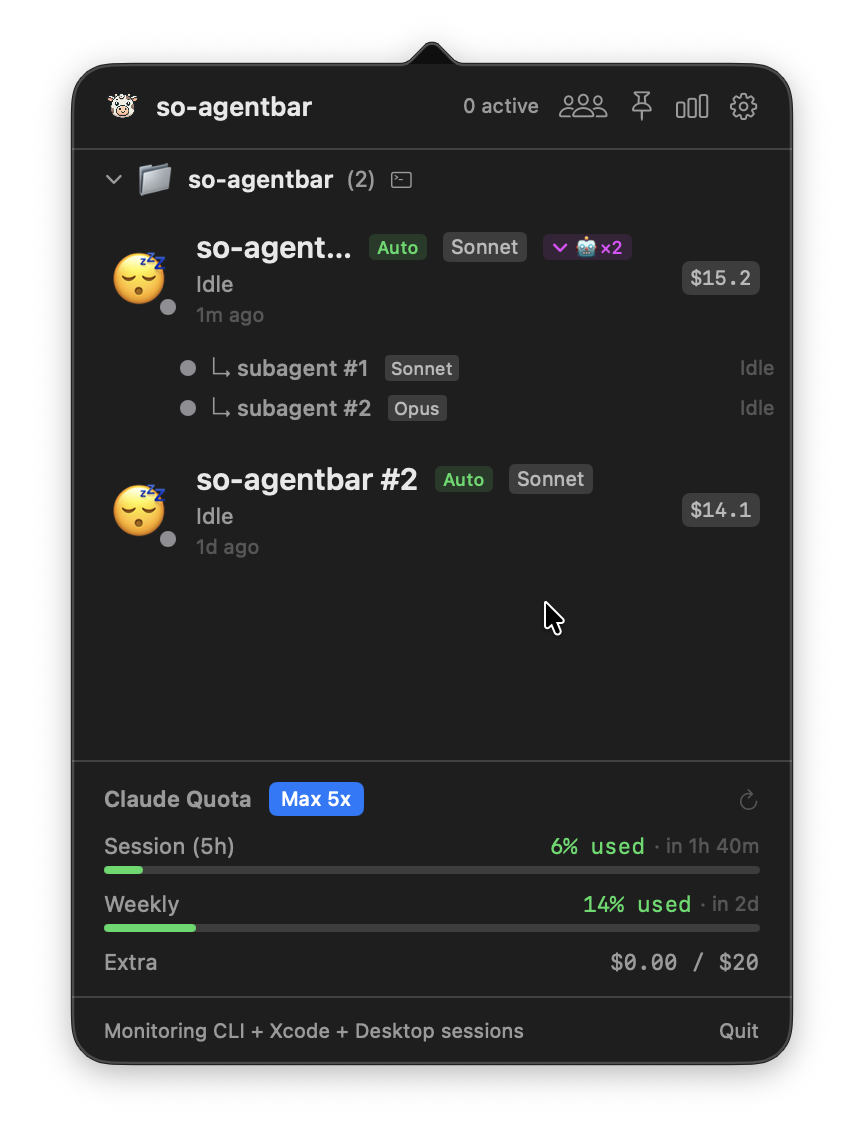
Menu bar icon and active session panel
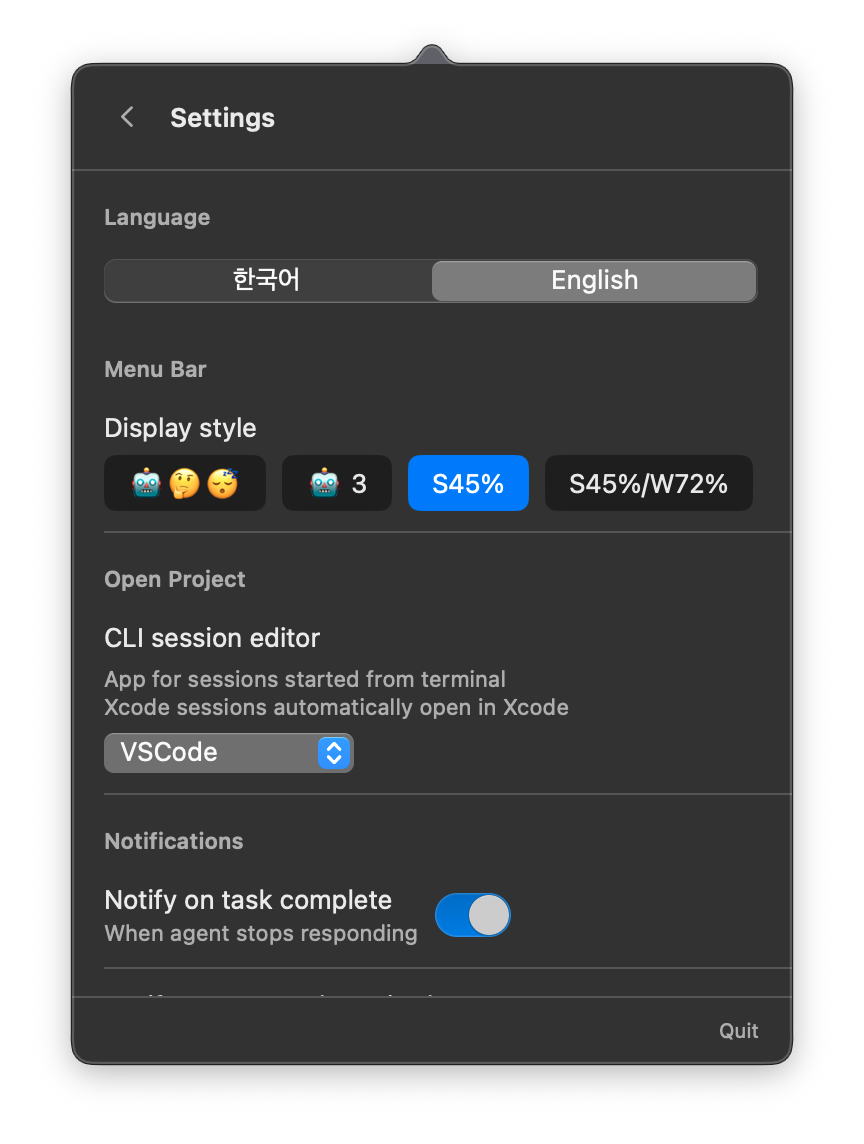
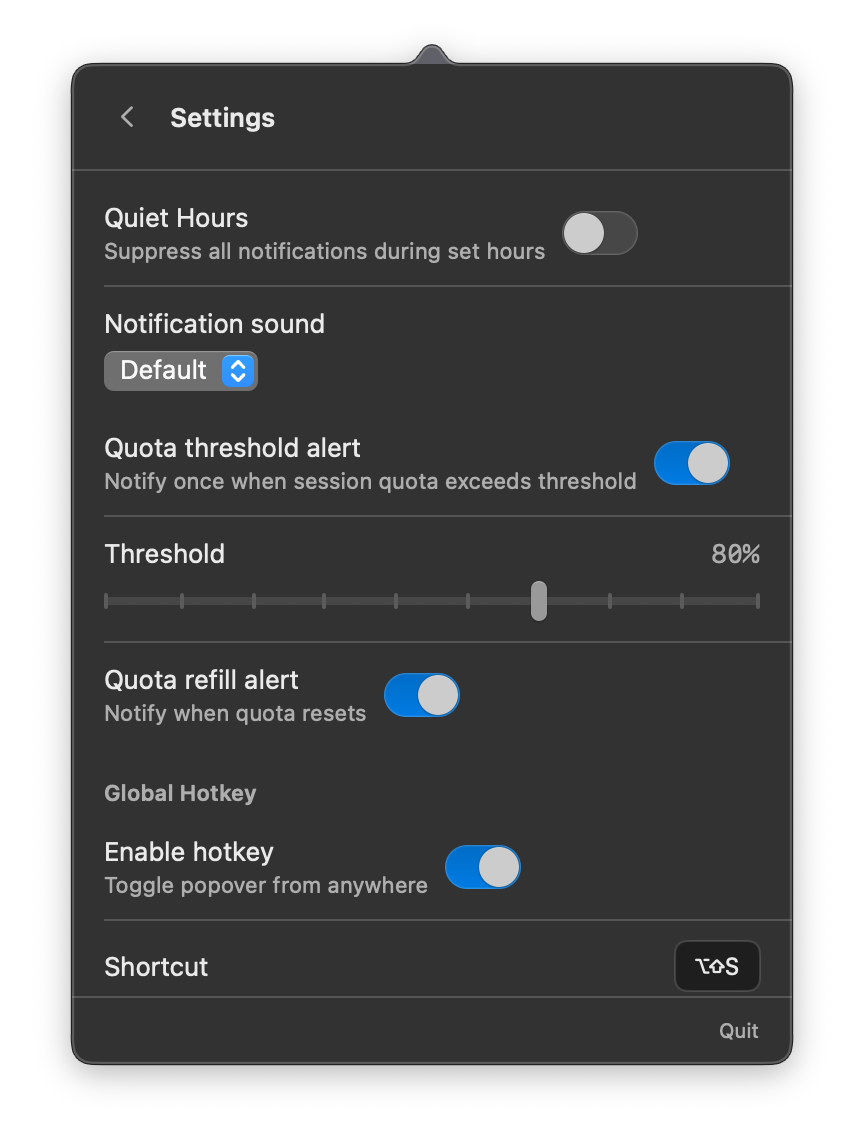
Settings: language, notifications, quota threshold, and display options
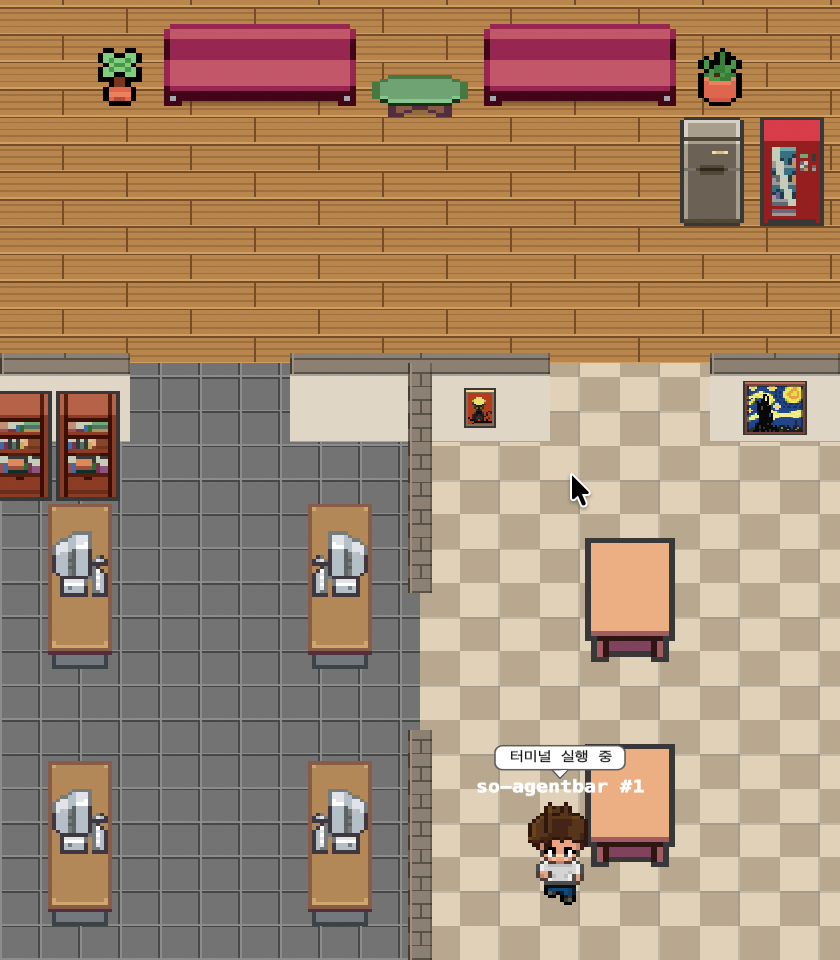
Pixel Agents — animated pixel art characters that reflect each session's live status
Agent tool (e.g. SO-ADK pipelines) are folded under their parent session with a 🤖×N badge. Click to expand the dropdown and see each subagent's type, current task, and last response on hover. While the parent waits, the parent row mirrors the most active subagent's status, and the parent's token/cost totals include every subagent's usage so you see the full pipeline cost in one place~/.codex/sessions logs (24-hour rolling window), with token counts and estimated costs. Set via Settingscursor.com/api/usage for accurate request usage and limits. Shows requests used / limit (if available) with a usage bar. Cost information is not available from Cursor's API. Note: Uses an unofficial endpoint that may change with Cursor updates.so-agentbar.dmg from Releasesso-agentbar.app to Applicationsgit clone https://github.com/sotthang/so-agentbar.git
cd so-agentbar
open SoAgentBar.xcodeproj
Build and run with Xcode (⌘R).
so-agentbar monitors Claude and Codex agent session logs via FSEvents, and fetches quota usage from cloud APIs:
Claude sessions:
~/.claude/projects/~/Library/Developer/Xcode/CodingAssistant/ClaudeAgentConfig/projects/claude-code-sessions/*.json)~/Library/Application Support/Claude/local-agent-mode-sessions/Codex sessions (local log-based usage):
~/.codex/sessions/YYYY/MM/DD/rollout-*.jsonlgpt-5-codex)./api/oauth/usage endpoint) using the token stored in Keychain. Accurate and real-time.~/.codex/sessions logs over the past 24 hours. Token counts aggregated per model, costs calculated via CostCalculator using OpenAI pricing. Labeled as "estimated" in the UI.cursor.com/api/usage using your local Cursor session token (stored in ~/Library/Application Support/Cursor/User/globalStorage/state.vscdb). Shows request count and limit (if your plan has one) in real-time. Cost information unavailable — Cursor does not publish per-request pricing. Uses an unofficial API endpoint; may be subject to change.Session status is determined by parsing JSONL log events. Token and cost data are restored after app restart via incremental log parsing. Cursor request usage is fetched live on each poll interval.
| Setting | Description |
|---|---|
| Language | Korean / English |
| Menu Bar Style | Emoji, Emoji + Count, Quota Session %, Quota Session + Weekly % |
| Menu Bar Provider | Claude, Codex, Cursor, or Gemini (selects which provider's usage is shown in the menu bar icon) |
| Editor | VSCode, Cursor, Antigravity, Terminal, Finder |
| Notifications | Completion, Approval Required, Error, Quota Threshold (50-95%), Refill |
| Quiet Hours | Suppress all notifications during a set time window (e.g. 23:00–09:00) |
| Global Hotkey | Customizable keyboard shortcut |
| Poll Interval | 10s / 30s / 60s fallback polling |
| Pixel Agents | Opacity slider for the floating pixel character window |
| Idle Sessions | Show or hide idle sessions |
| Keep Awake Mode | Toggle between Off, Always, and Auto (session-dependent) |
| Auto Keep Awake on Session | Automatically prevent sleep when Claude sessions are active |
| Clipboard History | Enable or disable clipboard history tracking and display |
| Codex CLI Monitoring | Enable or disable OpenAI Codex CLI/VSCode session tracking (estimated usage from local logs) |
| Cursor Request Monitoring | Enable or disable Cursor (free/personal plan) request usage tracking. Requires Cursor app login |
| Gemini Monitoring | Enable or disable Google Gemini usage tracking (estimated usage from local logs) |
| Launch at Login | Auto-start with macOS |
| Auto Update | Check for updates automatically via Sparkle |
See Releases for the full version history and release notes.
Issues and feature requests are welcome! Feel free to open an issue.
This project was developed using SO-ADK — an agentic development kit that orchestrates AI agents through a full TDD pipeline (plan → spec → architect → test → implement → review → docs).
If this project helped you, please consider sponsoring.
Your support helps me maintain and improve this project.
👉 https://github.com/sponsors/sotthang
Pixel Agents character sprites by PIPOYA (PIPOYA FREE RPG Character Sprites 32x32).
1000+ skills curated from Anthropic, Vercel, Stripe, and other engineering teams
Agent harness performance optimization with skills, instincts, memory, and security
Design enforcement with memory — keeps your UI consistent across a project
Detects 37 AI writing patterns and rewrites text with human rhythm across 5 voice profiles