

Are you the author? Sign in to claim
Every other tool executes. This one decides what to execute. Chief of Staff skill for Claude Code.
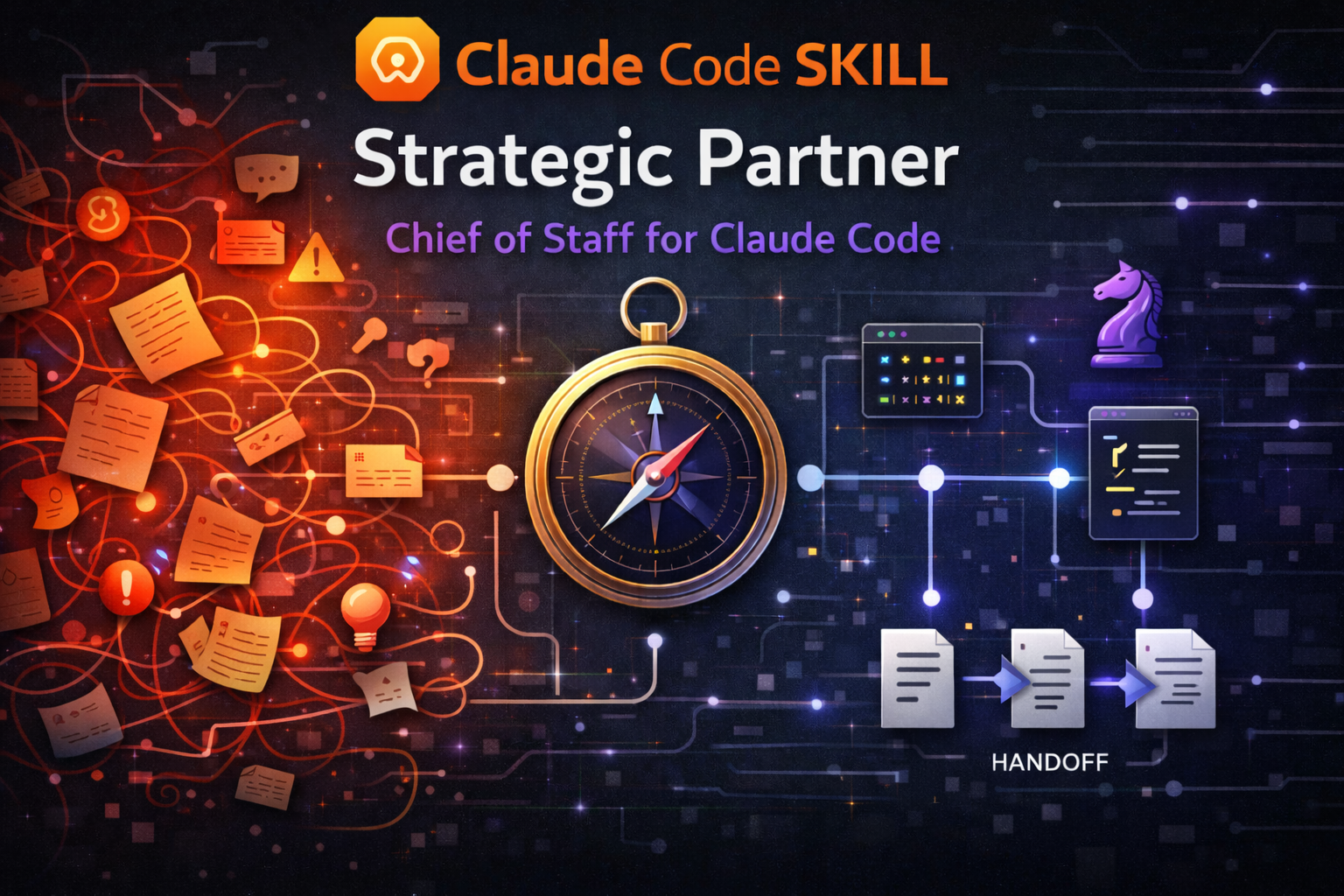
A strategic advisory skill for Claude Code (an installable add-on that extends Claude Code's behavior) that separates thinking from building. It thinks with you in one session — asking the right questions, challenging assumptions, framing problems before jumping to solutions. Then it packages implementation for fresh sessions where the full context window is available. Decisions persist. Context stays clean.
What's new — 7.0.1 (patch) fixes a handed-over prompt that could quietly launch the advisor instead of a builder, and makes copying a prompt to your clipboard a single step. It builds on 7.0.0, a major consolidation of the advisor's decision engine. Two genuinely new behaviors: the advisor now checks whether it's defending its own conclusion before making a recommendation — and lowers its confidence or argues the other side when it catches itself doing that — and on some models it can no longer silently drop a reply it was about to show you. Under the hood, four separate advisory checkpoints became one readiness gate, an internal four-stage decision pipeline became four plain questions, and fourteen named thinking patterns compressed to six — roughly 1,500 lines of reference scaffolding deleted, with no change to how the advisor behaves day to day. See CHANGELOG.md for the full list and prior releases.
AI coding assistants degrade as conversations grow. Every tool call, file read, and back-and-forth exchange pushes the original instructions further from the model's attention. By the time you're deep into implementation, the careful thinking from earlier has been diluted by hundreds of intermediate results.
Think of it like a meeting that started with a clear agenda but kept going for six hours. By hour four, decisions are being made on autopilot — not because anyone stopped caring, but because the original focus got buried under everything that came after.
Most workflows ignore this. You open one session, plan and build in the same window, and by the time you're in the weeds, decisions are being made mid-build with degraded instruction-following. When context fills up completely, everything is lost.
The strategic partner fixes this by enforcing a separation: persistent advisory context where decisions accumulate, and disposable execution context where clean context matters most.
Solo developers — A second brain that interrogates your assumptions before you build, picks the right tool, and remembers decisions across sessions so you don't re-litigate them.
Team leads — Consistent prompt quality across implementation sessions, with a decision log that survives context resets. Your architectural intent carries forward even when execution happens in fresh windows.
Non-technical PMs — You can describe what you need in plain language. The advisor handles the translation into technical prompts, breaks large features into phased delivery, and reports back in terms you can act on. You never need to know which skill or model is best for a task.
Strategic Partner (SP for short) runs the advisor in one session. Your installed implementation skills (or background agents) execute in another.
+---------------------------------+     +---------------------------------+
|  SESSION 1: ADVISOR (persistent) |     |  SESSION 2: EXECUTOR (ephemeral) |
|                                  |     |                                  |
|  /strategic-partner              |     |  /feature-dev                    |
|                                  |     |  (or whatever skill SP chose)    |
|  - Thinks with you               |     |  - Builds what SP specified      |
|  - Challenges your assumptions   |     |  - Follows the prompt exactly    |
|  - Crafts implementation prompts |     |  - Commits when done             |
|  - Routes to the right skill     |     |  - You close this when finished  |
|  - Tracks decisions and state    |     |                                  |
|  - Stays open across phases      |     |  Opens fresh for each prompt.    |
|                                  |     |  No accumulated context.         |
|  YOU KEEP THIS ONE OPEN.         |     |  DISPOSABLE.                     |
+----------------+-----------------+     +----------------+-----------------+
                 |                                        |
                 |  1. SP crafts prompt ----------------> |
                 |                                        |  2. You paste & run
                 |                                        |
                 |  4. SP reviews, plans next  <--------- |  3. You report back
                 |                                        |     what happened
                 +----------------------------------------+
You describe what you need. The SP asks clarifying questions, then delivers a self-contained prompt targeting the right skill with the right model. You paste that prompt into a fresh session — full context window, zero accumulated baggage. When it finishes, you report back. The SP reviews the actual diff of what landed — not just your summary — extracts lessons, and crafts the next prompt.
The SP never builds. The executor never decides. That separation is what makes both work.
Before routing anything, the SP checks whether the request is a solution wearing a problem's clothes, presents alternatives where a decision is warranted, and returns to planning mode after every implementation cycle — the walk-through below shows this in practice.
For small mechanical tasks, the SP may offer to dispatch the prepared prompt to a background agent instead of asking you to paste it into a fresh session. Same roles, same separation: SP decides what gets built and why; the agent executes what SP specifies. This optional shortcut is a delivery mechanism, not a personality change — the SP still thinks first, presents alternatives, and gets your consent before dispatching.
Your team needs to build a user onboarding flow for a SaaS product. Here's what happens:
You open Claude Code and type:
/strategic-partner
Then say: "We need to build an onboarding flow"
Strategic Partner responds:
That's a solution wearing a problem's clothes — "onboarding flow" names a feature, not the problem underneath.
Before we scope this — what user problem does onboarding solve? Are new users dropping off? Confused by the setup? Missing a key activation step?
You clarify: "New signups aren't completing setup — 60% drop off before connecting their first data source."
Good. This touches auth, UI, backend state, and email triggers — 4 concern areas. Your
CLAUDE.md(the project-rules file Claude Code reads automatically) says React + Tailwind, no component library for modals yet.Path A (Minimal): 3-step inline wizard, no modal, connects existing setup flow. Ships fast, might need rework later. Path B (Recommended): Dedicated onboarding route with progress tracking, broken into 3 phases. Solid foundation. Path C (Lateral): Skip the wizard — auto-detect the user's intent from their first actions and surface contextual setup prompts. Higher effort, potentially higher activation.
I'd go with Path B — it balances speed with a foundation that won't need rework. Path C is interesting but unproven for your user volume.
You pick Path B. The SP delivers 3 ready-to-paste prompts:
| Phase | Target skill | What it does |
|---|---|---|
| 1 — Research | [picked from your installed tools] | Read 5 files, map existing auth flow, identify where onboarding state should live |
| 2 — Build UI | [picked from your installed tools] | WelcomeScreen + 3-step wizard, mock data only, no backend calls yet |
| 3 — Wire up | [picked from your installed tools] | Connect wizard to user state, trigger welcome email on step 3 completion |
Each prompt includes: files to read first, constraints from CLAUDE.md, verification checklist, [✅ SAFE]/[⚠️ RISK] labels on key recommendations, expected commit message, and explicit NOT-in-scope exclusions.
You paste each phase into a fresh session and report back; the SP reviews what landed and hands you the next one (the loop from "How it works" above), until the feature ships.
| Aspect | Normal session | With the SP |
|---|---|---|
| Planning | Discovered mid-build | Surfaced before any work starts |
| Assumptions | Unchallenged | Premise-checked, alternatives explored |
| Big tasks | One session, degrades at scale | Phased prompts, each with full context |
| Knowledge | Dies with the session | Persists via saved project notes and handoff files (saved snapshots a fresh session resumes from) |
| Tool selection | You pick | SP picks dynamically from your installed tools |
| Confidence | Implicit | [✅ SAFE]/[⚠️ RISK] labels on recommendations |
# Via npx (recommended)
npx skills add https://github.com/JimmySadek/strategic-partner

# Manual — clone to your preferred skills directory
git clone https://github.com/JimmySadek/strategic-partner.git <your-skills-dir>/strategic-partner
After install completes, change into the install directory and run setup:
cd /path/to/strategic-partner    # the directory created by npx or git clone
./setup
Registers subcommands with Claude Code and installs the voice style (the formatting/tone profile that makes replies scannable for non-technical readers). If you already have a copy of the voice style, setup keeps yours and warns — without overwriting — when your installed copy is stale, unstamped (an older copy with no version marker), or missing. Optional: ./setup --audit-permissions checks for permission gaps that cause friction in advisory sessions.
Tip: You can also skip this terminal step. When you invoke
/strategic-partnerin Claude Code for the first time, the advisor detects the missing setup and offers to run it for you with a single yes/no prompt. The manual./setupinvocation above remains the bootstrap-safe path — still the right choice for headless installs or scripted setup.
/strategic-partner
Resume from a previous session by passing a handoff file path:
/strategic-partner .handoffs/onboarding-flow-0304-1430.md
/strategic-partner, /advisor, /sp all invoke the same skill.
The advisor operates through a lean core (SKILL.md) that loads reference material on demand:
/strategic-partner:context-file-scan checks your project's rules file (CLAUDE.md, AGENTS.md, or GEMINI.md) against 17 drift patterns, with interactive, report-only, and release-gate modes./goal autonomous-run suggestion in chat — never written into the prompt or any saved file.Mechanism detail lives in ARCHITECTURE.md.
CLAUDE.md, .claude/rules/, auto-memory, Serena memory) so decisions survive across sessionsSee ARCHITECTURE.md for the full file layout and mechanism detail.
| Command | What it does |
|---|---|
/strategic-partner:help | List all subcommands |
/strategic-partner:copy-prompt | Copy a recently emitted prompt to the OS clipboard |
/strategic-partner:handoff | Trigger a context handoff with split writes |
/strategic-partner:status | Where we stand, what's done, what's next |
/strategic-partner:update | Check for updates and self-update to latest version |
/strategic-partner:codex-feedback | Cross-model adversarial review via Codex CLI (GPT-5.5) |
/strategic-partner:context-file-scan | Detect drift in CLAUDE.md / AGENTS.md / GEMINI.md rules files (17 patterns) |
/strategic-partner:backlog | Triage the project backlog (items grouped by lifecycle state, with an action menu) — including a scan that flags backlog work which has already shipped and asks before closing it |
jq (a small command-line JSON processor) — used by the rules-file scanner and the startup/status hooks. Install via brew install jq (macOS) or apt install jq / dnf install jq (Linux). Without jq, the rules-file scanner won't run and the startup snapshot is reduced — nothing blocks your session.The skill works without Serena, but loses cross-session memory and semantic code navigation. jq is strongly recommended — the rules-file scanner requires it, and the startup snapshot is reduced without it.
| Platform | Status |
|---|---|
| macOS 13.0+ / Linux (GNU coreutils) | ✅ Fully supported |
| Windows WSL2 (recommended) / WSL1 | ✅ Supported — inherits Linux support (WSL1: Claude Code sandboxing unavailable per Anthropic) |
| Windows native (Git Bash / MSYS2 / Cygwin) | ⚠️ Experimental — symlink/interpreter/install-path limits; needs SP_ALLOW_NATIVE_WINDOWS=1. Use WSL2 |
| Windows native (cmd / PowerShell) | ❌ Unsupported — Claude Code requires a Bash-compatible shell |
Every SP session checks for updates in the background and surfaces a one-line notice when a newer version is available. Run /strategic-partner:update to fetch the latest version — it detects whether you installed via skills or git clone, uses the right method, and re-runs ./setup to refresh command registrations and flag a stale voice style if your installed copy is behind the shipped one. When an update introduces new subcommands, restart your Claude Code session so the CLI picks up the new registrations.
| Scenario | What happens | What to do |
|---|---|---|
| Serena MCP unavailable | Cross-session memory and semantic navigation disabled | SP falls back to Grep/Glob. Memory features degrade but prompt crafting works. |
| Skills missing | The installed-tool picker can't match a task to an installed skill | SP routes to built-in Agent types (always available) or suggests installing the skill. |
| No automatic warning before context fills up | SP relies on self-assessed thresholds and periodic checks | A user-owned hook (Claude Code's pre-fill warning event — the signal Claude Code fires just before it compacts a full context) can serve as an extra backstop if you choose to configure one. |
| Sub-agents hit permission walls | Background agents can't prompt for approval | Specify mode on every agent spawn. Pre-approve WebFetch(*) and WebSearch(*) in ~/.claude/settings.json for research agents. Run ./setup --audit-permissions to check for gaps. |
| Implementation session fails | Executor reports errors or incomplete work | Report back to the SP. It will diagnose, rewrite the prompt with a different approach, and suggest retry. |
| Codex CLI not found | Cross-model review unavailable | Install from github.com/openai/codex and run codex login. Feature is optional. |
MIT
1000+ skills curated from Anthropic, Vercel, Stripe, and other engineering teams
Agent harness performance optimization with skills, instincts, memory, and security
Design enforcement with memory — keeps your UI consistent across a project
Detects 37 AI writing patterns and rewrites text with human rhythm across 5 voice profiles
