

Are you the author? Sign in to claim
macOS 悬浮仪表盘:监控 OpenAI Codex 与 Claude Code 的订阅额度余额、Token 消耗与多设备趋势,支持 Touch Bar 常驻显示
macOS 悬浮仪表盘:同时监控 OpenAI Codex 与 Claude Code 的订阅额度余额、Token 消耗与趋势。支持 Touch Bar 常驻显示、最近会话直达、多设备 iCloud 同步。



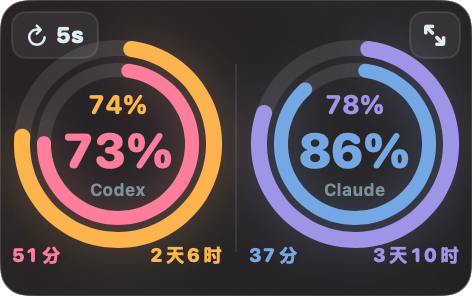

Touch Bar 常驻:双工具余额 + 最近 AI 会话直达 · Always-on balance & recent-session shortcuts
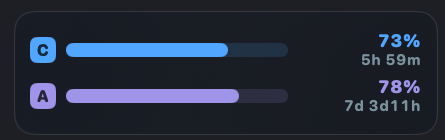 长条样式 · Bars |  徽章样式 · Badge |
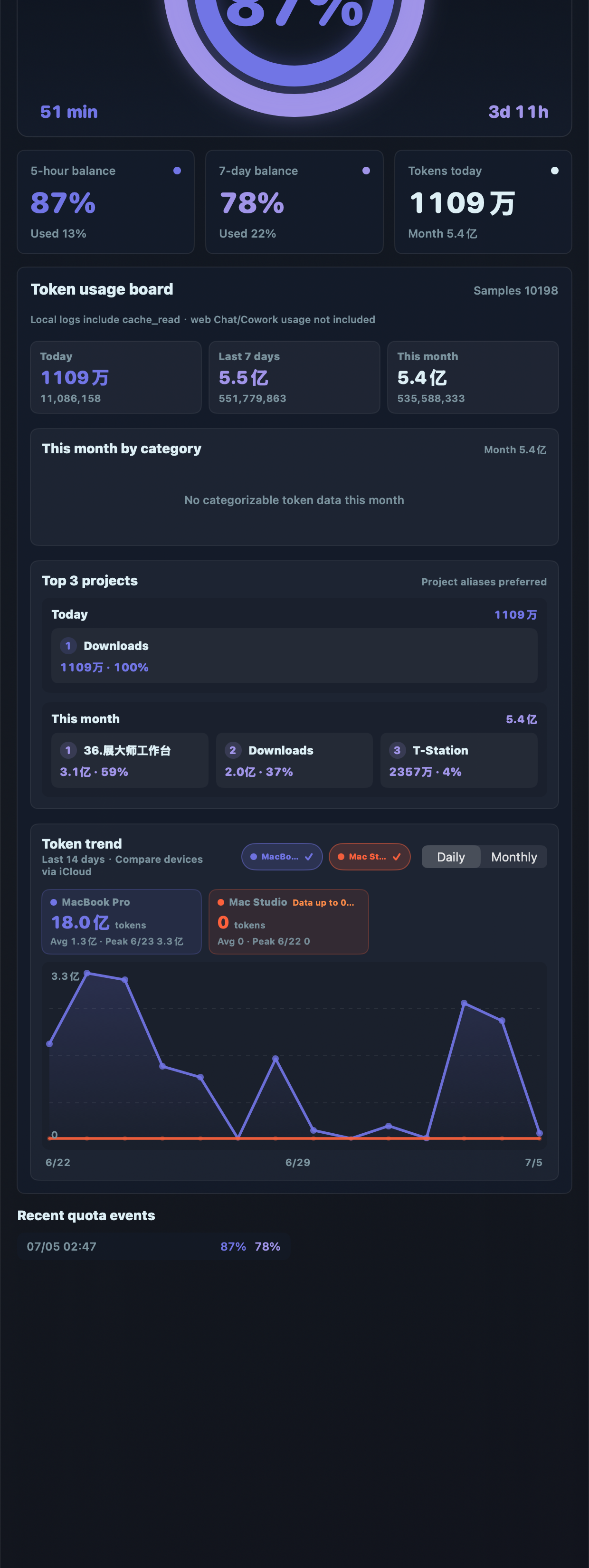 展开面板:余额 · 看板 · 多设备趋势 · Full panel | 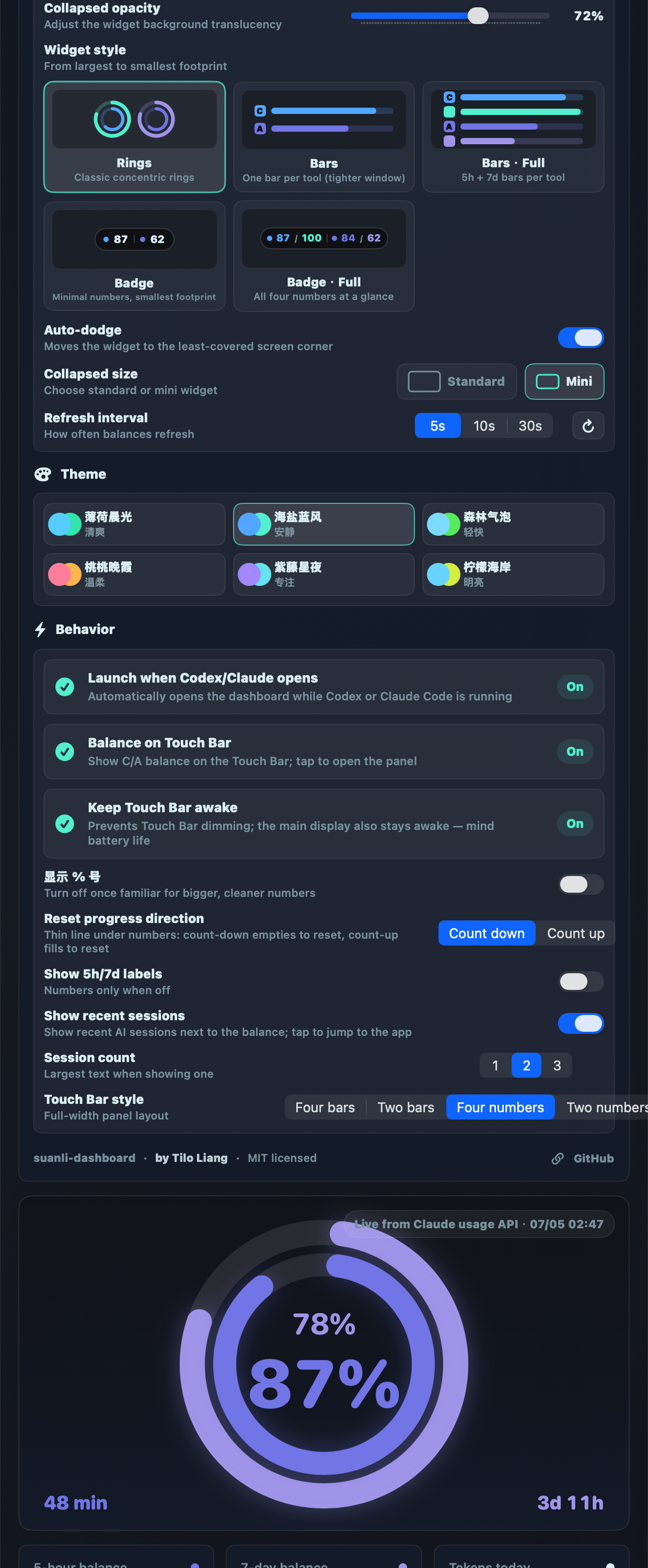 设置:样式 · 语言 · 主题 · Touch Bar · Settings |
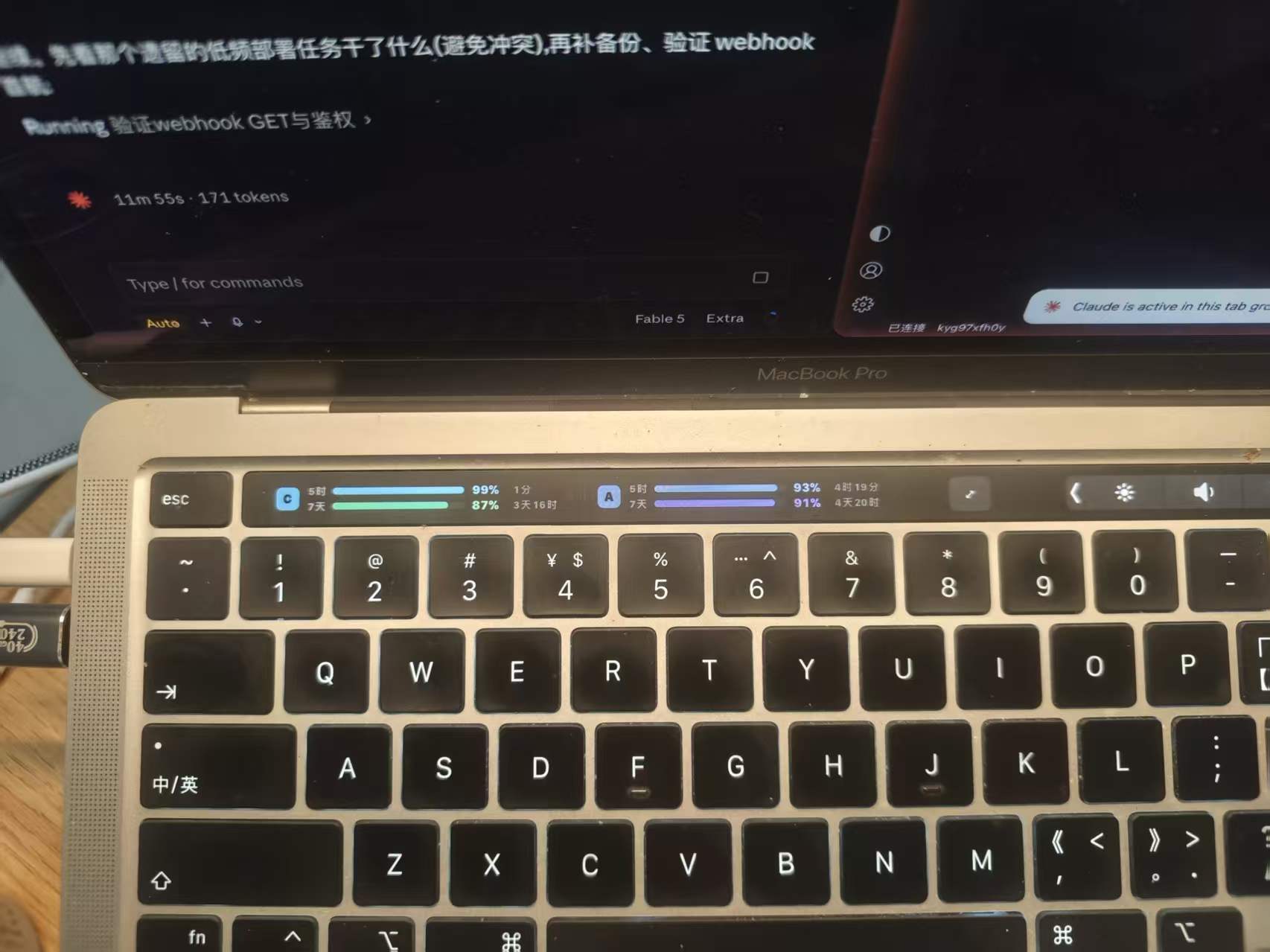
English: A macOS-only floating dashboard for monitoring your OpenAI Codex and Claude Code subscription quotas (5-hour & 7-day rolling windows), token usage and multi-device trends — with an always-on Touch Bar panel and recent-session shortcuts. UI follows your system language (10 languages) with an in-app language picker. Requires macOS 14+. Windows/Linux are not supported (the app is built on AppKit/SwiftUI, Keychain, iCloud Drive and Touch Bar APIs) — PRs welcome, see Platform support. Download from Releases, unzip, run 安装并启用自动启动.command, and see the English notes in First launch for Gatekeeper/Keychain steps.
这个工具只能在 Mac 上运行,并且有明确的前提条件。下载前先对照检查:
| 条件 | 要求 | 说明 |
|---|---|---|
| 操作系统 | macOS 14 (Sonoma) 及以上 | 更早的系统无法运行 |
| 机型 | Apple Silicon (M 系列) | Release 提供的安装包为 arm64;Intel Mac 请从源码构建 |
| 监控 Codex | 本机安装并登录过 Codex(桌面版或 CLI) | 没装则在设置里关掉 Codex 即可 |
| 监控 Claude | 本机用 Claude Code CLI 登录过一次 | 详见下方「Claude 余额显示前提」,只用网页版/桌面版是读不到余额的 |
| 网络 | 能正常访问 OpenAI / Anthropic 服务 | 余额接口请求发往官方服务器,网络不通时显示「暂无数据」 |
| Touch Bar 功能 | 带 Touch Bar 的 MacBook Pro | 没有 Touch Bar 的机器该选项自动置灰,其他功能不受影响 |
| 多设备同步 | 各设备登录同一 iCloud 账号,开启 iCloud Drive | 只用一台 Mac 可完全忽略 |
工具至少要装一个(Codex 或 Claude Code)。首次启动会自动探测你装了哪个,只显示对应的码表。
重度使用 Codex / Claude Code 的人都遇到过:干着干着突然「额度用完了」。算力码表把两个工具的 5 小时滚动窗口和 7 天窗口余额变成一个始终可见的小仪表,让你随时知道还剩多少、什么时候刷新。
算力码表-安装包-vX.X.X.zip 并解压;安装并启用自动启动.command;
~/Applications/算力码表.app 并配置自动启动(检测到 Codex 或 Claude Code 运行时自动唤起码表)。不想要自动启动的话,也可以直接把解压出来的 算力码表.app 拖到「应用程序」手动使用。
1. Gatekeeper 安全拦截(一定会遇到)
本 App 未做 Apple 公证(个人开源项目,不交年费)。首次打开如被拦截:
2. 钥匙串授权弹框(开了 Claude 监控会遇到)
码表需要读取 Claude Code 存在钥匙串里的凭据来查询余额。弹出「算力码表想访问钥匙串中的 Claude Code-credentials」时,点「始终允许」(点一次以后不再弹)。这是只读操作,凭据绝不会被写日志或上传。
3. Claude 余额显示前提(最常见的「为什么是灰的」)
Claude 环显示「暂无数据」灰色,99% 是因为本机没有 Claude Code CLI 的登录凭据。网页版 claude.ai 和桌面 App 的登录是独立的,码表读不到。解决:
# 终端里运行(哪怕你平时只用桌面版,登录这一次即可)
claude
# 进入后输入 /login,按提示在浏览器完成授权,然后 /exit 退出
登录成功后码表 1 分钟内自动亮起,之后 token 过期会自动续期,不需要再碰终端。
4. Codex 余额来源
自动读取本机 Codex(桌面版或 CLI)的状态,无需任何配置。如果显示「没有余额事件」,在 Codex 里输入一次 /status 即可。
在每台 Mac 上安装并打开码表即可——前提是它们登录同一个 iCloud 账号且开了 iCloud Drive。每台设备把自己的 token 消耗聚合成小 JSON 写进 iCloud(只有日期和数字,无任何内容),趋势图里自动出现所有设备的折线和总量。设备数量不限。
某台设备超过 48 小时没打开码表,趋势图会在它的卡片上标注「数据至 X」提醒你数据不是最新的。
Q: 打不开,提示已损坏?
A: xattr -dr com.apple.quarantine ~/Applications/算力码表.app 后再开(安装脚本已自动做过,手动拖装的可能遇到)。
Q: Claude 环之前亮着,某天变灰了?
A: 多数是续期链断了(长时间没开机等)。重新 claude → /login 一次即可,见上文第三节。
Q: 两台电脑的余额百分比不一样? A: 余额是账号级的,同一账号在哪台机器看都一样;不一样说明两台登录的是不同账号。Token 消耗折线按设备分开是正常设计。
Q: Touch Bar 上没显示? A: 只有带 Touch Bar 的 MacBook Pro 支持;在 设置 → 运行 里打开「Touch Bar 常驻余额」。
Q: 卸载怎么卸?
A: 删除 ~/Applications/算力码表.app、~/Library/LaunchAgents/dev.codex.balance-dashboard.watch-codex.plist、~/Library/Application Support/CodexBalanceDashboard/,再在 iCloud Drive 删掉「算力码表」文件夹(如果不再需要同步数据)。
| 平台 | 状态 |
|---|---|
| macOS 14+ (Apple Silicon) | ✅ 官方支持,Release 直接下载 |
| macOS 14+ (Intel) | 🟡 源码构建可用(./script/create_transfer_package.sh) |
| Windows / Linux | ❌ 暂不支持 |
为什么不支持 Windows/Linux:界面(AppKit/SwiftUI)、凭据读取(Keychain)、多设备同步(iCloud Drive)、Touch Bar 全部是 macOS 专属技术。
想移植?欢迎 PR! 数据层是跨平台的:两个工具在 Win/Linux 上同样把日志写在 ~/.codex 和 ~/.claude(结构一致),余额接口是标准 HTTP,多设备同步协议就是本仓库的聚合 JSON(schemaVersion 2)。用 Tauri/Electron 重写界面层即可,欢迎在 Issues 里认领。
Why macOS-only: the UI (AppKit/SwiftUI), credential access (Keychain), device sync (iCloud Drive) and Touch Bar are all Apple-specific. The data layer is portable — both tools write the same log structure to ~/.codex / ~/.claude on every OS, the quota APIs are plain HTTP, and the sync protocol is just JSON. A Tauri/Electron port is very feasible — PRs welcome!
git clone https://github.com/waytosea-oss/suanli-dashboard.git
cd suanli-dashboard
./script/create_transfer_package.sh   # 产物在 dist/,含安装脚本
需要 Xcode Command Line Tools(Swift 6)。跑测试:把 TestRunner product 构建后执行。
| 数据 | 来源 | 说明 |
|---|---|---|
| Codex 余额 | Codex app-server 本地 RPC / 会话日志 | 与官方 /status 一致 |
| Claude 余额 | 本机已有的 Claude Code OAuth 凭据 + 官方 usage 接口 | accessToken 过期自动用 refreshToken 续期 |
| Token 消耗 | 两个工具的本地会话日志(jsonl) | 逐条解析、按消息去重 |
| 多设备数据 | iCloud Drive 聚合 JSON | 只含日期与数字 |
Tilo Liang(@waytosea-oss)
一个被额度反复背刺之后决定把仪表盘做出来的人。如果这个工具帮到了你,给个 ⭐️ 就是最好的支持。
MIT © 2026 Tilo Liang
191 agents, 155 skills, and 82 plugins cross-compatible with Claude Code, Cursor, and Codex
Project management using GitHub Issues + Git worktrees for parallel agent execution
Core skills library for Claude Code with 20+ battle-tested skills including TDD, debugging, and brainstorming
Coding agent session manager supporting Claude Code, Gemini CLI, Codex, and more
