

Are you the author? Sign in to claim
Open-source database client for PostgreSQL, MySQL/MariaDB and SQLite with SQL notebooks, visual EXPLAIN, AI and MCP buil

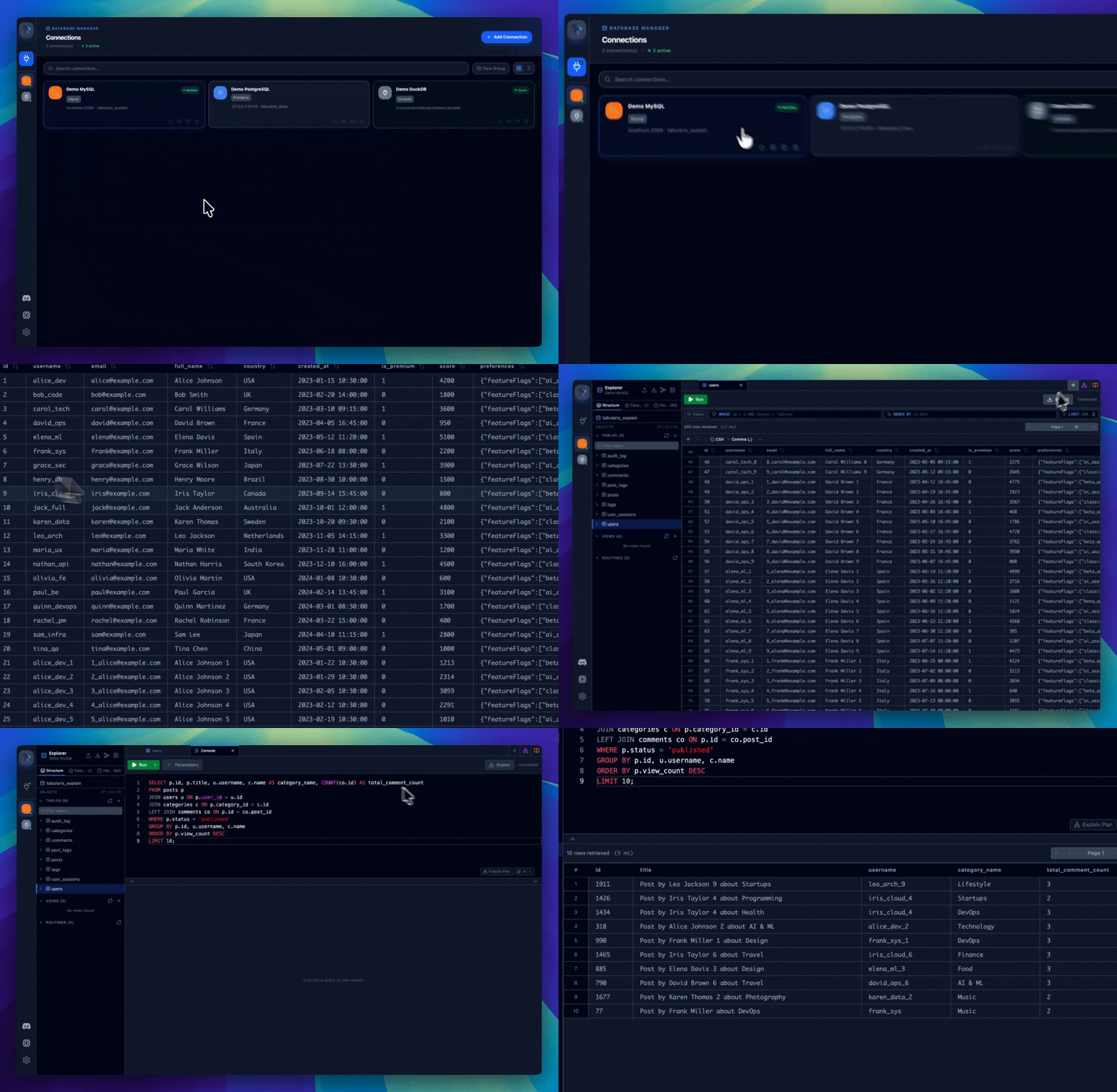
An open-source database client for PostgreSQL, MySQL/MariaDB and SQLite.
SQL notebooks, visual EXPLAIN, AI and MCP built in. Plugins add everything else.
README: English | Italiano | Español | 中文 | Français | Deutsch | 日本語 | Русский








winget install Debba.Tabularis                                   # Windows
brew tap TabularisDB/tabularis && brew install --cask tabularis  # macOS
sudo snap install tabularis                                      # Linux
Or grab an installer directly:





The app UI is available in English, Italian, Spanish, Chinese (Simplified), French, German, Japanese and Russian.
Discord — Join our Discord server to talk with the maintainers, share feedback, and get help from the community.
| tabularis | DBeaver CE | TablePlus | Beekeeper Studio | |
|---|---|---|---|---|
| License | Apache 2.0, free | Apache 2.0, free (Pro is paid) | Commercial | GPLv3 (paid editions) |
| SQL notebooks (SQL + Markdown cells, cross-cell variables, charts) | ✅ | ❌ | ❌ | ❌ |
| Built-in MCP server for AI agents | ✅ | ❌ | ❌ | ❌ |
| Plugins in any language (JSON-RPC over stdio) | ✅ | Java/Eclipse plugins | JavaScript plugins | ❌ |
| AI text-to-SQL with local models (Ollama) | ✅ | Cloud-based AI assistant | ❌ | ❌ |
| Visual EXPLAIN with interactive plan graphs | ✅ | ✅ | ❌ | ❌ |
| Databases out of the box | 3 (+ any via plugins) | 100+ | 20+ | ~10 |
Comparison as of June 2026; features in other tools may have changed since. If you need dozens of drivers, use DBeaver — tabularis focuses on doing a few databases well.
winget install Debba.Tabularis
Download the installer from the Releases page and run it:
tabularis_x.x.x_x64-setup.exe
Follow the on-screen instructions to complete the installation.
To add our tap, run:
brew tap TabularisDB/tabularis
Then install:
brew install --cask tabularis
When you install tabularis on macOS, you need to allow accessibility access (Privacy & Security) to the tabularis app.
If you are upgrading and you already have tabularis on the allowed list you will need to manually remove them before accessibility access can be granted to the new version.
macOS users who download directly from releases may need to run:
xattr -c /Applications/tabularis.app
after copying the app to the Applications directory.
sudo snap install tabularis
Download the .AppImage file from the Releases page, make it executable and run it:
chmod +x tabularis_x.x.x_amd64.AppImage
./tabularis_x.x.x_amd64.AppImage
yay -S tabularis-bin
Tabularis checks for updates automatically on startup and notifies you when a new version is available. You can also download the latest version directly from the Releases page.
Join our Discord server to talk with the maintainers, share feedback, suggest features, or get help from the community.
$$-delimited blocks.{{cellName.columnName}}, plus global {{$paramName}} parameters..tabularis-notebook files; export as HTML, CSV, or JSON.Cmd on macOS, Ctrl on Windows/Linux).keybindings.json.Ctrl+Shift in the sidebar to reveal numbered badges (1–9) for instant connection switching.EXPLAIN format per driver.Tabularis is hackable with an external plugin system. Plugins are standalone executables that communicate with the app over JSON-RPC 2.0 via stdin/stdout, and can be written in any language.
plugins/registry.json.plugins/PLUGIN_GUIDE.md to build your own driver in any language..log files.tabularis --debug for verbose logging from launch.Configuration is stored in ~/.config/tabularis/ (Linux), ~/Library/Application Support/tabularis/ (macOS), or %APPDATA%\tabularis\ (Windows): connection profiles, saved queries, app settings (config.json), custom themes, and per-connection editor preferences — tabs and queries are restored when you reopen a connection. The wiki covers the full file layout and every config.json option, including custom AI model overrides.
Optional Text-to-SQL and query explanation powered by OpenAI, Anthropic, MiniMax, OpenRouter, Ollama (local models, no API key, full privacy), and any OpenAI-compatible API (Groq, Perplexity, Azure OpenAI, LocalAI, ...). Model lists are fetched from your provider and cached locally; custom models can be configured per provider.
Tabularis includes a built-in MCP (Model Context Protocol) server that lets AI agents read your database schema and execute queries directly from their chat interface.
tabularis --mcp
One-click setup for Claude Desktop, Cursor, and Windsurf: open Settings → MCP Server Integration, click Install Config next to your client, and restart it. Manual configuration is covered in the wiki.
Once connected, your AI agent can:
| Tool | Description |
|---|---|
list_connections | List all saved database connections |
list_tables | List tables in a connection (with optional schema filter) |
describe_table | Get full schema: columns, indexes, foreign keys |
run_query | Execute any SQL query and return results |
"Show me all tables in my production database and describe the
orderstable"
"Write and run a query to find the top 10 customers by total order value this month"
"Check if there are any missing indexes on the
userstable"
pnpm install
pnpm tauri dev
pnpm tauri build
Contributions are welcome — see CONTRIBUTING.md. Good places to start:
 turboSMTP — Professional SMTP relay — your emails delivered straight to the inbox, never to spam
 Kilo Code — Open source AI coding agent — build, ship, and iterate faster with 500+ models
 DigitalOcean — Simple, predictable cloud infrastructure for developers and growing teams.
 Usero — Feedback becomes code. Automatically.
 DevGlobe — Connect your IDE, show up on the globe, and showcase your projects to a community of builders.
Tabularis started as an experiment: how far could AI-assisted development get in building a working tool from scratch? Further than expected — it's now an actively maintained project with regular releases and a plugin ecosystem.
Apache License 2.0
Like tabularis? Star the repo ⭐ — it helps the project a lot.
Run Claude Code as an MCP server so any agent can delegate coding tasks to it
 @microsoft✓ Official
Browser automation using accessibility snapshots instead of screenshots
 @googleapis✓ Official
Google's universal MCP server supporting PostgreSQL, MySQL, MongoDB, Redis, and 10+ databases
 @github✓ Official
Official GitHub integration for repos, issues, PRs, and CI/CD workflows

