

Are you the author? Sign in to claim
tako-mcp




Tako MCP gives your agent industry-leading live web search plus licensed data that the open web does not have. That includes company financials, macroeconomic indicators, web and app traffic, sports, US government spending, and more.
Full Documentation · Get your API key · MCP Registry
Tako MCP lets an agent:
Why a data-native search API? On Tako's VerticalRTK benchmark of real-time domain questions (finance, economics, sports, weather), Tako outperforms the next-best web search API by 21% — while using ~75% fewer tool calls at up to one-tenth the cost, and answering research tasks in 15.5s vs 124.2s for OpenAI web search. It reaches parity with Exa, Parallel, Nimble, and Tavily on standard web benchmarks (SimpleQA, FRAMES) and pulls ahead where structured, real-time data matters. Read the evals →
Point your MCP client at the hosted endpoint — no install, no local server:
https://mcp.tako.com/mcp
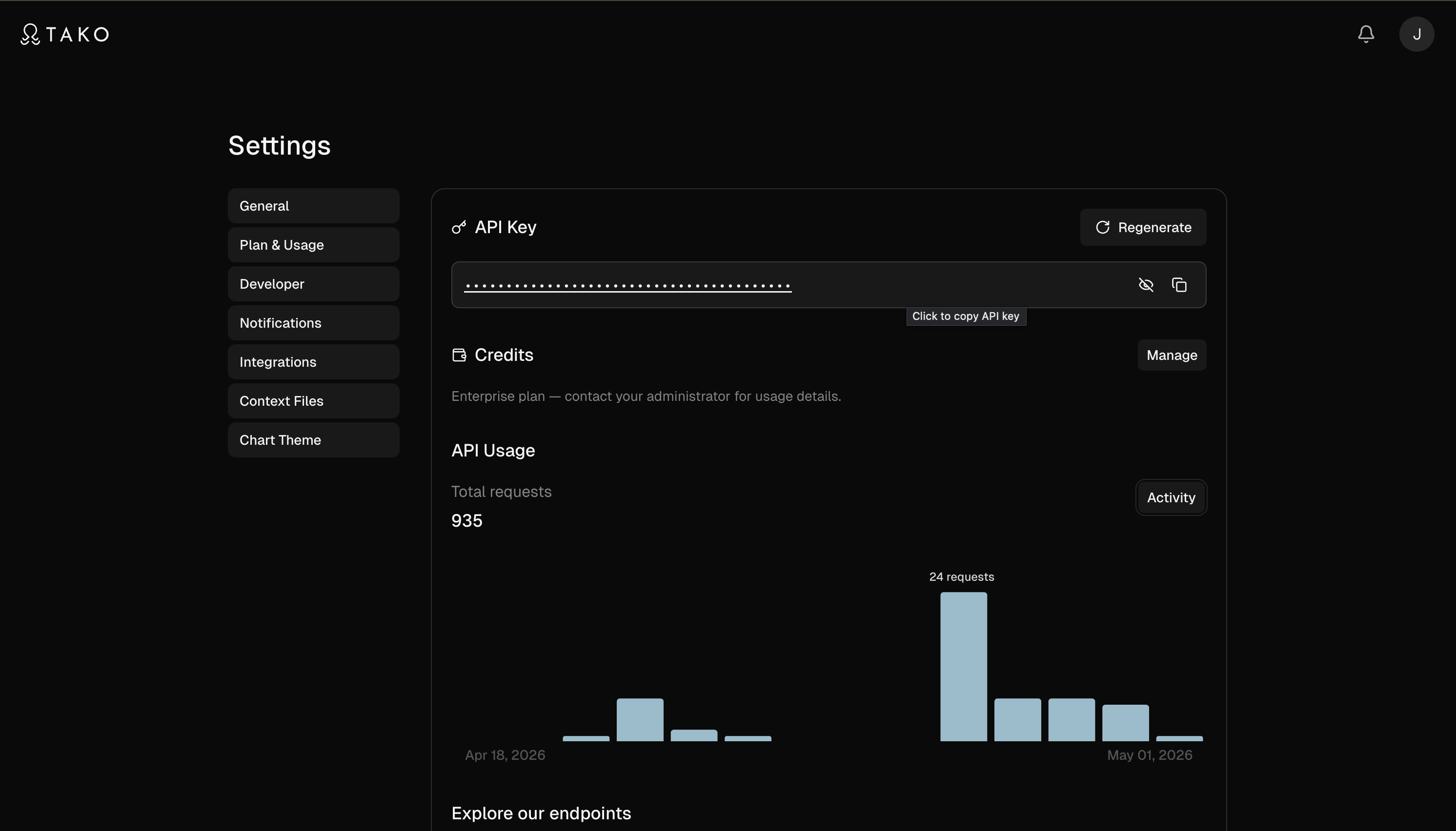
Every request authenticates with a Bearer token. Get your API key, then pick your client below.
Plugin (recommended) — installs the MCP connection plus Tako's bundled research skills in one step. Claude Code prompts for your API key when the plugin is enabled and stores it securely — no export or environment variable to manage:
claude plugin marketplace add TakoData/tako-mcp
claude plugin install tako@tako
When the plugin is enabled, Claude Code asks for your Tako API key and injects it as the Bearer token automatically. Get your API key.
If you previously added the server with claude mcp add, remove it first (claude mcp remove tako-mcp) so you don't end up with two copies of every tool.
Or add the MCP server directly:
export TAKO_API_TOKEN='<your-token>'

claude mcp add tako-mcp --transport http https://mcp.tako.com/mcp \
  --header "Authorization: Bearer $TAKO_API_TOKEN"
Verify with claude mcp list (should show tako-mcp connected) or /mcp inside a session.
Add to ~/.cursor/mcp.json:
{
  "mcpServers": {
    "tako-mcp": {
      "type": "http",
      "url": "https://mcp.tako.com/mcp",
      "headers": {
        "Authorization": "Bearer <your-tako-api-token>"
      }
    }
  }
}
Add to your Windsurf MCP config:
{
  "mcpServers": {
    "tako-mcp": {
      "type": "http",
      "url": "https://mcp.tako.com/mcp",
      "headers": {
        "Authorization": "Bearer <your-tako-api-token>"
      }
    }
  }
}
Add to .vscode/mcp.json (workspace) or your user mcp.json:
{
  "servers": {
    "tako-mcp": {
      "type": "http",
      "url": "https://mcp.tako.com/mcp",
      "headers": {
        "Authorization": "Bearer <your-tako-api-token>"
      }
    }
  }
}
Add to ~/.gemini/settings.json:
{
  "mcpServers": {
    "tako-mcp": {
      "httpUrl": "https://mcp.tako.com/mcp",
      "headers": {
        "Authorization": "Bearer <your-tako-api-token>"
      }
    }
  }
}
Add to opencode.json:
{
  "mcp": {
    "tako-mcp": {
      "type": "remote",
      "url": "https://mcp.tako.com/mcp",
      "enabled": true,
      "headers": {
        "Authorization": "Bearer <your-tako-api-token>"
      }
    }
  }
}
Codex connects to remote servers through the mcp-remote bridge. Add to ~/.codex/config.toml:
[mcp_servers.tako-mcp]
command = "npx"
args = ["-y", "mcp-remote", "https://mcp.tako.com/mcp", "--header", "Authorization: Bearer <your-tako-api-token>"]
Add to Zed settings.json (via the mcp-remote bridge):
{
  "context_servers": {
    "tako-mcp": {
      "source": "custom",
      "command": "npx",
      "args": ["-y", "mcp-remote", "https://mcp.tako.com/mcp", "--header", "Authorization: Bearer <your-tako-api-token>"]
    }
  }
}
The consumer chat hosts don't accept Bearer tokens. claude_desktop_config.json only validates stdio servers, so a remote "type": "http" entry there is silently dropped — Claude Desktop connects through Connectors like Claude.ai. The hosted endpoint runs an OAuth 2.1 flow that signs you in with your Tako account and mints a per-host key for you automatically.
Prerequisites: just sign in at tako.com with the identity you'll authorize. You do not mint a token yourself — the consent flow creates a per-host key (named MCP: <client>, visible and revocable at tako.com/console/api-keys). Connecting a new host never rotates another host's key; Tako trims your oldest MCP key past ten.
Claude.ai (requires Pro, Max, Team, or Enterprise)
https://mcp.tako.com/mcp and click Connect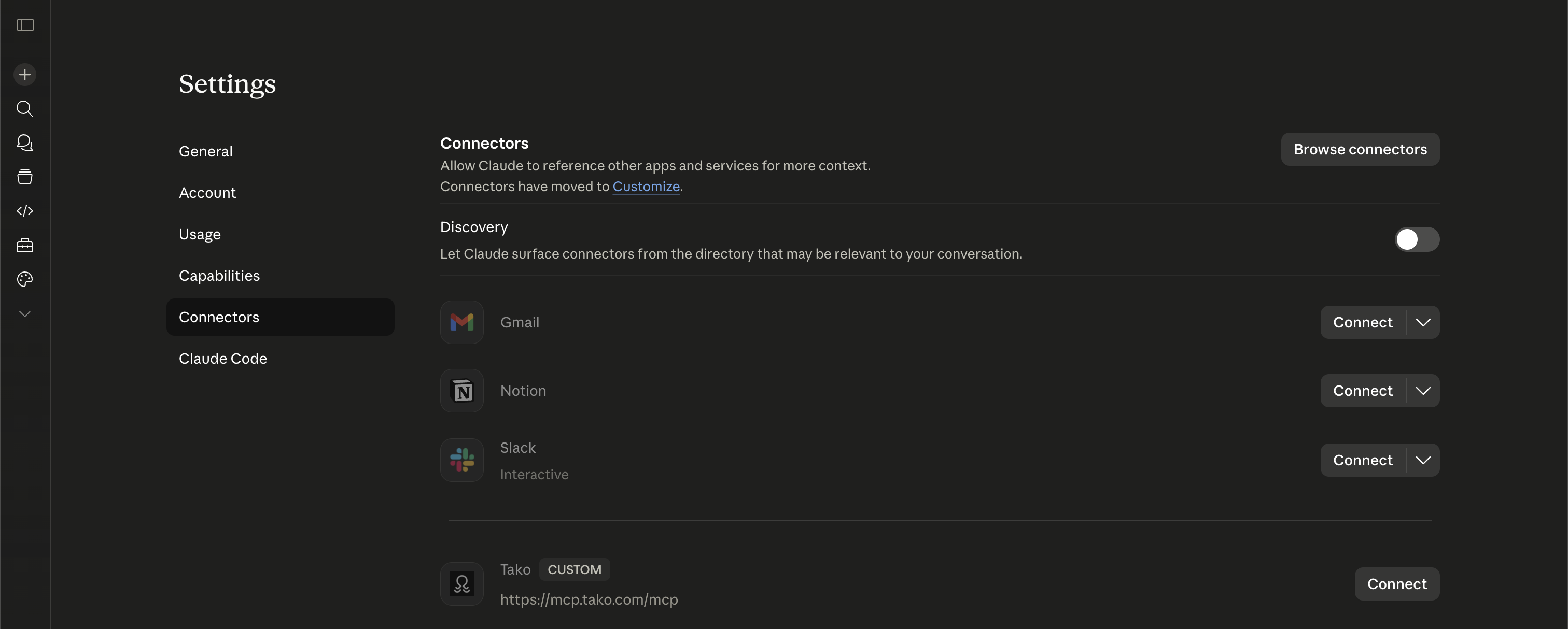
Claude Desktop (same plan requirement as Claude.ai)
https://mcp.tako.com/mcp and click ConnectChatGPT (requires Pro, Business, or Enterprise; Developer Mode enabled)
https://mcp.tako.com/mcp and click Connect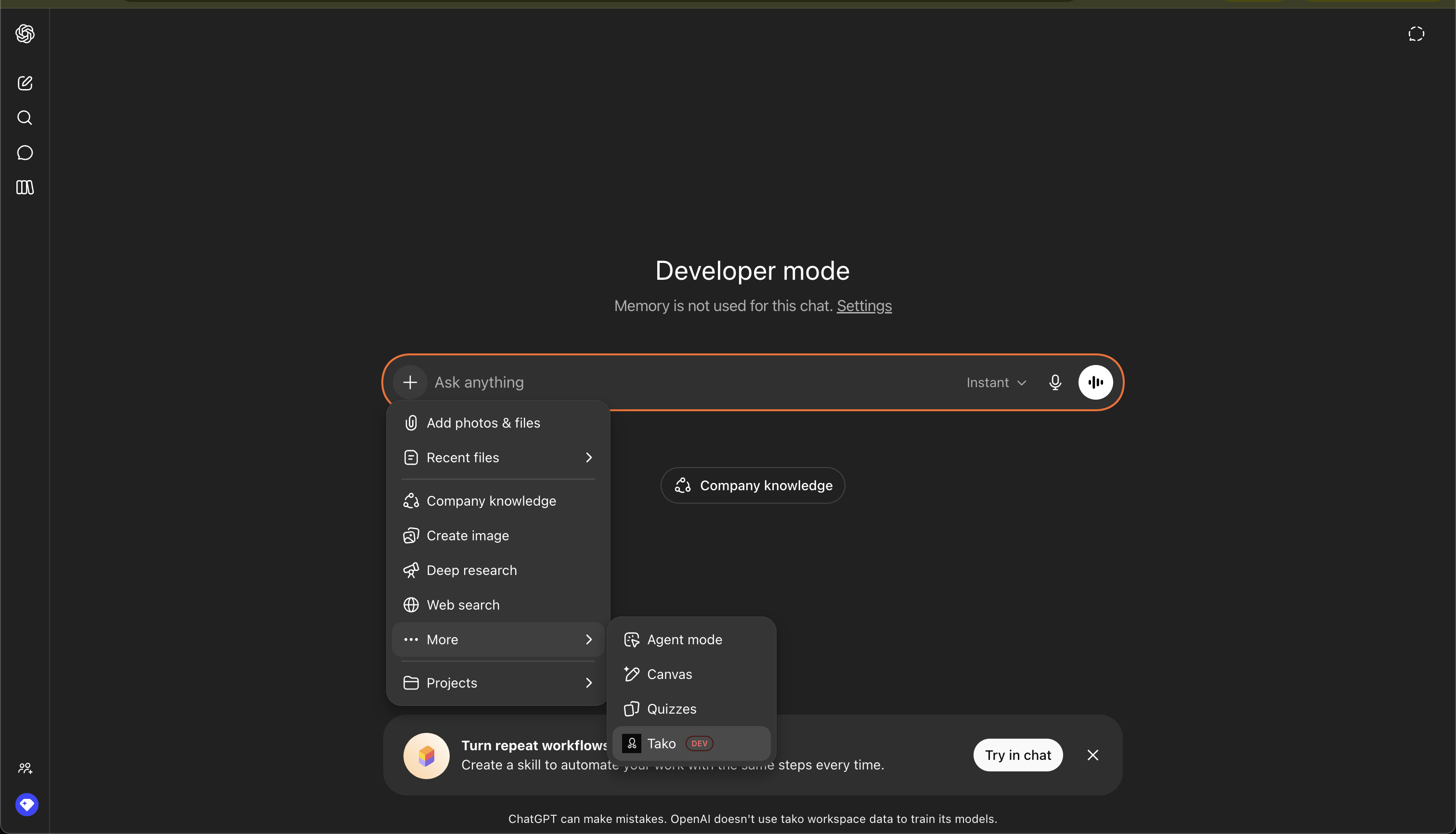
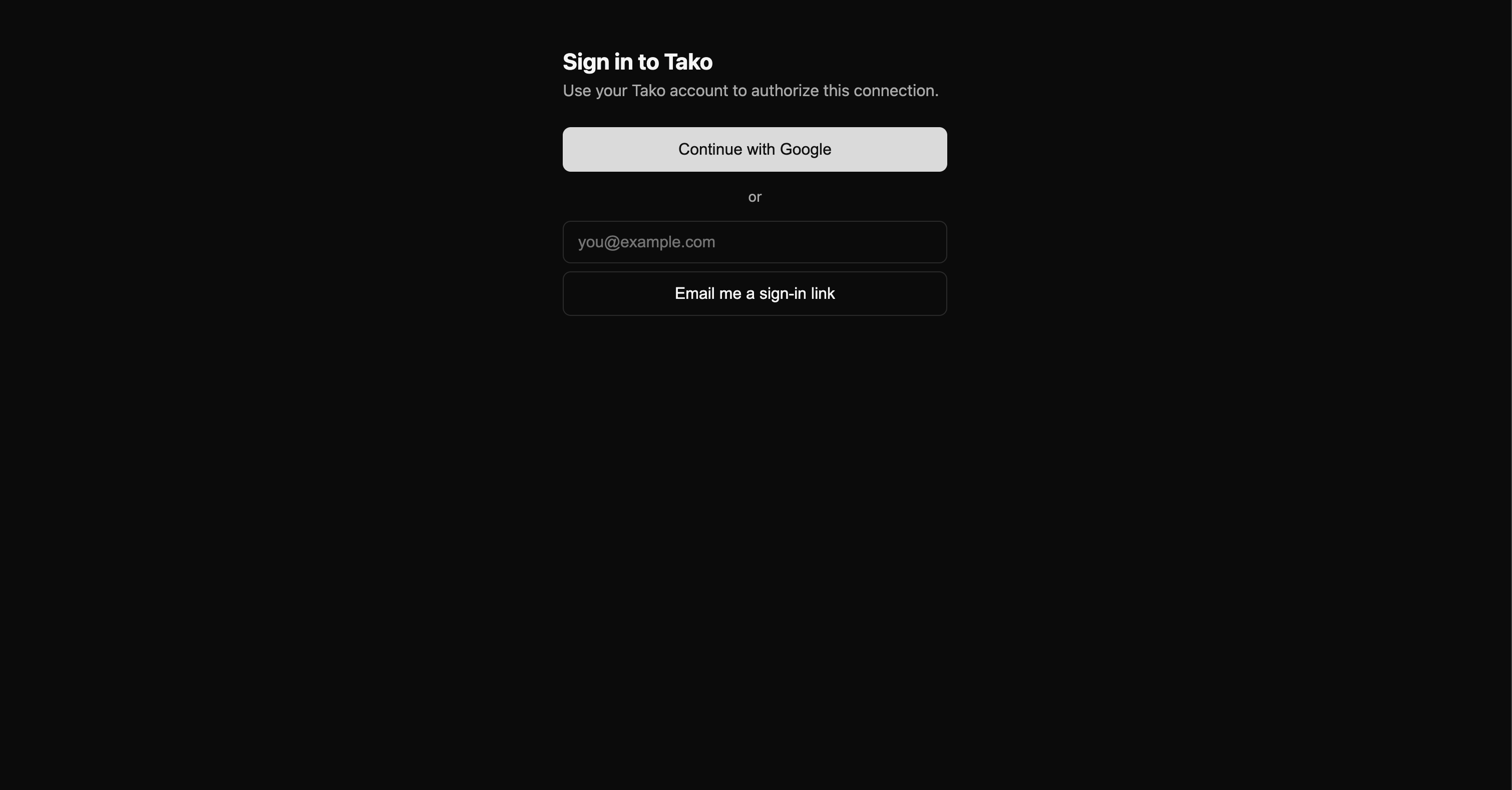
During connect you'll see three Tako-hosted screens regardless of host: a sign-in page (Google or email magic-link), a consent page ("Connect [host] to Tako — Allow / Cancel"), then a bounce back to the host. The host may show its own consent prompt too — that's normal.
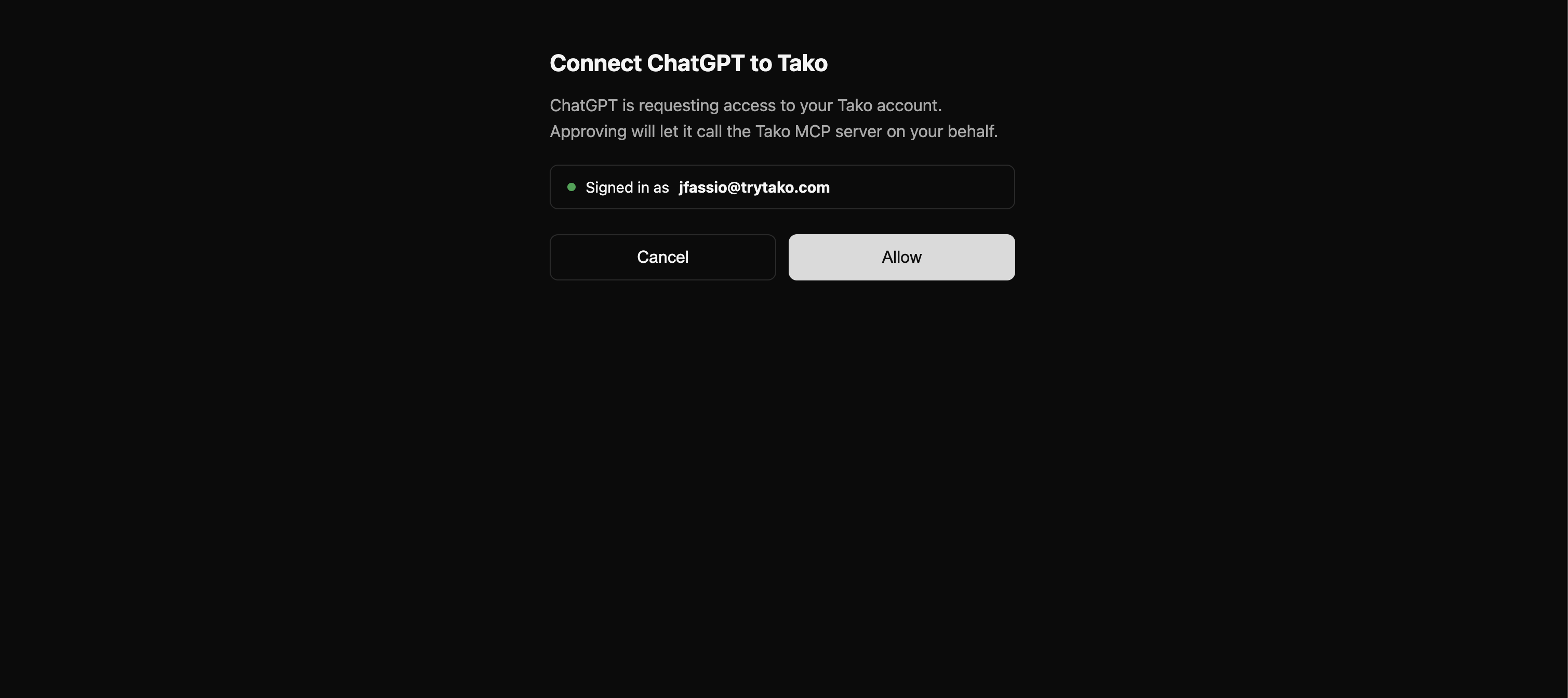
Disconnecting. A per-host disconnect (remove the connector in host settings) stops that host only; other hosts and Bearer-auth clients keep working. To hard-kill everything, rotate your key at tako.com/console/api-keys — every previously-issued grant across every host stops authenticating immediately.
Endpoints:
| Environment | URL |
|---|---|
| Production | https://mcp.tako.com/mcp |
| Staging (testing only) | https://mcp.staging.tako.com/mcp |
Tools are discovered automatically via the MCP tools/list handshake, so your client always sees the live surface. Auth is connection-level — once connected, tool inputs need no api_token argument.
Enabled by default:
| Tool | Description |
|---|---|
tako_search | Pull the data to work with. Fast search over Tako's curated graph and the live web; each card carries a free inline preview of its latest rows. Top result renders inline as a chart (an interactive MCP Apps widget on ChatGPT, a chart image elsewhere) with an Open in Tako link. Choose sources (data, web, or both) and effort (fast / instant). Parallelize broad questions into narrow single entity+metric searches for far better retrieval. |
tako_answer | Ask one specific data question, get the answer. A single grounded, citation-backed prose answer, already written for you — relay it directly. Ground in data, web, or both. |
tako_contents | Fetch the content behind a result URL: a Tako card returns a CSV, any other URL returns the page's extracted text. Cards must be marked exportable: true (web URLs are exempt). |
tako_available_data | Discover what proprietary, structured data exists on an entity or metric in one call — and a cheap accuracy check to confirm a figure exists before spending a priced search/answer. Returns a node_id you can pin into search/answer for a retrieval boost. Free and fast. |
On connect, the server also advertises MCP server instructions that hosts like Claude.ai, Claude Desktop, and Claude Code place in the model's system prompt. They steer data and metric questions to tako_search ahead of the host's built-in web search, and note that tako_search covers the live web too, so one call can stand in for a separate web search on mixed questions. Built-in web search remains the fallback for queries outside Tako's coverage.
Opt-in — off by default to keep the tool surface small. Enable per-connection via the ?tools= query parameter (comma-separated aliases):
| Alias | Tool(s) | What it's for |
|---|---|---|
agent | tako_agent (ChatGPT: tako_agent_start / tako_agent_wait) | Tako's Answer Agent — opinionated, multi-step research (~30–90s) across many retrievals, returning a synthesized answer plus chart cards |
visualize | tako_visualize | Author an embeddable chart/card from your own typed components (timeseries, bar, table, financial boxes…). On by default for ChatGPT, where it powers the widget |
credits | get_credit_balance | Check the connected account's API credit balance |
graph | tako_graph_search / tako_graph_related / tako_graph_node | Low-level graph primitives behind tako_available_data: traversal relations, q filtering, cursor paging, full node detail |
# Aliases compose as a comma-separated list on the MCP URL
claude mcp add tako-mcp --transport http "https://mcp.tako.com/mcp?tools=agent,visualize" \
  --header "Authorization: Bearer $TAKO_API_TOKEN"
Only alias names are recognized; unknown values are ignored, so a typo never breaks the connection. Omit the parameter for the default surface.
tako_answer and tako_search look similar but serve opposite needs. Pick by what you want back:
| You want… | Use | What you get back |
|---|---|---|
| The answer to one specific, self-contained data question | tako_answer | A single synthesized, citation-backed prose answer — already written for you. Relay it directly. |
| The data itself — rows/time-series to compute over or chart | tako_search | Structured cards (each with a free row preview) + an inline chart. You do the synthesis. |
tako_answer. e.g. "What was US GDP in 2024?" — surface the answer field as-is.tako_search, parallelized. Decompose into narrow single entity+metric searches fired concurrently — e.g. "US CPI inflation", "US core CPI inflation", "US PCE inflation" — then synthesize yourself.tako_answer hands you a conclusion; tako_search hands you the evidence.Specific question → tako_answer (relay the answer):
tako_answer with the questionanswer — and surfaces it directlyData to work with → parallel tako_search (synthesize yourself):
tako_search calls concurrently — one per entity+metrictako_contents on a card's webpage_url if it needs full rows (when the card is exportable: true)Ready-to-use skills for Claude Code. Each teaches Claude how to use Tako for a specific kind of data work. Copy the block inside a dropdown and paste it into Claude Code — it sets up the connection and skill for you.
Copy the block below and paste it into Claude Code. It will set up the MCP connection and skill for you.
Step 1: Install or update Tako MCP
If Tako MCP already exists in your config, update it to this endpoint (the ?tools=agent enables the Answer Agent used for ranking questions). Run this in your terminal:
claude mcp add tako-mcp --transport http "https://mcp.tako.com/mcp?tools=agent" --header "Authorization: Bearer $TAKO_API_TOKEN"
Step 2: Add this Claude skill
---
name: tako-financial-research
description: Company financials and markets via Tako (sources vary by metric — S&P Global, Fiscal.ai, Xignite, Visible Alpha, and others). Revenue, earnings vs. estimates, margins, valuation, stock performance, and head-to-head company comparisons as citation-backed charts. Use for equity research, company deep-dives, competitor financial comparison, or any "what are/were <company>'s <financial metric>" question.
---
# Financial Research (Tako)
Tako serves proprietary company financials (sources vary by metric — S&P Global, Fiscal.ai, Xignite, Visible Alpha, and others) as interactive, citation-backed charts. Always cite the source the card actually returns, not a fixed name.
## Pick the tool by what you want back
- `tako_search` — the data as a chart. Default for "<company> <metric>" and "<A> vs <B> <metric>". The intent-matched card renders inline (see Rendering).
- `tako_answer` — one specific STATED value, in prose ("What was Apple's FY24 revenue?"). Relay the `answer` verbatim. It retrieves reported values; it does NOT compute derivations — for a growth rate, ratio, or margin change, pull the underlying levels (here or via `tako_search`) and compute it yourself.
- `tako_agent` — a cohort/ranking that must be figured out ("which of the largest US chipmakers grew revenue fastest since 2020?"). Slower (~30–90s).
- `tako_available_data` — FREE pre-check: confirm a metric exists and grab its exact name + `node_id` before spending a priced call.
## Query patterns (Critical)
- Query is ENTITY + METRIC: `"Nvidia revenue"`, `"Apple gross margin"`, `"Tesla free cash flow"`. Keep it to one entity + one metric per call, and add a cadence word (`quarterly`/`annual`) to steer the period.
- Comparisons are first-class: `"Intel vs Nvidia revenue"` returns a two-series comparison card — but it is not always ranked first (see Rendering), and comparisons default to annual (say `quarterly` for quarterly). Pairwise (2-entity) comparisons are the most reliable; 3–4-way asks often mis-rank or drop a series — prefer pairwise and synthesize.
- Multi-metric or multi-company asks → fire PARALLEL narrow searches and synthesize yourself. Do not send a multi-part question as one query (a compound query returns a single-metric top card and misses the rest).
- Ground in Tako data with `sources: ["data"]` — this is the default for financials. Omitting `sources` also searches the web, returning ~10 billable pages of IR/filings/MacroTrends clutter per call; add `"web"` only when you deliberately want news or qualitative context.
- Empty result (zero cards) means "not covered in Tako," NOT that the fact is false — the response looks identical for an uncovered metric and a genuinely-nonexistent one. Don't infer a business fact from it (e.g. a company with no dividend card may pay no dividend, but don't assert it from silence). Confirm with `tako_available_data`, or fall back to a web check.
## Rendering (Critical)
- Pick the card by intent — do NOT trust index 0. Tako auto-renders card #0, but it routinely ranks an "Overview" or "Earnings & Estimates" card above the plain metric chart (e.g. `"Lucid revenue"` puts "Lucid Group Earnings & Estimates Overview" at #0 and the actual "Lucid Revenues (Annual)" chart at #2). Choose the card whose `card_type` is `"chart"` and whose title matches the bare metric asked for. Overview/Estimates cards lead with a beat/miss "estimate vs. actual" narrative — NOT the value asked for; skip them unless the user asked about estimates. For a comparison, the right card has BOTH entities in its `nodes`/title. If the chosen card isn't #0, reference it with `[Title](webpage_url)` and say it is the authoritative one.
- Actuals vs. estimates vs. projections — before quoting a number, confirm it's a reported actual: `data_as_of` must NOT be in the future (a future date like `2035-12-31` = a forward analyst projection), and the metric name must not be "Analyst Estimates (Mean)" or similar. Never relay a projection as a reported figure.
- Cross-currency comparisons are a correctness trap: a `"<A> vs <B>"` chart can plot two currencies on one axis unnormalized (Toyota ¥43.6T vs Ford $174B reads as ~250× raw, but ≈1.7× once converted). For cross-border pairs, state each series' currency and convert before comparing — do NOT present the raw chart as apples-to-apples.
- Period labels are calendar-normalized (Apple's annual points show "Dec 31" though its fiscal year ends in late September; a series may even show a future "Dec 31, 2026" point). Don't cite a label as the issuer's fiscal period; flag the normalization when precision matters.
- Cite the card's actual `sources[].source_name` (S&P Global, Fiscal.ai, Xignite, Visible Alpha, …) and its `data_as_of` date — the source varies by metric; it is not always S&P Global.
- Reference the chart in prose ("as the chart above shows"); do NOT paste `` for a card — that double-renders the inline chart.
- `tako_answer` prose may cite a different fiscal period than the embedded card's latest point (e.g. the answer says FY24 while the card headline is FY25) — reconcile them so text and chart agree.
## Examples
- Single metric → tako_search {"query": "Nvidia quarterly revenue", "sources": ["data"]}
- Comparison → tako_search {"query": "Intel vs Nvidia revenue", "sources": ["data"]}
- Known value, prose → tako_answer {"query": "What was Microsoft's FY2024 net income?", "sources": ["data"]}
- Growth rate / ratio → pull the levels, then compute yourself: tako_search {"query": "Apple annual revenue", "sources": ["data"]} → compute FY24 vs FY23 % change (tako_answer/tako_search return levels, not the rate)
- Ranking → tako_agent {"query": "Among the 10 largest US semiconductor companies, which grew revenue fastest since 2020?"}
## Output (tight and structured)
1) A 1–2 line read of the finding, referencing the intent-matched chart
2) Source (`source_name`) — `data_as_of` date
3) A single `[Open in Tako](embed_url)` for the card you embedded
Step 3: Ask the user to restart Claude Code
Ask the user to restart Claude Code so the config change takes effect.
Copy the block below and paste it into Claude Code. It will set up the MCP connection and skill for you.
Step 1: Install or update Tako MCP
If Tako MCP already exists in your config, update it to this endpoint (the ?tools=agent enables the Answer Agent used for ranking questions). Run this in your terminal:
claude mcp add tako-mcp --transport http "https://mcp.tako.com/mcp?tools=agent" --header "Authorization: Bearer $TAKO_API_TOKEN"
Step 2: Add this Claude skill
---
name: tako-web-traffic
description: Website and app traffic via Tako (source: SimilarWeb). Monthly visits, traffic trends, and top-sites rankings for any domain as citation-backed charts. Use for competitive traffic analysis, share-of-attention, or any "how much traffic does <site> get" question.
---
# Web & App Traffic (Tako)
Tako serves SimilarWeb traffic data as interactive, citation-backed charts.
## Query patterns (Critical)
- Query by DOMAIN, not brand. Brand names resolve to the wrong concept — under `sources: ["data"]` a brand query returns zero cards, and with `"web"` on it mis-resolves to subscriber counts or CDN/network-traffic articles. Always use the bare domain: `"netflix.com monthly visits"`, `"youtube.com"`, `"chatgpt.com"`.
- The core metric is Visits (monthly, with ~1-month lag).
- Comparisons: `"youtube.com vs netflix.com monthly visits"`. Rankings: `"top websites by visits"` returns a ranked card.
- Ground in Tako data with `sources: ["data"]` (SimilarWeb is proprietary).
- Empty result (zero cards) means "not covered in Tako," NOT that the domain has no traffic — confirm coverage with `tako_available_data` or a web check; don't infer a fact from silence.
## Pick the tool
- `tako_search` — traffic as a chart (default; top result renders inline).
- `tako_answer` — one number, in prose ("How many monthly visits does netflix.com get?").
- `tako_agent` — a ranking/cohort to figure out ("top 5 streaming domains by visits, and which is growing fastest"). ~30–90s.
- `tako_available_data` — FREE check that a domain is covered before a priced call.
## Rendering (Critical)
- The top result renders inline automatically — an interactive widget on ChatGPT, a chart image on other hosts. Reference it in prose; do NOT paste `` for the top card — that double-renders it.
- Cite SimilarWeb + the as-of month (it's in `data_freshness.data_as_of`).
- Comparison cards (`"A vs B"`) describe each series as a % change over the period — for absolute monthly visits, read the per-domain single-series card instead.
- Point at any extra cards by linking their titles as `[Title](webpage_url)` — embed only the top card.
## Examples
- Single domain → tako_search {"query": "netflix.com monthly visits", "sources": ["data"]}
- Head-to-head → tako_search {"query": "youtube.com vs netflix.com monthly visits", "sources": ["data"]}
- Ranking → tako_search {"query": "top websites by visits", "sources": ["data"]}
## Output (tight and structured)
1) A 1–2 line read of the traffic, referencing the inline chart
2) SimilarWeb — as-of month
3) A single `[Open in Tako](embed_url)` for the top card
Step 3: Ask the user to restart Claude Code
Ask the user to restart Claude Code so the config change takes effect.
Copy the block below and paste it into Claude Code. It will set up the MCP connection and skill for you.
Step 1: Install or update Tako MCP
If Tako MCP already exists in your config, update it to this endpoint (the ?tools=agent enables the Answer Agent used for ranking questions). Run this in your terminal:
claude mcp add tako-mcp --transport http "https://mcp.tako.com/mcp?tools=agent" --header "Authorization: Bearer $TAKO_API_TOKEN"
Step 2: Add this Claude skill
---
name: tako-macroeconomics
description: Macroeconomic indicators via Tako (sources: FRED, OECD, BIS). Inflation (CPI/PCE), unemployment, GDP, interest and policy rates, and cross-country comparisons as citation-backed charts. Use for macro monitoring, economic briefings, or any "what is/was <country>'s <indicator>" question.
---
# Macroeconomics (Tako)
Tako serves macro indicators (sources: FRED / St. Louis Fed, OECD, BIS) as interactive, citation-backed charts.
## Query patterns (Critical)
- Query is COUNTRY + INDICATOR: `"US CPI inflation"`, `"US unemployment rate"`, `"US federal funds rate"` (which resolves to the Effective Federal Funds Rate, not the FOMC target range).
- Be specific — many variants exist (CPI all-items vs CPI-W vs core; unemployment headline vs U-6 vs by age/race). If intent is precise, name the variant; if unsure, use `tako_available_data` to list exact metric names first.
- PCE is a trap: `"US PCE inflation"` / `"US core PCE inflation"` resolve to price-INDEX levels (~130 index points), never a rate. For the inflation rate, query the year-over-year variant (`"US core PCE price index % change"`) AND pick the card titled `… (% Change)` whose values are in percent. Run `tako_available_data` FIRST (mandatory here) to grab the exact `(% Change)` metric + `node_id`.
- Parallelize multi-part asks: send each metric as its own narrow concurrent `tako_search`, then synthesize — not one query.
- Cross-country comparison is built in: `"US vs China inflation"` returns a comparison card. For currency-denominated indicators (GDP, wages), a cross-country chart may plot different currencies on one axis unnormalized — state each series' currency and convert before comparing.
- Ground in Tako data with `sources: ["data"]`.
- Empty result (zero cards) means "not covered in Tako," NOT that the indicator doesn't exist — confirm with `tako_available_data` or a web check; don't infer a fact from silence.
## Pick the tool
- `tako_search` — indicator as a chart (default).
- `tako_answer` — one known value, in prose ("What is the current US unemployment rate?"). Relay verbatim.
- `tako_agent` — a cohort/ranking to figure out ("which G7 economy has the highest inflation right now?"). ~30–90s.
- `tako_available_data` — FREE: resolve the exact indicator name + `node_id`.
## Rendering (Critical)
- Match the card to intent — don't blindly trust index 0. Tako auto-renders the #0 card, but the least-specific card often ranks first: `"US CPI inflation"` can rank a broad BIS country card (a different headline number) above the labeled FRED CPI card, and stale vintages can sneak in. Scan the cards and use the one whose title matches the exact variant with the freshest `data_as_of`; if it isn't #0, reference it with `[Title](webpage_url)` and say it is the authoritative one.
- Reference the chart in prose; do NOT paste `` for a card — that double-renders the inline chart.
- Cite the source (FRED / OECD / BIS) + `data_as_of` date.
## Examples
- Single → tako_search {"query": "US CPI inflation", "sources": ["data"]}
- Parallel multi-metric → four calls: "US CPI inflation", "US core CPI inflation", "US core PCE price index % change", "US PCE price index % change" (pick each card titled "(% Change)" — the plain "PCE Price Index" cards are index levels, not rates)
- Cross-country → tako_search {"query": "US vs China inflation", "sources": ["data"]}
- Known value, prose → tako_answer {"query": "What is the current US federal funds rate?", "sources": ["data"]}
## Output (tight and structured)
1) A 1–2 line read of the indicator, referencing the intent-matched chart
2) Source (FRED / OECD / BIS) — `data_as_of` date
3) A single `[Open in Tako](embed_url)` for the card you embedded
Step 3: Ask the user to restart Claude Code
Ask the user to restart Claude Code so the config change takes effect.
Tako MCP is a Cloudflare Worker — a thin TypeScript proxy deployed at mcp.tako.com:
AI Agent (Claude Code/Desktop, Cursor, Claude.ai, ChatGPT, …)
    ↓  MCP Protocol (Streamable HTTP, POST /mcp)
Cloudflare Worker  ──  Bearer auth / OAuth, tool dispatch
    ↓  X-API-Key
Tako Django API  (tako.com)
The Worker extracts the Bearer (or OAuth-derived) token, validates the MCP request, calls the appropriate Django endpoint with the user's token forwarded as X-API-Key, and returns structured tool results. Code lives in workers/.
GET /health returns a simple ok.tako_search, tako_answer, tako_contents, tako_available_data. Everything else is opt-in via ?tools=: tako_agent (agent; ChatGPT split pair tako_agent_start / tako_agent_wait), tako_visualize (visualize; default-on for ChatGPT), get_credit_balance (credits), and graph primitives tako_graph_search / tako_graph_related / tako_graph_node (graph).get_chart_image), interactive-chart (open_chart_ui), chart-creation (create_chart), and report tools (create_report, get_report, list_reports, export_report) were removed.pip install tako-mcp / Docker) was removed in favor of the hosted Cloudflare Worker.Update any client config or agent prompts that referenced the old tool names or the Python SSE endpoint.
Tako is published to the official MCP Registry as a remote server under io.github.TakoData/tako-mcp.
server.json (repo root) is the registry descriptor: a remote streamable-http entry pointing at https://mcp.tako.com/mcp. The schema doesn't list tools — hosts discover them at runtime via tools/list. (Distinct from registry/server.json, the generated in-repo tool catalog used by npm run registry:gen / registry:check.).github/workflows/publish-mcp.yml, authenticating via GitHub OIDC (no secret). The version lives in code: bump server.json's version, merge to main, and it publishes automatically. A merge that doesn't change the version is a no-op.com.tako/tako-mcp) is a future upgrade requiring DNS authentication (Ed25519 key + TXT record on tako.com).release: X.Y.Z PR. See AGENTS.md → Releases.io.github.TakoData/tako-mcpMIT License — see LICENSE for details.
Run Claude Code as an MCP server so any agent can delegate coding tasks to it
 @microsoft✓ Official
Browser automation using accessibility snapshots instead of screenshots
 @googleapis✓ Official
Google's universal MCP server supporting PostgreSQL, MySQL, MongoDB, Redis, and 10+ databases
 @github✓ Official
Official GitHub integration for repos, issues, PRs, and CI/CD workflows
