

MCP server: turn narrated screen recordings into agent-ready data.




Quickstart · Tools · FAQ · Troubleshooting · Changelog · Contributing
Feedback ingestion for AI agents. Record your screen and talk; your agent does the rest — files the bugs, writes the spec, builds the backlog.
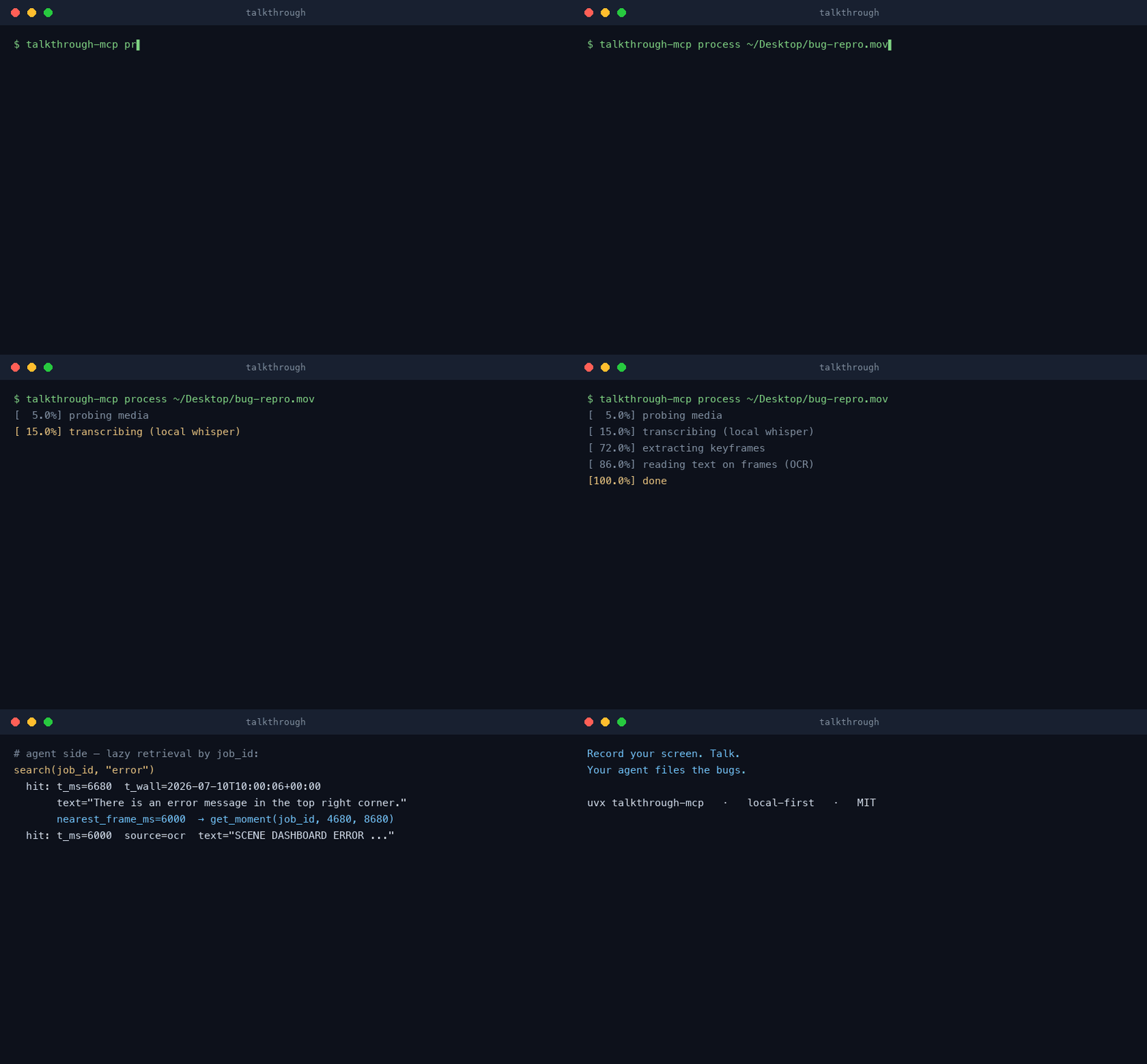
talkthrough-mcp is a local-first MCP server that turns a narrated screen
recording (or any video/audio file) into agent-ready structured data:
timestamped transcript segments, optional who-said-what speaker labels,
scene-change keyframes, OCR'd on-screen text, and wall-clock anchoring.
Everything is served through lazy retrieval tools, so a 30-minute recording
never floods the model context — the agent pulls exactly the transcript
slice, moment bundle, or frame it needs.
There is no LLM inside the server and no cloud anywhere in the path: ffmpeg, faster-whisper, and RapidOCR run on your machine, and the calling agent brings the intelligence. What makes it different from screen-recorder SaaS and video-analyzer MCPs: it works on arbitrary local files, it ships the agent workflows (server prompts + example agents), and it anchors every timestamp to wall-clock time — so "the moment I said the checkout hung" maps straight to the right window of your server logs.
One command, no system dependencies: ffmpeg falls back to a bundled build,
OCR is pip-only, and whisper models download themselves on first use. The
only prerequisite is uv (brew install uv or
curl -LsSf https://astral.sh/uv/install.sh | sh).





Two install paths — pick one, not both (the plugin already includes the server; installing both would register it twice):
Server only — the 7 tools + 5 prompts, and nothing else on your system. Choose this for a minimal setup, or when you manage MCP servers yourself across several clients:
claude mcp add -s user talkthrough -- uvx "talkthrough-mcp[diarization]"
Full plugin — the same server, plus native slash commands
(/talkthrough:triage-recording, …) that handle the ceremony for you,
a ready-made triage subagent, and an agent skill that teaches Claude the
workflow. Choose this for the best out-of-the-box experience:
/plugin marketplace add korovin-aa97/talkthrough-mcp
/plugin install talkthrough@talkthrough
claude_desktop_config.json:
{
  "mcpServers": {
    "talkthrough": {
      "command": "uvx",
      "args": [
        "talkthrough-mcp[diarization]"
      ]
    }
  }
}
~/.cursor/mcp.json (or project .cursor/mcp.json):
{
  "mcpServers": {
    "talkthrough": {
      "command": "uvx",
      "args": [
        "talkthrough-mcp[diarization]"
      ]
    }
  }
}
More: integrations/cursor/
~/.codex/config.toml (or project-scoped .codex/config.toml in trusted projects):
[mcp_servers.talkthrough]
command = "uvx"
args = ["talkthrough-mcp[diarization]"]
More: integrations/codex/
~/.gemini/settings.json:
{
  "mcpServers": {
    "talkthrough": {
      "command": "uvx",
      "args": [
        "talkthrough-mcp[diarization]"
      ]
    }
  }
}
More: integrations/gemini-cli/
cline_mcp_settings.json (via MCP Servers UI):
{
  "mcpServers": {
    "talkthrough": {
      "command": "uvx",
      "args": [
        "talkthrough-mcp[diarization]"
      ]
    }
  }
}
More: integrations/cline/
~/.openclaw/openclaw.json:
{
  "mcp": {
    "servers": {
      "talkthrough": {
        "command": "uvx",
        "args": [
          "talkthrough-mcp[diarization]"
        ]
      }
    }
  }
}
More: integrations/openclaw/
opencode.json (project) or ~/.config/opencode/opencode.json:
{
  "mcp": {
    "talkthrough": {
      "type": "local",
      "command": [
        "uvx",
        "talkthrough-mcp[diarization]"
      ],
      "enabled": true
    }
  }
}
More: integrations/opencode/
~/.config/goose/config.yaml:
extensions:
  talkthrough:
    enabled: true
    type: stdio
    cmd: uvx
    args: ["talkthrough-mcp[diarization]"]
More: integrations/goose/
~/.copilot/mcp-config.json:
{
  "mcpServers": {
    "talkthrough": {
      "command": "uvx",
      "args": [
        "talkthrough-mcp[diarization]"
      ]
    }
  }
}
~/.codeium/windsurf/mcp_config.json:
{
  "mcpServers": {
    "talkthrough": {
      "command": "uvx",
      "args": [
        "talkthrough-mcp[diarization]"
      ]
    }
  }
}
More: integrations/windsurf/
settings.json (Zed):
{
  "context_servers": {
    "talkthrough": {
      "source": "custom",
      "command": {
        "path": "uvx",
        "args": [
          "talkthrough-mcp[diarization]"
        ]
      }
    }
  }
}
More: integrations/zed/
Any other MCP stdio client uses the same server command: uvx "talkthrough-mcp[diarization]".
Per-engine folders with exactly these snippets plus verification steps live
in integrations/; agents can self-install via
llms-install.md.
Multi-person recordings (meetings, interviews, panels) can carry S1/S2/…
speaker labels. Every install button, snippet, and the plugin above already
ship the [diarization] engine, so asking your agent "who said what" just
works — diarization itself still runs only when requested per call
(process_media(path=..., diarize=true, num_speakers=<count if known>)),
and its models download once on first use.
Prefer the minimal server without the diarization engine? Use
uvx talkthrough-mcp as the command instead (the MCP registry entry also
resolves to this lean form) — an explicit diarize=true will then answer
with the one-line install fix. Details in
Speakers.
git clone https://github.com/korovin-aa97/talkthrough-mcp
claude mcp add talkthrough -- uv run --directory /path/to/talkthrough-mcp talkthrough-mcp
Then, in your agent:
Process
~/Desktop/recording.movand triage it — or just invoke thetriage-recordingserver prompt.
| Tool | What it does |
|---|---|
process_media(path, recorded_at?, vocabulary?, language?, model?, diarize?, num_speakers?, force?) | Ingest a video/audio file: local STT, keyframes, OCR, wall-clock, opt-in speaker labels. Returns a compact summary. Idempotent by content hash — re-calls are instant; diarize=true on a processed job adds speakers without re-transcribing. |
get_transcript(job_id, start_ms?, end_ms?, format?) | Paginated transcript as segments, text, or srt (speaker-prefixed when diarized, plus a roster header); truncation returns next_start_ms. |
get_frames(job_id, at_ms? | start_ms?+end_ms?, max_frames?, include_duplicates?) | Keyframe images nearest a timestamp or evenly thinned across a range (unique frames by default, max 6/call); each frame names its absolute path. |
get_moment(job_id, start_ms, end_ms) | The "one remark" bundle: transcript slice + up to 3 frames + their OCR text + wall-clock range (+ speakers_in_range when diarized). |
search(job_id, query) | Substring search over the transcript AND on-screen OCR text; hits carry t_ms/t_wall, frame refs, and the speaker when diarized. |
extract_frame(job_id, at_ms, crop?) | Exact-timestamp full-resolution re-extract from the source video (optional crop) when keyframes miss the instant; returns the file's absolute path. |
list_jobs() | Recent processed recordings with durations, wall-clock starts, counts, and speaker counts when diarized. |
Every tool description ships 10+ usage examples, so agents pick the right tool without extra prompting.
| Prompt | Workflow |
|---|---|
triage-recording | Narrated screencast → precise findings JSON (bug/feature/question routing, frame evidence) |
spec-from-workshop | Recorded workshop → structured spec with quoted decisions and open questions |
backlog-from-demo | Product demo → prioritized backlog with timestamped evidence |
meeting-actions | Meeting audio → action items, decisions, open questions |
correlate-with-logs | Recording remarks ↔ system logs via wall-clock windows |
The same prompts live as plain files in examples/prompts/
if your client doesn't surface MCP prompts. The findings contract used by
triage-recording is examples/output-contract.schema.json.
The same workflow ships as a cross-engine Agent Skill
at .agents/skills/talkthrough/ — Claude Code,
Codex CLI ($talkthrough), Cursor, Copilot, Gemini CLI, Goose and other
SKILL.md-compatible tools read it. Agents without MCP wiring can drive the
CLI directly: talkthrough-mcp process recording.mov --json prints the
same summary the MCP tool returns, and the job store is shared either way.
Every timestamped result carries both t_ms (video-relative) and t_wall
(ISO 8601 real time) once the recording start is known. Resolution ladder:
recorded_at parameter (agent/user override) → confidence exactcom.apple.quicktime.creationdate tag, carries the local
timezone (QuickTime Player recordings; ⌘⇧5 wrote it before macOS 26) → highcreation_time tag (UTC) → medium — macOS 26+ ⌘⇧5/ReplayKit
screen recordings land here (no creationdate tag anymore); pass
recorded_at= when local-tz t_wall matterslowt_ms onlyWhy it matters: "the upload spinner froze here" becomes a ±30 s grep window in your server logs.
With the [diarization] extra installed (included in every generated config —
see Quickstart),
process_media(diarize=true) labels who said what — locally, like everything
else here (sherpa-onnx runtime, no
torch, no accounts, no GPU):
S1, S2, … in order of first appearance; every
transcript segment gets a speaker, and the tools surface it everywhere —
roster with talk time in get_transcript, speakers_in_range in
get_moment, speaker on search hits, S1: prefixes in the text/SRT
formats, a speaker count in list_jobs.num_speakers. Clustering to an exact k
removes the main failure mode of unknown-count mode (similar voices merging
or one voice splitting). Agents are instructed to do this via the tool
guidance; do the same in your own calls.process_media(diarize=true) on
it re-runs only diarization — whisper is not re-run, and labels appear in
the existing job in seconds. Same for changing num_speakers.S1 → "Alice" is the calling
agent's job (self-introductions, vocatives, the attendees argument of the
meeting-actions prompt). The server never guesses names.Models download once (~47 MB total) from pinned, checksum-verified URLs into
~/.talkthrough/models/; warm runs are zero-network like the rest of the
pipeline. Speed on an M-series CPU (4 threads): a 26-minute meeting diarizes
in about 2 minutes (RTF ≈ 0.08), on top of the transcription time. Memory:
expect on the order of 1–1.5 GB peak RSS while an hour-plus meeting is being
diarized (measured on a real 73-minute recording); it is released when the
stage completes.
| Role | Model | Download | Weights license |
|---|---|---|---|
| Segmentation | pyannote segmentation-3.0 (ONNX export by k2-fsa) | 7 MB | MIT |
| Embedding (default) | NeMo en_titanet_small | 40 MB | Apache-2.0 (per its NGC model card, the NeMo Toolkit license) |
| Embedding (alt) | WeSpeaker en_voxceleb_resnet34_LM | 27 MB | CC-BY-4.0 |
| Embedding (alt) | 3D-Speaker campplus_sv_en_voxceleb_16k | 30 MB | Apache-2.0 |
The default won a real-meeting accept-eval (RU/EN/ES + a 3-speaker 26-minute
meeting): it was the only candidate to isolate all three real voices at
num_speakers=3, at 2× the speed of the runner-up.
Pick an alternate embedding model (or point at your own .onnx file for
offline machines) via TALKTHROUGH_DIARIZATION_EMB_MODEL; tune the
unknown-count sensitivity via TALKTHROUGH_DIARIZATION_THRESHOLD (see
docs/TROUBLESHOOTING.md). Honest quality notes
live in Limitations.
Everything runs locally: your recordings never leave your machine, speech is
transcribed by a local whisper model, OCR and speaker diarization are local
ONNX inference, and there is no telemetry. The only network access is one-time
tool/model downloads (ffmpeg build, whisper model, OCR models, diarization
models — the latter pinned by URL + sha256). Diarization keeps no voiceprint
database: voice embeddings live only in process memory, and only anonymous
turn labels (S1/S2) land on disk.
Narration in any of Whisper's ~99 languages works: the language is
auto-detected per recording, and the summary reports both language and
language_probability so agents can tell a confident detection from a shaky
one (silence or music at the start can fool the detector — pin it with
language="ru" and force=true when that happens). Speaker diarization is
acoustic — it fingerprints voices, not words — so it is language-independent
and works across all of those languages unchanged.
Pick the model for your languages — per call (model= parameter, agents do
this themselves when a transcript comes back garbled) or as the server
default (TALKTHROUGH_WHISPER_MODEL):
| Model | Size | Best for |
|---|---|---|
small (default) | 464 MB | English and major-language narration on CPU |
large-v3-turbo | ~1.5 GB | recommended for non-English — near-large quality at near-small speed |
medium | ~1.5 GB | conservative alternative to turbo |
tiny / base | 75–145 MB | quick drafts, CI |
*.en variants | — | English-only, slightly faster/better for EN |
Tips that work in every language: pass product names via
vocabulary="Term1, Term2" (biases the decoder so jargon survives), and note
that the workflow prompts instruct agents to write digests in the
narrator's language while keeping quotes verbatim — the server never
translates (exact quotes are evidence; translation is the agent's job).
On-screen text (OCR) defaults to RapidOCR's Latin + Chinese models. For other
scripts set TALKTHROUGH_OCR_LANG to your language — ru/uk (→ the
eslav pack), ja, ko, ar, hi, el, th, or any RapidOCR pack name
like cyrillic — and reprocess with force=true; the matching recognition
model downloads once. Spoken-language support is unaffected either way.
| Env var | Default | Meaning |
|---|---|---|
TALKTHROUGH_WHISPER_MODEL | small | default whisper model (tiny/base/small/medium/large-v3/large-v3-turbo); the model tool param overrides per call |
TALKTHROUGH_OCR | on | set off to skip OCR |
TALKTHROUGH_OCR_LANG | Latin+Chinese | recognition script for on-screen text: a language code (ru, ja, ko, ar, hi, …) or a RapidOCR pack name (eslav, cyrillic, latin, …); the model downloads once |
TALKTHROUGH_OCR_PARAMS | — | advanced: JSON object of raw RapidOCR params merged over the derived ones, e.g. {"Rec.lang_type": "cyrillic"} |
TALKTHROUGH_DIARIZE | off | set on to diarize by default (needs the [diarization] extra; degrades with a warning without it); an explicit diarize tool param always wins |
TALKTHROUGH_DIARIZATION_THRESHOLD | 0.5 | clustering sensitivity when num_speakers is unknown: fewer speakers than expected → lower it; more → raise it |
TALKTHROUGH_DIARIZATION_SEG_MODEL | pyannote-segmentation-3-0 | segmentation model: allowlist name or a path to a local .onnx (offline preseed) |
TALKTHROUGH_DIARIZATION_EMB_MODEL | nemo_en_titanet_small | embedding model: allowlist name (see Speakers) or a local .onnx path |
TALKTHROUGH_DIARIZATION_THREADS | min(4, cpus) | ONNX threads for both diarization models |
TALKTHROUGH_MAX_SECONDS | 7200 | max media duration |
TALKTHROUGH_MAX_FRAMES | 600 | keyframe budget per job, spread across the whole duration (the 1 s selection floor auto-grows to duration/budget on long recordings) |
TALKTHROUGH_HOME | ~/.talkthrough | job store root |
The pipeline is also a CLI — useful for pre-processing long recordings outside an agent session (the store is content-addressed, so the agent then queries the same job instantly):
talkthrough-mcp process ~/Videos/long-session.mov   # prints the summary
talkthrough-mcp process demo.mov --json             # machine-readable
talkthrough-mcp process sync.m4a --diarize --num-speakers 3   # who said what
talkthrough-mcp gc --keep-days 30                   # clean the job store
talkthrough-mcp serve                               # stdio MCP server (default)
First run notes: missing system ffmpeg triggers a one-time static-ffmpeg
download; the first transcription downloads the whisper model (~460 MB for
small); both are cached. After that, expect roughly 3× faster than real time
on an Apple-Silicon CPU with the default model, OCR included (a 2-minute clip
processes in ~40 s) — and instant re-runs on the same file. Progress streams
as MCP progress notifications, and the CLI prints stage lines. More:
docs/TROUBLESHOOTING.md.
CI runs lint, the unit suite, a full CLI smoke, and a diarize smoke on
windows-latest (static-ffmpeg Windows build, whisper tiny transcription,
OCR, the instant idempotent re-run, and a speaker-roster assert through the
native sherpa-onnx stack). Notes: the per-job lock is POSIX fcntl and
degrades to a no-op on Windows — fine for a single-user machine; quote paths
with spaces (uv run talkthrough-mcp process "C:\Videos\Screen Recording.mp4").
If something breaks, please open an issue.
Video: .mov .mp4 .webm .mkv — audio-only: .m4a .mp3 .wav .ogg
.flac (transcript tools only; frame tools explain why they're unavailable).
Local files only.
Honest edges, so you can decide fast:
num_speakers whenever the headcount is known — it
removes the worst failure mode at any size, and it is the way to go for
large meetings (10+).extract_frame re-checks any
instant, but frame-by-frame motion reasoning is your multimodal model's job.small favors speed;
non-English narration wants model="large-v3-turbo" (see
Languages).recorded_at= (see the ladder above).| talkthrough | cloud recorder SaaS | meeting notetakers | typical video-analyzer MCPs | |
|---|---|---|---|---|
| Runs fully locally | ✅ | ❌ | ❌ | varies |
| Any local video/audio file | ✅ | browser/app captures | meetings only | ✅ |
| Wall-clock anchoring (log correlation) | ✅ | ❌ | ❌ | ❌ |
| Who-said-what speaker labels | ✅ local, opt-in | some | ✅ cloud | ❌ |
| Ships agent workflows (prompts, skill, findings contract) | ✅ | ❌ | ❌ | ❌ |
| OCR of on-screen text, searchable | ✅ | some | ❌ | rare |
Why not just upload the video to a multimodal model (e.g. Gemini)?
For a short, non-sensitive clip — do that. The trade-offs appear with length
and sensitivity: an hour of screen recording costs on the order of a million
tokens per question, the file leaves your machine, and you still can't map a
remark to 14:32:07 UTC to grep your server logs. talkthrough indexes once,
locally, then answers any number of follow-ups from the index.
Why not screenpipe?
Different job. screenpipe is an always-on recorder of your machine going
forward (commercial license). It can't open the .mov a teammate or customer
just sent you. talkthrough analyzes any file it's handed — the two compose
fine.
There are agent skills that "watch" videos. Why a server with an index? Watch-style skills push a budgeted frame dump into the context window (and go sparse on long videos), often call cloud STT for the audio, and keep nothing. talkthrough builds a persistent local index — transcript + OCR, full-text searchable — retrieves exact frames lazily, anchors everything to wall-clock time, and answers the next question without reprocessing.
I use Jam for bug reports — do I need this? Keep Jam for browser bugs: console+network captured at record time is great evidence. talkthrough covers what a browser extension can't — desktop apps, mobile screencasts, ops incidents, meetings, any file — with no account, and correlates with server-side logs via wall-clock time.
Which agent model do I need to drive this? We ran a 150-run battery against v0.2.0 — 6 model configs (Claude haiku/sonnet/opus, Codex gpt-5.5 at two reasoning efforts + gpt-5.4-mini) × 10 verbatim-identical task prompts × 5 real recordings (30 s–73 min, RU/EN, 1–5 speakers), scored by a strict LLM judge plus mechanical evidence checks. Short version: point lookups and search ("who said X and when") worked on every tier tested; minutes-with-owners and evidence-disciplined name mapping want the top tiers; reasoning effort moved results more than model family. Full matrices — score × time × tokens on every intersection — in docs/MODEL-NOTES.md.
Can't I just script ffmpeg + whisper myself?
Yes — that's exactly this pipeline. What you'd be rebuilding: scene-change
detection with perceptual dedup, OCR, transcript+OCR search, the wall-clock
ladder, MCP tools with embedded usage examples, five workflow prompts, and a
findings contract. One uvx command instead of an afternoon of glue.
Is it really local? What leaves my machine? Nothing at runtime. The network is used only for one-time downloads (ffmpeg build, whisper/OCR/diarization models). No telemetry. See Privacy — and SECURITY.md treats a violation of this promise as a vulnerability.
Machine-readable entry points, so AI agents can install and use this server without a human reading docs:
llms-install.md — step-by-step install instructions for agentsllms.txt — index of the documentation.agents/skills/talkthrough/SKILL.md — an Agent Skill teaching the tool workflow; discovered automatically inside a checkout by Codex CLI ($talkthrough) and readable by Claude Code, Cursor, Copilot, Gemini CLI and other SKILL.md-compatible toolsAGENTS.md — instructions for coding agents contributing to this reposerver.json — MCP registry manifestintegrations/ — per-engine adapters, all generated from one source of truth and drift-tested (incl. the Claude Code plugin under integrations/claude-code/)URL/YouTube ingestion · persistent speaker-name labels (label_speakers) ·
word-level speaker splitting · cloud STT · embeddings/semantic search ·
hosted/remote mode · .mcpb bundle · whisper.cpp backend
MIT
Run Claude Code as an MCP server so any agent can delegate coding tasks to it
 @microsoft✓ Official
Browser automation using accessibility snapshots instead of screenshots
 @googleapis✓ Official
Google's universal MCP server supporting PostgreSQL, MySQL, MongoDB, Redis, and 10+ databases
 @github✓ Official
Official GitHub integration for repos, issues, PRs, and CI/CD workflows
 @korovin-aa97