

Are you the author? Sign in to claim
Secure MCP server for safe AI-powered terminal access with risk analysis, sandboxing, logging, filesystem protection, an
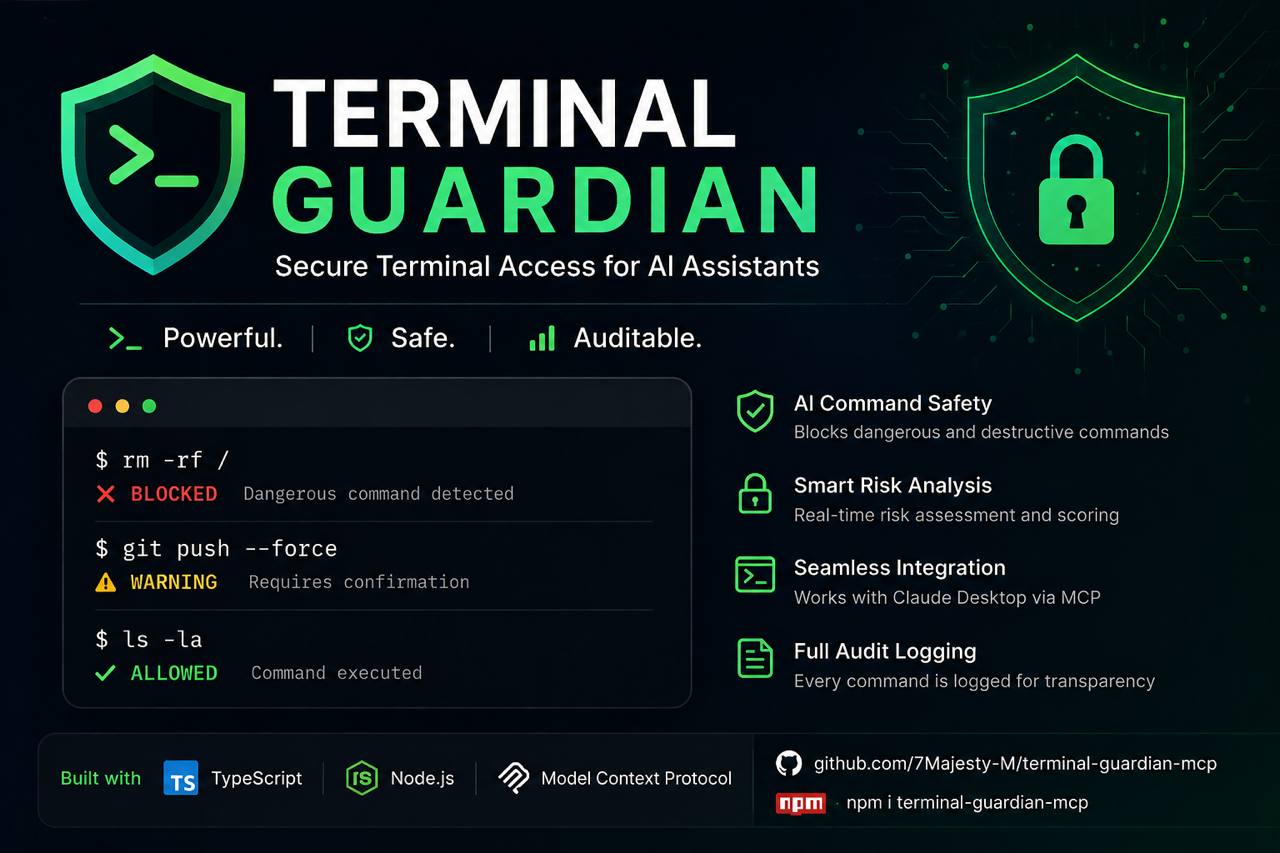

💡 Demo shows the core analysis engine. In real use, this runs automatically when Claude executes terminal commands via MCP — no CLI needed.
Secure, sandboxed terminal access for AI assistants via the Model Context Protocol



Features · Quick Start · Claude Desktop · Tools · Security · Configuration · Windows · Roadmap
Terminal Guardian MCP is a production-grade Model Context Protocol server that gives AI assistants like Claude safe, controlled, and auditable access to your terminal. Every command is analyzed for risk, logged with full context, and executed inside configurable safety boundaries.
Built for developers who want to leverage AI in their workflows without compromising system integrity.
AI Assistant → Terminal Guardian MCP → Risk Analysis → Sandboxed Execution → Structured Result
⚠️ This server provides real terminal access. Configure it carefully. Review the Security Philosophy before deploying.
Every command passes through a multi-layer safety analysis before execution:
| Risk Level | Example Commands | Behavior |
|---|---|---|
SAFE | ls, git status, npm list | Executed immediately |
WARNING | rm -rf ./dist, docker stop app | Requires explicit confirmation |
DANGEROUS | sudo apt-get, curl | bash | Blocked by default |
BLOCKED | rm -rf /, shutdown, fork bombs | Always blocked, always logged |
stdout/stderr capturegit diff and generates Conventional Commits suggestions via Claudeconventional, simple, detailedANTHROPIC_API_KEY environment variableScaffold new projects instantly from 8 production-ready templates:
| Template ID | Stack |
|---|---|
node-typescript | Node.js + TypeScript + ESLint + Vitest |
node-javascript | Node.js ESM |
python-fastapi | FastAPI + Pydantic v2 + pytest |
python-cli | Typer + Rich |
react-vite | React 18 + Vite + TypeScript |
nextjs | Next.js 15 App Router + TypeScript |
express-api | Express + Zod + TypeScript |
mcp-server | MCP Server starter (TypeScript) |
confirmed: true as an additional safety gatesk**...xy formatAPI_KEY, TOKEN, PASSWORD, DATABASE_URL, SECRET, ...)secret, path, system, runtime, unknown), or fetch specific keysdig → nslookup → Node.js DNS fallback127.x, 10.x, 192.168.x, ::1, link-local)http:// and https:// allowed — file://, ftp://, ldap:// and others are blockeddocker_exec) with confirmation gategit status with staged/unstaged/untracked breakdownAuthorization header or ?token= query string)GET / — live stats, connection count, uptime, config snippetGET /health and stats API at GET /statsprod, staging, dev, ...)~/.ssh/id_rsa or any specified key path) and password authBLOCKED / WARNING / DANGEROUS rules apply identically on remote hostsnpm install -g terminal-guardian-mcp
git clone https://github.com/7Majesty-M/terminal-guardian-mcp.git
cd terminal-guardian-mcp
npm install
npm run build
# stdio mode — for Claude Desktop (default)
terminal-guardian-mcp

# WebSocket mode — persistent server, multiple clients
terminal-guardian-mcp --transport ws --port 3000

# WebSocket with token auth
terminal-guardian-mcp --transport ws --port 3000 --token mysecret

# Help
terminal-guardian-mcp --help
Add Terminal Guardian to your Claude Desktop configuration:
macOS: ~/Library/Application Support/Claude/claude_desktop_config.json
Windows: %APPDATA%\Claude\claude_desktop_config.json
Linux: ~/.config/Claude/claude_desktop_config.json
{
  "mcpServers": {
    "terminal-guardian": {
      "command": "npx",
      "args": ["terminal-guardian-mcp"],
      "env": {
        "GUARDIAN_CONFIG": "/path/to/your/terminal-guardian.config.json",
        "ANTHROPIC_API_KEY": "sk-ant-..."
      }
    }
  }
}
ANTHROPIC_API_KEYis only required for thegit_suggest_committool. All other tools work without it.
Or if installed globally:
{
  "mcpServers": {
    "terminal-guardian": {
      "command": "terminal-guardian-mcp",
      "env": {
        "GUARDIAN_CONFIG": "/absolute/path/to/terminal-guardian.config.json"
      }
    }
  }
}
After saving, restart Claude Desktop. You should see Terminal Guardian appear in the tools list.
If you're running Terminal Guardian as a persistent WebSocket server (e.g. on a remote machine or in Docker), connect via URL instead:
{
  "mcpServers": {
    "terminal-guardian": {
      "url": "ws://localhost:3000",
      "headers": {
        "Authorization": "Bearer mysecret"
      }
    }
  }
}
# Start the server first
terminal-guardian-mcp --transport ws --port 3000 --token mysecret

# Then open the dashboard in your browser
open http://localhost:3000
Terminal Guardian exposes 24 tools across 8 domains.
run_commandExecute a shell command with full safety analysis.
{
  "command": "npm run build",
  "cwd": "./my-project",
  "timeout": 60000,
  "confirmed": false
}
Returns:
{
  "success": true,
  "data": {
    "command": "npm run build",
    "exitCode": 0,
    "stdout": "...",
    "stderr": "",
    "duration": 4230,
    "timedOut": false,
    "workingDir": "/workspace/my-project",
    "timestamp": "2024-01-15T10:30:00.000Z",
    "riskAssessment": {
      "level": "SAFE",
      "score": 5,
      "reasons": ["No dangerous patterns detected"],
      "blocked": false
    }
  }
}
analyze_commandAnalyze a command without running it.
{ "command": "rm -rf ./old-build" }
Returns:
{
  "level": "WARNING",
  "score": 40,
  "reasons": ["Recursive deletion — verify target path carefully"],
  "requiresConfirmation": true,
  "blocked": false,
  "recommendation": "Review this command carefully before proceeding."
}
ssh_list_profilesList all configured SSH profiles.
{}
Returns:
[
  { "name": "prod",    "host": "prod.example.com", "port": 22, "username": "deploy",  "authMethod": "key",      "connected": false },
  { "name": "staging", "host": "stg.example.com",  "port": 22, "username": "ubuntu",  "authMethod": "key",      "connected": true  }
]
ssh_testTest SSH connectivity and measure latency.
{ "profile": "prod" }
Returns:
{
  "profile": "prod",
  "host": "prod.example.com",
  "port": 22,
  "username": "deploy",
  "connected": true,
  "latencyMs": 42
}
ssh_exec ✨Execute a command on a remote server. Uses the same risk engine as local execution.
{
  "profile": "prod",
  "command": "systemctl status nginx",
  "cwd": "/var/app"
}
Returns:
{
  "profile": "prod",
  "host": "prod.example.com",
  "command": "systemctl status nginx",
  "exitCode": 0,
  "stdout": "● nginx.service - A high performance web server...",
  "stderr": "",
  "duration": 312,
  "timedOut": false,
  "riskAssessment": { "level": "SAFE", "score": 5, "blocked": false }
}
Dangerous commands (
rm -rf /,shutdown, fork bombs) are blocked on remote hosts just like locally.
git_status{ "path": "." }
git_diff{ "staged": false, "file": "src/api.ts" }
git_log{ "limit": 20 }
git_suggest_commit ✨Generate AI-powered commit message suggestions from your staged diff.
{ "staged": true, "count": 3, "style": "conventional" }
Returns:
{
  "suggestions": [
    {
      "message": "feat(auth): add JWT refresh token rotation\n\nImplements automatic rotation on each use\nto prevent token reuse attacks.",
      "type": "feat",
      "scope": "auth",
      "subject": "add JWT refresh token rotation",
      "breaking": false,
      "confidence": "high"
    }
  ],
  "model": "claude-sonnet-4-20250514",
  "tokensUsed": 312,
  "diffSummary": "Added refresh token rotation to AuthService",
  "truncated": false
}
list_templatesList all available project templates with optional tag filtering.
{ "tag": "python" }
Returns:
[
  { "id": "python-fastapi", "name": "Python FastAPI", "tags": ["python", "api", "backend"], "fileCount": 6, "postInstall": ["python -m venv .venv", "pip install -r requirements.txt"] },
  { "id": "python-cli",     "name": "Python CLI Tool", "tags": ["python", "cli"],           "fileCount": 4 }
]
apply_template ✨Scaffold a new project from a template. Safe — cannot write outside workspace root.
{
  "templateId": "mcp-server",
  "projectName": "my-mcp-tool",
  "targetDir": "./projects/my-mcp-tool"
}
Returns:
{
  "templateId": "mcp-server",
  "projectName": "my-mcp-tool",
  "targetDir": "/workspace/projects/my-mcp-tool",
  "filesCreated": ["package.json", "tsconfig.json", "src/index.ts", "claude_desktop_config.example.json", ".gitignore", "README.md"],
  "filesSkipped": [],
  "postInstall": ["npm install", "npm run build"]
}
list_processes{ "filter": "node", "sortBy": "memory", "limit": 20 }
kill_process{ "pid": 12345, "signal": "SIGTERM" }
"signal": "SIGKILL"requires"confirmed": true.
get_env{ "keys": ["NODE_ENV", "PORT", "DATABASE_URL"] }
Secret masking:
| Original | Shown as |
|---|---|
sk-proj-abc123...xyz | sk**...yz |
postgres://user:pass@host/db | po**...db |
eyJhbGci... (JWT) | ey**... |
ab | **** |
ping{ "host": "api.github.com", "count": 4 }
http_request{
"url": "https://api.github.com/zen",
"method": "GET",
"headers": { "Accept": "application/json" }
}
dns_lookup{ "host": "github.com" }
list_files{ "path": "./src", "recursive": true }
read_file{ "path": "./src/index.ts" }
search_files{ "query": "TODO", "path": "./src", "pattern": "**/*.ts" }
docker.enabled: true)docker_ps · docker_logs · docker_stats · docker_exec{ "container": "my-app", "command": ["node", "--version"], "confirmed": true }
terminal-guardian-mcp/
├── src/
│   ├── index.ts              # MCP server entrypoint & tool routing (24 tools)
│   ├── types/index.ts        # Shared TypeScript types
│   ├── config/loader.ts      # Config file loading with deep merge
│   ├── security/
│   │   ├── riskAnalyzer.ts   # Multi-layer command risk analysis engine
│   │   └── rateLimiter.ts    # Per-minute/hour request throttling
│   ├── tools/
│   │   ├── executor.ts       # Cross-platform shell execution engine
│   │   ├── processManager.ts # Process listing and safe termination
│   │   └── schemas.ts        # Zod input validation schemas
│   ├── system/
│   │   └── envManager.ts     # Env vars with automatic secret masking
│   ├── network/
│   │   └── diagnostics.ts    # Ping, HTTP requests, DNS lookup
│   ├── filesystem/
│   │   └── manager.ts        # Safe file access with path enforcement
│   ├── docker/
│   │   └── manager.ts        # Dockerode integration + container exec
│   ├── git/
│   │   ├── manager.ts        # Git operations via child_process
│   │   └── commitGenerator.ts # AI commit message generation (Anthropic API)
│   ├── ssh/
│   │   ├── manager.ts        # SSH connection pool + profile management
│   │   └── executor.ts       # Remote command execution with risk analysis
│   ├── workspace/
│   │   └── templates.ts      # Project scaffolding — 8 templates
│   ├── transport/
│   │   ├── wsServer.ts       # WebSocket HTTP server + auth + multi-client
│   │   └── dashboard.ts      # Live web dashboard (dark theme, auto-refresh)
│   └── logging/
│       └── logger.ts         # Pino-based structured logging
├── tests/                    # Vitest unit tests (170 tests)
├── .github/workflows/        # CI/CD pipeline (Node 18/20/22)
├── Dockerfile                # Multi-stage build, non-root user
├── docker-compose.yml
└── terminal-guardian.config.json
{
  "workspace": {
    "rootDir": "/home/user/projects",
    "allowedPaths": ["/home/user/projects"],
    "maxFileSize": 10485760,
    "maxFilesPerOperation": 100
  },
  "execution": {
    "timeout": 30000,
    "maxOutputSize": 1048576,
    "maxConcurrentProcesses": 5,
    "shell": "auto"
  },
  "security": {
    "enableRiskAnalysis": true,
    "blockDangerousCommands": true,
    "requireConfirmationForWarnings": true,
    "allowSudo": false,
    "allowNetworkCommands": true,
    "customBlocklist": [],
    "customAllowlist": []
  },
  "rateLimit": {
    "enabled": true,
    "maxRequestsPerMinute": 60,
    "maxRequestsPerHour": 500
  },
  "docker": {
    "enabled": false,
    "socketPath": "/var/run/docker.sock",
    "allowContainerRestart": false,
    "allowLogAccess": true
  },
  "git": {
    "enabled": true,
    "allowPush": false,
    "allowCommit": false,
    "maxLogEntries": 50
  },
  "logging": {
    "enabled": true,
    "level": "info",
    "logDir": "./logs",
    "logCommands": true,
    "logOutputs": false,
    "logSecurityEvents": true,
    "prettyPrint": false
  },
  "ssh": {
    "enabled": false,
    "timeout": 30000,
    "keepaliveInterval": 10000,
    "maxConnections": 5,
    "profiles": {}
  }
}
To use SSH tools, add profiles to ssh.profiles and set ssh.enabled: true:
{
  "ssh": {
    "enabled": true,
    "profiles": {
      "prod": {
        "host": "prod.example.com",
        "port": 22,
        "username": "deploy",
        "privateKeyPath": "~/.ssh/id_rsa"
      },
      "staging": {
        "host": "staging.example.com",
        "username": "ubuntu",
        "privateKeyPath": "~/.ssh/staging_key"
      }
    }
  }
}
| Key | Default | Description |
|---|---|---|
workspace.rootDir | "." | Absolute root for all filesystem operations |
workspace.maxFileSize | 10485760 | Max readable file size in bytes (10MB) |
execution.timeout | 30000 | Default command timeout in ms |
execution.maxOutputSize | 1048576 | Max stdout+stderr size in bytes (1MB) |
execution.shell | "auto" | Shell — "auto" detects bash/pwsh/sh automatically |
security.allowSudo | false | Whether sudo commands are permitted |
security.customBlocklist | [] | Additional regex patterns to always block |
security.customAllowlist | [] | Patterns that bypass risk analysis |
docker.enabled | false | Enable Docker tool integration |
docker.allowContainerRestart | false | Allow restarting containers |
git.allowPush | false | Allow git push via run_command |
logging.logOutputs | false | Log stdout/stderr (may contain secrets!) |
ssh.enabled | false | Enable SSH tool integration |
ssh.maxConnections | 5 | Max pooled SSH connections |
Terminal Guardian operates on a deny-by-default model with explicit allowlisting.
rm -rf /):(){:|:&};:)shutdown, reboot, halt)mkfs, wipefs, dd of=/dev/)/dev/tcp/)chmod 777 / and similar root-level permission changesfile://, ftp://, ldap:// URL schemes in HTTP requestsrm -rf ./anything)docker_exec)kill_process with SIGKILLchmod, chown)reset --hard, push)systemctl stop)ls, cat, grep, findstatus, log, diff, branchgit_suggest_commit — reads diff only, never writes anythinglist_templates — no filesystem changesps, images, inspect, stats, logslist, outdated, auditwhoami, uptime, df, unamelist_processes — read-only, never modifies stateget_env — secrets masked before they leave the moduledns_lookup — read-only DNS queryping to public hostsssh_list_profiles, ssh_test — read-only, no command executioncurl | bash)Terminal Guardian auto-detects the available shell at startup — no manual configuration needed.
| Platform | Default Shell | Fallback |
|---|---|---|
| Linux / macOS | /bin/bash | /bin/sh |
| Windows | pwsh (PowerShell Core) | cmd.exe |
# Option 1: PowerShell Core (recommended)
winget install Microsoft.PowerShell

# Option 2: WSL — shell auto-detects, no config change needed

# Option 3: Git Bash — set path explicitly
{
  "execution": {
    "shell": "C:\\Program Files\\Git\\bin\\bash.exe"
  }
}
Note: On Windows without WSL, Unix commands like
ls,grep,catrequire PowerShell equivalents or Git Bash.
docker build -t terminal-guardian-mcp .
docker-compose up -d
docker-compose logs -f terminal-guardian
The container runs as a non-root user (guardian:guardian) with a read-only root filesystem.
npm install           # Install dependencies
npm run dev           # Start in watch mode
npm test              # Run tests
npm run test:coverage # Coverage report
npm run typecheck     # TypeScript check
npm run lint          # ESLint
npm run format        # Prettier
npm run build         # Production build
"Check the git status of my project and tell me what files have changed"
"I've staged my changes — write me a commit message"
"Scaffold a new FastAPI project in ./services/users"
"Which process is eating the most CPU right now?"
"Show me all environment variables related to Node — keep secrets masked"
"Is api.github.com reachable? What's the latency?"
"Make a GET request to https://api.github.com/zen and show me the response"
"Run the test suite and show me any failures"
"There's a hung process using 4GB of RAM — find it and kill it gracefully"
"List Docker containers and check if the database is healthy"
"Run
node --versioninside the api container"
Safe command:
User: Run `ls -la` in the src directory
Claude: [calls run_command {"command": "ls -la", "cwd": "src"}]
→ Returns file listing immediately (SAFE)
Confirmation required:
User: Clean up the dist directory
Claude: [calls analyze_command → WARNING]
        "rm -rf ./dist requires confirmation. Proceed?"
User: Yes
Claude: [calls run_command with confirmed: true]
Blocked:
User: Run rm -rf /
Claude: "Terminal Guardian has blocked this — it would delete the root filesystem."
AI commit message:
User: I've staged my auth refactor, suggest a commit message
Claude: [calls git_suggest_commit {"staged": true, "count": 3}]

  1. refactor(auth): extract token validation into AuthGuard class
  2. refactor(auth): decouple token logic from UserService
  3. chore(auth): reorganize auth module structure

  Which one would you like to use?
Scaffold a project:
User: Create a new MCP server called "weather-mcp"
Claude: [calls apply_template {"templateId": "mcp-server", "projectName": "weather-mcp", "targetDir": "./weather-mcp"}]

  Created 6 files. Next steps:
  cd weather-mcp && npm install && npm run build
Network check:
User: Is my API server reachable?
Claude: [calls ping {"host": "api.myapp.com", "count": 3}]
        "api.myapp.com is reachable. Avg latency: 24ms, 0% packet loss."
Env inspection:
User: What's my runtime environment?
Claude: [calls get_env {"filter": "NODE"}]
        "NODE_ENV=production, NODE_VERSION=20.11.0.
         DATABASE_URL and API_KEY are present — values masked for security."
Docker exec:
User: Check the Node version inside the api container
Claude: [calls docker_exec {"container": "api", "command": ["node", "--version"], "confirmed": true}]
        "v20.11.0"
SSH — remote server management:
User: Check nginx status on prod
Claude: [calls ssh_test {"profile": "prod"}]
        "Connected to prod.example.com (42ms latency)."

Claude: [calls ssh_exec {"profile": "prod", "command": "systemctl status nginx"}]
        "● nginx.service — active (running) since..."

User: Restart it
Claude: [calls ssh_exec {"profile": "prod", "command": "systemctl restart nginx", "confirmed": true}]
        "Done — nginx restarted. Exit code 0."
WebSocket mode — remote access:
# On your dev server
terminal-guardian-mcp --transport ws --port 3000 --token mytoken

# Dashboard: http://your-server:3000
# Claude Desktop connects via ws://your-server:3000

# Multiple Claude sessions can connect simultaneously — each gets isolated MCP instance
list_processes, kill_process)ping, http_request, dns_lookup)docker_exec) with confirmation gategit_suggest_commit)list_templates, apply_template)git checkout -b feature/my-featuregit commit -m 'feat: add my feature'git push origin feature/my-featurePlease ensure all tests pass, TypeScript compiles cleanly, and new security patterns have test coverage.
MIT © Terminal Guardian Contributors
Built with ❤️ for the AI infrastructure community
⭐ Star this project if it's useful to you
Run Claude Code as an MCP server so any agent can delegate coding tasks to it
 @microsoft✓ Official
Browser automation using accessibility snapshots instead of screenshots
 @googleapis✓ Official
Google's universal MCP server supporting PostgreSQL, MySQL, MongoDB, Redis, and 10+ databases
 @github✓ Official
Official GitHub integration for repos, issues, PRs, and CI/CD workflows