

Are you the author? Sign in to claim
A zero-dependency MCP and Local tool gateway: host your own tools in any language, forward and curate tools from other M

A zero-dependency MCP and Local tool gateway: host your own tools in any language, forward and curate tools from other MCP servers, expose them leanly to cut agent token cost, gate every call through your own policy hooks before it runs, create your own MCP servers easily with zero code - and wrap any MCP server so it speaks both protocol eras, invisibly.
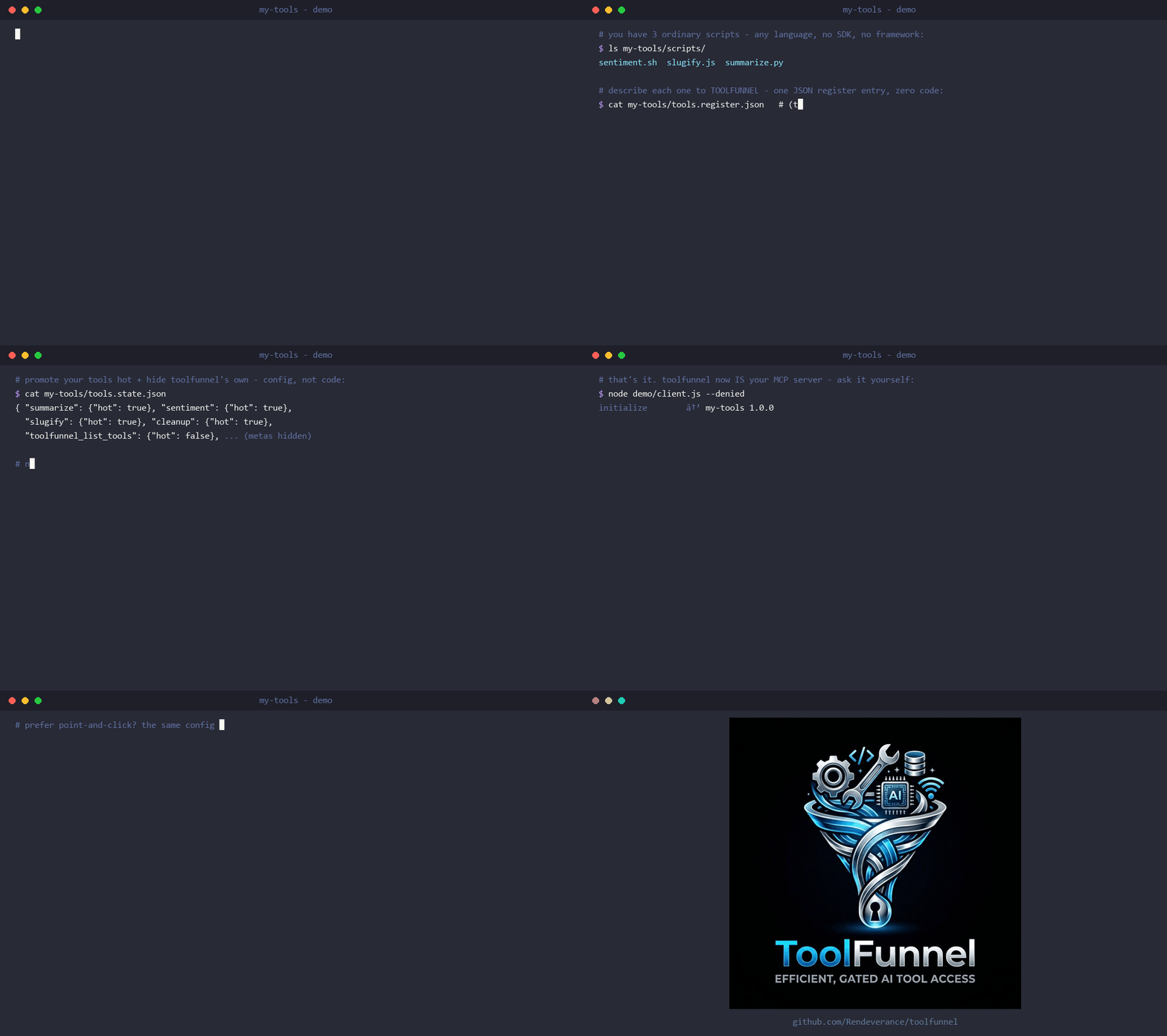
Zero code, zero dependencies: your own MCP server in 60 seconds - from three ordinary scripts to a named, packaged, policy-gated MCP server (everything on screen is real output; see demo/):
📖 Full documentation: the ToolFunnel User Manual - installation, the web UI, writing tools, attaching MCP servers, the policy gate, packaging, and troubleshooting, all illustrated with screenshots and worked examples. This README is the overview; the manual is the reference.
Toolfunnel is designed to solve multiple issues in one package :)
The Model Context Protocol (MCP) lets an AI agent call tools from many servers. But every connected server dumps all of its tool schemas into the model's context on every turn. Connect a handful of rich MCP servers and you've spent thousands of tokens describing tools the agent won't use this turn - slower, costlier, noisier.
Similarly, working with AI I found myself generating many many tools, some of which I wanted to use with different AI workflows, some I didnt, and I didnt want to keep setting them up, I also didnt wish to keep many different setups for different workflows. Therefore ToolFunnel was born so that all of my multi-use tools and common MCP servers can be in one place, with any workflow, and I can easily select which I want to use with whatever workflow and even change or add tools during a session with simple toggles in the UI. I also wanted to wire up and test MCPs live, in the running session, without resetting the CLI or restarting anything - and have their tools show up in the tools list straight away; ToolFunnel does exactly that.
Often also, there's also no consistent way to govern what an agent may run: hooks and policies live in the host (a specific CLI or otherwise), so they don't travel when you switch clients - with ToolFunnel, this is easy because your hooks travel with the tools - it can become your one swiss-army knife for many different workflows.
Additionally, I wanted an easy and consistent way to package my own tools and create new MCP servers from other tools, whatever language they were written in. FastMCP could do that, but not everything is written in python. I also didnt want to audit huge numbers of dependencies - a personal choice, yes - so I wanted something that could be audited quickly and easily.
Finally, when the MCP changes were announced as breaking changes, it became apparent this would eventually break a lot of MCP servers and/or clients out there, many of which might not be actively maintained. Not only that but changing MCP protocol generations takes time and might take considerable effort depending on the complexity of the server - therefore I added a quick, simple single command tool that allows ToolFunnel to wrap an MCP and easily translate between new and legacy protocols - quick, low effort, maximum gain.
At the time of writing, I have 14 MCP tools and 98 local tools all accessed through toolfunnel, gated as required.
ToolFunnel is one small MCP server that sits between your agent and everything else:
tf_*) all add / curate / toggle tools, upstreams, and hooks - live, no restart - and package the whole setup for deployment.tf_pack ships it as a npx-installable npm package.Three claims in this README carry the most weight, and each one has a proof you can run:
npm test runs the same suite locally.The reasoning behind the bigger design decisions (why no SDK, why fail-closed, why zero dependencies, where the isolation boundary sits) is in docs/design.md.
The 2026-07-28 MCP revision is a breaking protocol change: it removes the initialize handshake and sessions that every earlier server and client is built on. When clients upgrade, unmaintained legacy servers stop working with them; older clients can't talk to new-style servers at all. A lot of good tools are going to get stranded on the wrong side of that line.
toolfunnel wrap <server> un-strands them:
toolfunnel wrap my-old-server
Watch it happen (everything on screen is real output):
That's it - zero configuration. The name is an attached upstream's id (not attached yet? that's one tf_mcp_add call or UI row first). The command probes the server and tells you which protocol era(s) it speaks; if the server needs paths outside the gateway root (a filesystem server serving your documents folder, say) you get a clear security notice up front explaining exactly what that means. Changed your mind, or just looking?
toolfunnel wrap                       # show what's currently wrapped
toolfunnel wrap --off                 # undo - restore the normal ToolFunnel surface
toolfunnel wrap my-old-server --as legacy-tools   # present a name of your choosing
The wrap survives restarts, and the web UI has the same controls (Wrap / Unwrap on the MCPs tab). ToolFunnel becomes that server, for both eras at once:
"timeoutMs" on the upstream in expose.json, and for a server that needs longer than 10 s to boot before it can answer its handshake, set "requestTimeoutMs" the same way.Use it to keep a favourite unmaintained server alive past the cutover, to give a modern-only server to your older tooling, or just to put a policy gate in front of a server you didn't write - without its client ever knowing. One related dial: if an upstream should stay on the old protocol forever, set legacyPin on it (a toggle in the UI, or one field in mcp/expose.json) and the gateway will never auto-upgrade it - opt-in, and it warns loudly so nobody forgets it's there. Full details (including the security model for wrapped servers with filesystem access): the manual.
ToolFunnel is a no-code MCP builder. Point it at a few scripts (any language), curate a set of tools from other MCP servers, or mix both, then switch its own four meta-tools off - and what your agent connects to is a plain, top-level MCP server presenting exactly your chosen tools. No decorators, no framework, no @tool boilerplate, no Python. One tf_pack call turns it into a publishable npm package your users install with npx your-mcp.
That puts ToolFunnel head to head with a framework like FastMCP for the "I just want to stand up an MCP server" job, from the opposite direction:
If you can write a script, you can ship an MCP. The full walkthrough is in the manual; the short version is toolfunnel_howto({ topic: "create-tool" }) and tf_pack.
The model never sees your long tail of tools directly. It sees four fixed meta-tools - toolfunnel_list_tools, toolfunnel_tool_instructions, toolfunnel_howto, toolfunnel_run_tool - and reaches the real tools through them: list the briefs, read one tool's instructions on demand, then run it through the gate. Any curated upstream tools you expose are advertised alongside them and run through the same gate.
Every tool - your own, a forwarded upstream tool, and the four meta-tools - has three independent visibility dials: enabled (lean-visible), hot (promoted to the every-turn tools/list surface, directly callable), and hidden (manager-list declutter). Toggles are live, no restart.
This is what lets ToolFunnel be a lean register and a conventional MCP at the same time: keep the long tail lean, promote the few tools you call constantly, or promote your chosen set and switch the meta-tools off to present a plain top-level MCP server (the no-code-MCP posture above). Two footguns the UI warns about: hiding the meta-tools removes the agent's ability to discover tools by name, and promoting many tools reintroduces the context bloat the lean register exists to avoid.
Every server-side run path - your tools, the management functions, and every forwarded upstream call - funnels through one gate:
gatedRun({ engine, ctx, toolName, args, execute })
  → fire PreToolUse   (may BLOCK; fails CLOSED if the engine errors)
  → execute()         (ONLY if allowed)
  → fire PostToolUse  (advisory; cannot un-run the tool)
Hooks speak the Claude-Code hook protocol (event JSON on stdin, exit 2 to block), so an existing hook travels here unchanged. The load-bearing invariant, proven by test: a PreToolUse deny means execute() is never called. The shipped example hooks are disabled by default - enable one in hooks/hooks.manifest.json (or the UI's Hooks tab) to turn policy on. Writing hooks, matchers, and worked examples: manual.
Hosting tools and proxying other MCP servers is a crowded space - but for my own use case, which is why I rolled my own solution, I wanted something different.
A quick feature comparison as of June 2026:
| Capability | ToolFunnel | FastMCP | mcpproxy-go | MetaMCP | mcp-anything |
|---|---|---|---|---|---|
| Config-declared polyglot tools (no SDK) | ✓ | ✗ (decorators) | partial (proxy only) | ✗ | ✓ |
| Lean server-side exposure (briefs + schema on demand) | ✓ | partial | ✓ | ✗ | ✗ |
| Server-side fail-closed policy gate (Pre/Post) | ✓ | ✓ | ✓ | ✓ | ✗ |
| Live attach / hot-reload, no restart | ✓ | ✗ | partial | partial | ✓ |
| Non-Docker self-healing reconnect | ✓ | ✗ | partial (Docker) | partial (circuit-breaker) | ✗ |
| Visibility matrix - lean default + per-tool promote-to-every-turn + hide | ✓ | ✗ | filter only | cherry-pick only | ✗ |
| Zero runtime dependencies* | ✓ (Node, no SDK) | ✗ (framework) | ✓ (Go) | ✗ (Docker) | ✓ (Go) |
| Runtime dependencies (installed / bundled) | 0* | many | 40+ (bundled) | many | bundled (Go) |
| Config web UI | ✓ | ✗ | ✓ | ✓ | ✗ |
| Dual-era protocol (2026-07-28 + legacy), client & server side | ✓ | ✗ | ✗ | ✗ | ✗ |
| Transparent single-server wrap (invisible, era-bridging) | ✓ | ✗ | ✗ | ✗ | ✗ |
Beyond the dependency count, four capability choices set ToolFunnel apart from a pure proxy like mcpproxy-go:
toolfunnel_run_tool hands back the instructions and the connected AI performs the action in its own environment - and the handoff itself is gated (a PreToolUse deny withholds the instructions). Nothing executes server-side.Underneath it all: a lean surface (briefs + instructions-on-demand) that keeps token cost flat as you add tools, a fail-closed gate on every server-side path, and zero runtime dependencies* in a component that sits in a privileged position. The wedge is the whole package in one small, auditable server, not any single trick.
ToolFunnel is a focused solo build. I've tested it thoroughly for my own use case, but it may still contain bugs outside of that - and there are features I've leaned on less than others. The OAuth 2.1 and Streamable-HTTP implementations in particular are recent, added in line with the latest MCP SDK capabilities, and haven't been tested as extensively, so your mileage may vary.
There are no Prometheus/OpenTelemetry metrics either - instead there's a toggleable JSONL audit log plus in-memory call counters on /health. I haven't needed full metrics for my own use; if it's something you'd want, let me know and I'll look at adding it.
If you find a bug - better still, a bug and a fix - or have an improvement, I'd genuinely like to hear from you. I'm keen to work with others on ToolFunnel :)
And because it's hand-rolled rather than built on the MCP SDK, I'll need to keep it in line with MCP itself as the spec evolves - the revisions land roughly quarterly, and I aim to track new capabilities as they're announced. Again: if you'd like to get involved, I'd love to hear from you :)
ToolFunnel has no runtime npm dependencies ("dependencies": {}) and does not use an MCP SDK - the JSON-RPC 2.0 wire protocol is hand-rolled on top of Node built-ins (node:http, node:child_process, node:fs, ...). Requires Node >= 18. npm install toolfunnel pulls zero packages.
* The one asterisk: OAuth is opt-in. Enabling OAuth 2.1 (off by default) adds exactly one dependency -
jose, which is itself zero-dependency, audited, and the same library the official MCP SDK uses. It is not a runtime dependency of the core: it appears only as adevDependency(for the OAuth test suite) and is installed on demand for users who turn auth on. So the default footprint is genuinely zero, and the most security-sensitive code in the project - token validation - is delegated to an audited library rather than hand-rolled.
This is a deliberate security decision, not minimalism for its own sake. ToolFunnel sits in a privileged position - it gates tool execution - which is exactly where you don't want an unaudited dependency tree. And dependencies: {} in npm is a stronger claim than a "single binary" elsewhere: a Go gateway that ships as one binary still statically links its dependency tree (mcpproxy-go's, for example, runs to 40+ direct deps - goja, esbuild, gRPC, an observability stack). That's dependency-bundled, not dependency-free. In a year of high-profile npm supply-chain compromises, a tool-execution gate with nothing transitive to audit is a defensible engineering stance - you audit your code, not forty supply chains. (It is not a silver bullet: a zero-dep posture shrinks the audit surface, it doesn't remove the burden of getting the hand-rolled wire + gate correct - which I have tried to do.)
By default the gateway is loopback-only and unauthenticated - the right posture for a single operator on localhost. For a networked or multi-user deployment, ToolFunnel can act as an OAuth 2.1 resource server: it validates the bearer token on every request before any tool runs, through jose with a pinned algorithm allowlist, enforced issuer, and an enforced audience bound to this gateway's resource URI (the RFC 8707 confused-deputy defence). Auth is what unlocks a non-loopback bind: the HTTP host refuses to bind off-localhost unless OAuth is enabled. Setup, config fields, and discovery details: manual.
The OAuth client leg (Dynamic Client Registration, authorization-server-metadata discovery, step-up auth) and the 2026 spec hardening are planned, not yet shipped - the resource-server slice is the shipped, tested MVP.
One ToolFunnel instance serves one operator - a deliberate design (why). A Team edition (per-user identity, audit trails, quotas) is on the roadmap if there is interest - and custom gateways built on ToolFunnel are available today. Open an issue titled enquiry.
npm install toolfunnel        # runtime dependencies: none
# or from source:
git clone https://github.com/Rendeverance/toolfunnel.git && cd toolfunnel && npm install

node bin/toolfunnel.js        # stdio MCP server (what most clients spawn)
node bin/toolfunnel.js --ui   # optional config web UI on 127.0.0.1:9777
Point your client at it via .mcp.json:
{ "mcpServers": { "toolfunnel": { "command": "node", "args": ["/path/to/toolfunnel/bin/toolfunnel.js"] } } }
Or skip the config entirely - just ask your AI. Point any MCP-aware client at ToolFunnel and say "attach this tool server, expose these tools, and block anything destructive." The AI reads ToolFunnel's own built-in instructions and wires it all up for you - upstreams, exposed tools, a PreToolUse safety gate, even wrapping a server - in plain language, no JSON editing. Every feature is documented from the inside (toolfunnel_howto covers creating tools, attaching MCPs, hooks, packaging, wrapping, and configuration), so a plain agent with no special prompt can drive the whole gateway. Prefer to click? The web UI does the same. No coding experience required :)
The HTTP host (--http), registering over HTTP, the web UI tabs, the audit log, configuration files, project layout, and the smoke test are all walked through step-by-step, with screenshots, in the manual.
Everything the gateway calls itself lives in toolfunnel.json at the config home - every field optional, an absent file is simply the default identity:
{ "serverName": "my-mcp", "serverVersion": "1.0.0", "clientName": "my-client", "httpPort": 9998, "uiPort": 9777 }
serverName/serverVersion are what connected clients see in the handshake; clientName/clientVersion are what upstream servers see from the gateway. (Under a wrap on stdio you don't need any of it - the wrapped server is shown your real client's identity automatically.) The web UI's Settings tab edits the same file.
Prefer to configure everything by hand? The whole gateway is driven by a handful of plain JSON files - no code anywhere. The complete map (every file, every field, a worked five-file example) is one call away for your agent - toolfunnel_howto({ topic: "configure" }) - and in the manual's configuration chapter for you.
Everything you build here - tools, curation, upstream selections, policy hooks, identity - lives in one folder (the config home), and one management call packages it:
tf_pack { format: "home" } produces a portable setup: zip it, git it, or run it with --config-dir.tf_pack { format: "npm", name: "my-mcp" } produces a publishable npm package that depends on toolfunnel (never forks it), bundles your setup, and gives your users npx my-mcp - your server, your name in the handshake, your tools and schemas, your gate enforced on their machine regardless of client.Full story: docs/packaging.md.
Run Claude Code as an MCP server so any agent can delegate coding tasks to it
 @microsoft✓ Official
Browser automation using accessibility snapshots instead of screenshots
 @googleapis✓ Official
Google's universal MCP server supporting PostgreSQL, MySQL, MongoDB, Redis, and 10+ databases
 @github✓ Official
Official GitHub integration for repos, issues, PRs, and CI/CD workflows