

Are you the author? Sign in to claim
Local-first MCP gateway. One port for every tool and every AI client: lazy discovery (~90% token savings), tool integrit
Every tool. One port. One local gateway for all your MCP servers, shared by every AI client, with far fewer tokens.




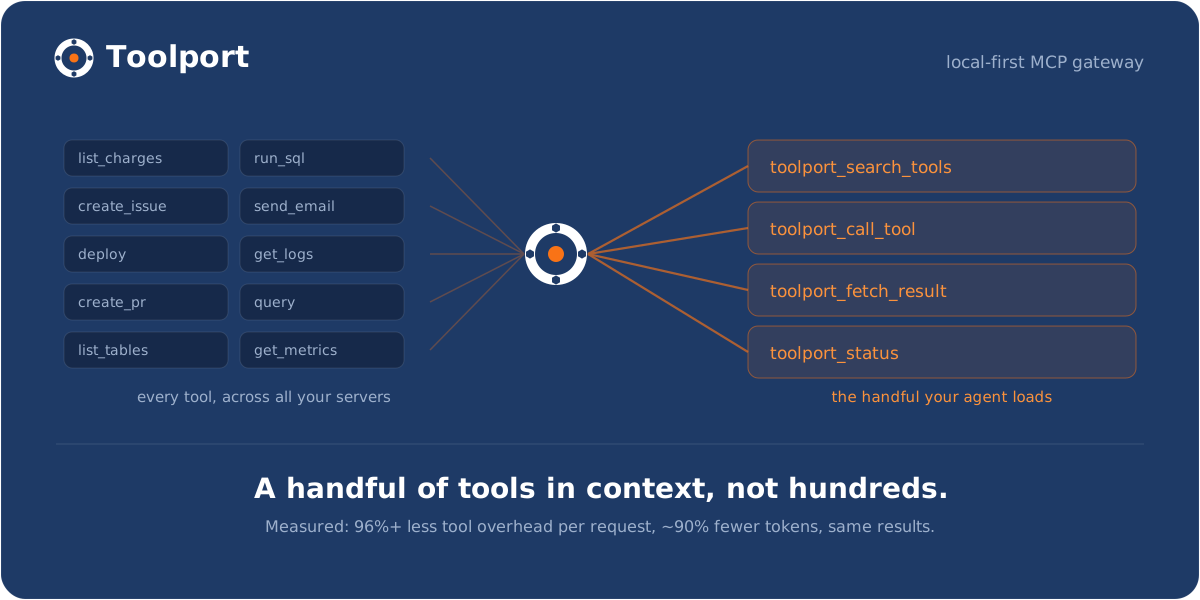
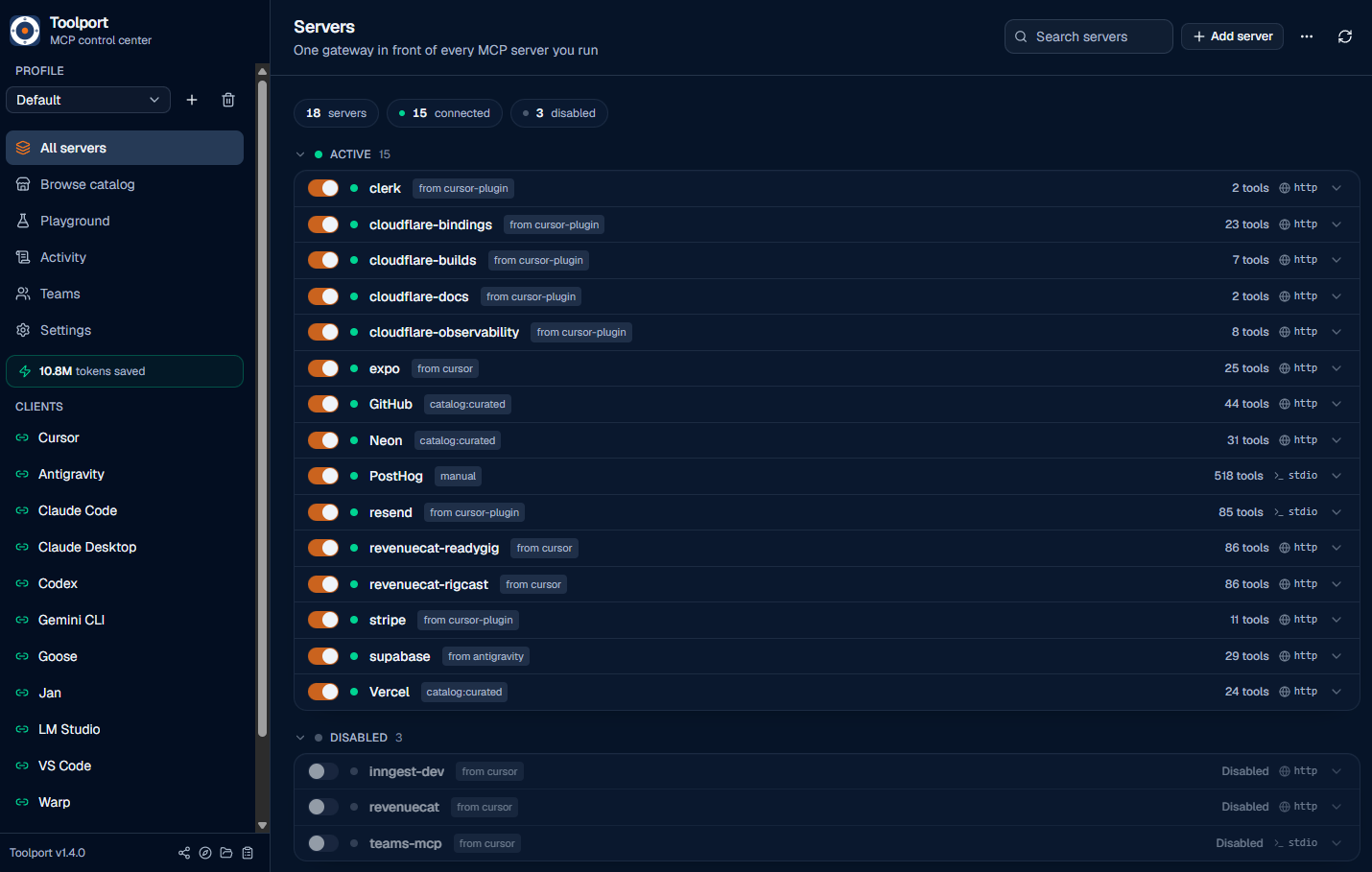
Toolport is a local MCP (Model Context Protocol) gateway. You set up and authenticate each server once, and every AI client (Claude, Cursor, Codex, and the rest) points at Toolport and shares them, so you stop configuring the same servers separately in each app.
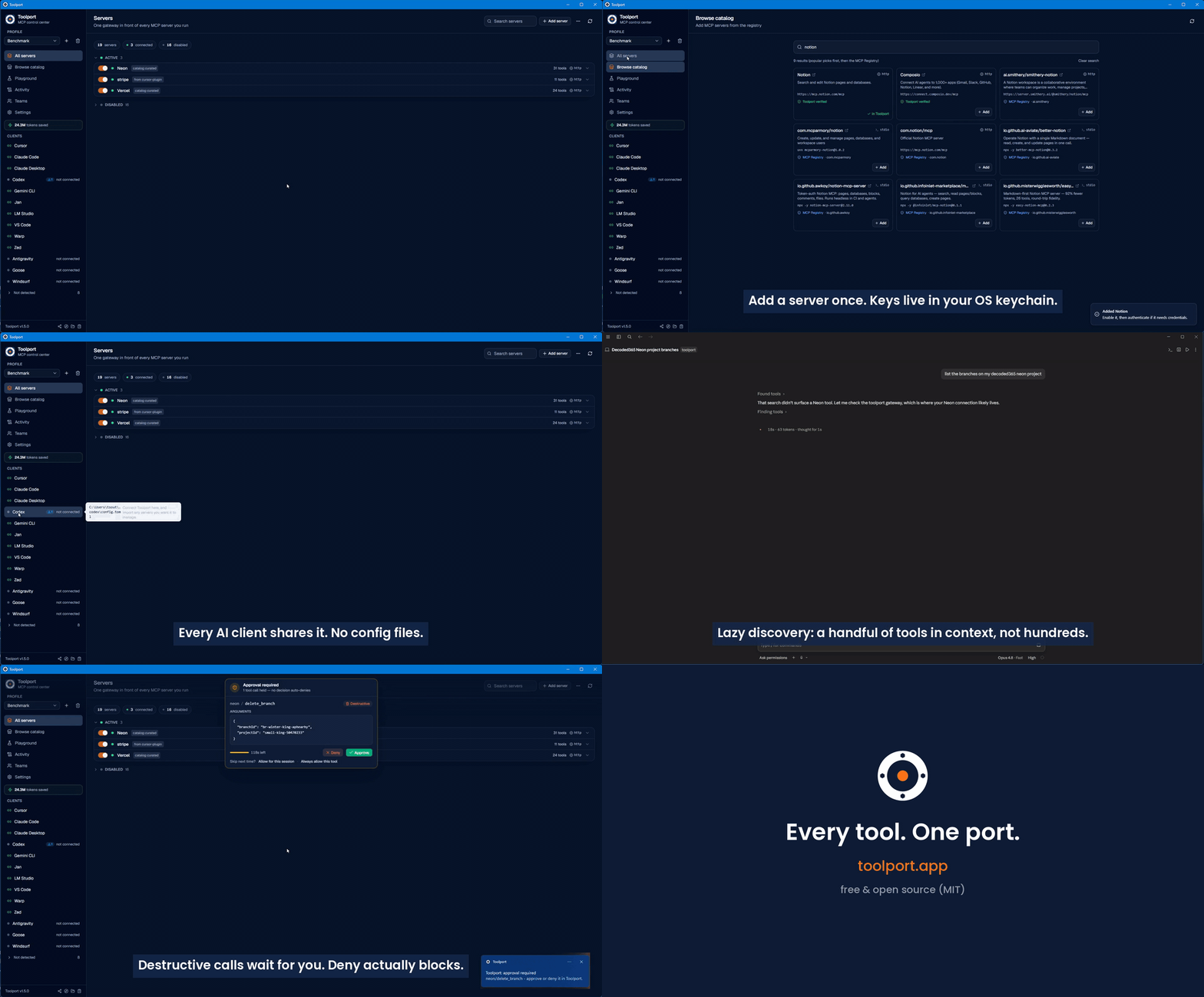
It also fixes what those servers cost your agent. Every MCP server you connect dumps all of its tools into context on every single request, and it adds up fast: just 3 servers (62 tools) cost ~24,000 tokens of definitions before you've asked anything. Toolport advertises a handful of compact meta-tools the agent searches on demand instead, so it pays ~900 tokens (96% less, measured).
Measured on a frontier model: up to 91% fewer total tokens at the same task success (graded for correct answers, not just completion), plus 96% less tool-definition overhead on every request, rising to 99.5% on a real 415-tool catalog (see BENCHMARK.md). That holds whether you run one AI tool or five, on cloud models (where tokens are your bill) or local ones (where tool defs eat your context window).
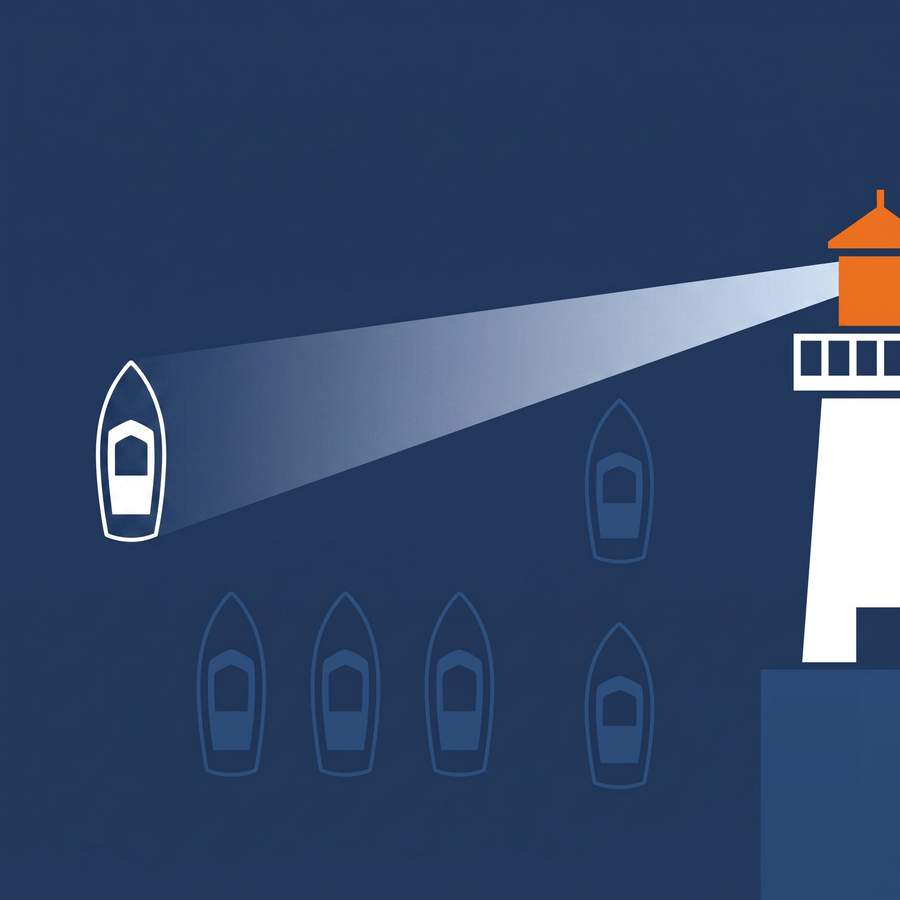 | 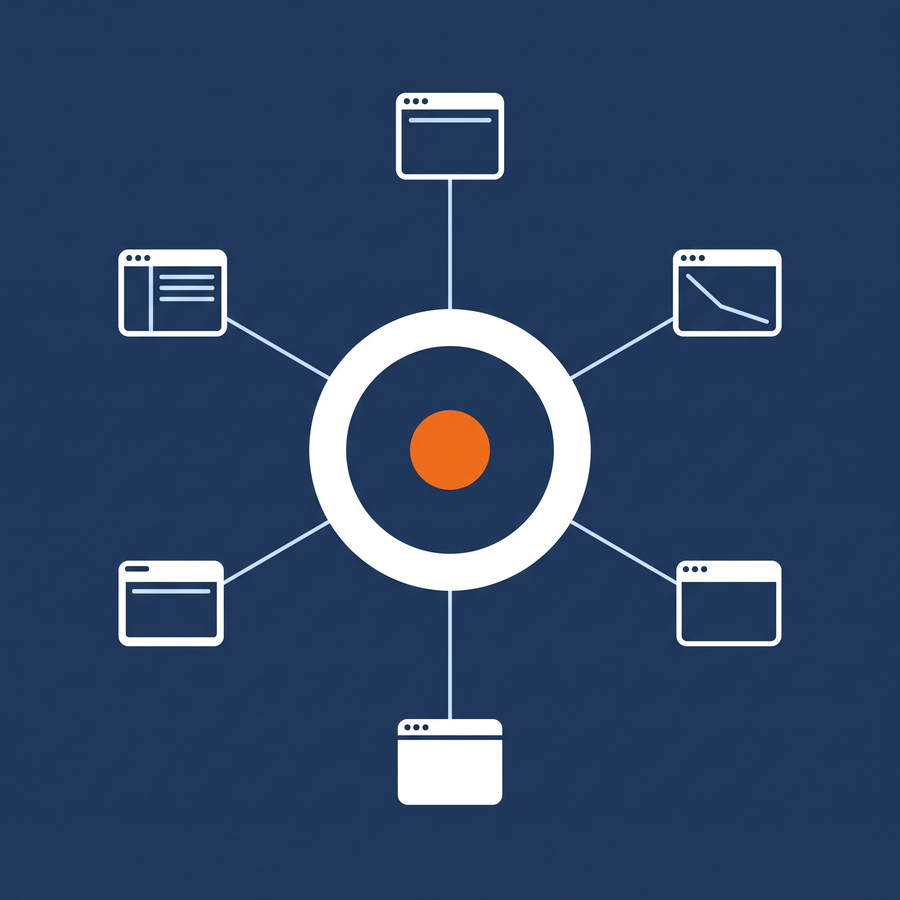 |  |
| Fewer tokens - lazy discovery keeps context flat no matter how many servers you connect | One config, every client - set up a server once, every AI tool shares it | Supply-chain security - rug-pull and tool-poisoning detection on the path |
That's the whole setup. Every client now shares the same servers, and new servers you add propagate to all of them. There's a 60-second demo on the website if you want to watch it first.
Every MCP server you connect dumps its full tool list into your agent's context on every request, and most AI clients also want their own separate configuration. So you pay a token tax on every call and reconfigure the same servers in every app. Toolport fixes both.
toolport_status, toolport_search_tools, toolport_call_tool,
toolport_fetch_result) instead of the full catalog, and the agent searches and
calls on demand, so context stays flat no matter how many servers you connect.
(A couple more appear only when you turn the matching feature on: toolport_confirm
with approvals, enable/disable with agent control.) Benchmarked, graded for correct answers: up to 91% fewer
total tokens at the same task success, 96% less tool-definition overhead per request,
99.5% at a real 415-tool catalog (BENCHMARK.md). Ask toolport_status
for what it has saved you so far.toolport_search_tools ranks by relevance
across every server, and no tool is ever hidden, any server's full set is one call
away. Optional semantic re-ranking (a local or hosted embeddings endpoint) surfaces
paraphrased needs like "charge a card"; off by default, pure lexical otherwise.toolport_enable_server / toolport_disable_server), reflected in
the app live. Off by default, and the destructive-tool switch always stays yours.
Toolport has two pieces:
toolport-gateway) that each AI client launches over
stdio. It reads Toolport's registry, connects to the enabled downstream servers
(stdio or remote HTTP/SSE), and routes tool calls to the right one. Tool names
are namespaced per server (stripe__list_charges) so they never collide.AI client (Cursor / Claude / Codex / Antigravity / ...)
│ stdio MCP
▼
toolport-gateway ──reads──► registry.json + OS keychain
│ routes tools/calls
▼
downstream MCP servers (Stripe, Supabase, GitHub, ...)
The registry is the shared source of truth; the gateway watches it and rebuilds live, so toggles and new credentials take effect without restarting the client. If a connected server changes its own tool set mid-session, Toolport picks that up and refreshes too.
Toolport auto-detects these 27 AI clients, installs the gateway into each with one click, and can import a client's existing servers. It writes the config file shown below for you, so you never have to edit these by hand.
| Client | Config file | Format |
|---|---|---|
| Claude Desktop | <config>/Claude/claude_desktop_config.json | JSON (mcpServers) |
| Claude Code | ~/.claude.json | JSON (mcpServers) |
| Cursor | ~/.cursor/mcp.json | JSON (mcpServers) |
| VS Code | <config>/Code/User/mcp.json | JSON (servers) |
| Windsurf | ~/.codeium/windsurf/mcp_config.json | JSON (mcpServers) |
| OpenCode | ~/.config/opencode/opencode.json | JSON (mcp) |
| Codex | ~/.codex/config.toml | TOML (mcp_servers) |
| Grok Build | ~/.grok/config.toml | TOML (mcp_servers) |
| Continue | ~/.continue/config.yaml | YAML (mcpServers) |
| Antigravity | ~/.gemini/config/mcp_config.json | JSON (mcpServers) |
| Gemini CLI | ~/.gemini/settings.json | JSON (mcpServers) |
| Qwen Code | ~/.qwen/settings.json | JSON (mcpServers) |
| Cline | <config>/Code/User/globalStorage/saoudrizwan.claude-dev/settings/cline_mcp_settings.json | JSON (mcpServers) |
| Roo Code | <config>/Code/User/globalStorage/rooveterinaryinc.roo-cline/settings/mcp_settings.json | JSON (mcpServers) |
| Warp | ~/.warp/.mcp.json | JSON (mcpServers) |
| Amazon Q | ~/.aws/amazonq/mcp.json | JSON (mcpServers) |
| Kiro | ~/.kiro/settings/mcp.json | JSON (mcpServers) |
| Zed | ~/.config/zed/settings.json | JSON (context_servers) |
| LM Studio | ~/.lmstudio/mcp.json | JSON (mcpServers) |
| Jan | <data>/Jan/data/mcp_config.json | JSON (mcpServers) |
| BoltAI | ~/.boltai/mcp.json | JSON (mcpServers) |
| Pi | ~/.pi/agent/mcp.json | JSON (mcpServers) |
| Oh My Pi | ~/.omp/agent/mcp.json | JSON (mcpServers) |
| Goose | ~/.config/goose/config.yaml | YAML (extensions) |
| Hermes | ~/.hermes/config.yaml | YAML (mcp_servers) |
| AnythingLLM | <config>/anythingllm-desktop/storage/plugins/anythingllm_mcp_servers.json | JSON (mcpServers) |
| Witsy | <config>/Witsy/settings.json | JSON (mcpServers) |
<config> is your OS application-config dir (%APPDATA% on Windows, ~/Library/Application Support on macOS, ~/.config on Linux); <data> is the data dir (~/.local/share on Linux, the same as <config> elsewhere). Zed and Goose paths vary slightly by OS; Toolport resolves the right one automatically.
Use this when Codex has already created its ~/.codex/ directory.
~/.codex/config.toml with a single [mcp_servers.toolport] entry. That entry runs the resolved toolport-gateway binary; existing Codex TOML keys and other MCP servers are preserved, and an existing config is backed up before the write. (Older installs that still have [mcp_servers.conduit] are renamed to toolport on the next Toolport launch.)toolport MCP server. With lazy discovery enabled, Codex gets Toolport's compact search tools instead of every downstream tool up front.Gotcha: when running Toolport from source, build the gateway first with npm run build:gateway. The desktop dev server does not build the separate binary that Codex spawns, so Codex will report the gateway as missing until that binary exists.
The gateway speaks HTTP/OpenAPI natively, so Open WebUI (and any OpenAPI tool
client) connects straight to Toolport, no bridge or proxy. Flip on Settings ->
Integrations -> Open WebUI / HTTP endpoint in the app (or run
toolport-gateway --http 8765 after setting TOOLPORT_HTTP_TOKEN), then add
http://localhost:8765 as an OpenAPI tool server. See
docs/openwebui.md. The same endpoint serves
any HTTP/OpenAPI MCP consumer (n8n, LibreChat, custom agents).
The same --http process also serves MCP streamable-HTTP at POST /mcp, so
sandboxed coding agents and remote clients can use a URL instead of stdio. For
Docker, env-file secrets, and a compose example, see
docs/headless.md. Prebuilt image:
docker pull ghcr.io/tsouth89/toolport-gateway:latest (published from main).
Lazy discovery, the destructive-tool block, and agent control are global settings, stored in the registry and toggled in the app's Settings view, so they apply to every client (lazy discovery is on by default). Per-client behavior is set via env vars on the gateway entry, written for you when you connect a client:
TOOLPORT_CLIENT_ID=<id> - identifies this client for live profile resolution
(written automatically when you Connect a client).TOOLPORT_PROFILE=<name> - initial profile scope for a scoped install. Unset =
follow the active profile (resolved live via TOOLPORT_CLIENT_ID).TOOLPORT_DISCOVERY=lazy|full|grouped - optional per-client override of the global
discovery setting. Rarely needed; the gateway reads the registry default otherwise.TOOLPORT_REGISTRY=<path> - override the registry file location. Defaults to a
stable per-user path so packaged and unpackaged clients agree.TOOLPORT_DATA_DIR=<path> - override the full Toolport data directory.TOOLPORT_RESULT_BUDGET=<bytes> - cap oversized tool results at this many bytes
(0 disables it). Optional; default budget applies when unset.TOOLPORT_HTTP=<port> (with optional TOOLPORT_HTTP_HOST, default 127.0.0.1,
and TOOLPORT_HTTP_TOKEN for the required bearer token) - run the gateway in
HTTP/OpenAPI mode instead of stdio, for Open WebUI and other OpenAPI clients (see
above). The in-app Settings -> Integrations toggle sets these for you, and the
gateway refuses to bind without a token or registered HTTP client. For isolated
local development only, --insecure-loopback explicitly permits an unauthenticated
loopback listener; it never permits an open non-loopback bind.TOOLPORT_METRICS=1 - opt-in Prometheus GET /metrics on the HTTP surface.TOOLPORT_DEBUG=1 - per-request gateway trace logging.TOOLPORT_CODE_MODE=1 - force-enable code mode (toolport_run_script); Settings can also toggle this.Every TOOLPORT_* name still accepts the pre-rename CONDUIT_* alias (for example
CONDUIT_HTTP_TOKEN continues to work). Prefer TOOLPORT_* in new configs.
Semantic search (optional). Lazy discovery ranks tools lexically by default. Point it
at any /v1/embeddings endpoint (LM Studio, Ollama, or a cloud provider) to blend in
embedding similarity for paraphrased queries: TOOLPORT_SEMANTIC=on,
TOOLPORT_EMBED_ENDPOINT, TOOLPORT_EMBED_MODEL, plus optional TOOLPORT_EMBED_KEY
(endpoint auth) and TOOLPORT_EMBED_BLEND.
Multiple accounts for the same service. Credentials belong to a server, not a
profile. To use, say, a work and a personal GitHub, add GitHub twice as two
servers ("GitHub (work)", "GitHub (personal)"), authenticate each with its own
account, and enable one in each profile. A client scoped to the work profile
(TOOLPORT_PROFILE) then only ever sees the work account. Tool names are
namespaced per server, so the two never collide even in the same profile.
Quickest:
# macOS (Homebrew)
brew install --cask tsouth89/toolport/toolport

# macOS or Linux (script: .deb via apt where available, else AppImage; Mac copies the app)
curl -fsSL https://raw.githubusercontent.com/tsouth89/toolport/main/scripts/install.sh | bash
On Windows, download the .exe from the
latest release.
Prebuilt installers are published on the
Releases page. Toolport runs on
Windows, macOS, and Linux. On Linux, prefer the .deb (it links your
system's WebKitGTK and is the most reliable package); the AppImage is a
portable, no-root fallback but can clash with very new or virtualized graphics
stacks (see Troubleshooting). To run from source, see Development below.
Both the Windows and macOS installers are code-signed, and macOS is also notarized, so it installs cleanly through Gatekeeper. On Windows the installer carries a validated publisher name (no "unknown publisher"), but because it uses a standard certificate rather than EV, SmartScreen reputation still builds with downloads, so an early install may show "Windows protected your PC", click More info -> Run anyway to continue. The Linux packages are unsigned, as is typical. See docs/SIGNING.md for details.
Updating and uninstalling on Linux. There is no graphical uninstaller, use the
terminal. The package name is toolport.
# Update to a newer version: just install the new .deb, it upgrades in place.
sudo apt install ./Toolport_1.5.1_amd64.deb

# Uninstall (keeps your config + saved secrets).
sudo apt remove toolport

# Uninstall and wipe app config too (secrets in the keyring stay).
sudo apt purge toolport
If you used the AppImage, there's nothing to uninstall, just delete the
.AppImage file. (On Windows use Add or Remove Programs; on macOS drag
Toolport.app to the Trash.)
Requires Node and the Rust toolchain.
npm install
npm run tauri dev      # run the desktop app
Other useful commands:
cargo test --manifest-path src-tauri/Cargo.toml   # Rust unit tests (lib + gateway)

# Build the gateway binary. Required when running from source: AI clients spawn
# this binary directly, so without it a connected client reports "not found".
# (Packaged releases bundle it, so installed users never need this.)
npm run build:gateway

# Build a Windows installer (NSIS) with the gateway bundled.
npm run tauri:bundle
The frontend is typechecked with npx tsc --noEmit.
http://127.0.0.1 callback. Safari can silently block that redirect, so the
sign-in page renders blank. Set Chrome or Brave as your default browser (or
paste an access token instead). Complete one attempt at a time, an abandoned
attempt keeps the callback port reserved for a few minutes and can cause a
"state mismatch" on the next try.npm run build:gateway (or
cargo build --no-default-features --bin toolport-gateway --manifest-path src-tauri/Cargo.toml).
npm run tauri dev builds the app but not this separate binary; packaged
releases bundle it, so installed users never hit this.gnome-keyring).toolport server doesn't start automatically. VS Code may require
you to click Start Server on the toolport MCP entry the first time, that's VS
Code's own MCP handling, not Toolport. After that it reconnects on its own.EGL_BAD_PARAMETER). The
AppImage bundles its own libraries, which can clash with a very new or
virtualized graphics stack (e.g. VMware's vmwgfx driver, where the default EGL
display fails). Use the .deb instead, it links your system's WebKitGTK and
is the more reliable Linux package. If you must use the AppImage, try
EGL_PLATFORM=surfaceless ./Toolport_*.AppImage, or in a VM enable 3D
acceleration. (This is a packaging/GPU issue, not a Toolport bug; the .deb works
where the AppImage doesn't.)Toolport is in active development. Working end to end: the gateway, lazy discovery, per-agent scoping, OAuth/key auth with live propagation, the catalog, client import/migrate, per-tool and destructive-tool governance, the human approval queue, a global Settings view, tool-integrity and content-defense detection, an audit log with latency/error stats, resources + prompts proxying, a tool playground, and a headless/container gateway (MCP over HTTP/SSE, Docker, GHCR image — see docs/headless.md). See docs/ROADMAP.md for what is done and planned.
VariantStrIter soundness (RUSTSEC-2024-0429).
Tauri's Linux webview stack pulls in glib 0.18 transitively (wry → webkit2gtk → gtk 0.18 → glib 0.18). The fix only exists in glib 0.20+, and the gtk-0.18
binding line, which is what Tauri 2 uses on Linux, hard-pins glib = "^0.18", so
the patched release cannot be selected without moving the whole webview stack. The
bug is a soundness/null-deref crash (not remote code execution), is confined to the
webview binding layer (Toolport never calls VariantStrIter), and does not affect
the Windows or macOS builds. We are tracking the upstream move to a glib-0.20 stack
and will apply a [patch.crates-io] backport if Linux crashes surface before then.Want one shared, governed MCP server set across your whole team? Toolport Teams lets an admin define the team's servers once, every member's Toolport syncs them, and each member's keys still never leave their own machine.
Run it whichever way you prefer:
docker pull ghcr.io/tsouth89/toolport-teams).Same pricing hosted or self-hosted:
Pricing, the self-host quickstart, and checkout are all at toolport.app/teams.
MIT, and the local app and gateway always will be. Toolport follows an
open-core model: the desktop app and toolport-gateway are free and open source, and
Toolport Teams (above) funds the free app. Anything you contribute here is MIT and
benefits everyone, see CONTRIBUTING.md.
If Toolport saves you tokens (ask toolport_status how many), a star helps other
people find it.
Run Claude Code as an MCP server so any agent can delegate coding tasks to it
 @microsoft✓ Official
Browser automation using accessibility snapshots instead of screenshots
 @googleapis✓ Official
Google's universal MCP server supporting PostgreSQL, MySQL, MongoDB, Redis, and 10+ databases
 @github✓ Official
Official GitHub integration for repos, issues, PRs, and CI/CD workflows