Project Sunset Notice — v1.0.0 "Swan Song" is the final release of UniClaude. Anthropic's updated Terms of Service now prohibit third-party tools from authenticating via Claude subscription OAuth, which was UniClaude's core pricing model. See OutroMigration.md for context and a plan for extracting UniClaude's MCP tools into a standalone, client-agnostic package. Thank you to everyone who used and contributed to this project.
Technical Overview — architecture, engineering challenges, and project scope at a glance.
Claude Code, natively inside Unity Editor. A dockable chat window with full project awareness, 75+ MCP tools, an opinionated Unity architecture advisor, and zero alt-tabbing — all powered by your Claude subscription.
Features
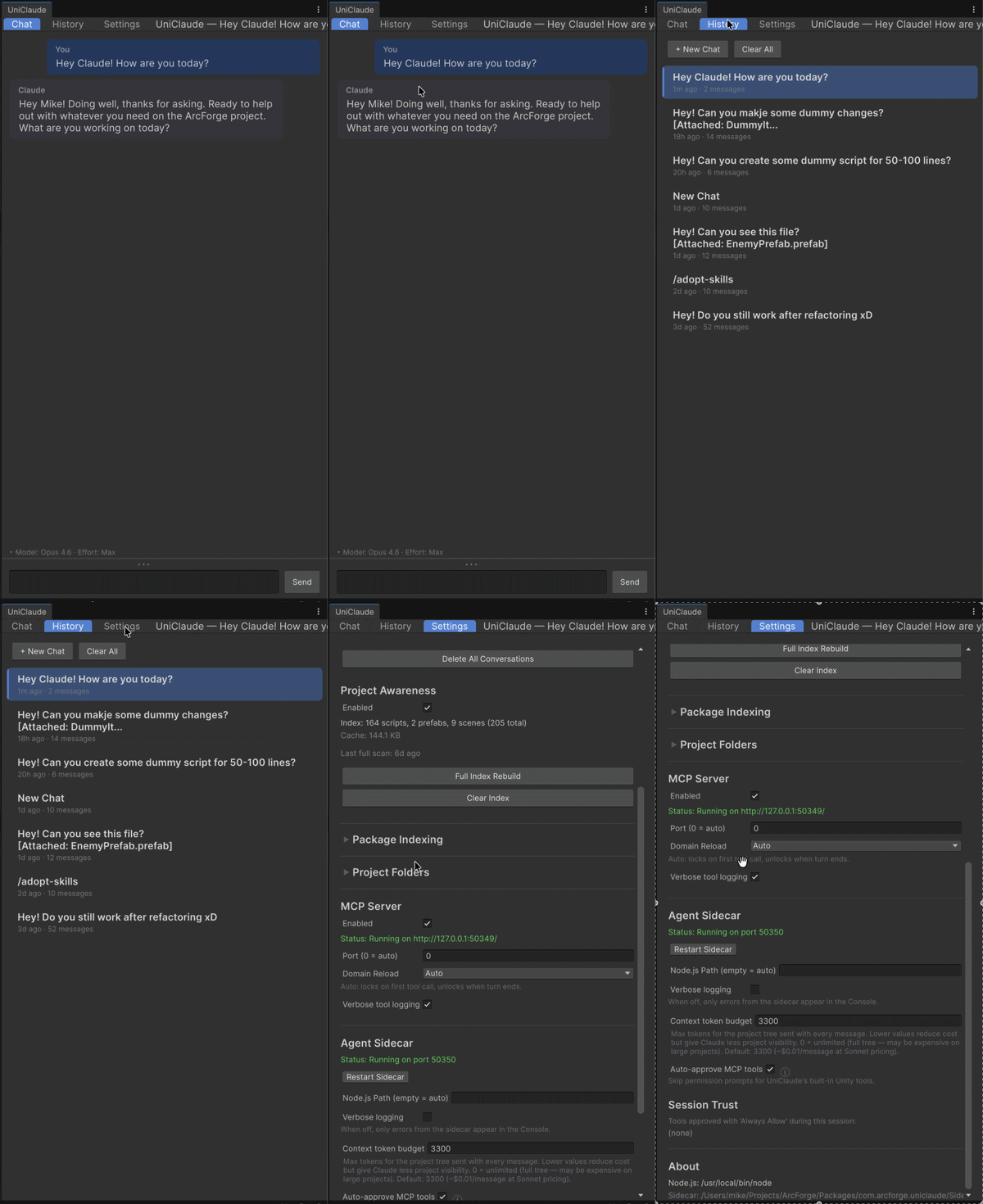
Editor chat window — dockable panel with streaming responses, dark/light theme, and conversation history
Unity Agent persona — a built-in system prompt that makes Claude a strict, professional Unity developer. It documents all 75 MCP tools with efficiency patterns, enforces design-first workflows, and flags anti-patterns before they ship.
10 architecture skills — Claude Code skills covering the full Unity development lifecycle: architecture decisions, component design, data modeling, scene/prefab authoring, animation workflows, performance optimization, and code review. Skills load on demand via the Agent SDK's plugin system.
Project awareness — UniClaude indexes your scenes, prefabs, scripts, shaders, and ScriptableObjects so Claude understands your project structure
75+ Unity tools — Claude can inspect and modify scenes, prefabs, components, materials, animations, tags, layers, and project settings through the MCP protocol — all with full Undo integration
Model selection — choose between Sonnet, Opus, and Haiku with configurable reasoning effort (Low → Max)
File & image attachments — attach project files and screenshots directly in the chat input
Permission system — every tool call requires explicit approval (allow once, allow for session, or deny)
Slash commands — extensible command system with autocomplete (/healthcheck, /clear, /export, and more)
Diff viewer — review script edits in a colored diff popup (green/red lines) without leaving UniClaude
Settings panel — configurable font size, Node.js path, sidecar port, context token budget, and package filtering
Ninja Install Mode — optional embedded-clone install that hides UniClaude from git status and packages-lock.json on team projects. Reversible from Settings.
Version tracker — Settings tab surfaces new releases from GitHub once a day, with inline changelog preview and one-click update (mode-aware for Ninja and Standard installs).
MCP server — JSON-RPC 2.0 server that exposes Unity editor actions to any MCP-compatible client