

Are you the author? Sign in to claim
An MCP server to allow claude and other LLM's to take screenshots using Urlbox.
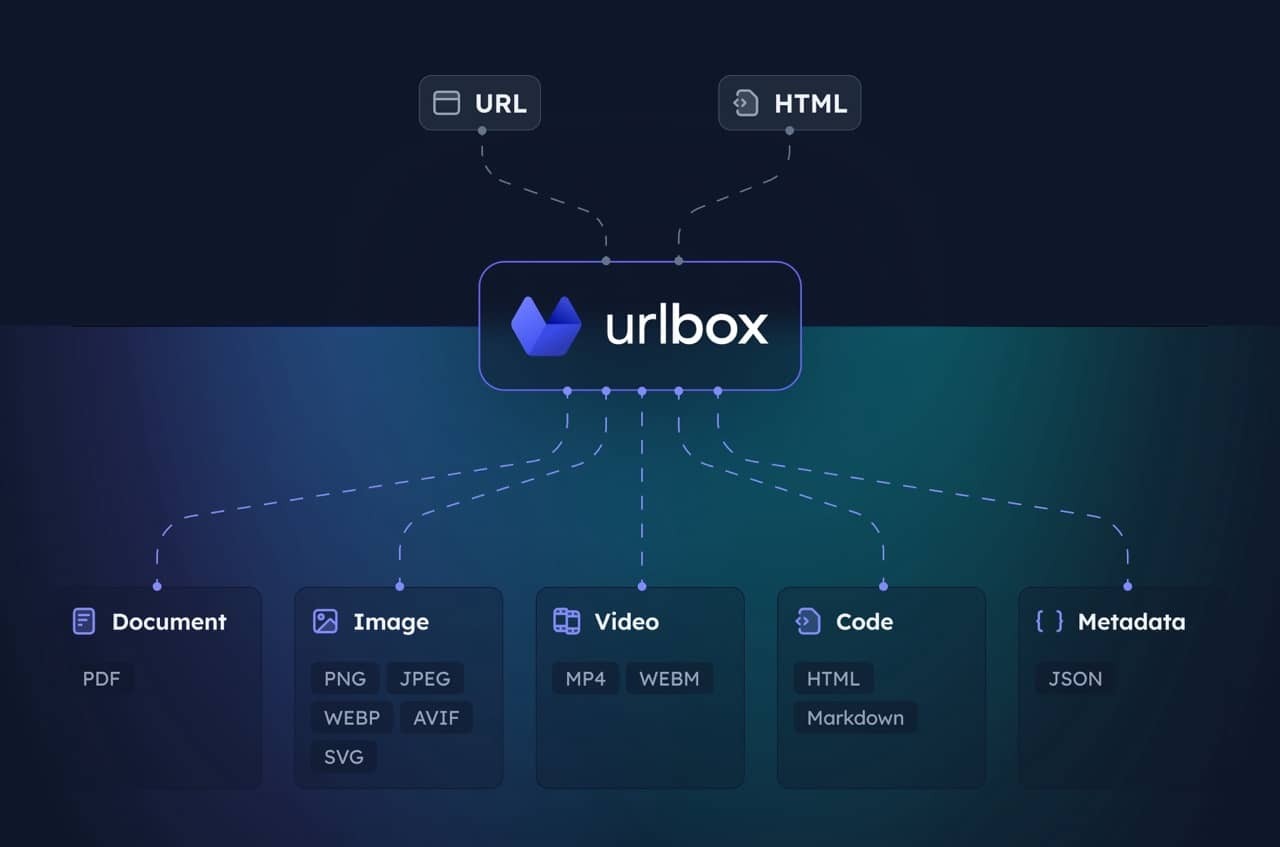
MCP server for the Urlbox Screenshot API. Enables your client to take screenshots, generate PDFs, extract HTML/markdown, and more from websites.
Visit Urlbox for more information, and have a read of our docs or chat with your LLM post install to get a good understanding of its options and capabilities.
Install dependencies and build:
npm install
npm run build
Get Urlbox API credentials:
Set environment variables:
claude_desktop_config.json
{
  "mcpServers": {
    "screenshot": {
      "command": "npx",
      "args": ["-y", "@urlbox/screenshot-mcp"],
      "env": {
        "SECRET_KEY": "your_api_key_here"
      }
    }
  }
}
The server provides a render tool that can:
store_renders: trueClaude will automatically use this when you ask it to screenshot websites or convert web content.
Take a clean screenshot without ads or cookie banners:
Take a screenshot of https://example.com but block ads and hide cookie banners
Screenshot and save side renders like HTML/markdown:
Take a screenshot of https://example.com and also save it as HTML and markdown. Download the result to my computer.
Generate a PDF of the full page:
Convert https://urlbox.com to a PDF and save it to my computer. Make sure to generate a PDF that has an outline and is tagged.
Run Claude Code as an MCP server so any agent can delegate coding tasks to it
 @microsoft✓ Official
Browser automation using accessibility snapshots instead of screenshots
 @googleapis✓ Official
Google's universal MCP server supporting PostgreSQL, MySQL, MongoDB, Redis, and 10+ databases
 @github✓ Official
Official GitHub integration for repos, issues, PRs, and CI/CD workflows