

Are you the author? Sign in to claim
Turn a UI screen recording into design data, code edits, or a runnable React scaffold. A Claude Code skill.
🎬 Turn a UI screen recording into design data, code edits, or a runnable React scaffold.




See three before/after demos → · Watch the full 5-min walkthrough →
Why · Quick start · What you get · Demos · MP4 demos · Full walkthrough · How it works · Install
Claude doesn't accept video as input yet (true at the time of publishing this skill, they might add it later). I kept trying to recreate frontends from screen recordings by pasting in screenshots one at a time. I'd lose context between frames, the result was always off, and I'd give up halfway. Screenshots also miss the dynamic stuff: transitions, micro-animations, scroll-triggered reveals, hover states. None of that survives a still frame. So I built this. Every frame gets extracted, read in parallel by disposable subagents, and synthesized into a single design report or a full scaffold, depending on the mode. Motion and timing land in the report too, not just the static layout.
| What ends up in the analysis | Screenshots only | Screen recording |
|---|---|---|
| Layout, palette, typography | ✅ | ✅ |
| Transitions between screens | ❌ | ✅ |
| Micro-animations | ❌ | ✅ |
| Scroll-triggered reveals | ❌ | ✅ |
| Hover and active states | ❌ | ✅ |
| Timing and pacing | ❌ | ✅ |
Install the skill (one command, via the skills.sh CLI):
npx skills add mmohajer9/video-to-ui --skill video-to-ui --global
Restart Claude Code, then point the skill at a recording:
/video-to-ui ~/Downloads/your-recording.mp4
The skill asks which mode to run and where to put the output, then gets to work. Other install methods →
Point it at a screen recording — a Figma prototype walkthrough, a mobile-app demo, a marketing clip, an internal Loom — and pick one of four deliverables when the skill runs.
| # | Mode | What you get |
|---|---|---|
| 1 | 🖼️ Extract frames | A folder of PNGs from the video. No analysis, no synthesis. The fastest way to get the raw stills. |
| 2 | 🔍 Analyze the design | A markdown report describing the design system on screen — palette in hex, type scale, spacing rhythm, button and card styles, iconography — plus a chronological inventory of the distinct screens. No code. |
| 3 | 📝 Compare against code | Mode 2, plus a per-file list of concrete edits to bring named target files closer to the video (replace --button-radius 4px → 8px in Button.tsx, frame 014). Always shows the diff list first and waits for approval before editing. |
| 4 | ⚛️ Scaffold a React app | Mode 2, plus a runnable Vite + React + TypeScript + Tailwind + Framer Motion project at app/, with one component per screen, a mock API that mimics the video's timing, and Tailwind tokens populated from the analysis. npm install && npm run dev. |
Modes 3 and 4 build on mode 2 — both run the same analysis under the hood, then act on it differently. Pick mode 3 if you have a codebase you want to bring closer to the design in the video; pick mode 4 if you want a runnable starting point.
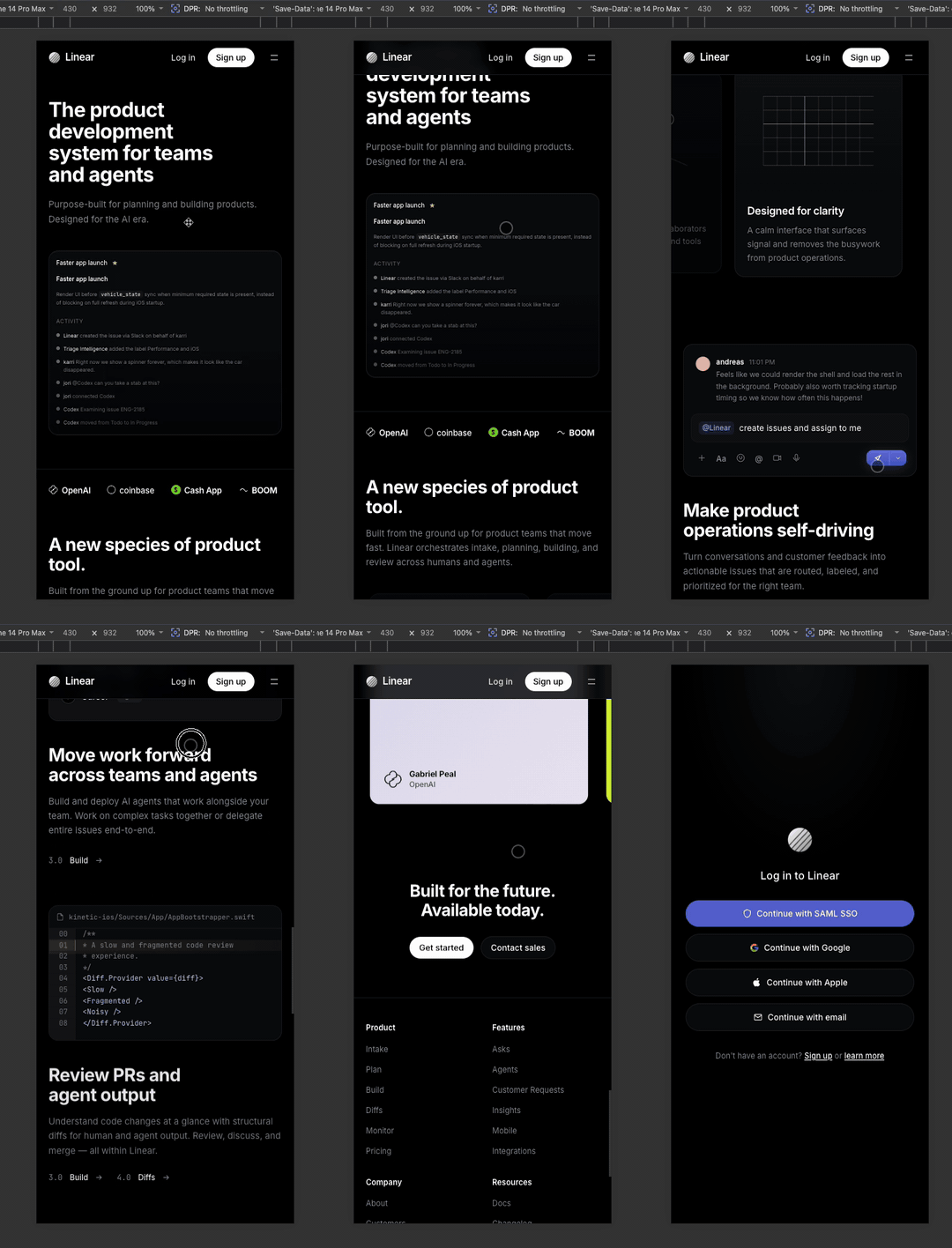
Three before/after pairs. The recording on the left is the input; the artifact on the right is what mode 4 produced. Quick-loading GIF previews below — full-quality MP4 versions follow in the next section. If anything below fails to render, all the GIF and MP4 files live directly in the repo at assets/demos/.
| Input recording | Output — runnable React scaffold |
|---|---|
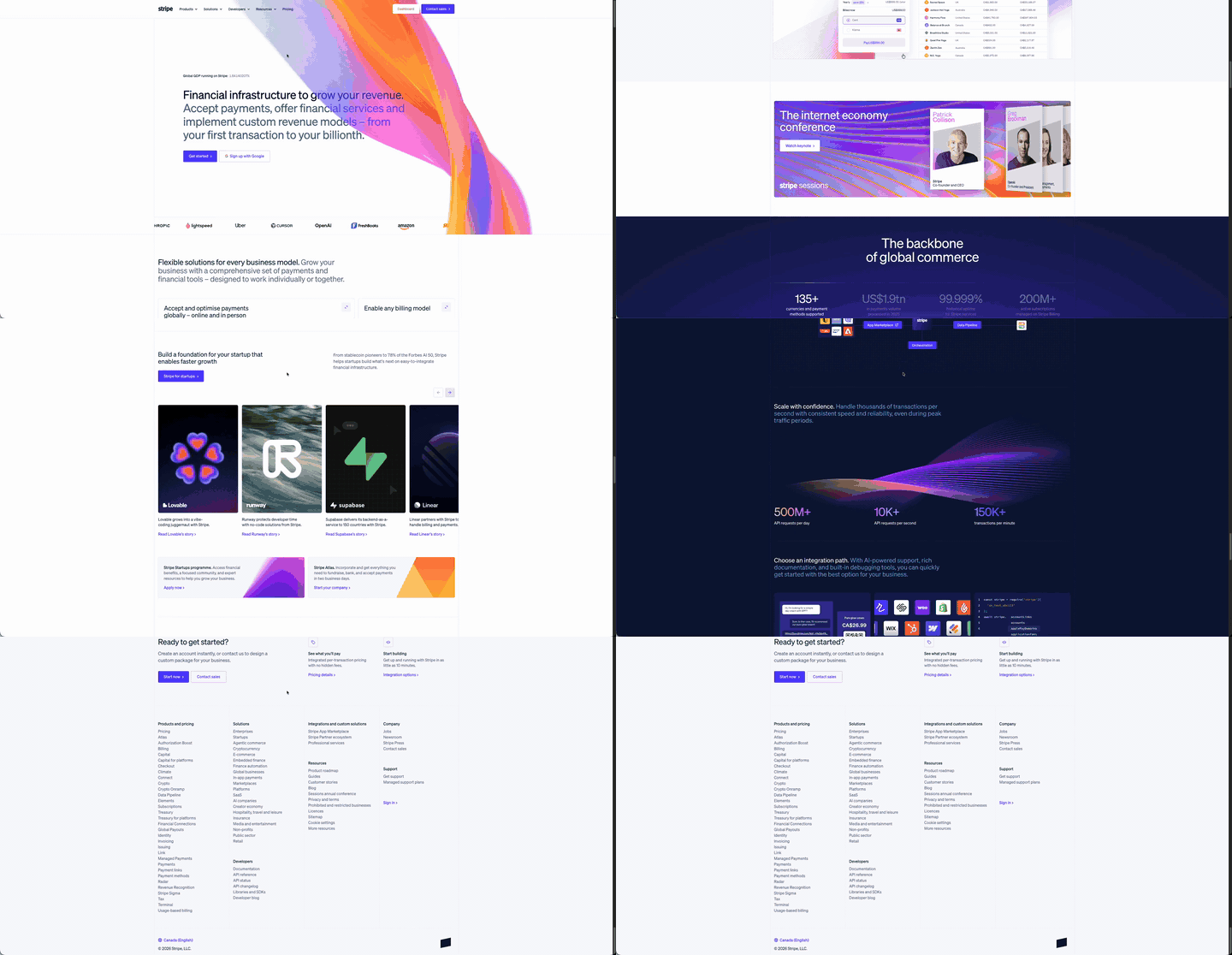
|
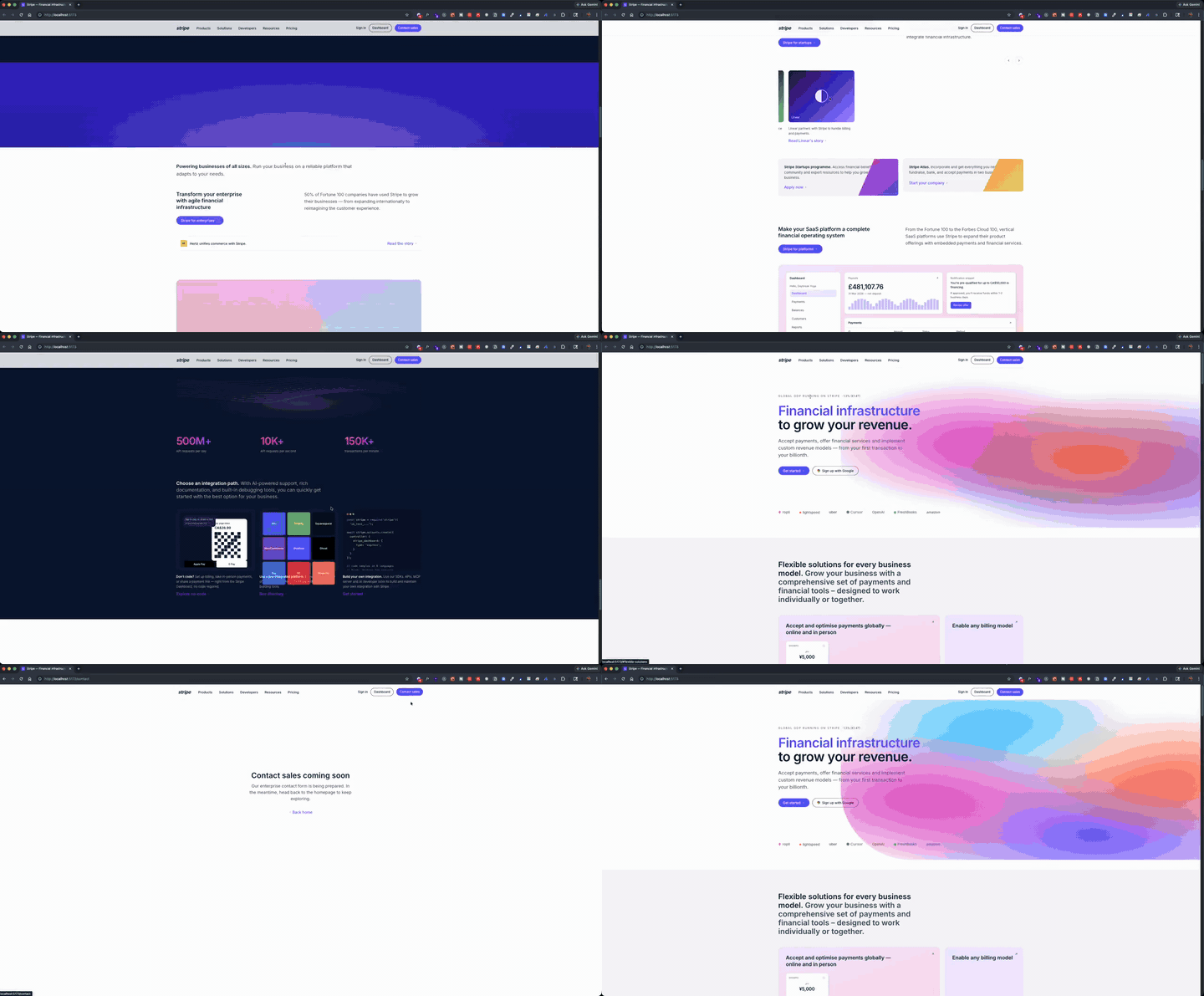
|
| Input recording | Output — runnable React scaffold |
|---|---|
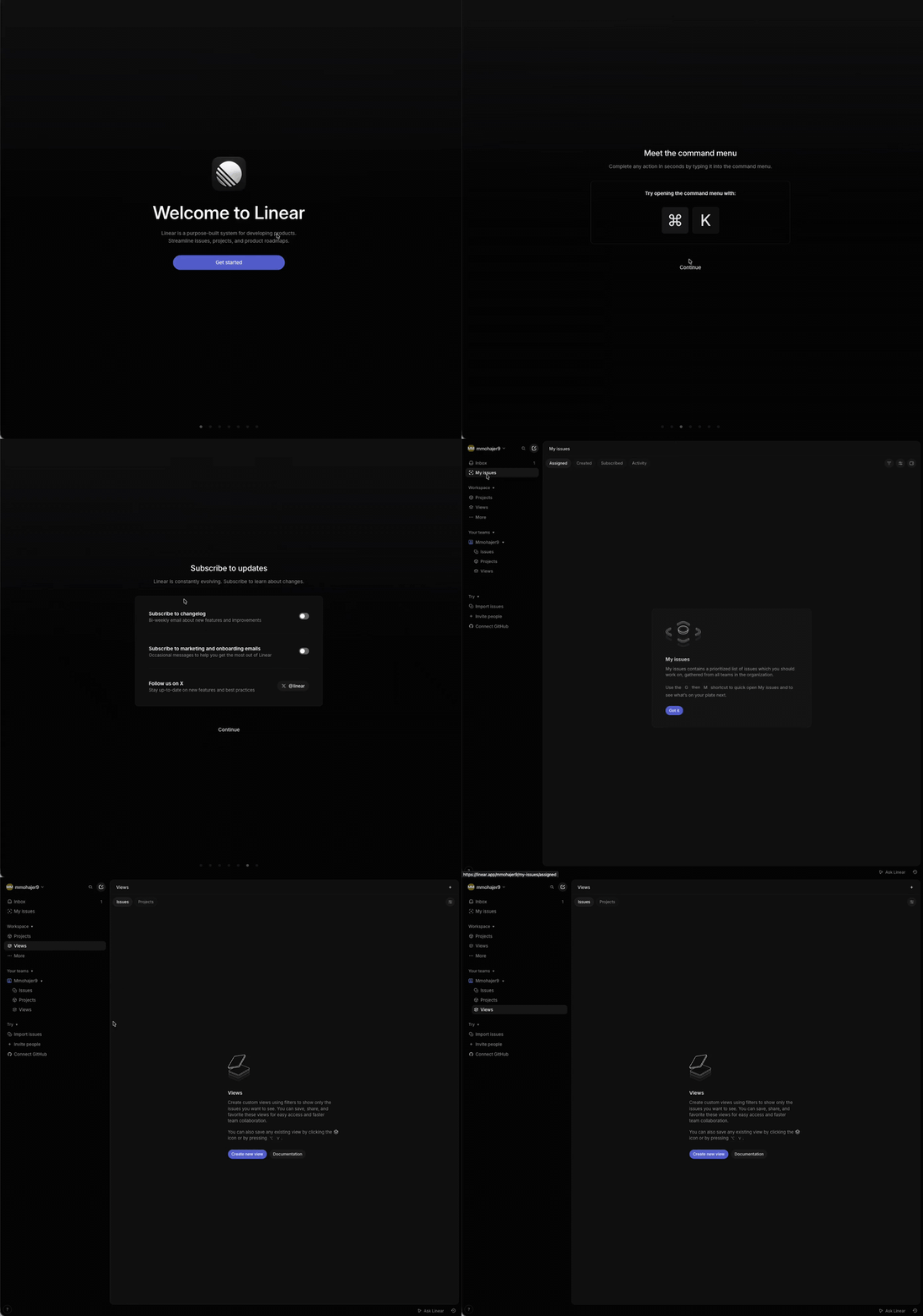
|
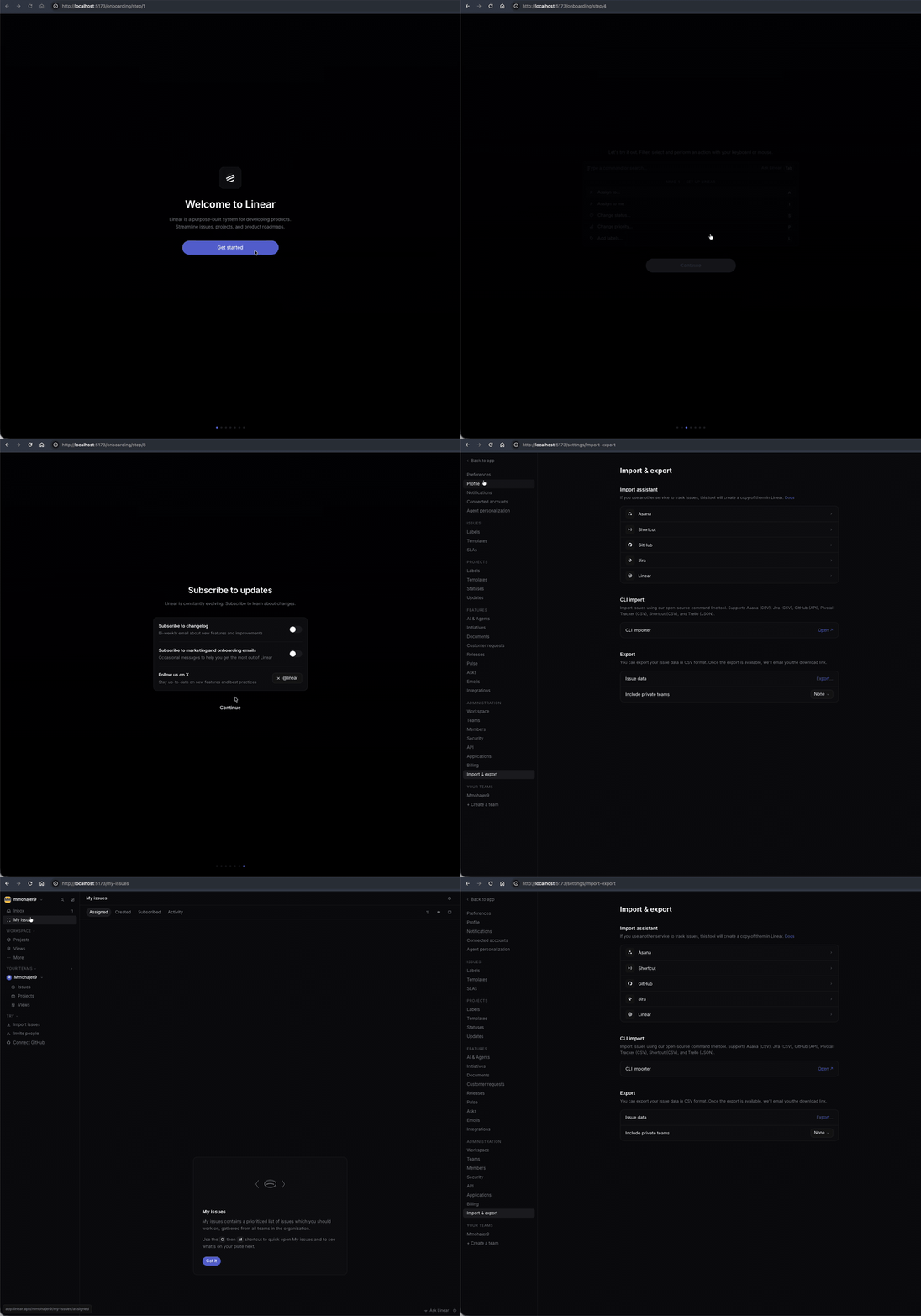
|
| Input recording | Output — runnable React scaffold |
|---|---|

|
|
The same three before/after pairs above, served as native MP4 — sharper, with hover-controls. If none of the players load for you, the raw MP4 files are also committed in the repo at assets/demos/ (each demo has its own subfolder with input.mp4 and output.mp4).
| Input recording | Output — runnable React scaffold |
|---|---|
|
Open MP4 → · Repo file ↓ |
Open MP4 → · Repo file ↓ |
| Input recording | Output — runnable React scaffold |
|---|---|
|
Open MP4 → · Repo file ↓ |
Open MP4 → · Repo file ↓ |
| Input recording | Output — runnable React scaffold |
|---|---|
|
Open MP4 → · Repo file ↓ |
Open MP4 → · Repo file ↓ |
A soup-to-nuts run on the Stripe recording — drop in the video, pick mode 4, end up with a runnable React app. ~22 minutes of real work, compressed 4× to roughly 5 minutes. No audio.
A video flows through one shared pipeline; the mode you pick determines where it exits.
flowchart TD
    V([Screen recording]) --> EXT[ffmpeg · frame extraction]
    EXT --> M{Pick mode}

    M -->|1| O1([PNG frames])

    M -->|2 · 3 · 4| BATCH[Parallel batch subagents<br/>read frame batches, write reports]
    BATCH --> SYNTH[Synthesis<br/>palette · type · spacing · screens]

    SYNTH --> M2{Use the report}
    M2 -->|Mode 2| O2([Markdown design report])

    M2 -->|Mode 3| DIFF[Per-file edit list]
    DIFF --> APPROVE{User approves?}
    APPROVE -->|yes| O3([Updated files])
    APPROVE -->|no| HALT([Halt · nothing written])

    M2 -->|Mode 4| SCAF[Scaffolder subagent<br/>writes Vite + React + TS + Tailwind]
    SCAF --> O4([Runnable app · npm run dev])
For modes 2–4, the skill walks the extracted frames in batches using a 2-tier subagent pattern. Disposable subagents read frame batches in parallel and write compact markdown reports to disk. The main agent reads only those reports — never the raw frame images. This keeps the main context small even on long recordings, and makes the cost roughly linear in the number of distinct screens rather than the total frame count.
In mode 4, a separate dedicated subagent receives the design report and curated frame set and writes the entire React project in one pass, so the generated code stays out of the main agent's context too.
The 2-tier walk is adapted from fabriqaai/ffmpeg-analyse-video-skill.
The minimum invocation is a path to a video. The skill asks which mode and where to put the output.
/video-to-ui ~/Downloads/demo.mp4
It also auto-triggers on natural-language requests. Examples that route directly:
"What design system is this screen recording using?
~/demo.mp4" → mode 2"Make the components in
src/components/feel like this video:demo.mp4" → mode 3"Scaffold a working frontend app from this video" → mode 4
A directory of pre-extracted frames works in place of a video, and skips the ffmpeg dependency:
/video-to-ui /tmp/frames/
The skill creates one output directory per run, named after the video (or video-to-ui-<timestamp> if it can't infer a name). What lands in it depends on the mode:
output/video-to-ui-<name>/
├── frames/
│   ├── frame_00001.png            # raw stills extracted by ffmpeg
│   ├── frame_00002.png
│   ├── ...
│   ├── batch_001.md               # per-batch reports written by subagents
│   ├── batch_002.md               # (mode 2-4 only)
│   └── ...
├── screens/                       # mode 2-4 only
│   ├── screen_01_hero.png         # curated key screens, named by content
│   ├── screen_02_pricing_grid.png
│   └── ...
├── design-analysis.md             # mode 2-4: palette, type, spacing,
│                                  # buttons, cards, screen inventory
└── app/                           # mode 4 only — runnable Vite project
    ├── package.json
    ├── tailwind.config.ts
    └── src/
        ├── components/            # shared atoms (Button, Card, Nav, ...)
        ├── sections/              # one component per distinct screen
        ├── pages/
        ├── lib/                   # mock API that mimics video timing
        └── ...
| Mode | Files produced |
|---|---|
| 1 | frames/frame_*.png |
| 2 | + frames/batch_*.md, screens/, design-analysis.md |
| 3 | mode 2 outputs, plus the proposed edits applied to your target files |
| 4 | mode 2 outputs, plus app/ |
The frames/batch_*.md files are how disposable subagents pass their findings back without bloating the main agent's context. They're plain markdown — open one to see exactly what each subagent observed in its slice of the video.
The Quick start covers the npx path. Two more options:
In Claude Code:
/plugin marketplace add mmohajer9/video-to-ui
/plugin install video-to-ui@video-to-ui
git clone https://github.com/mmohajer9/video-to-ui.git ~/src/video-to-ui
ln -s ~/src/video-to-ui/skills/video-to-ui ~/.claude/skills/video-to-ui
After any install method, restart Claude Code. The skill becomes available as /video-to-ui and auto-triggers on natural-language requests that match its description.
To uninstall (npx method): npx skills rm video-to-ui. The npx flow is powered by the open-source vercel-labs/skills CLI.
brew install ffmpegsudo apt install ffmpegwinget install Gyan.FFmpegnpm install for you.frontend-designIn mode 4, if the frontend-design skill is installed, the scaffolding subagent reads it before generating components and applies its layout, composition, and polish guidance on top of the video-derived design tokens. The video supplies the signal (palette, screen inventory, animation language); frontend-design supplies the craftsmanship (component composition, micro-interactions). The skill works without it — output is meaningfully richer with it.
This skill is built and tested for Claude Code. The pieces are split between agnostic and Claude Code-specific:
scripts/extract-frames.sh — any agent that can execute bash will work.Task tool to dispatch disposable subagents that read frame batches in parallel and write compact reports back. That 2-tier walk is what keeps the main context tiny on long recordings. Agents with an equivalent subagent primitive are good fits; agents without one still produce the right output but burn the main context faster, which can hit limits on long videos.| Agent | Compatibility |
|---|---|
| Claude Code | ✅ Tested · primary target |
| Claude Agent SDK | ✅ Same skill format and subagent primitive |
| Copilot CLI | ⚠️ Loads via the skill tool; subagent semantics differ |
| Cursor · Continue · Aider | ⚠️ Use SKILL.md as a long prompt; no batched parallelism |
| Generic LLM with file + bash | ⚠️ Workable with manual orchestration |
If you adapt this for another agent, please open a PR or post in Discussions — happy to ship vetted variants under an agents/ folder.
Default extraction rate scales with video length:
| Length | Default fps |
|---|---|
| ≤ 2 min | 1 fps |
| 2–10 min | 0.5 fps |
| > 10 min | 0.25 fps |
The skill caps the resulting frame count: ≤ 120 proceed silently, 121–300 print a warning before continuing, > 300 require an explicit override. For long videos, pre-extract just the segments that matter and pass the frames folder.
Things this skill is deliberately not:
Open to PRs on any of the following:
See CONTRIBUTING.md for what's wanted and what's off-limits.
video-to-ui/
├── .claude-plugin/
│   └── marketplace.json        # registers the plugin so /plugin marketplace add works
├── skills/
│   └── video-to-ui/            # the skill itself
│       ├── .claude-plugin/
│       │   └── plugin.json
│       ├── SKILL.md            # main skill instructions
│       ├── references/
│       │   ├── batch-analyzer.md      # disposable-subagent prompt template
│       │   └── synthesis-checklist.md # rules for the synthesis phase
│       └── scripts/
│           ├── extract-frames.sh      # ffmpeg wrapper with --help, validation, --scene mode
│           └── check-deps.sh          # ffmpeg/ffprobe presence check with install hints
├── assets/                     # demo media shown in this README
│   ├── demo-hero.gif           # top-of-README pipeline overview
│   ├── demo-short.mp4          # same overview as MP4
│   ├── demo-full-4x.mp4        # full walkthrough at 4x speed
│   └── demos/
│       ├── stripe/             # input.gif, input.mp4, output.gif, output.mp4
│       ├── linear-dashboard/   # input.gif, input.mp4, output.png (placeholder)
│       └── linear-mobile/      # input.gif, input.mp4, output.png (placeholder)
├── README.md
├── LICENSE
├── CHANGELOG.md
└── CONTRIBUTING.md
ffmpeg-master plugin.MIT — see LICENSE. Issues and PRs welcome via CONTRIBUTING.md.
⭐ If this saved you an afternoon, a star helps others find it.
1000+ skills curated from Anthropic, Vercel, Stripe, and other engineering teams
Agent harness performance optimization with skills, instincts, memory, and security
Design enforcement with memory — keeps your UI consistent across a project
Detects 37 AI writing patterns and rewrites text with human rhythm across 5 voice profiles