

Are you the author? Sign in to claim
YouTube toolkit for humans and AI agents — CLI, web UI, and MCP server. Search, download, trim clips, stitch compilati
The future of YouTube video downloading - Web App, CLI & MCP Server
VidSnatch is a futuristic YouTube video downloader with a sleek web interface, a full-featured CLI, and a Model Context Protocol (MCP) server for AI assistants and programmatic access. Built for the next generation with a stunning UI that appeals to Gen Z and Gen Alpha users.
pipx install vidsnatch
Don't have pipx? Install it first:
brew install pipx   # macOS
pipx ensurepath
pip install vidsnatch
pipx upgrade vidsnatch   # if installed via pipx
pip install --upgrade vidsnatch   # if installed via pip
After installation, these four commands are available anywhere in your terminal:
| Command | Description |
|---|---|
vidsnatch | Main CLI — search, download, trim, list |
vidsnatch-web | Start the web UI on http://localhost:8080 |
vidsnatch-mcp | Start the MCP stdio server (for AI assistants) |
vidsnatch-mcp-http | Start the MCP HTTP server on port 8090 |
ffmpeg — required for high-quality video downloads and trimmingbrew install ffmpeg # macOS
vidsnatch info/download/trim/list) for automation, scripting, and LLM skill usagevidsnatch install --skillsClone the repo and install dependencies with UV:
git clone https://github.com/sahajamit/VidSnatch.git
cd VidSnatch
curl -LsSf https://astral.sh/uv/install.sh | sh   # install UV if needed
uv sync
Use the /release slash command inside Claude Code to bump the version, commit, tag, and push in one step (triggers the GitHub Action that publishes to PyPI):
/release          # patch bump: 0.1.3 → 0.1.4
/release minor    # minor bump: 0.1.3 → 0.2.0
/release major    # major bump: 0.1.3 → 1.0.0
/release 0.2.5    # explicit version
The command updates pyproject.toml, asks for confirmation, then runs git commit → git push origin main → git tag → git push origin <tag>.
To run the test suite:
# Run all tests
uv run python -m pytest tests/ -v

# Run specific test file
uv run python -m pytest tests/test_transcript.py -v
You can run VidSnatch using the pre-built Docker image from Docker Hub.
Pull the Docker image:
docker pull sahajamit/vidsnatch:0.3
Run the Docker container:
docker run -p 8080:8080 sahajamit/vidsnatch:0.3
Open your browser:
Navigate to http://localhost:8080
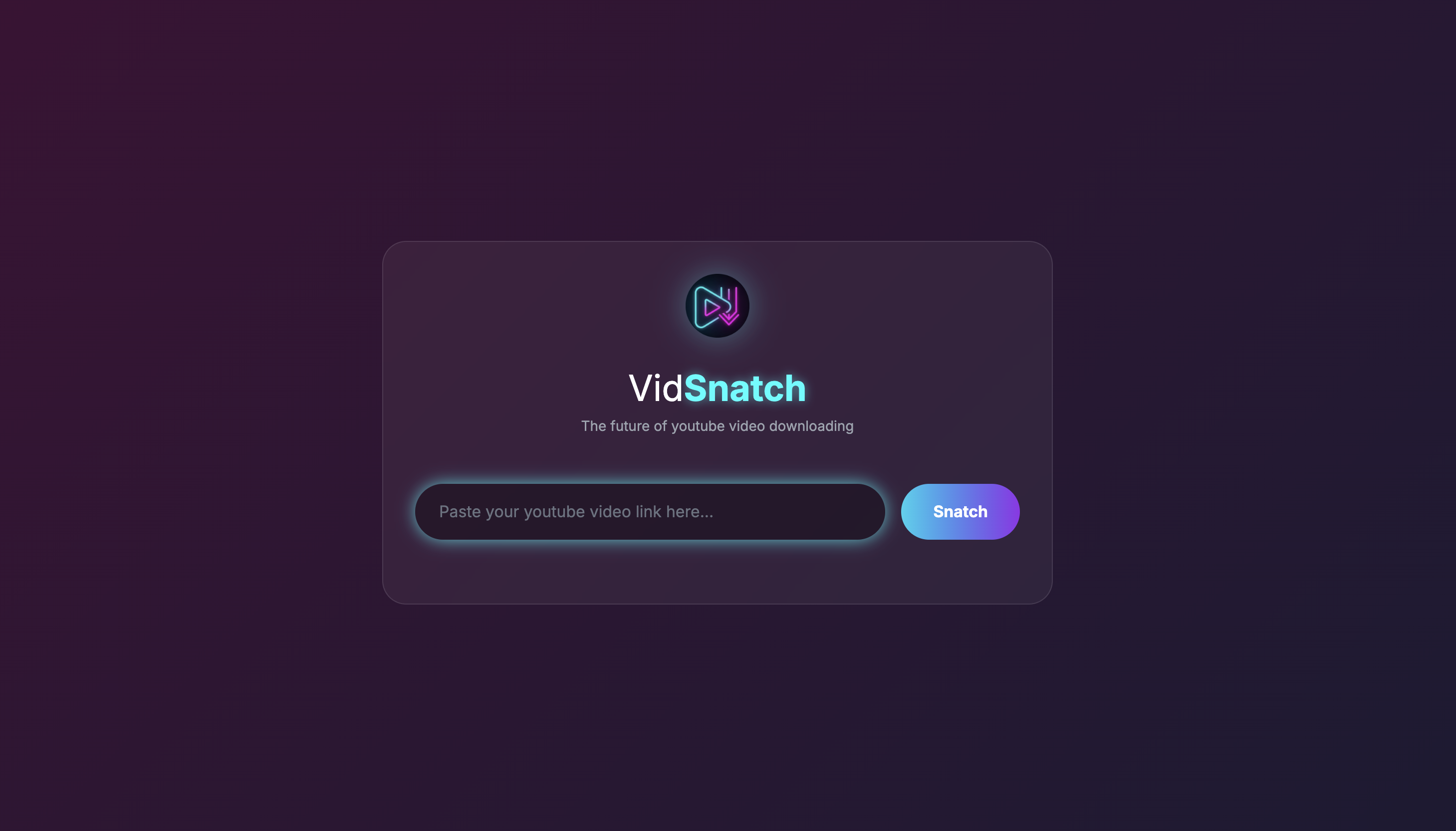
VidSnatch features a stunning futuristic web interface that's perfect for everyday use:
Start the server:
vidsnatch serve web
Or alternatively: uv run python web_app.py
Open your browser:
Navigate to http://localhost:8080
Start downloading:
VidSnatch now supports precise video trimming to download specific segments:
Features:
The web interface features:
from youtube_downloader import YouTubeDownloader

# Create downloader instance
downloader = YouTubeDownloader()

# Download video
downloader.download_video("https://www.youtube.com/watch?v=VIDEO_ID", output_path="./downloads")

# Download audio only
downloader.download_audio("https://www.youtube.com/watch?v=VIDEO_ID", output_path="./downloads")

# Download transcript with timestamps
downloader.download_transcript("https://www.youtube.com/watch?v=VIDEO_ID", output_path="./downloads")

# Download a trimmed video segment (start_time and end_time in seconds)
downloader.download_video_segment("https://www.youtube.com/watch?v=VIDEO_ID",
                                 start_time=30, end_time=120,
                                 output_path="./downloads", quality="720p")
VidSnatch provides a full-featured CLI covering all download operations. Install with pip install vidsnatch (or uv sync for local development), then use the vidsnatch command directly.
vidsnatch search "query" [--sort relevance|date|views]     # search YouTube videos
vidsnatch info <url>                                      # video metadata, formats, duration
vidsnatch download video <url> [--quality LEVEL]          # download video file
vidsnatch download audio <url> [--format mp3|m4a|wav]     # extract audio
vidsnatch download transcript <url> [--language LANG]     # get timestamped transcript
vidsnatch trim <url> --start HH:MM:SS --end HH:MM:SS      # download a clip
vidsnatch stitch <file1> <file2> [<file3>...]             # join clips into one video
vidsnatch list [--output DIR]                             # list downloaded files
vidsnatch serve web [--port PORT]                         # start the web app
vidsnatch serve mcp                                       # start MCP stdio server
vidsnatch serve mcp-http [--port PORT]                    # start MCP HTTP server
vidsnatch install --skills                                # install LLM skill files
vidsnatch uninstall --skills                              # remove LLM skill files
Global options available on all commands:
--output DIR — save to a specific directory (overrides config default)--json — output structured JSON instead of human-readable text--help — show command helpSearch YouTube:
vidsnatch search "python tutorial"
vidsnatch search "lo-fi music" --sort views
vidsnatch search "react hooks" --sort date --json
Search then download:
# Step 1: search for videos
vidsnatch search "python tutorial" --sort views

# Step 2: pick a result URL and download
vidsnatch download video "https://youtube.com/watch?v=RESULT_ID" --quality high
Inspect a video before downloading:
vidsnatch info "https://www.youtube.com/watch?v=VIDEO_ID"
Download video:
# Highest quality (default)
vidsnatch download video "https://www.youtube.com/watch?v=VIDEO_ID"

# Specific quality level, custom output directory
vidsnatch download video "https://www.youtube.com/watch?v=VIDEO_ID" --quality high --output ./my_videos
Download audio only:
# MP3 (default format)
vidsnatch download audio "https://www.youtube.com/watch?v=VIDEO_ID"

# Specific format
vidsnatch download audio "https://www.youtube.com/watch?v=VIDEO_ID" --format m4a
Download transcript:
vidsnatch download transcript "https://www.youtube.com/watch?v=VIDEO_ID"

# Different language
vidsnatch download transcript "https://www.youtube.com/watch?v=VIDEO_ID" --language es
Trim a specific segment:
vidsnatch trim "https://www.youtube.com/watch?v=VIDEO_ID" --start 00:01:30 --end 00:03:00
Stitch clips together:
# Join two trimmed clips into one video
vidsnatch stitch ./downloads/clip1.mp4 ./downloads/clip2.mp4

# Stitch three clips with a custom output filename
vidsnatch stitch clip1.mp4 clip2.mp4 clip3.mp4 --filename my_compilation.mp4

# Save to a specific output directory
vidsnatch stitch clip1.mp4 clip2.mp4 --output ./final/

# JSON output for scripting
vidsnatch stitch clip1.mp4 clip2.mp4 --json
AI-powered topic compilation:
# 1. Search for videos on a topic
vidsnatch search "Python async programming" --json

# 2. Get transcripts to find relevant timestamps
vidsnatch download transcript <url1> --json
vidsnatch download transcript <url2> --json

# 3. Download the relevant segments
vidsnatch trim <url1> --start 00:02:10 --end 00:03:45
vidsnatch trim <url2> --start 00:05:00 --end 00:07:20

# 4. Stitch the clips into a compilation
vidsnatch stitch ./downloads/clip1.mp4 ./downloads/clip2.mp4
List downloaded files:
vidsnatch list
vidsnatch list --output ~/Videos --json
Quality levels: highest (default), high, medium, low
Audio formats: mp3 (default), m4a, wav
Add --json to any command for machine-readable output, useful for scripting:
vidsnatch info "https://www.youtube.com/watch?v=VIDEO_ID" --json
vidsnatch download video "https://www.youtube.com/watch?v=VIDEO_ID" --json
VidSnatch ships with a skill file that teaches AI coding assistants (Claude Code, Cursor, GitHub Copilot) how to use the CLI. Install it with:
vidsnatch install --skills

# Remove skill files from all directories
vidsnatch uninstall --skills
This copies SKILL.md into the appropriate directory for each detected tool:
~/.claude/skills/vidsnatch/SKILL.md~/.openclaw/workspace/skills/vidsnatch/SKILL.md~/.copilot/skills/vidsnatch/SKILL.md~/.cursor/rules/vidsnatch.md.github/copilot-instructions.md (appended in current repo)To build and push multi-platform Docker images:
Create or use a buildx builder:
# Option 1: Create new builder (remove existing if needed)
docker buildx rm multiplatform 2>/dev/null || true
docker buildx create --name multiplatform --use

# Option 2: Use existing builder
docker buildx use multiplatform

# Option 3: Use default builder
docker buildx use default
Build and push for multiple platforms:
docker buildx build --platform linux/amd64,linux/arm64 -t sahajamit/vidsnatch:latest -t sahajamit/vidsnatch:0.3 --push .
Build for linux/amd64 only (cloud platform compatible):
docker buildx build --platform linux/amd64 -t sahajamit/vidsnatch:latest -t sahajamit/vidsnatch:0.3 --push .
Clean up Docker system (optional):
docker system prune -a
VidSnatch can also run as an MCP server, allowing AI assistants and other MCP clients to download YouTube videos and audio programmatically.
The MCP server exposes the following tools:
VidSnatch supports both stdio and HTTP transports for maximum flexibility:
# Start stdio MCP server via the unified CLI
vidsnatch serve mcp

# Or using the legacy script
vidsnatch-mcp
# Start HTTP MCP server via the unified CLI
vidsnatch serve mcp-http

# With a custom port
vidsnatch serve mcp-http --port 9090

# Or using the legacy script
vidsnatch-mcp-http
The HTTP server provides:
Default HTTP endpoint: http://localhost:8090/mcp
The MCP server can be configured in two ways:
mcp_config.json){
"download_directory": "./downloads",
"default_video_quality": "highest",
"default_audio_quality": "highest",
"max_file_size_mb": 500,
"allowed_formats": ["mp4", "webm", "mp3", "m4a"],
"create_subdirs": true
}
VIDSNATCH_DOWNLOAD_DIR - Custom download directoryVIDSNATCH_VIDEO_QUALITY - Default video quality (e.g., "1080p", "720p", "highest")VIDSNATCH_AUDIO_QUALITY - Default audio quality (e.g., "highest", "128kbps")VIDSNATCH_MAX_FILE_SIZE_MB - Maximum file size in MBEnvironment variables take precedence over the config file, allowing client-level customization.
To use VidSnatch with Claude Desktop, add this to your Claude Desktop configuration file:
Location of config file:
~/Library/Application Support/Claude/claude_desktop_config.json%APPDATA%\Claude\claude_desktop_config.jsonRecommended Configuration (after pip install vidsnatch):
{
  "mcpServers": {
    "vidsnatch": {
      "command": "vidsnatch",
      "args": ["serve", "mcp"]
    }
  }
}
Alternative with UV (for development):
{
  "mcpServers": {
    "vidsnatch": {
      "command": "/opt/homebrew/bin/uv",
      "args": [
        "run",
        "--directory",
        "/path/to/VidSnatch",
        "vidsnatch",
        "serve",
        "mcp"
      ],
      "cwd": "/path/to/VidSnatch"
    }
  }
}
With custom download directory and settings:
{
  "mcpServers": {
    "vidsnatch": {
      "command": "vidsnatch",
      "args": ["serve", "mcp"],
      "env": {
        "VIDSNATCH_DOWNLOAD_DIR": "/Users/you/Downloads/VidSnatch",
        "VIDSNATCH_VIDEO_QUALITY": "1080p",
        "VIDSNATCH_AUDIO_QUALITY": "highest"
      }
    }
  }
}
For other MCP clients, use the general configuration format:
{
  "mcpServers": {
    "vidsnatch": {
      "command": "vidsnatch",
      "args": ["serve", "mcp"]
    }
  }
}
Download Video:
# Download highest quality video
result = download_video("https://youtube.com/watch?v=VIDEO_ID")

# Download specific resolution
result = download_video("https://youtube.com/watch?v=VIDEO_ID", resolution="720p")
Download Audio:
# Download highest quality audio as MP3
result = download_audio("https://youtube.com/watch?v=VIDEO_ID")

# Download specific quality
result = download_audio("https://youtube.com/watch?v=VIDEO_ID", quality="128kbps")
Download Video Segment:
# Download 30-second clip from 1:00 to 1:30
result = download_video_segment(
    "https://youtube.com/watch?v=VIDEO_ID",
    start_time=60,
    end_time=90
)
The vidsnatch CLI is the universal entry point for all three channels:
vidsnatch <command> — download, search, trim, and more from the terminalvidsnatch serve web — interactive web interface on port 8080vidsnatch serve mcp — for AI assistants (local)vidsnatch serve mcp-http — for remote AI assistants and web clientsAll modes can run independently without interference. Legacy scripts (vidsnatch-web, vidsnatch-mcp, vidsnatch-mcp-http) are still available for backward compatibility.
📖 For detailed HTTP transport documentation, see MCP_HTTP_README.md
MIT License
Run Claude Code as an MCP server so any agent can delegate coding tasks to it
 @microsoft✓ Official
Browser automation using accessibility snapshots instead of screenshots
 @googleapis✓ Official
Google's universal MCP server supporting PostgreSQL, MySQL, MongoDB, Redis, and 10+ databases
 @github✓ Official
Official GitHub integration for repos, issues, PRs, and CI/CD workflows