

Are you the author? Sign in to claim
Roblox Studio MCP server & plugin for Claude Code, Cursor, Codex, and Gemini. AI-powered scripts, terrain, assets, light
WEPPY is an MCP server that lets AI coding agents control a live Roblox Studio session - create and edit scripts, instances, terrain, lighting, assets, audio, and animations through natural language.
Action-based tool surface · Bidirectional sync · Automated playtest · UI Studio · Multi-place support
English | 한국어 | 日本語 | Español | Português | Bahasa Indonesia | Deutsch
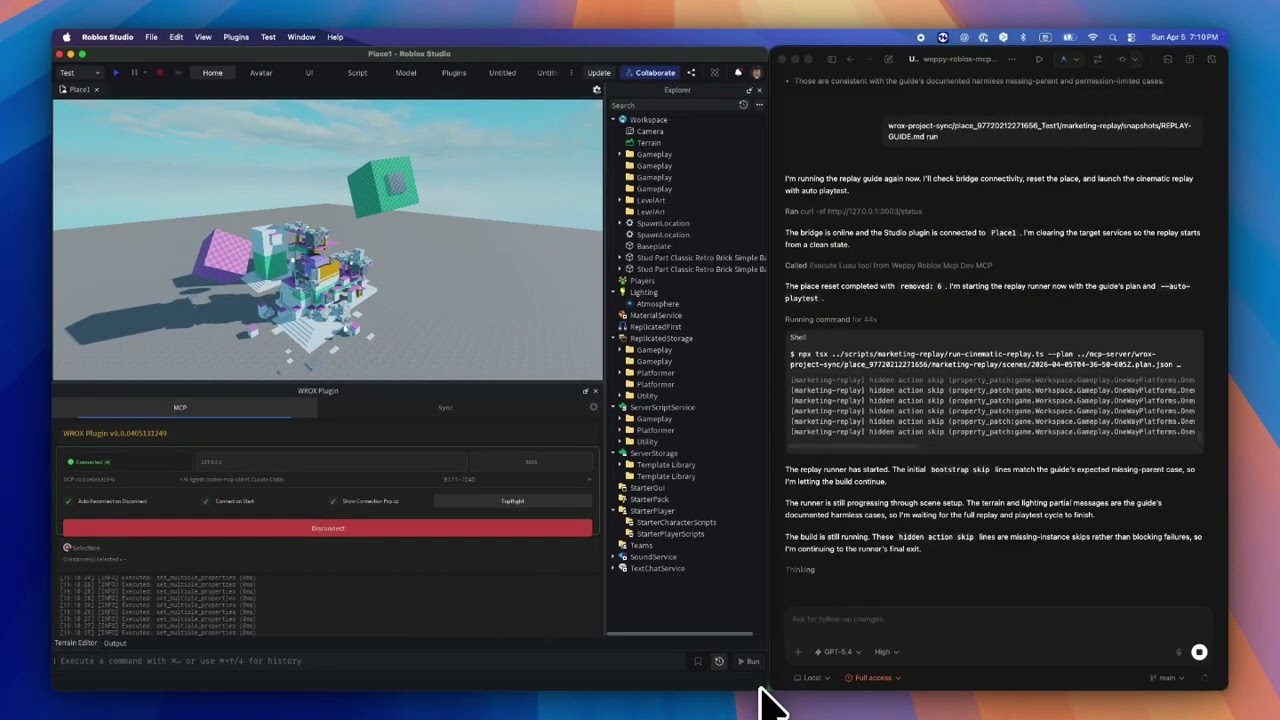
AI coding agents like Claude, Codex, and Gemini are powerful, but they cannot see or modify anything inside Roblox Studio. The DataModel, scripts, terrain, and lighting are invisible to external tools. Without a bridge, AI can only generate code snippets that you must paste manually.
WEPPY bridges AI agents and Roblox Studio. AI directly creates and modifies instances, scripts, properties, terrain, and more inside Studio, and the changes are reflected immediately in Studio and the dashboard so you can see exactly what changed.
No copy-pasting code. AI does the work, you review the results.
Start from the web install page. It shows the recommended one-line script for your platform first.
On the install page, copy the one-line script and run it in Terminal or PowerShell.
macOS / Linux
curl -fsSL https://raw.githubusercontent.com/hope1026/weppy-roblox-mcp/main/install.sh | bash
Windows (PowerShell)
irm https://raw.githubusercontent.com/hope1026/weppy-roblox-mcp/main/install.ps1 | iex
Then reopen your AI app and restart Roblox Studio.
Automatic MCP registration supports Claude Code, Claude Desktop, Cursor, Codex CLI/App, Gemini CLI, and Antigravity / Antigravity IDE / Antigravity CLI. For Claude Code, the installer also tries to add and install the WEPPY Roblox AI Toolkit. For Codex, it adds the WEPPY Roblox AI Toolkit marketplace and then asks you to install WEPPY Roblox AI Toolkit from Plugin Directory.
If terminal or PowerShell is uncomfortable, use the terminal-free web installer on the same install page.
If the one-line install or terminal-free web installer does not work, register the MCP server manually with your AI app.
Use this server command:
npx -y @weppy/roblox-mcp@latest
Supported AI apps are Claude Code, Claude Desktop, Cursor, Codex CLI, Codex App, Gemini CLI, and Antigravity / Antigravity IDE / Antigravity CLI.
Any MCP-compatible AI client works. The server command is
npx -y @weppy/roblox-mcp@latest.
Claude Code and Codex can also use the WEPPY Roblox AI Toolkit. The MCP server command above is enough to use WEPPY; the plugin adds client-native setup and workflow guidance.
Claude Code
claude plugin marketplace add hope1026/weppy-roblox-mcp --scope user
claude plugin install weppy-roblox-ai-toolkit@hope1026-roblox-mcp --scope user
Codex
codex plugin marketplace add hope1026/weppy-roblox-mcp
After adding the Codex marketplace, restart Codex, open Plugin Directory, and install WEPPY Roblox AI Toolkit.
| Claude Code | Claude Desktop | Cursor | Codex CLI | Gemini CLI | Antigravity / Antigravity IDE / Antigravity CLI |
|---|---|---|---|---|---|
| ✅ | ✅ | ✅ | ✅ | ✅ | ✅ |
Requirements: Node.js 18+, Roblox Studio, Windows 10+ or macOS 12+
AI can directly handle scripts, instances, properties, terrain, lighting, assets, audio, and animation inside Studio.
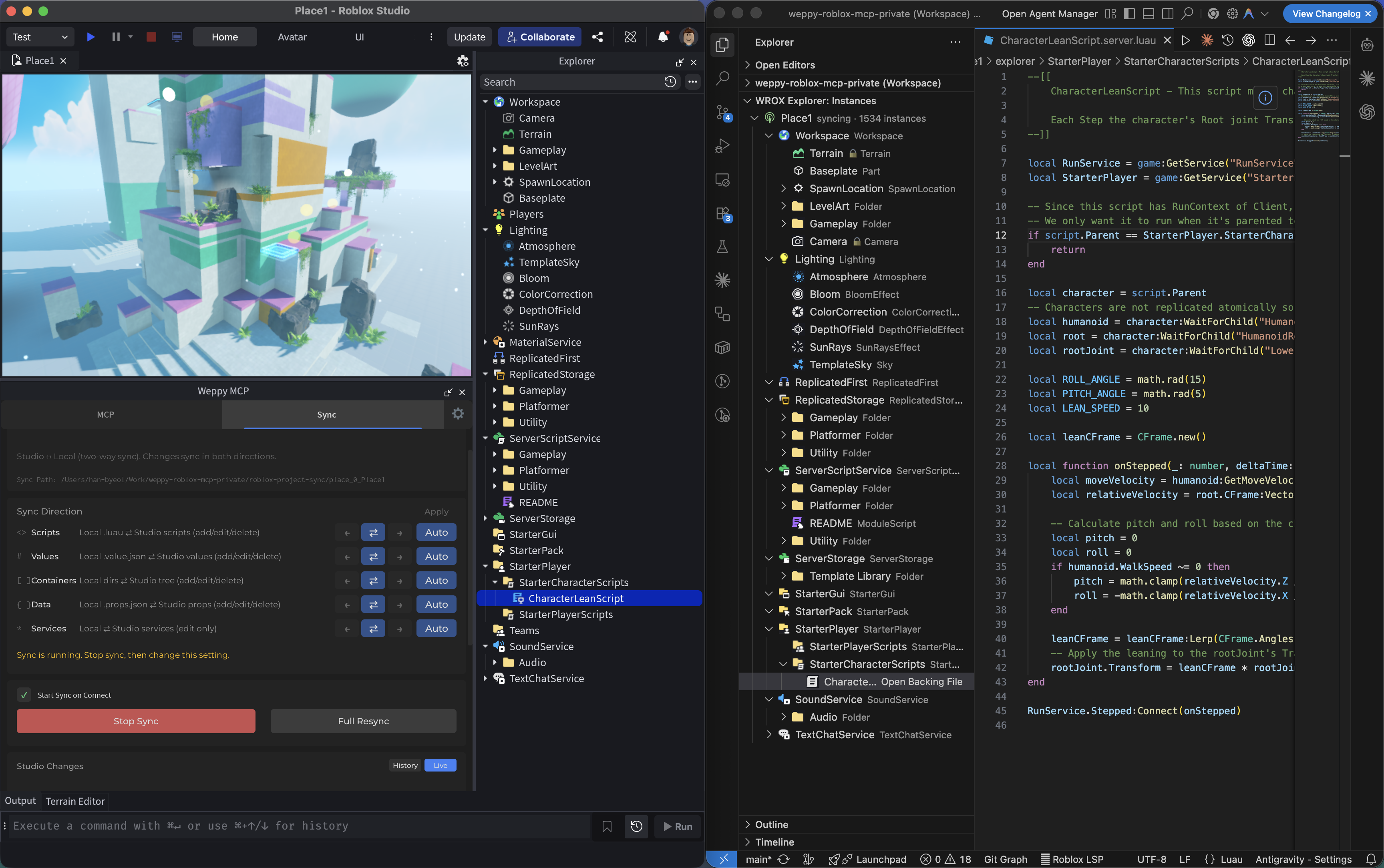
AI works from a synchronized local mirror, so multi-file updates stay consistent.
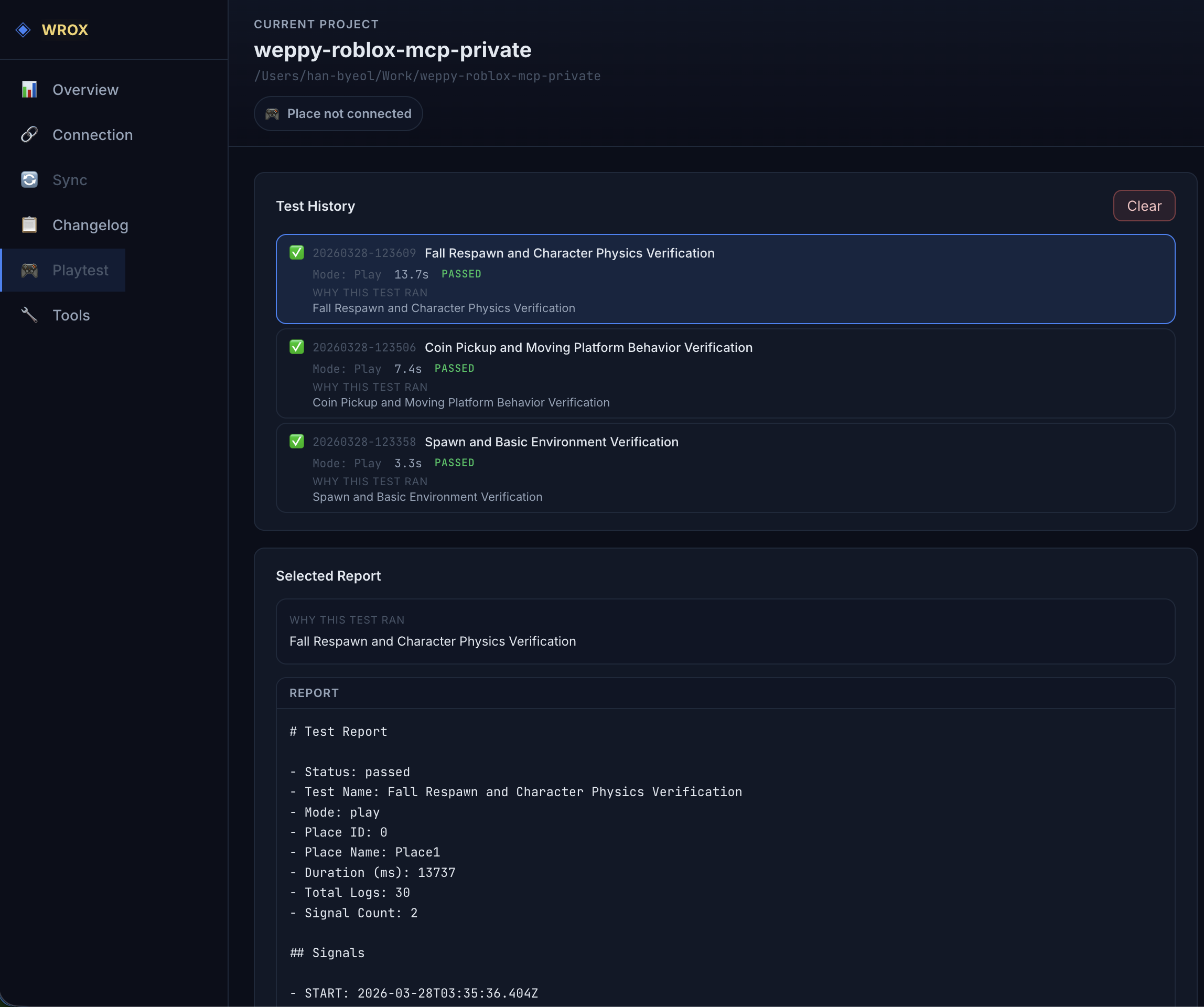
AI can control Roblox Studio playtests directly. It can start and stop Play (F5) or Run (F8), inject test scripts, collect logs, and generate local reports automatically.
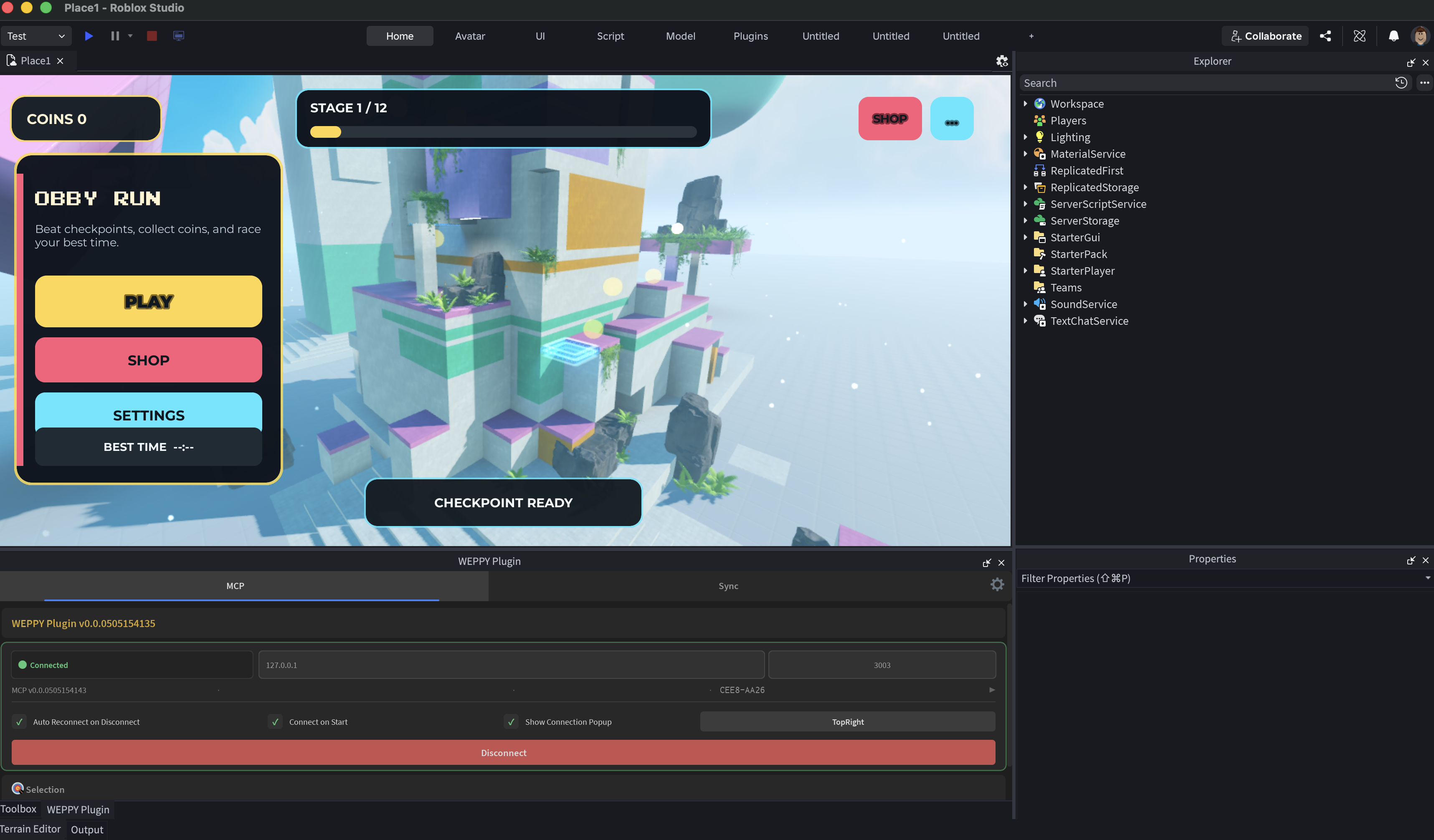
UI Studio lets AI agents create in-game UI that matches your game's style, or analyze the UI you already have and suggest improvements.
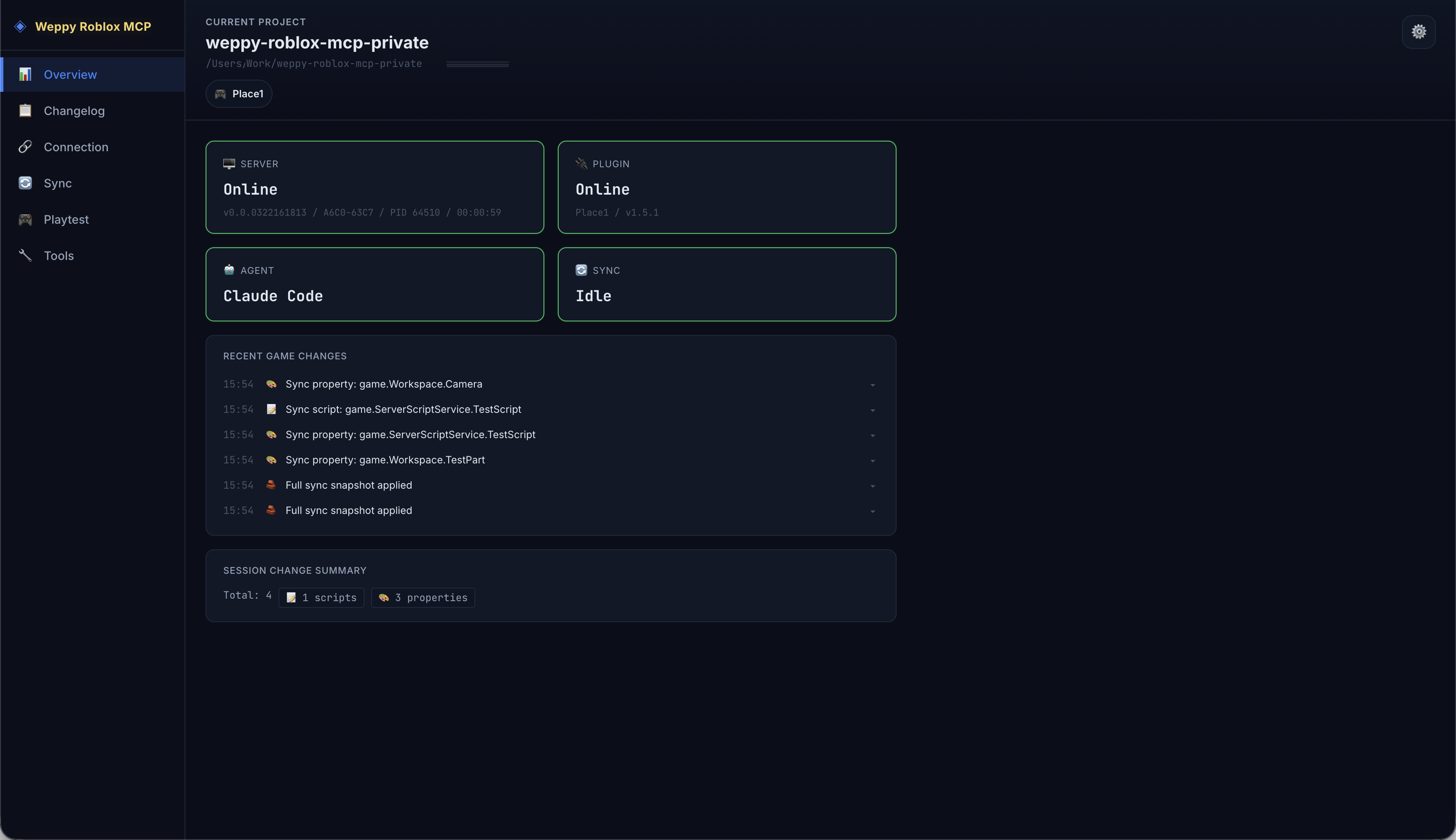
The MCP server provides a web dashboard where you can check connection status, tool execution history, sync state, UI Studio history, and game change logs in real time.
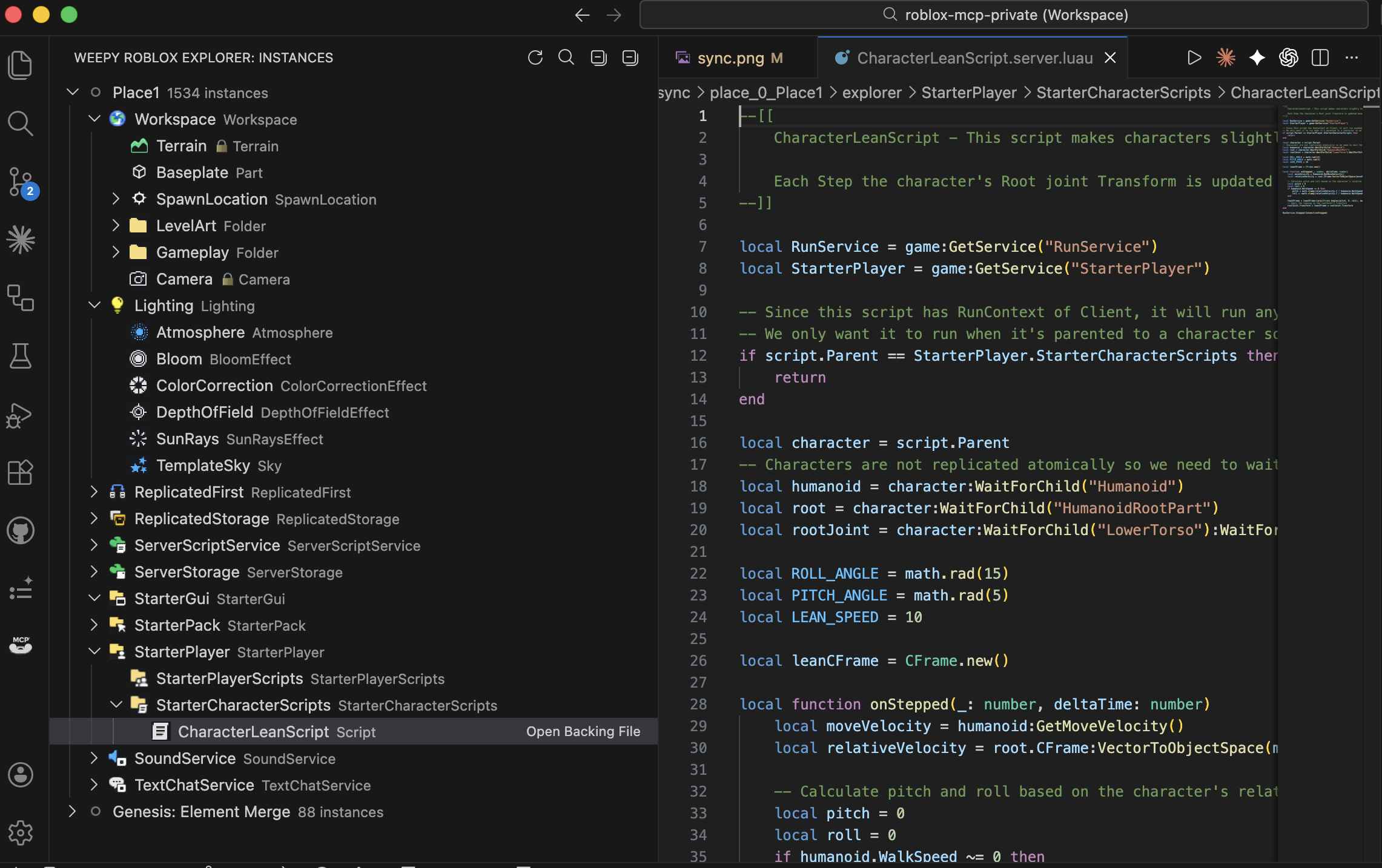
View the full instance tree of your Roblox Studio place directly inside VSCode. Navigate services, open synced scripts and property files, and track sync status - all without switching to Studio. WEPPY Roblox Explorer is a companion VSCode extension for sync data generated by WEPPY. Tree browsing works from synced files, and live sync state or direction indicators are enhanced when the local MCP server is running. Install from VS Code Marketplace or Open VSX.
Detailed guides and app-specific setup now live on the web.
For app setup details, open the web docs hub and choose the relevant AI client guide.
WEPPY uses Google Analytics 4 Measurement Protocol telemetry to understand product usage, reliability, platform coverage, and feature adoption. Telemetry can be disabled by setting ENABLE_TELEMETRY=false or ENABLE_TELEMETRY=0 in the MCP server environment.
WEPPY does not collect your name, email address, raw license key, local file paths, script source, or Roblox project contents through telemetry.
See PRIVACY.md for the full telemetry notice.
Install from the web install page or add the WEPPY Roblox AI Toolkit for Claude Code with the commands above. The WEPPY Roblox AI Toolkit uses npx -y @weppy/roblox-mcp@latest as the MCP server command.
Install the Roblox Studio plugin, then add the MCP server config to Codex CLI. You can also add the Codex plugin marketplace and install WEPPY Roblox AI Toolkit from Plugin Directory.
Yes. Any MCP-compatible AI client works.
Yes. AI can create instances, write scripts, generate terrain, set up lighting, insert assets, configure physics, and more - all inside a live Roblox Studio session. It goes beyond code generation to executable actions.
Basic (Free) includes MCP tool execution and one-way sync (Studio -> Local). Pro adds bidirectional sync, UI Studio, bulk operations, terrain generation, spatial analysis, audio/animation control, and multi-place support. See the Pro upgrade page.
Weppy uses action-based dispatching instead of separate tools for each function. This reduces AI token consumption significantly. It also provides bidirectional project sync and multi-place support, which most alternatives lack.
The server runs on localhost only (127.0.0.1:3002). Forbidden paths (CoreGui, CorePackages) are blocked. Rate limiting (450 req/min) and 30-second timeouts prevent runaway operations. All changes are trackable via sync history.
Bidirectional Sync, UI Studio, advanced build capabilities, and AI token efficiency - all in one upgrade.
This repository is licensed under AGPL-3.0.
Commercial licensing is available separately. See COMMERCIAL-LICENSE.md.
Use of the Weppy name and logos is governed by TRADEMARKS.md.


Run Claude Code as an MCP server so any agent can delegate coding tasks to it
 @microsoft✓ Official
Browser automation using accessibility snapshots instead of screenshots
 @googleapis✓ Official
Google's universal MCP server supporting PostgreSQL, MySQL, MongoDB, Redis, and 10+ databases
 @github✓ Official
Official GitHub integration for repos, issues, PRs, and CI/CD workflows