

Are you the author? Sign in to claim
Witsy: desktop AI assistant / universal MCP client



Download Witsy from the releases page.
On macOS you can also brew install --cask witsy.
Witsy is a BYOK (Bring Your Own Keys) AI application: it means you need to have API keys for the LLM providers you want to use. Alternatively, you can use Ollama to run models locally on your machine for free and use them in Witsy.
It is the first of very few (only?) universal MCP clients:
Witsy allows you to run MCP servers with virtually any LLM!
| Capability | Providers |
|---|---|
| Chat | OpenAI, Anthropic, Google (Gemini), xAI (Grok), Meta (Llama), Ollama, LM Studio, MistralAI, DeepSeek, OpenRouter, Groq, Cerebras, Azure OpenAI, any provider who supports the OpenAI API standard (together.ai for instance) |
| Image Creation | OpenAI, Google, xAI, Replicate, fal.ai, HuggingFace, Stable Diffusion WebUI |
| Video Creation | OpenAI, Google, Replicate, fal.ai |
| Text-to-Speech | OpenAI, ElevenLabs, Groq, fal.ai |
| Speech-to-Text | OpenAI (Whisper), fal.ai, Fireworks.ai, Gladia, Groq, nVidia, Speechmatics, Local Whisper, Soniox (realtime and async) any provider who supports the OpenAI API standard |
| Search Engines | Perplexity, Tavily, Brave, Exa, Local Google Search |
| MCP Repositories | Smithery.ai |
| Embeddings | OpenAI, Ollama |
Non-exhaustive feature list:
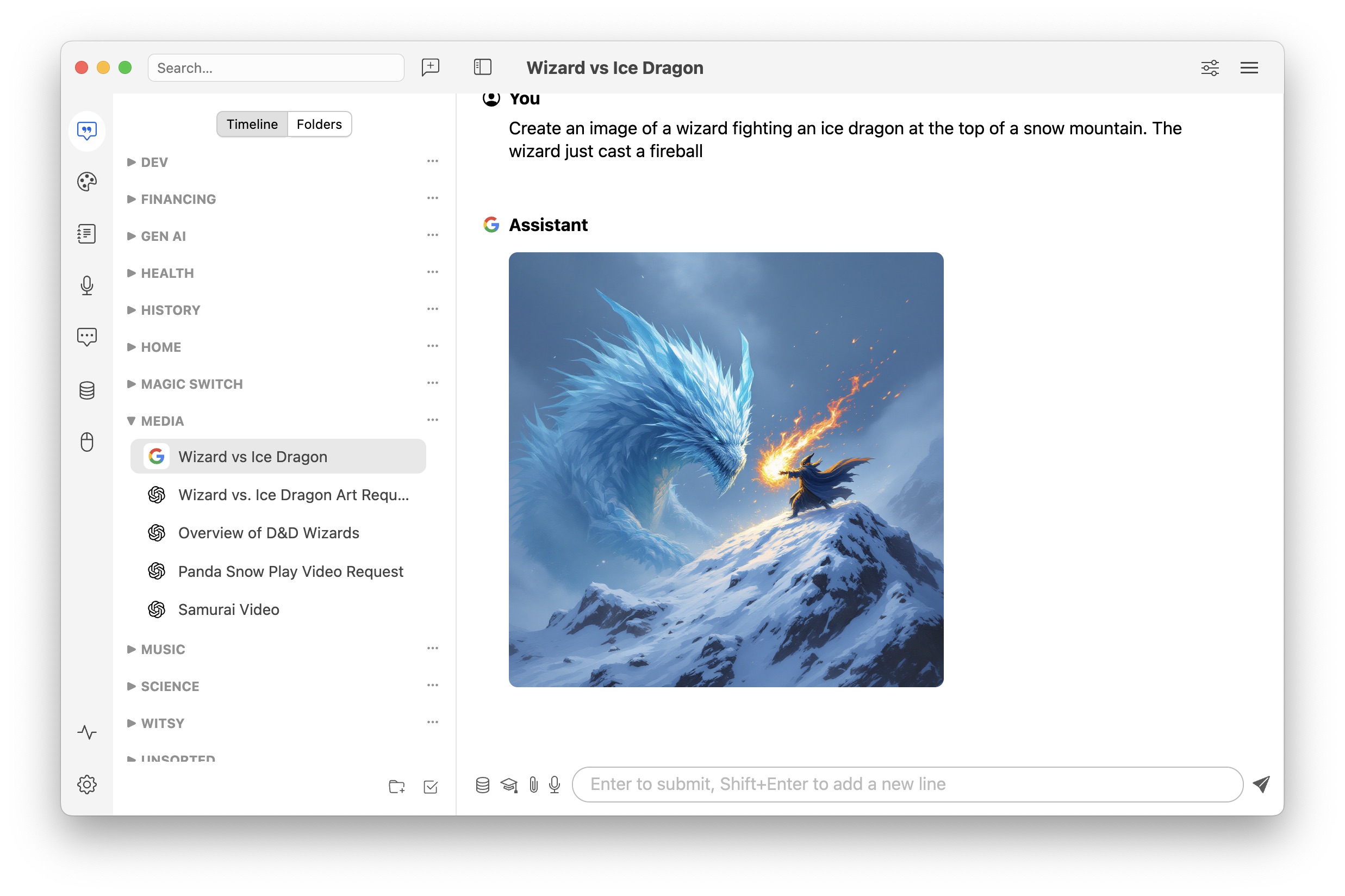
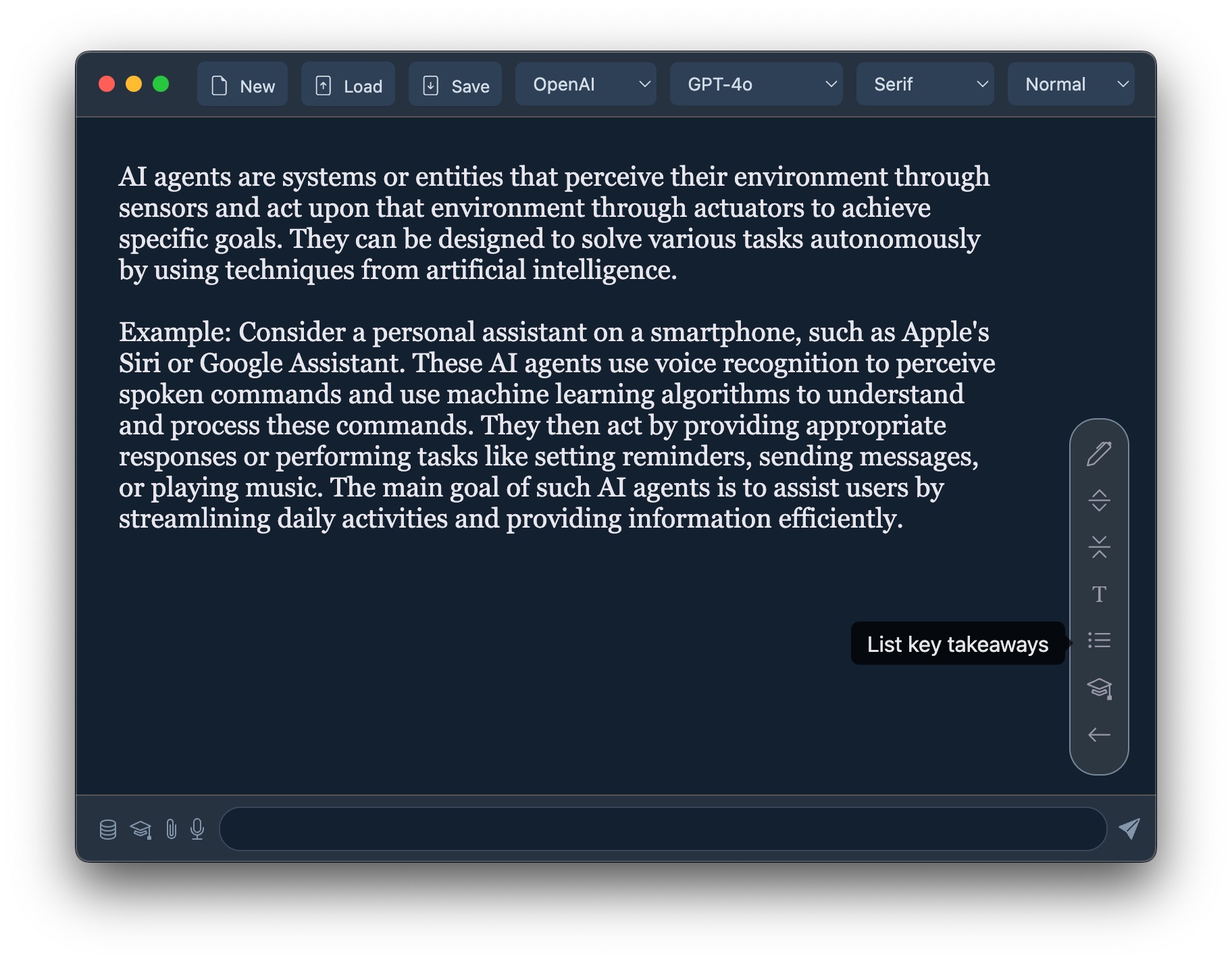
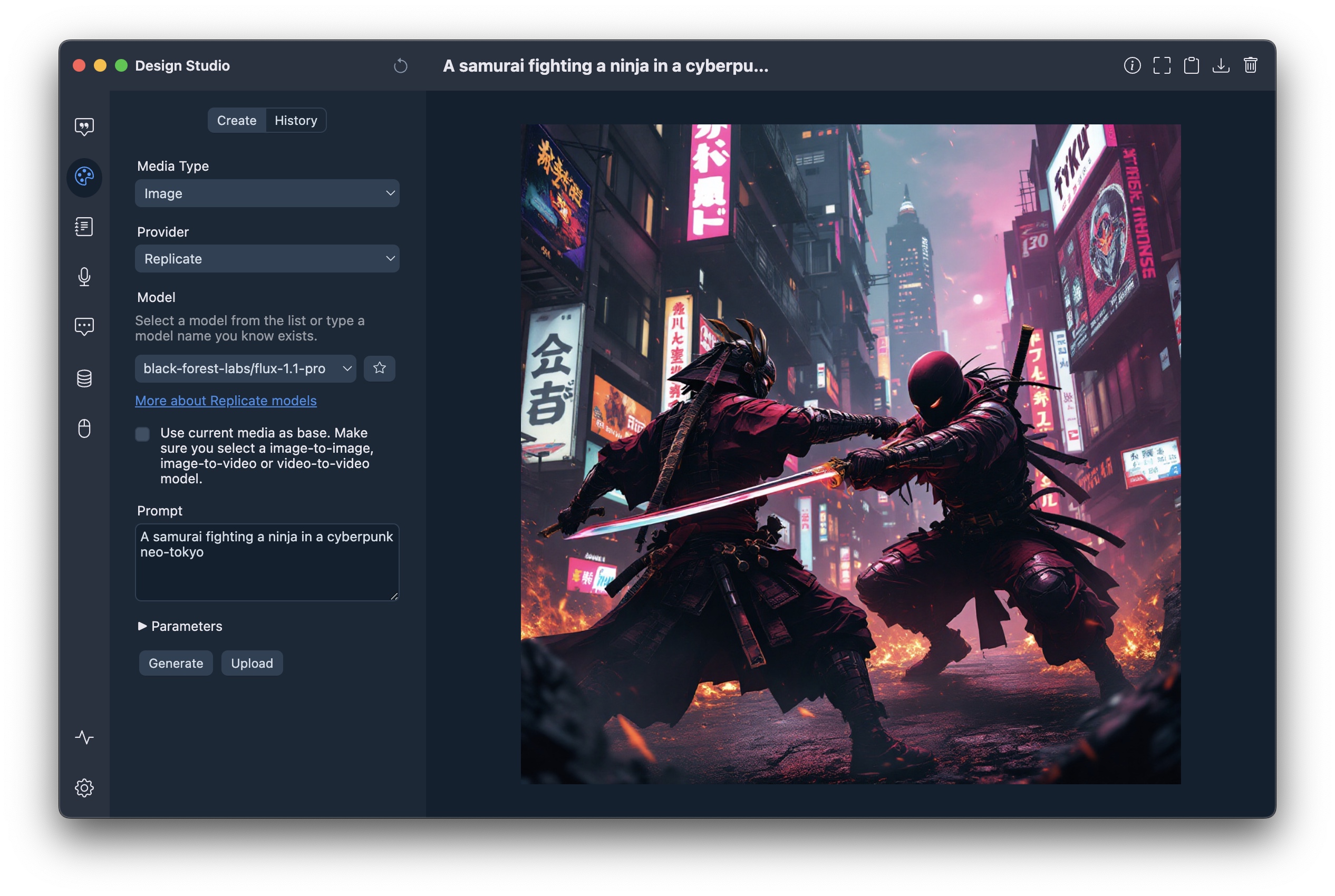
You can download a binary from from the releases page or build yourself:
npm ci
npm start
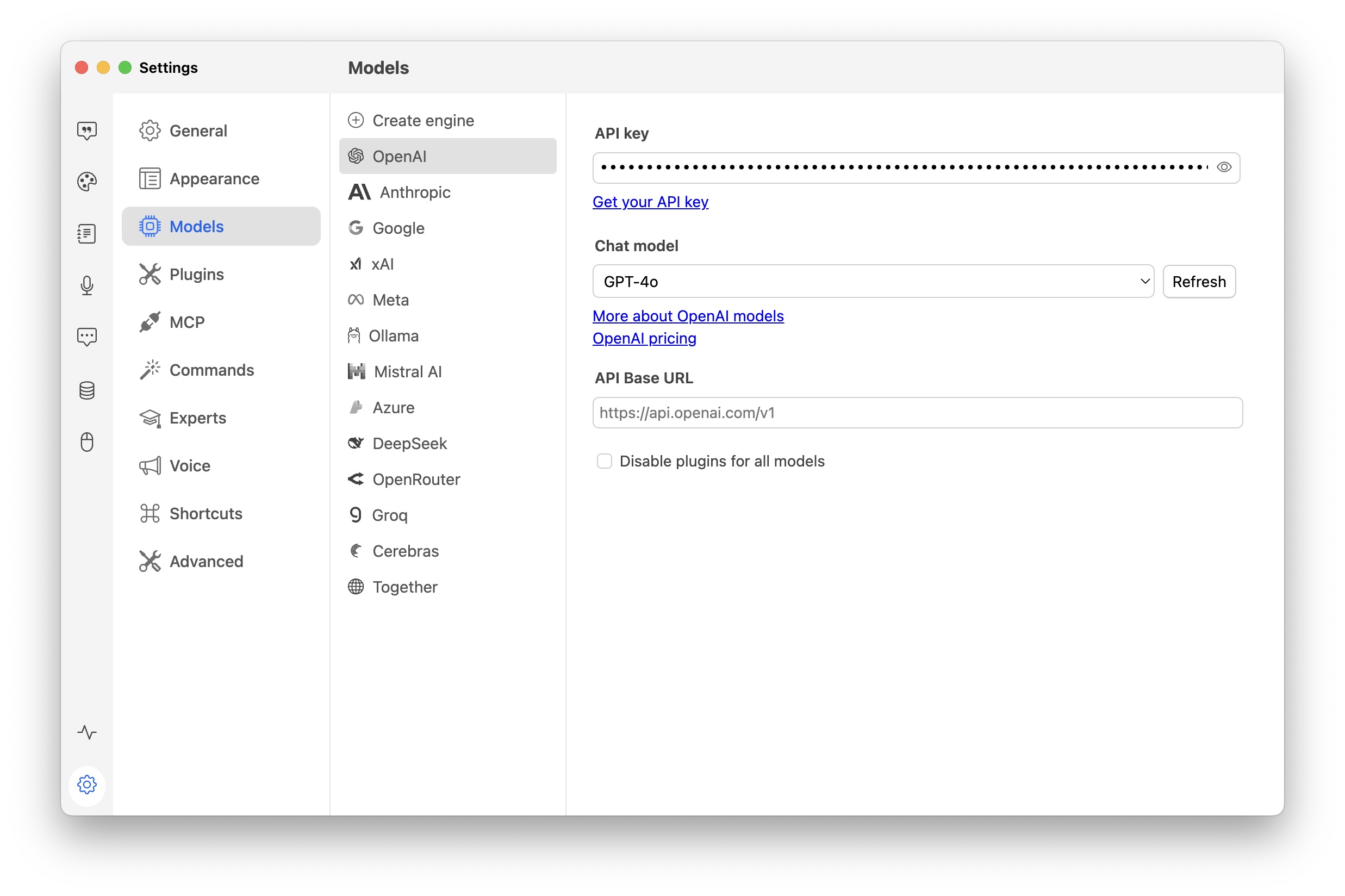
To use OpenAI, Anthropic, Google or Mistral AI models, you need to enter your API key:
To use Ollama models, you need to install Ollama and download some models.
To use text-to-speech, you need an
To use Internet search you need a Tavily API key.
Generate content in any application:
On Mac, you can define an expert that will automatically be triggered depending on the foreground application. For instance, if you have an expert used to generate linux commands, you can have it selected if you trigger Prompt Anywhere from the Terminal application!
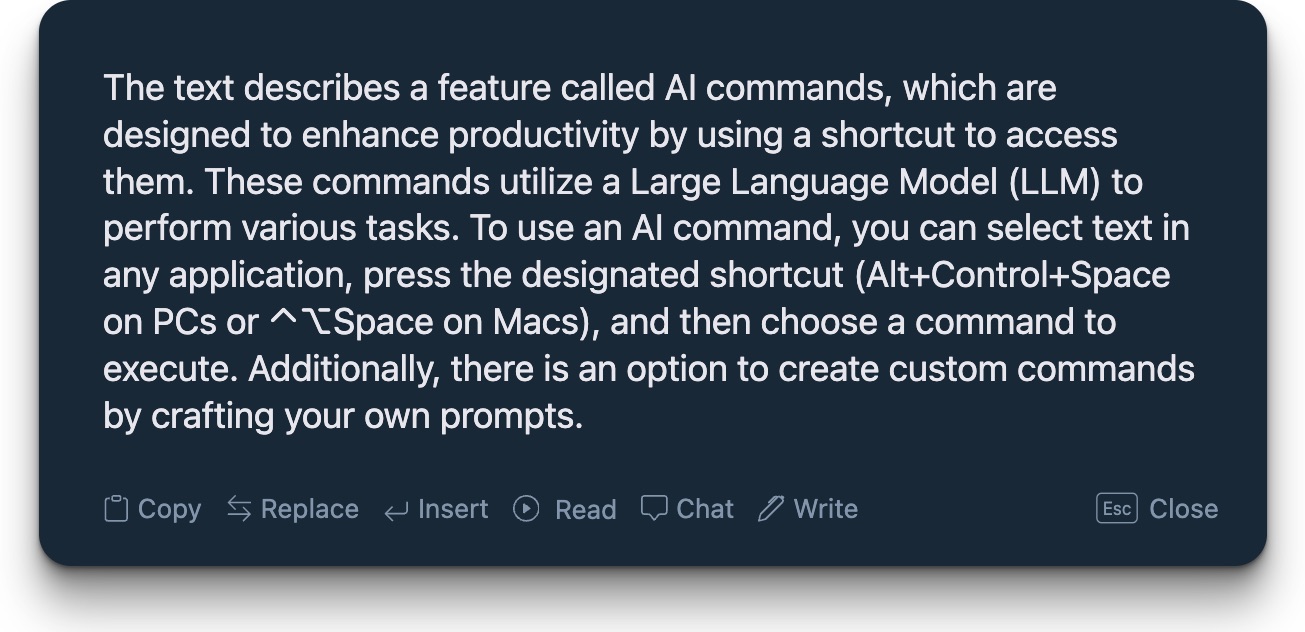
AI commands are quick helpers accessible from a shortcut that leverage LLM to boost your productivity:
You can also create custom commands with the prompt of your liking!
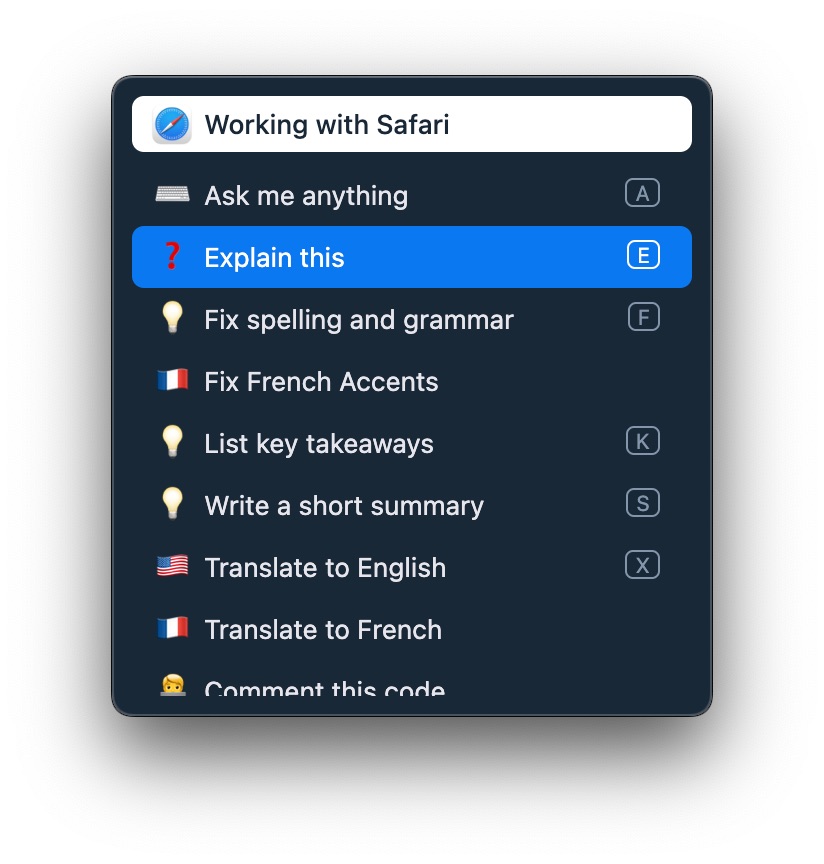
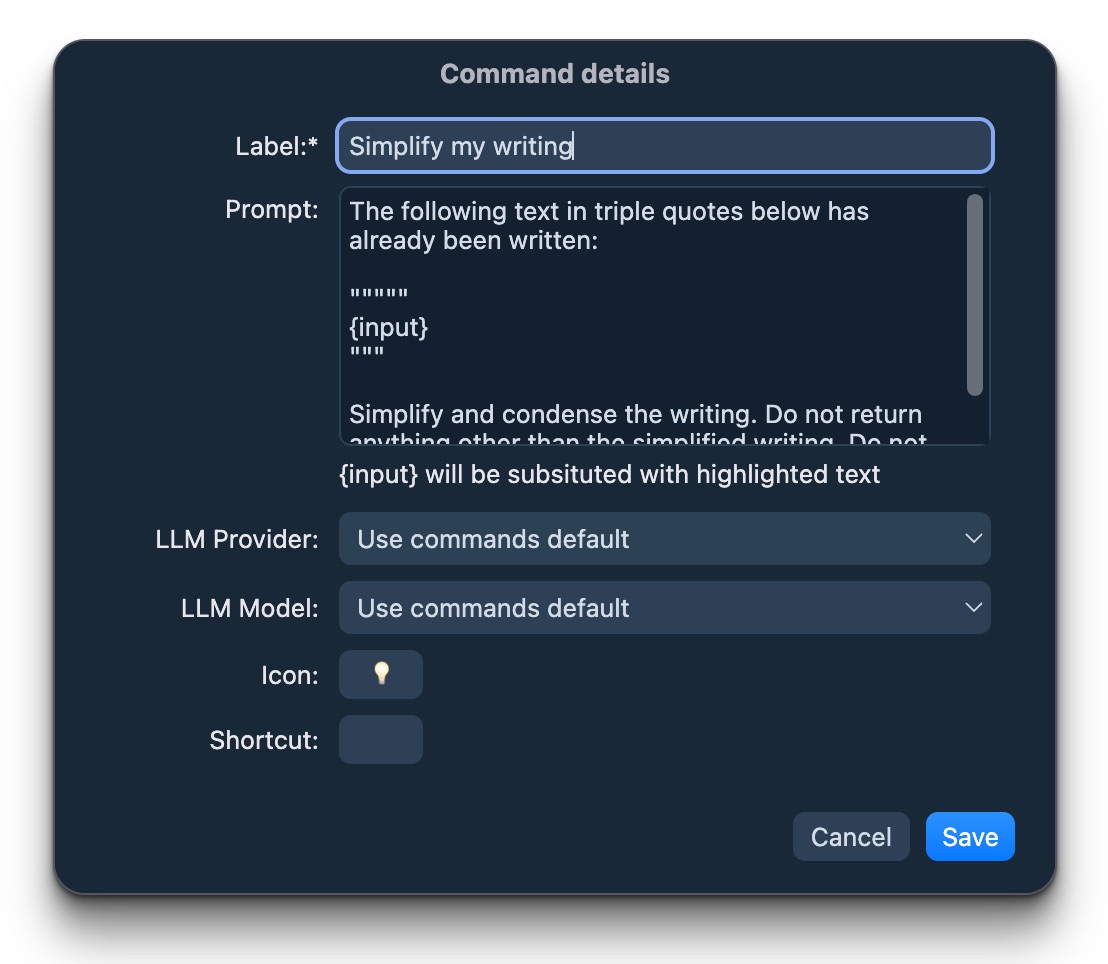
Commands inspired by https://the.fibery.io/@public/Public_Roadmap/Roadmap_Item/AI-Assistant-via-ChatGPT-API-170.
From https://github.com/f/awesome-chatgpt-prompts.
You can connect each chat with a document repository: Witsy will first search for relevant documents in your local files and provide this info to the LLM. To do so:
You can transcribe audio recorded on the microphone to text. Transcription can be done using a variety of state of the art speech to text models (which require API key) or using local Whisper model (requires download of large files).
Currently Witsy supports the following speech to text models:
Witsy supports quick shortcuts, so your transcript is always only one button press away.
Once the text is transcribed you can:
Witsy provides a local HTTP API that allows external applications to trigger various commands and features. The API server runs on localhost by default on port 8090 (or the next available port if 8090 is in use).
Security Note: The HTTP server runs on localhost only by default. If you need external access, consider using a reverse proxy with proper authentication.
The current HTTP server port is displayed in the tray menu below the Settings option:
All endpoints support both GET (with query parameters) and POST (with JSON or form-encoded body) requests.
| Endpoint | Description | Optional Parameters |
|---|---|---|
GET /api/health | Server health check | - |
GET/POST /api/chat | Open main window in chat view | text - Pre-fill chat input |
GET/POST /api/scratchpad | Open scratchpad | - |
GET/POST /api/settings | Open settings window | - |
GET/POST /api/studio | Open design studio | - |
GET/POST /api/forge | Open agent forge | - |
GET/POST /api/realtime | Open realtime chat (voice mode) | - |
GET/POST /api/prompt | Trigger Prompt Anywhere | text - Pre-fill prompt |
GET/POST /api/command | Trigger AI command picker | text - Pre-fill command text |
GET/POST /api/transcribe | Start transcription/dictation | - |
GET/POST /api/readaloud | Start read aloud | - |
GET /api/engines | List available AI engines | Returns configured chat engines |
GET /api/models/:engine | List models for an engine | Returns available models for specified engine |
POST /api/complete | Run chat completion | stream (default: true), engine, model, thread (Message[]) |
GET/POST /api/agent/run/:token | Trigger agent execution via webhook | Query params passed as prompt inputs |
GET /api/agent/status/:token/:runId | Check agent execution status | Returns status, output, and error |
# Health check
curl http://localhost:8090/api/health

# Open chat with pre-filled text (GET with query parameter)
curl "http://localhost:8090/api/chat?text=Hello%20World"

# Open chat with pre-filled text (POST with JSON)
curl -X POST http://localhost:8090/api/chat \
  -H "Content-Type: application/json" \
  -d '{"text":"Hello World"}'

# Trigger Prompt Anywhere with text
curl "http://localhost:8090/api/prompt?text=Write%20a%20poem"

# Trigger AI command on selected text
curl -X POST http://localhost:8090/api/command \
  -H "Content-Type: application/json" \
  -d '{"text":"selected text to process"}'

# Trigger agent via webhook with parameters
curl "http://localhost:8090/api/agent/run/abc12345?input1=value1&input2=value2"

# Trigger agent with POST JSON
curl -X POST http://localhost:8090/api/agent/run/abc12345 \
  -H "Content-Type: application/json" \
  -d '{"input1":"value1","input2":"value2"}'

# Check agent execution status
curl "http://localhost:8090/api/agent/status/abc12345/run-uuid-here"

# List available engines
curl http://localhost:8090/api/engines

# List models for a specific engine
curl http://localhost:8090/api/models/openai

# Run non-streaming chat completion
curl -X POST http://localhost:8090/api/complete \
  -H "Content-Type: application/json" \
  -d '{
    "stream": "false",
    "engine": "openai",
    "model": "gpt-4",
    "thread": [
      {"role": "user", "content": "Hello, how are you?"}
    ]
  }'

# Run streaming chat completion (SSE)
curl -X POST http://localhost:8090/api/complete \
  -H "Content-Type: application/json" \
  -d '{
    "stream": "true",
    "thread": [
      {"role": "user", "content": "Write a short poem"}
    ]
  }'
Witsy includes a command-line interface that allows you to interact with the AI assistant directly from your terminal.
Installation
The CLI is automatically installed when you launch Witsy for the first time:
/usr/local/bin/witsy (requires admin password)/usr/local/bin/witsy (uses pkexec if needed)Usage
Once installed, you can use the witsy command from any terminal:
witsy
The CLI will connect to your running Witsy application and provide an interactive chat interface. It uses the same configuration (engine, model, API keys) as your desktop application.
Available Commands
/help - Show available commands/model - Select engine and model/port - Change server port (default: 4321)/clear - Clear conversation history/history - Show conversation history/exit - Exit the CLIRequirements
The /api/complete endpoint provides programmatic access to Witsy's chat completion functionality, enabling command-line tools and scripts to interact with any configured LLM.
Endpoint: POST /api/complete
Request body:
{
  "stream": "true",       // Optional: "true" (default) for SSE streaming, "false" for JSON response
  "engine": "openai",     // Optional: defaults to configured engine in settings
  "model": "gpt-4",       // Optional: defaults to configured model for the engine
  "thread": [             // Required: array of messages
    {"role": "user", "content": "Your prompt here"}
  ]
}
Response (non-streaming, stream: "false"):
{
  "success": true,
  "response": {
    "content": "The assistant's response text",
    "usage": {
      "promptTokens": 10,
      "completionTokens": 20,
      "totalTokens": 30
    }
  }
}
Response (streaming, stream: "true"):
Server-Sent Events (SSE) format with chunks:
data: {"type":"content","text":"Hello","done":false}
data: {"type":"content","text":" world","done":false}
data: [DONE]
List Engines:
curl http://localhost:8090/api/engines
Response:
{
  "engines": [
    {"id": "openai", "name": "OpenAI"},
    {"id": "anthropic", "name": "Anthropic"},
    {"id": "google", "name": "Google"}
  ]
}
List Models for an Engine:
curl http://localhost:8090/api/models/openai
Response:
{
  "engine": "openai",
  "models": [
    {"id": "gpt-4", "name": "GPT-4"},
    {"id": "gpt-3.5-turbo", "name": "GPT-3.5 Turbo"}
  ]
}
Witsy includes a command-line interface for interacting with AI models directly from your terminal.
Requirements:
Launch the CLI:
npm run cli
Enter /help to show the list of commands
Agent webhooks allow you to trigger agent execution via HTTP requests, enabling integration with external systems, automation tools, or custom workflows.
Setting up a webhook:
http://localhost:{port}/api/agent/run/{token})Using the webhook:
{task}, {name}) to receive the parametersrunId and statusUrl for checking execution statusExample agent prompt:
Please process the following task: {task}
User: {user}
Priority: {priority}
Triggering the agent:
# Using GET with query parameters
curl "http://localhost:8090/api/agent/run/abc12345?task=backup&user=john&priority=high"

# Using POST with JSON
curl -X POST http://localhost:8090/api/agent/run/abc12345 \
  -H "Content-Type: application/json" \
  -d '{"task":"backup","user":"john","priority":"high"}'
Run response:
{
  "success": true,
  "runId": "550e8400-e29b-41d4-a716-446655440000",
  "statusUrl": "/api/agent/status/abc12345/550e8400-e29b-41d4-a716-446655440000"
}
Checking execution status:
# Use the statusUrl from the webhook response (relative path)
curl "http://localhost:8090/api/agent/status/abc12345/550e8400-e29b-41d4-a716-446655440000"
Status response (running):
{
  "success": true,
  "runId": "550e8400-e29b-41d4-a716-446655440000",
  "agentId": "agent-uuid",
  "status": "running",
  "createdAt": 1234567890000,
  "updatedAt": 1234567900000,
  "trigger": "webhook"
}
Status response (success):
{
  "success": true,
  "runId": "550e8400-e29b-41d4-a716-446655440000",
  "agentId": "agent-uuid",
  "status": "success",
  "createdAt": 1234567890000,
  "updatedAt": 1234567950000,
  "trigger": "webhook",
  "output": "Backup completed successfully for user john with high priority"
}
Status response (error):
{
  "success": true,
  "runId": "550e8400-e29b-41d4-a716-446655440000",
  "agentId": "agent-uuid",
  "status": "error",
  "createdAt": 1234567890000,
  "updatedAt": 1234567999000,
  "trigger": "webhook",
  "error": "Failed to connect to backup server"
}
Run Claude Code as an MCP server so any agent can delegate coding tasks to it
 @microsoft✓ Official
Browser automation using accessibility snapshots instead of screenshots
 @googleapis✓ Official
Google's universal MCP server supporting PostgreSQL, MySQL, MongoDB, Redis, and 10+ databases
 @github✓ Official
Official GitHub integration for repos, issues, PRs, and CI/CD workflows