

Are you the author? Sign in to claim
Missing Xcode Tools Documentation
A comprehensive reference for the Xcode MCP Server aka Xcode Tools. These tools enable AI assistants to interact with Xcode workspaces — managing files, building projects, running tests, rendering previews, and more.
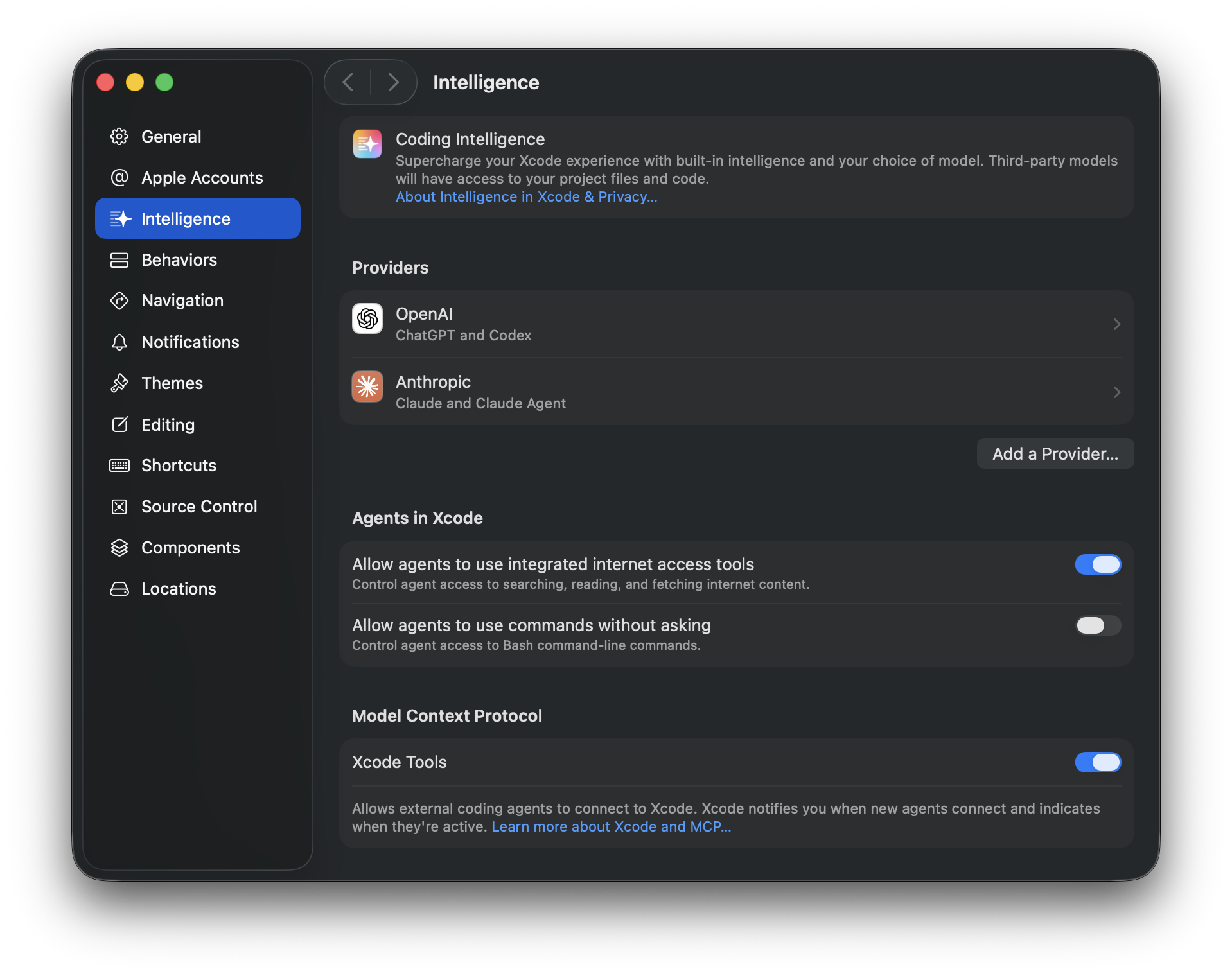
Note: Most tools require a
tabIdentifierparameter that identifies which Xcode workspace tab to operate on.
Add the Xcode MCP server to your coding tool via xcrun mcpbridge:
Claude Code:
claude mcp add --transport stdio xcode -- xcrun mcpbridge
Codex:
codex mcp add xcode -- xcrun mcpbridge
Verify with claude mcp list or codex mcp list.
tools.json contains the full MCP tool definitions (name, title, description, input/output schemas) generated directly from xcrun mcpbridge.
Lists current Xcode windows and their workspace information. Use this to obtain tabIdentifier values needed by all other tools.
Parameters: None
Example:
XcodeListWindows()
Lists files and directories in the Xcode project structure at a given path. Operates on the project navigator hierarchy, not the filesystem.
| Parameter | Type | Required | Description |
|---|---|---|---|
tabIdentifier | string | Yes | Workspace tab identifier |
path | string | Yes | Project path to browse (e.g., ProjectName/Sources/) |
recursive | boolean | No | List all files recursively (truncated at 100 lines). Default: true |
ignore | string[] | No | Patterns to skip |
Example:
XcodeLS(tabIdentifier: "...", path: "MyApp/Sources/")
Finds files in the Xcode project matching wildcard patterns. Supports *, **, ?, [abc], and {swift,m} syntax.
| Parameter | Type | Required | Description |
|---|---|---|---|
tabIdentifier | string | Yes | Workspace tab identifier |
pattern | string | No | Glob pattern (e.g., **/*.swift). Defaults to **/* |
path | string | No | Directory to search in (defaults to project root) |
Example:
XcodeGlob(tabIdentifier: "...", pattern: "**/*.swift")
Searches file contents using regex patterns within the Xcode project structure.
| Parameter | Type | Required | Description |
|---|---|---|---|
tabIdentifier | string | Yes | Workspace tab identifier |
pattern | string | Yes | Regex pattern to search for |
path | string | No | File or directory to search in (defaults to root) |
glob | string | No | Only search files matching this glob |
type | string | No | File type shortcut (swift, js, py, etc.) |
outputMode | string | No | content, filesWithMatches (default), or count |
ignoreCase | boolean | No | Case-insensitive matching |
multiline | boolean | No | Allow patterns to span multiple lines |
showLineNumbers | boolean | No | Show line numbers (content mode only) |
linesBefore | integer | No | Context lines before each match |
linesAfter | integer | No | Context lines after each match |
linesContext | integer | No | Context lines before and after each match |
headLimit | integer | No | Stop after N results |
Example:
XcodeGrep(
  tabIdentifier: "...",
  pattern: "func viewDidLoad",
  type: "swift",
  outputMode: "content",
  linesAfter: 5
)
Reads file contents with line numbers (cat -n format). Supports offset/limit for large files.
| Parameter | Type | Required | Description |
|---|---|---|---|
tabIdentifier | string | Yes | Workspace tab identifier |
filePath | string | Yes | Project-relative file path (e.g., ProjectName/Sources/MyFile.swift) |
offset | integer | No | Line number to start reading from |
limit | integer | No | Number of lines to read (default: up to 600) |
Example:
XcodeRead(tabIdentifier: "...", filePath: "MyApp/Sources/ContentView.swift")
Creates or overwrites files in the Xcode project. Automatically adds new files to the project structure.
| Parameter | Type | Required | Description |
|---|---|---|---|
tabIdentifier | string | Yes | Workspace tab identifier |
filePath | string | Yes | Project-relative file path |
content | string | Yes | File content to write |
Example:
XcodeWrite(
  tabIdentifier: "...",
  filePath: "MyApp/Sources/NewFeature.swift",
  content: "import Foundation\n\nstruct NewFeature {\n}\n"
)
Edits files by finding and replacing text. Operates on project structure paths.
| Parameter | Type | Required | Description |
|---|---|---|---|
tabIdentifier | string | Yes | Workspace tab identifier |
filePath | string | Yes | Project-relative file path |
oldString | string | Yes | Text to find |
newString | string | Yes | Replacement text (must differ from oldString) |
replaceAll | boolean | No | Replace all occurrences. Default: false |
Example:
XcodeUpdate(
  tabIdentifier: "...",
  filePath: "MyApp/Sources/ContentView.swift",
  oldString: "Hello, World!",
  newString: "Hello, SwiftUI!"
)
Creates directories and groups in the Xcode project navigator.
| Parameter | Type | Required | Description |
|---|---|---|---|
tabIdentifier | string | Yes | Workspace tab identifier |
directoryPath | string | Yes | Project-relative path for the new directory |
Example:
XcodeMakeDir(tabIdentifier: "...", directoryPath: "MyApp/Sources/ViewModels")
Moves, copies, or renames files and directories in the project navigator.
| Parameter | Type | Required | Description |
|---|---|---|---|
tabIdentifier | string | Yes | Workspace tab identifier |
sourcePath | string | Yes | Source path in project navigator |
destinationPath | string | Yes | Destination path or new name |
operation | string | No | move or copy |
overwriteExisting | boolean | No | Overwrite files at destination |
Example:
XcodeMV(
  tabIdentifier: "...",
  sourcePath: "MyApp/Sources/OldName.swift",
  destinationPath: "MyApp/Sources/NewName.swift"
)
Removes files and directories from the Xcode project. Optionally deletes underlying filesystem files.
| Parameter | Type | Required | Description |
|---|---|---|---|
tabIdentifier | string | Yes | Workspace tab identifier |
path | string | Yes | Project path to remove |
recursive | boolean | No | Remove directories and contents recursively |
deleteFiles | boolean | No | Also move files to Trash. Default: true |
Example:
XcodeRM(tabIdentifier: "...", path: "MyApp/Sources/Deprecated.swift")
Builds the Xcode project using the active scheme and waits for completion.
| Parameter | Type | Required | Description |
|---|---|---|---|
tabIdentifier | string | Yes | Workspace tab identifier |
Example:
BuildProject(tabIdentifier: "...")
Retrieves build log entries from the current or most recent build. Filter by severity, file pattern, or message regex.
| Parameter | Type | Required | Description |
|---|---|---|---|
tabIdentifier | string | Yes | Workspace tab identifier |
severity | string | No | Minimum severity: error (default), warning, or remark |
pattern | string | No | Regex to filter by message, task description, command line, or console output |
glob | string | No | Glob to filter by file path or task location |
Example:
GetBuildLog(tabIdentifier: "...", severity: "warning")
Builds and runs a code snippet in the context of a specific source file. The snippet has access to all declarations in that file, including fileprivate ones. Output comes from print statements.
| Parameter | Type | Required | Description |
|---|---|---|---|
tabIdentifier | string | Yes | Workspace tab identifier |
codeSnippet | string | Yes | Swift code to execute |
sourceFilePath | string | Yes | Project-relative path to the context file |
timeout | integer | No | Max wait time in seconds. Default: 120 |
Note: Only works with source files in targets that build apps, frameworks, libraries, or CLI executables.
Example:
ExecuteSnippet(
  tabIdentifier: "...",
  sourceFilePath: "MyApp/Sources/Models/User.swift",
  codeSnippet: "let user = User(name: \"Test\")\nprint(user)"
)
Gets all available tests from the active scheme's active test plan. Results are limited to 100 tests. The complete list is written to fullTestListPath in grep-friendly format — use grep with keys like TEST_TARGET, TEST_IDENTIFIER, or TEST_FILE_PATH to find specific tests.
| Parameter | Type | Required | Description |
|---|---|---|---|
tabIdentifier | string | Yes | Workspace tab identifier |
Example:
GetTestList(tabIdentifier: "...")
Runs every test in the active scheme's active test plan.
| Parameter | Type | Required | Description |
|---|---|---|---|
tabIdentifier | string | Yes | Workspace tab identifier |
Example:
RunAllTests(tabIdentifier: "...")
Runs specific tests by target and identifier. Use GetTestList first to discover available test identifiers.
| Parameter | Type | Required | Description |
|---|---|---|---|
tabIdentifier | string | Yes | Workspace tab identifier |
tests | array | Yes | Array of test specifiers (see below) |
Each test specifier object:
| Field | Type | Required | Description |
|---|---|---|---|
targetName | string | Yes | Test target name |
testIdentifier | string | Yes | Test identifier in XCTestIdentifier format |
Example:
RunSomeTests(
  tabIdentifier: "...",
  tests: [
    { "targetName": "MyAppTests", "testIdentifier": "MyAppTests/LoginTests/testValidLogin" }
  ]
)
Retrieves current compiler diagnostics (errors, warnings, notes) for a specific file.
| Parameter | Type | Required | Description |
|---|---|---|---|
tabIdentifier | string | Yes | Workspace tab identifier |
filePath | string | Yes | Project-relative file path |
Example:
XcodeRefreshCodeIssuesInFile(
  tabIdentifier: "...",
  filePath: "MyApp/Sources/ContentView.swift"
)
Lists issues from Xcode's Issue Navigator, including build errors, package resolution problems, and workspace configuration issues.
| Parameter | Type | Required | Description |
|---|---|---|---|
tabIdentifier | string | Yes | Workspace tab identifier |
severity | string | No | Minimum severity: error (default), warning, or remark |
pattern | string | No | Regex to filter by message |
glob | string | No | Glob to filter by file path |
Example:
XcodeListNavigatorIssues(tabIdentifier: "...", severity: "warning")
Builds and renders a SwiftUI preview, returning a snapshot of the resulting UI.
| Parameter | Type | Required | Description |
|---|---|---|---|
tabIdentifier | string | Yes | Workspace tab identifier |
sourceFilePath | string | Yes | Project-relative path to the file containing the preview |
previewDefinitionIndexInFile | integer | No | Zero-based index of the #Preview macro or PreviewProvider in the file. Default: 0 |
timeout | integer | No | Max wait time in seconds. Default: 120 |
Example:
RenderPreview(
  tabIdentifier: "...",
  sourceFilePath: "MyApp/Sources/Views/ProfileView.swift"
)
Searches Apple Developer Documentation using semantic matching. Useful for looking up APIs, frameworks, and usage patterns.
| Parameter | Type | Required | Description |
|---|---|---|---|
query | string | Yes | Search query |
frameworks | string[] | No | Limit search to specific frameworks. Searches all if omitted |
Artem Novichkov, https://artemnovichkov.com
191 agents, 155 skills, and 82 plugins cross-compatible with Claude Code, Cursor, and Codex
⚠️ Experimentelle Skill-Sammlung für deutsches Recht (Arbeits-, Gesellschafts-, Insolvenz-, Datenschutz-, Prozessrecht u
Manage multiple Claude Code agents from TUI or Web with tmux and git worktrees
Project management using GitHub Issues + Git worktrees for parallel agent execution