

Are you the author? Sign in to claim
Organize your MCP servers in local workspaces, share them as Yet-Another-MCP through a single command
YAMCP (YAM-C-P) is a command-line tool for organizing and managing MCP servers as local workspaces. It seamlessly connects to multiple MCP servers, local or remote, grouping them into a unified workspace exposed as Yet Another MCP server (YAM) for AI applications. You can create dedicated workspaces based on specific functionality (e.g., a YAM workspace for coding, design, research, ...) or based on the AI apps that consume servers (e.g., a YAM for Cursor, Claude, Windsurf) or any other combination in between. In addition, it simplifies monitoring and debugging MCP servers by centralizing all server communication logs in a single store, eliminating the need to dig through each AI client app’s logs separately.
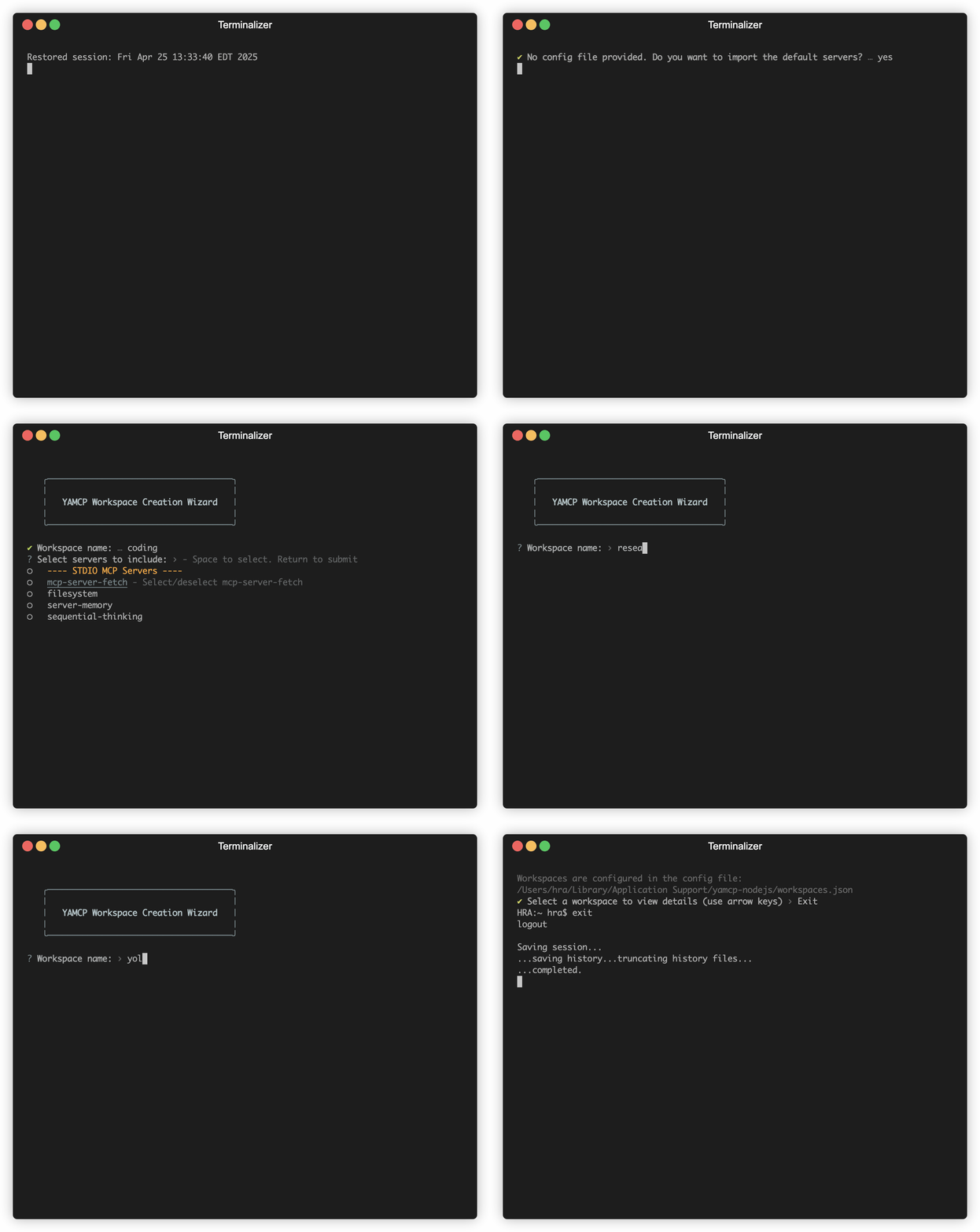
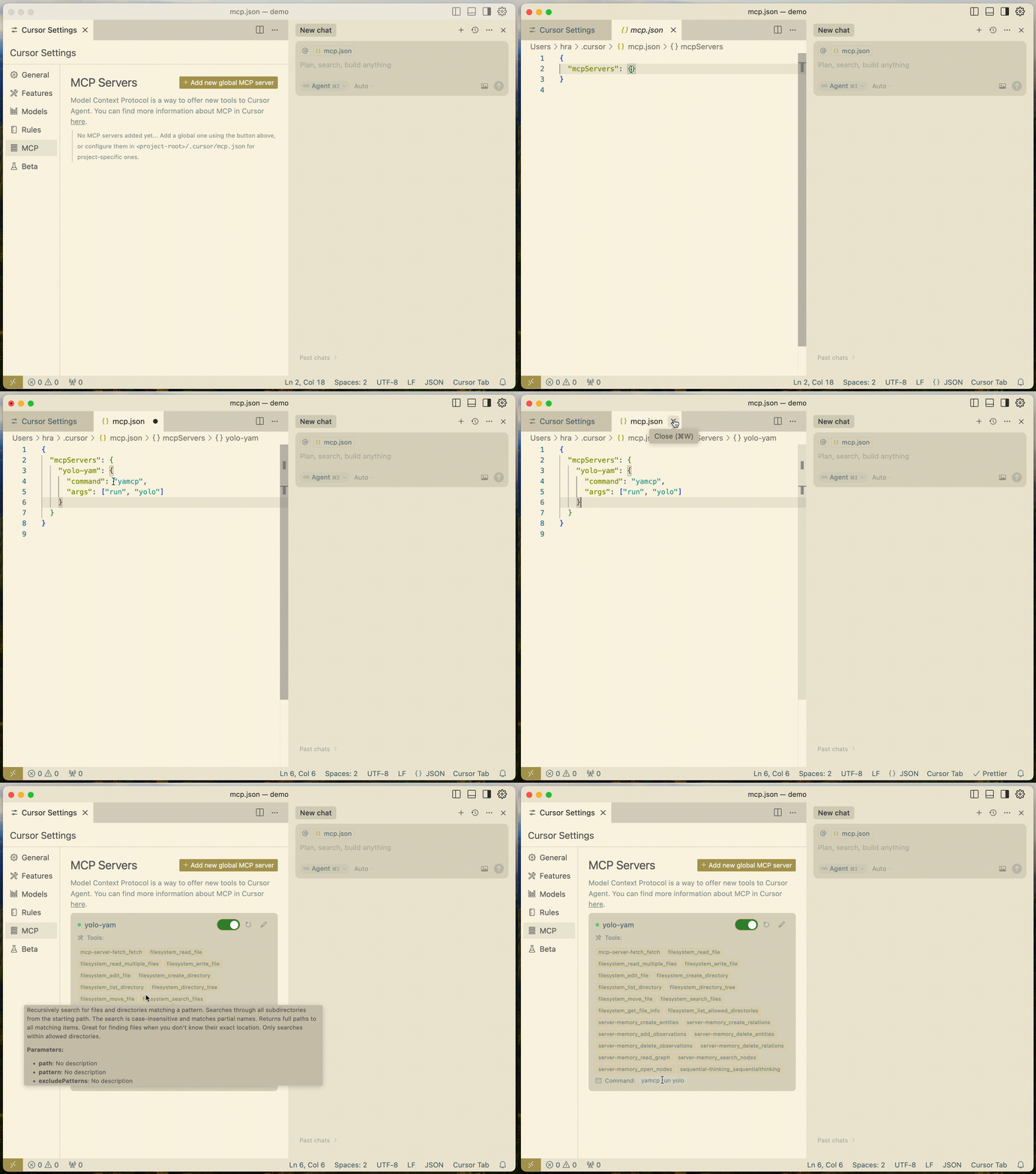
# Install YAMCP
npm install -g yamcp  # or use npx yamcp

# Import servers (choose one)
yamcp server import [config]    # import servers from config file (see src/example-servers.json for format)
yamcp server add                # or add manually

# create workspaces (e.g. a yam for coding, design, data, ...)
yamcp yam create

# Run workspace in your AI app
yamcp run <yam-workspace-name>
With YAMCP, you can:
yamcp [command] [subcommand] [flags]
Available top-level commands:
server - Manage MCP providersyam - Manage workspaces (yams)run - Run the gateway with a workspacelog - View the server log locationyamcp server add # Add a new MCP server (interactive)
yamcp server list # List all configured servers and their status
yamcp server remove # Remove a server configuration
yamcp server import # Import server configurations from a JSON file
yamcp yam create      # Create a new workspace (interactive)
yamcp yam list        # List all workspaces or show specific workspace details
yamcp yam edit        # Modify an existing workspace configuration
yamcp yam scan            # Scan workspaces
yamcp yam delete          # Delete a workspace
yamcp run <yam-workspace-name>   # Start the gateway with specified workspace
yamcp log                    # View server communication logs
| Command | Description | Example |
|---|---|---|
server add | Add a new MCP server | yamcp server add |
server list | List configured servers | yamcp server list |
server remove | Remove a server | yamcp server remove [name] |
server import | Import server config | yamcp server import [config] |
yam create | Create workspace | yamcp yam create |
yam list | List workspaces | yamcp yam list |
yam list --name | Show workspace details | yamcp yam list --name my-workspace |
yam edit | Edit workspace | yamcp yam edit |
yam scan | Scan workspace | yamcp yam scan [workspace-name] |
yam delete | Delete workspace | yamcp yam delete [workspace-name] |
run | Start gateway | yamcp run <workspace-name> |
log | View logs | yamcp log |
YAMCP UI provides an intuitive web interface to manage your MCP servers and workspaces through a universal dashboard.
# Run directly with npx (recommended)
npx yamcp-ui

# Or install globally
npm install -g yamcp-ui
yamcp-ui
Refer to the project repo for full documentation: https://github.com/eladcandroid/yamcp-ui.
graph TB
    CLI[CLI Commands]
    GW[McpGateway]
    GS[GatewayServer]
    GR[GatewayRouter]
    LOG[Logger]
    STORE[(Store)]
    AI_APP[AI App]

    %% CLI Command Flow
    CLI -->|manages| STORE
    CLI -->|runs| GW

    %% Gateway Components
    GW -->|uses| GS
    GW -->|uses| GR
    GW -->|logs| LOG

    %% Server & Router
    GS -->|stdio transport| AI_APP
    GR -->|connects to| SERVERX
    GR -->|connects to| SERVERY

    %% Data Store
    STORE -->|loads config| GW

    %% External MCP Servers
    subgraph "Workspace Servers"
        SERVERX["Server x (Stdio)"]
        SERVERY["Server y (SSE)"]
    end
    %% Store Components
    subgraph "Configuration Store"
        PROVIDERS[(Provider Config)]
        WORKSPACES[(Workspace Config)]
    end
    STORE --- PROVIDERS
    STORE --- WORKSPACES

    classDef primary fill:#2374ab,stroke:#2374ab,color:#fff
    classDef secondary fill:#ff7e67,stroke:#ff7e67,color:#fff
    classDef store fill:#95b8d1,stroke:#95b8d1,color:#fff

    class GW,GS,GR primary
    class CLI,AI_APP secondary
    class STORE,PROVIDERS,WORKSPACES store
The diagram shows the main components of the YAMCP system:

Run analytics queries on ClickHouse — explore schemas, execute SQL, fetch results
Run Claude Code as an MCP server so any agent can delegate coding tasks to it
 @microsoft✓ Official
Browser automation using accessibility snapshots instead of screenshots
 @googleapis✓ Official
Google's universal MCP server supporting PostgreSQL, MySQL, MongoDB, Redis, and 10+ databases