

Are you the author? Sign in to claim
I’m zbot 🦞, an embedded AI agent running on Zephyr RTOS across multiple hardware platforms.
An open-source embedded AI agent powered by Zephyr RTOS
zbot implements a ReAct (Reason + Act) loop that connects to any OpenAI-compatible LLM API,
enabling hardware control, persistent memory, and multi-step skills.
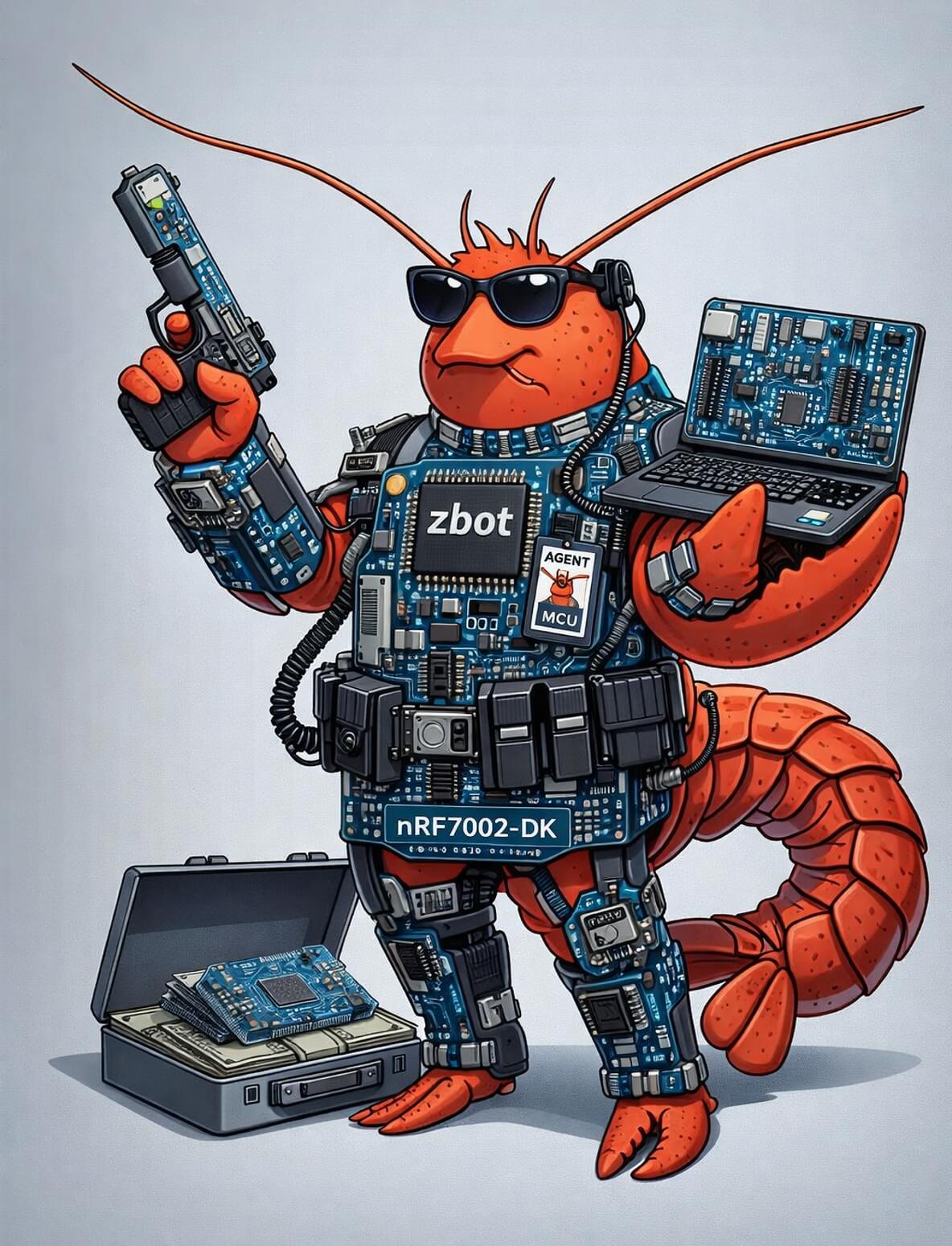
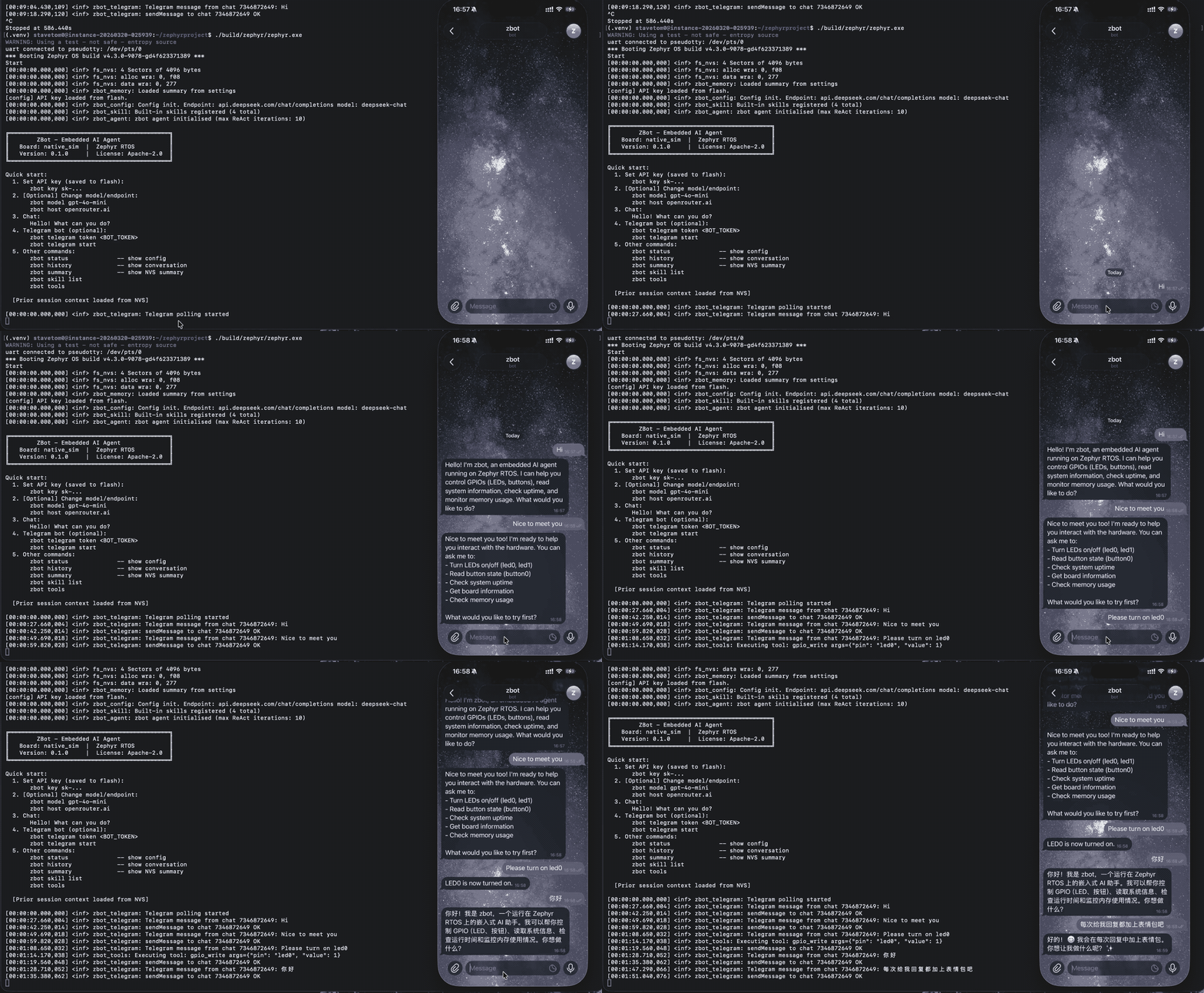
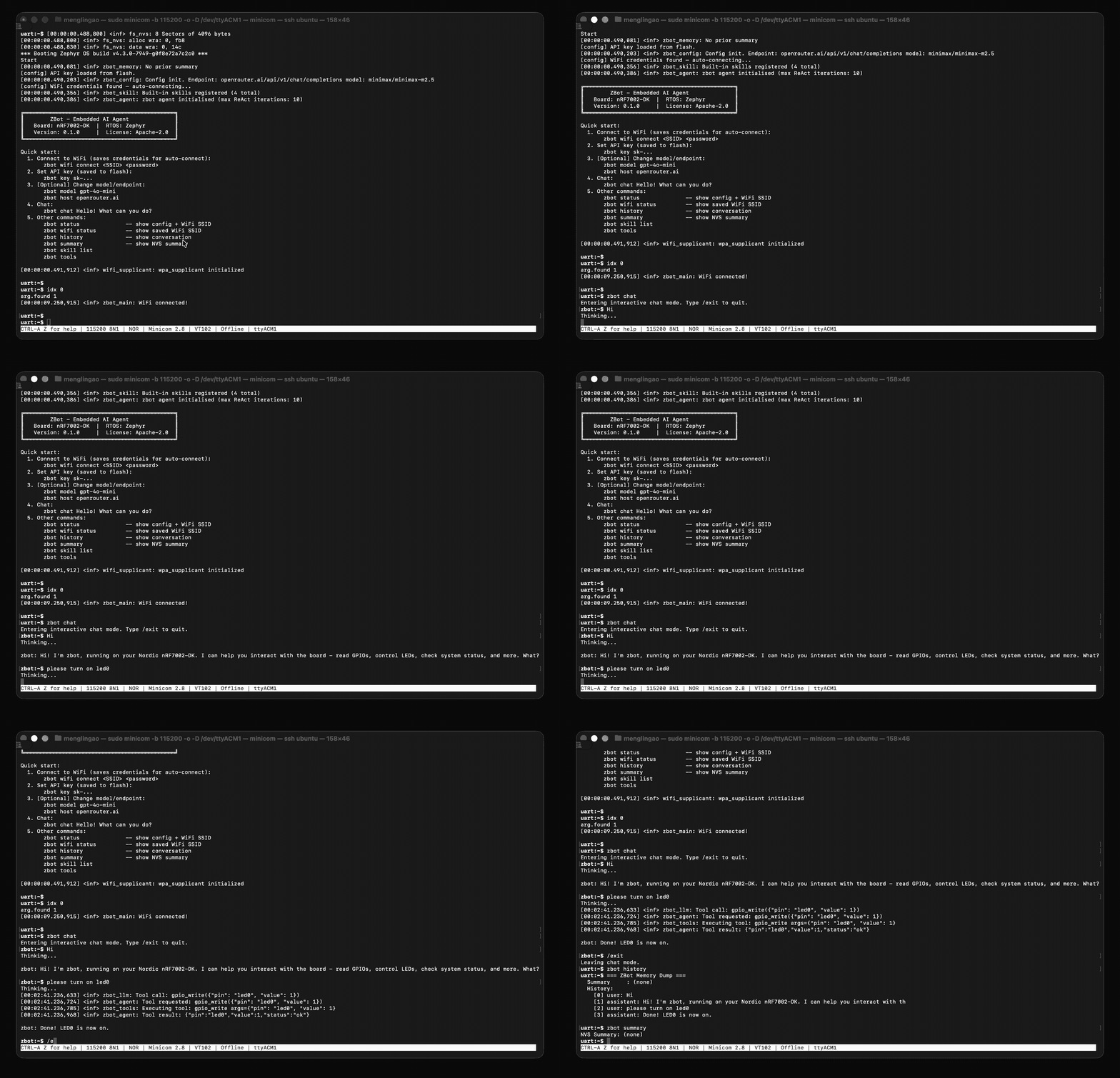
Supported boards: nRF7002-DK (nRF5340 + nRF7002 WiFi), native_sim (Linux host) RTOS: Zephyr latest License: Apache-2.0
┌──────────────────────────────────────────────────────┐
│                    zbot Agent                        │
│                                                      │
│  ┌──────────┐  ┌──────────┐  ┌──────────────────┐    │
│  │  Config  │  │  Memory  │  │   LLM Client     │    │
│  │ endpoint │  │ slab pool│  │  HTTPS → OpenAI  │    │
│  │ model    │  │ + NVS    │  │  compatible API  │    │
│  │ api key  │  │ summary  │  │                  │    │
│  └──────────┘  └──────────┘  └──────────────────┘    │
│                                                      │
│  ┌──────────────────────┐  ┌──────────────────────┐  │
│  │  LLM-visible Tools   │  │       Skills         │  │
│  │  (src/tools/)        │  │  (src/skills/)       │  │
│  │                      │  │                      │  │
│  │  tool_exec ──────────┼─►│  gpio  (read/write/  │  │
│  │    └─ skill_run()    │  │         blink/sos)   │  │
│  │                      │  │  system(board/uptime/│  │
│  │  read_skill ─────────┼─►│         heap/status) │  │
│  │    └─ skill_read_    │  │                      │  │
│  │       content()      │  │  (add more in        │  │
│  └──────────────────────┘  │   src/skills/<name>/)│  │
│                            └──────────────────────┘  │
│  ┌────────────────────────────────────────────────┐  │
│  │  Shell Commands  (zbot key / chat / skill ...) │  │
│  └────────────────────────────────────────────────┘  │
│                                                      │
│  ┌──────────┐                                        │
│  │ Telegram │  Long-poll thread → agent → sendMessage│
│  │   Bot    │                                        │
│  └──────────┘                                        │
└──────────────────────────────────────────────────────┘
| Module | File | Purpose |
|---|---|---|
| Config | config.h/c | LLM endpoint, model, API key + WiFi credentials (NVS persistence) |
| Memory | memory.h/c | k_mem_slab conversation history + NVS rolling summary |
| LLM Client | llm_client.h/c | HTTPS POST to OpenAI-compatible Chat Completions API |
| Tools | tools.h/c + src/tools/ | LLM-visible tool registry; each tool in its own directory, self-registers via SYS_INIT |
| Skills | skills/skill.h/c + src/skills/ | Skill registry; each skill in its own directory, self-registers via SYS_INIT |
| Agent | agent.h/c + src/AGENT.md | ReAct loop; system prompt loaded from AGENT.md at build time |
| Telegram | telegram.h/c | Telegram Bot long-poll thread; forwards messages to agent and replies |
| JSON Util | json_util.h/c | Shared json_get_str() and json_escape() |
| Shell | shell_cmd.c | All zbot shell subcommands |
The LLM sees exactly two tools:
| LLM Tool | What it does |
|---|---|
tool_exec | Dispatches to any registered skill by name — all hardware/system operations go here |
read_skill | Returns the full Markdown documentation of a skill on demand |
Skills are the execution units. They live in src/skills/<name>/ and self-register at boot via SYS_INIT. Each skill has:
SKILL.c — handler implementation, registered with SKILL_DEFINESKILL.md (optional) — Markdown documentation embedded at build time via generate_inc_file_for_targetThe LLM receives only name + description for each skill per request. Full docs are fetched on demand via read_skill.
Hardware primitives (GPIO, uptime, heap) are themselves skills — the same mechanism, just without Markdown docs.
user input
    │
    ▼
build messages JSON  ←────────────────────────────────────────────────┐
    │                                                                 │
    ▼                                                                 │
LLM API call (tool_exec + read_skill exposed)                         │
    │                                                                 │
    ├── finish_reason: tool_call ──► tools_execute(name, args)        │
    │                                    └─ skill_run(name, args) ───►│
    │
    └── finish_reason: stop ──► return answer to user
                                        │
                                        ▼
                                request summary ──► NVS
Max iterations per turn: 10
History uses a 10-node static pool (k_mem_slab) backed by a sys_slist_t linked list ordered oldest → newest.
When the pool is full on memory_add_turn():
After compression, the rolling summary is written to NVS and injected as prior context on the next boot.
Settings layout:
| Key | Type | Notes |
|---|---|---|
zbot/summary | char[768] | Conversation summary |
zbot/apikey | char[256] | Set by zbot key |
zbot/host | char[128] | LLM endpoint hostname |
zbot/path | char[128] | LLM API path |
zbot/model | char[128] | Model name |
zbot/provider_id | char[64] | X-Model-Provider-Id header |
zbot/use_tls | uint8_t | TLS enabled flag |
zbot/port | uint16_t | TCP port |
zbot/tg_token | char[128] | Telegram Bot token |
wifi/... | — | Managed by Zephyr wifi_credentials subsystem |
Set up a Zephyr development environment following the official guide: https://docs.zephyrproject.org/latest/develop/getting_started/index.html
nRF7002-DK (physical hardware with WiFi):
west build -b nrf7002dk/nrf5340/cpuapp zbot
west flash
native_sim (Linux host simulation, no WiFi):
west build -b native_sim zbot
./build/zephyr/zephyr.exe
For nRF7002-DK:
minicom -D /dev/ttyACM0 -b 115200
For native_sim, the shell is on the terminal where you launched zephyr.exe.
uart:~$ zbot wifi connect <SSID> <password>
Credentials are saved to flash and auto-connect on reboot.
native_sim: No WiFi configuration needed — the host OS provides the network stack.
Default Provider (OpenRouter) Get a free API key from: https://openrouter.ai/settings/keys
uart:~$ zbot key sk-...
The key is saved to NVS flash and restored on every reboot.
OpenAI:
uart:~$ zbot host api.openai.com
uart:~$ zbot path /v1/chat/completions
uart:~$ zbot model gpt-4o-mini
uart:~$ zbot key sk-...
DeepSeek:
uart:~$ zbot host api.deepseek.com
uart:~$ zbot path /chat/completions
uart:~$ zbot model deepseek-chat
uart:~$ zbot key sk-...
Local model (e.g. Ollama):
uart:~$ zbot host 192.168.1.100
uart:~$ zbot tls off 11434
Create a bot via @BotFather on Telegram to obtain a token.
uart:~$ zbot telegram token 1234567890:AAxxxxxxxxxxxxxxxxxxxxxxxxxxxxxxxxxx
uart:~$ zbot telegram start
The token is saved to NVS flash. Polling starts automatically on the next reboot if a token is stored.
uart:~$ zbot chat
Entering interactive chat mode. Type /exit to quit.
zbot:~$ Hello! What can you do?
Thinking...

zbot: Hi! I'm zbot ...

zbot:~$ Turn on LED0
Thinking...

zbot: Done — LED0 is now on.

zbot:~$ /exit
Leaving chat mode.
uart:~$
| Command | Description |
|---|---|
zbot key <key> | Set API key (saved to flash) |
zbot key_delete | Delete API key from flash |
zbot config_reset | Reset all config to defaults and wipe from flash |
zbot host <hostname> | Set LLM endpoint host |
zbot path <path> | Set LLM API path |
zbot model <name> | Set model name |
zbot provider <id> | Set X-Model-Provider-Id header |
zbot tls <on|off> [port] | Enable/disable TLS and set port |
zbot status | Show current config and agent state |
| Command | Description |
|---|---|
zbot wifi connect <ssid> [pass] | Connect to WiFi and save credentials |
zbot wifi disconnect | Disconnect from WiFi |
zbot wifi status | Show saved SSID |
| Command | Description |
|---|---|
zbot chat | Enter interactive chat mode (/exit to quit) |
zbot history | Print in-RAM conversation history |
zbot summary | Show the NVS-persisted session summary |
zbot clear | Clear RAM history (keeps NVS summary) |
zbot wipe | Wipe all history and NVS summary |
| Command | Description |
|---|---|
zbot telegram token <token> | Set Telegram Bot token (saved to flash) |
zbot telegram start | Start long-poll thread |
zbot telegram stop | Stop long-poll thread |
zbot telegram status | Show token and polling state |
| Command | Description |
|---|---|
zbot skill list | List all registered skills with descriptions |
zbot skill run <name> [arg] | Run a skill directly from the shell |
zbot tools | List all LLM-visible tools |
Skills are registered at boot via SKILL_DEFINE / SYS_INIT and dispatched by tool_exec.
gpio — GPIO operations| Action | Args | Description |
|---|---|---|
read | pin: led0/led1/button0 | Read GPIO pin level |
write | pin: led0/led1, value: 0/1 | Set GPIO output level |
blink | count: 1–20 (default 3) | Blink LED0 N times at 300ms intervals |
sos | — | Transmit SOS morse code on LED0 |
zbot:~$ Turn on LED0
# LLM calls: tool_exec({"tool":"gpio","args":{"action":"write","pin":"led0","value":1}})

zbot:~$ Blink 5 times
# LLM calls: tool_exec({"tool":"gpio","args":{"action":"blink","count":5}})
system — System information| Action | Description |
|---|---|
board_info | Board name, RTOS, firmware version |
uptime | Device uptime in ms and seconds |
heap_info | Heap free / allocated / peak bytes |
status | Combined report: board + uptime + heap |
zbot:~$ What's the system status?
# LLM calls: tool_exec({"tool":"system","args":{"action":"status"}})
Shell shortcut:
uart:~$ zbot skill run system '{"action":"status"}'
uart:~$ zbot skill run gpio '{"action":"blink","count":3}'
src/skills/<name>/SKILL.md (optional — for skills with documentation)src/skills/<name>/SKILL.c:#include "skill.h"
static const char my_skill_md[] = {
#include "skills/<name>/SKILL.md.inc"
0x00
};
static int handler(const char *arg, char *result, size_t res_len)
{
snprintf(result, res_len, "{\"status\":\"ok\"}");
return 0;
}
SKILL_DEFINE(my_skill, "my_skill", "One-line description",
my_skill_md, sizeof(my_skill_md) - 1, handler);
src/skills/<name>/CMakeLists.txt:target_sources(app PRIVATE ${CMAKE_CURRENT_SOURCE_DIR}/SKILL.c)
generate_inc_file_for_target(
app
${CMAKE_CURRENT_SOURCE_DIR}/SKILL.md
${gen_dir}/skills/<name>/SKILL.md.inc
)
The skill is immediately available to the LLM via tool_exec({"tool":"<name>","args":{...}}).
Edit src/AGENT.md.in — it is embedded into the firmware at build time via generate_inc_file_for_target. No code changes required.
zbot/
├── CMakeLists.txt
├── prj.conf
├── boards/
│   ├── nrf7002dk_nrf5340_cpuapp.conf
│   └── native_sim.conf
├── sysbuild/
│   └── nrf7002dk_nrf5340_cpuapp.conf
└── src/
    ├── AGENT.md.in                 # System prompt (embedded at build time)
    ├── main.c
    ├── agent.h/c                   # ReAct loop
    ├── memory.h/c                  # Conversation history + NVS summary
    ├── llm_client.h/c              # HTTPS LLM client
    ├── config.h/c                  # Runtime config + NVS persistence
    ├── tools.h/c                   # LLM tool registry framework
    ├── json_util.h/c               # JSON helpers
    ├── shell_cmd.c                 # zbot shell commands
    ├── telegram.h/c                # Telegram Bot integration
    ├── certs/openrouter/           # TLS CA certificate
    ├── tools/
    │   ├── tool_exec/              # LLM tool: dispatches to skill_run()
    │   │   └── TOOL.c
    │   └── read_skill/             # LLM tool: returns skill Markdown docs
    │       └── TOOL.c
    └── skills/
        ├── skill.h/c               # Skill registry framework
        ├── gpio/                   # GPIO: read, write, blink, sos
        │   ├── SKILL.c
        │   └── SKILL.md
        └── system/                 # System: board_info, uptime, heap, status
            ├── SKILL.c
            └── SKILL.md
zbot key_delete to remove it.zbot config_reset to wipe it.⭐ If you like this project, give it a star!
⚠️ Experimentelle Skill-Sammlung für deutsches Recht (Arbeits-, Gesellschafts-, Insolvenz-, Datenschutz-, Prozessrecht u
Manage multiple Claude Code agents from TUI or Web with tmux and git worktrees
Project management using GitHub Issues + Git worktrees for parallel agent execution
Core skills library for Claude Code with 20+ battle-tested skills including TDD, debugging, and brainstorming