

Are you the author? Sign in to claim
The offline internet — searchable, browsable, and self-updating. A modern server for ZIM files with cross-source search,




A modern experience for your ZIM files.
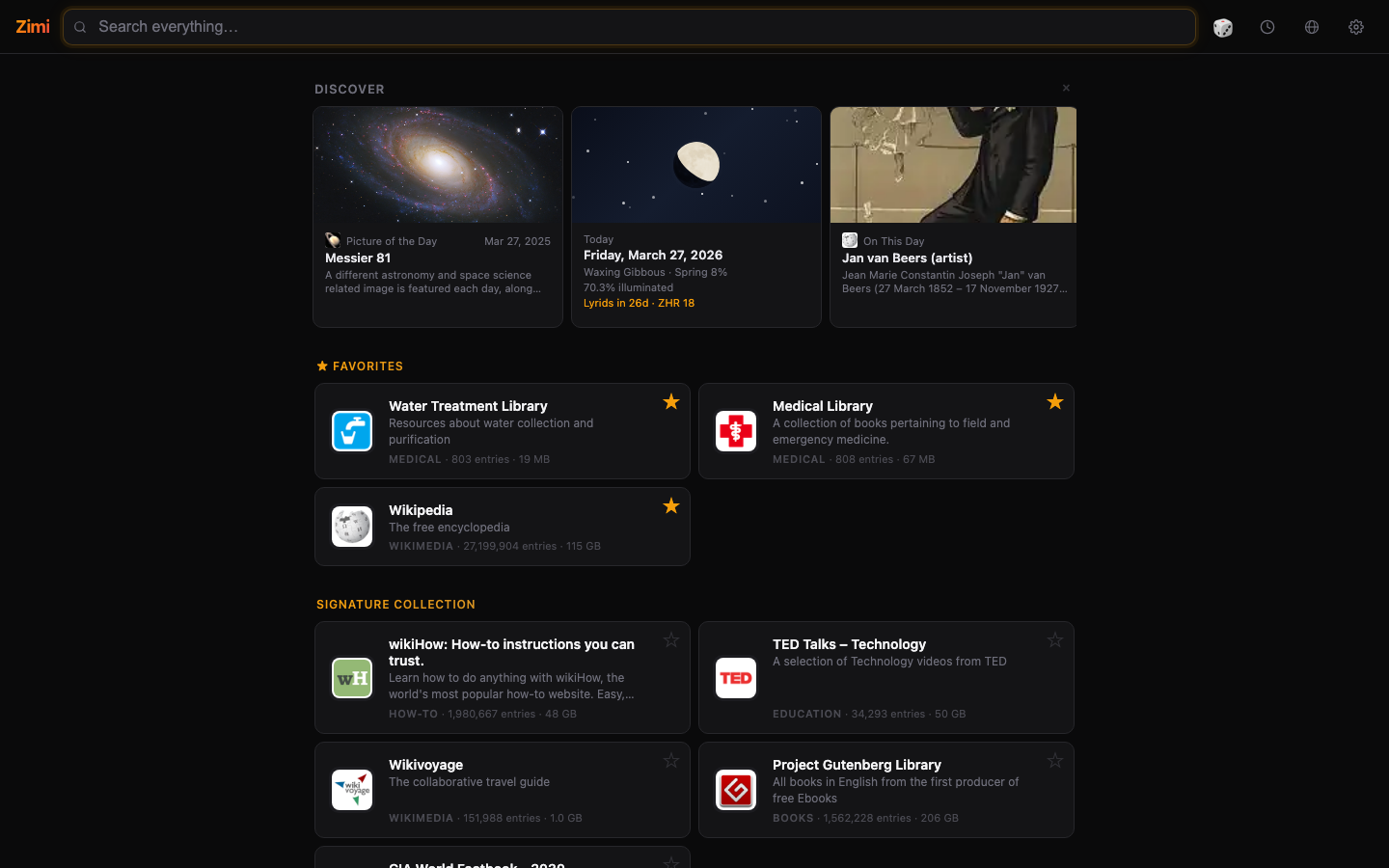
Kiwix packages the world's knowledge into ZIM files. Zimi makes them feel like the real internet with a rich web UI, fast JSON API, and an MCP server for AI agents. Everything works offline, in your language.
| Homepage | Search Results |
|---|---|
 |  |
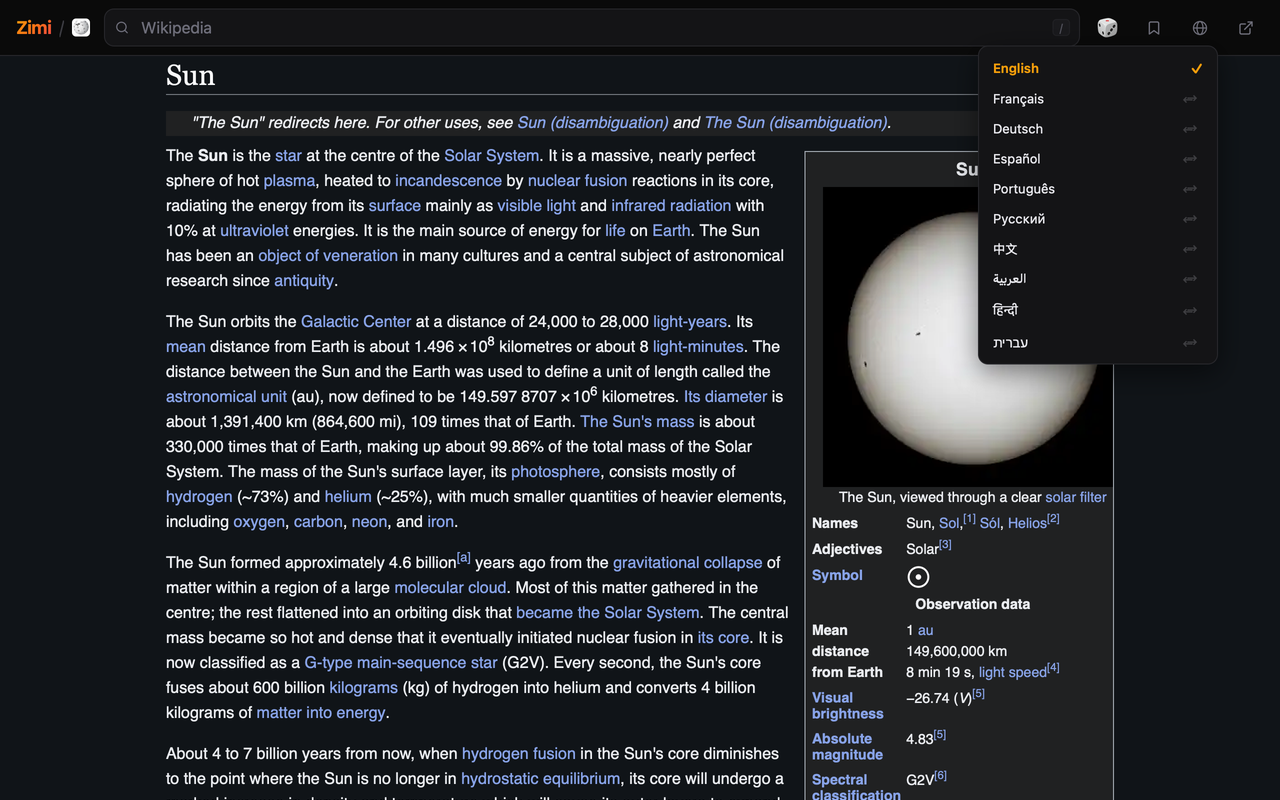
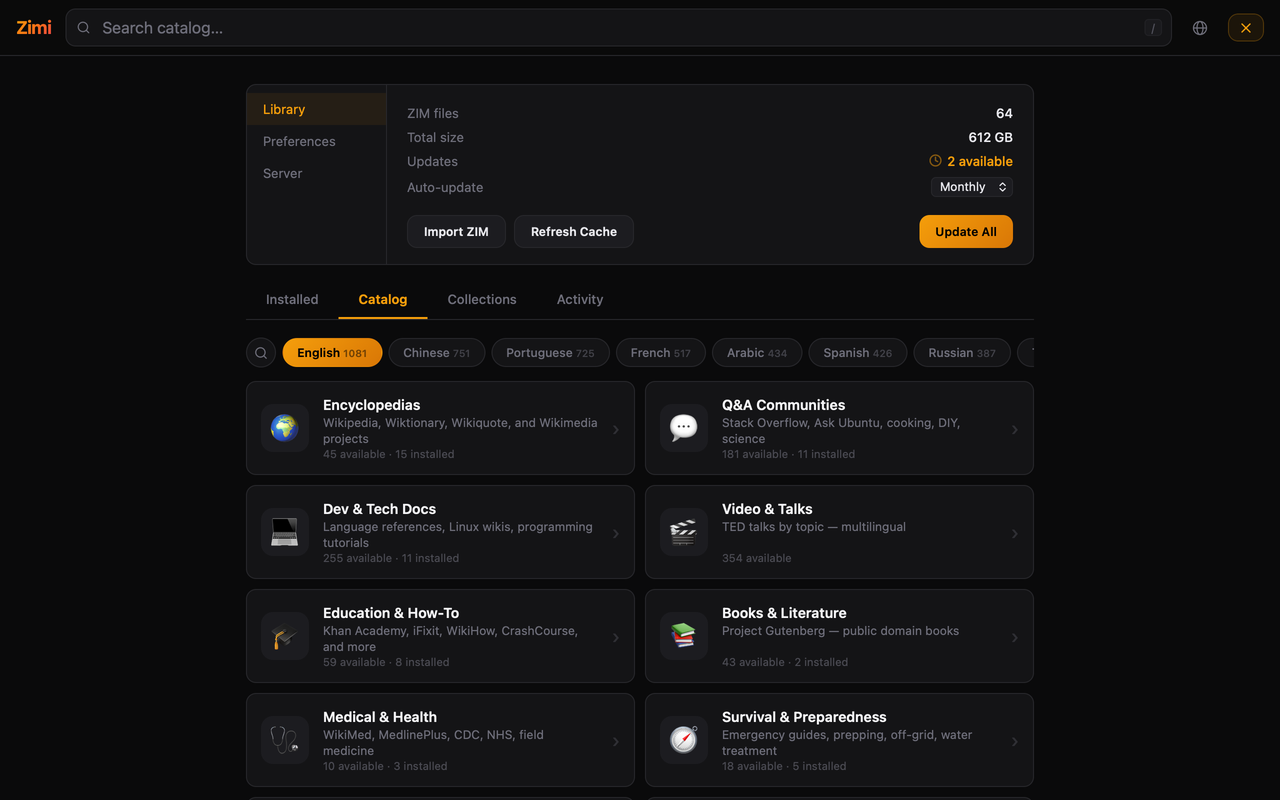
| Language Switching | Catalog |
|---|---|
 |  |
| Article Reader |
|---|
 |
Not an afterthought. Language is deeply integrated into every aspect of Zimi so you can focus on your content and feel at home. Enjoy filtered lists, labeled sources, RTL support and no rock left unturned.
Something not right? Open an issue.
brew tap epheterson/zimi && brew install --cask zimi
Or download from GitHub Releases.
sudo snap install zimi
Or grab the AppImage.
docker run -v ./zims:/zims -v ./zimi-config:/config -p 8899:8899 epheterson/zimi
/zims is where ZIM files live. /config persists cache, indexes, and settings. Open http://localhost:8899.
services:
  zimi:
    image: epheterson/zimi
    container_name: zimi
    restart: unless-stopped
    ports:
      - "8899:8899"
    volumes:
      - ./zims:/zims          # ZIM files go here
      - ./zimi-config:/config  # cache, indexes, settings
pip install zimi
ZIM_DIR=./zims zimi serve --port 8899
| Variable | Default | Description |
|---|---|---|
ZIM_DIR | /zims | Path to ZIM files (scanned for *.zim on startup) |
ZIMI_DATA_DIR | /config (Docker) or $ZIM_DIR/.zimi | Cache, indexes, and settings. Mount separately in Docker. |
ZIMI_MANAGE | 1 | Library manager. 0 to disable. |
ZIMI_MANAGE_PASSWORD | (none) | Protect library management |
ZIMI_AUTO_UPDATE | 0 | Auto-update ZIMs (1 to enable) |
ZIMI_UPDATE_FREQ | weekly | daily, weekly, or monthly |
ZIMI_RATE_LIMIT | 60 | Requests/min/IP. 0 to disable. |
| Endpoint | Description |
|---|---|
GET /search?q=...&limit=5&zim=...&fast=1&lang=... | Full-text search. fast=1 for title matches only. lang filters by language. |
GET /read?zim=...&path=...&max_length=8000 | Read article as plain text |
GET /suggest?q=...&limit=10&zim=... | Title autocomplete |
GET /list | List all sources with metadata |
GET /article-languages?zim=...&path=... | All languages an article is available in |
GET /catalog?zim=... | PDF catalog for zimgit ZIMs |
GET /snippet?zim=...&path=... | Short text snippet |
GET /random?zim=... | Random article |
GET /collections | List collections |
POST /collections | Create/update a collection |
DELETE /collections?name=... | Delete a collection |
GET /resolve?url=... | Resolve external URL to ZIM path |
POST /resolve | Batch resolve: {"urls": [...]} |
GET /health | Health check with version |
GET /w/<zim>/<path> | Serve raw ZIM content |
# Search across all sources
curl "http://localhost:8899/search?q=python+asyncio&limit=5"

# Search in French only
curl "http://localhost:8899/search?q=eau&lang=fr&limit=5"

# Find all languages for an article
curl "http://localhost:8899/article-languages?zim=wikipedia&path=A/Water"

# Read an article
curl "http://localhost:8899/read?zim=wikipedia&path=A/Water_purification"
Zimi includes an MCP server for AI agents.
{
  "mcpServers": {
    "zimi": {
      "command": "python3",
      "args": ["-m", "zimi.mcp_server"],
      "env": { "ZIM_DIR": "/path/to/zims" }
    }
  }
}
For Docker on a remote host:
{
  "mcpServers": {
    "zimi": {
      "command": "ssh",
      "args": ["your-server", "docker", "exec", "-i", "zimi", "python3", "-m", "zimi.mcp_server"]
    }
  }
}
Tools: search (with lang filter), read, suggest, list_sources, random, article_languages, read_with_links, deep_search, list_collections, manage_collection, manage_favorites
See CONTRIBUTING.md.
Built with ❤️ in California by @epheterson and Claude Code.
Run Claude Code as an MCP server so any agent can delegate coding tasks to it
 @microsoft✓ Official
Browser automation using accessibility snapshots instead of screenshots
 @googleapis✓ Official
Google's universal MCP server supporting PostgreSQL, MySQL, MongoDB, Redis, and 10+ databases
 @github✓ Official
Official GitHub integration for repos, issues, PRs, and CI/CD workflows